If you are trying to build, upgrade, or fix a gaming setup without lighting money on fire, this gaming PC hardware guide is the place to start. Too many people buy parts based on hype, shiny specs, or one loud guy on YouTube who treats every setup like it needs a NASA budget. I would rather help you understand what actually matters, what improves real gaming performance, and what you can safely ignore.
This page is built as the master hardware pillar for BuiltToFrag. It gives you the big picture first, then sends you into the right sub-guides for CPUs, GPUs, RAM, storage, monitors, audio, peripherals, and upgrade logic. The goal is simple, make smarter decisions, avoid dumb bottlenecks, and stop buying things that look impressive but solve absolutely nothing.
Quick Answer: What Hardware Actually Matters for Gaming?
If you just want the short version before we go deeper, here it is. These are the parts that usually matter most, and they do not all affect gaming in the same way.
- GPU: usually the biggest driver of visual performance and higher settings.
- CPU: affects smoothness, consistency, simulation-heavy games, and minimum FPS.
- RAM: prevents stutter, hitching, and ugly frametime spikes when games get hungry.
- Storage: improves load times and asset streaming, but usually does not increase raw FPS.
- Monitor: changes how smooth and clear the experience actually feels.
- Mouse, keyboard, headset, and chair: affect control, comfort, focus, and how long you can play without hating your setup.
What Is Gaming PC Hardware?
Gaming PC hardware is everything that makes your setup run, display, control, and support your games. That includes the obvious internal parts like your CPU, GPU, RAM, motherboard, power supply, and storage, but it also includes the gear you touch and use every day, like your monitor, mouse, keyboard, headset, chair, and even your network hardware. If one of those pieces is badly chosen, the whole experience can feel worse than it should.
This matters because a lot of gamers think hardware starts and ends with the graphics card. It does not. A strong GPU paired with weak RAM, a bad monitor, a cheap power supply, or a terrible mouse can still leave you with a setup that feels clumsy, stuttery, or just plain annoying.

Choosing the right GPU for your CPU is equally important, because an unbalanced core system can waste performance before the rest of your hardware even comes into play. That is why this guide covers the full chain instead of pretending one magical upgrade fixes everything.
If you’re still planning your build, start with how to pick PC parts that fit and perform. Then, before you start buying, make sure you’ve covered the most important questions to ask before building a PC. This guide acts as the master roadmap, helping you understand how every component fits together.
Core Gaming PC Components Explained
This is the section most people think they understand until they start throwing money around in the wrong direction. Core hardware decides how well your games render, how stable they feel, how quickly assets load, and whether your system handles modern titles without wheezing like an old vacuum cleaner. You do not need a perfect rig, but you do need balanced parts.

The trick is understanding what each part is responsible for. Once you know that, you stop blaming the GPU for RAM problems, stop blaming your SSD for CPU limits, and stop buying upgrades that barely change anything. That alone will save you a lot of regret.
CPU, What Actually Matters
Your CPU handles game logic, AI, simulation work, draw calls, and a lot of the behind-the-scenes heavy lifting that keeps a game running smoothly. In competitive shooters, strategy games, large open world titles, and badly optimized PC ports, the CPU often matters more than people expect. It will not always raise your average FPS as dramatically as a GPU, but it can massively improve consistency and reduce ugly dips.
This is why buying a monster graphics card and pairing it with a weak processor can still leave you feeling disappointed. On paper it looks powerful. In real life, the system can choke in busy scenes, struggle with background tasks, and produce uneven frametimes that make everything feel less smooth than the FPS number suggests.
For deeper CPU buying advice, read the best gaming CPUs for value. If you are shopping used or trying to avoid buying a dud, also read buying a used CPU for gaming and how to test a used CPU.
GPU, The Real Performance Driver
Your graphics card is still the star of the show for most gaming builds. It handles the visual workload, resolution scaling, ray tracing, texture-heavy scenes, and the settings that make your games look good instead of like they were rendered through a potato.
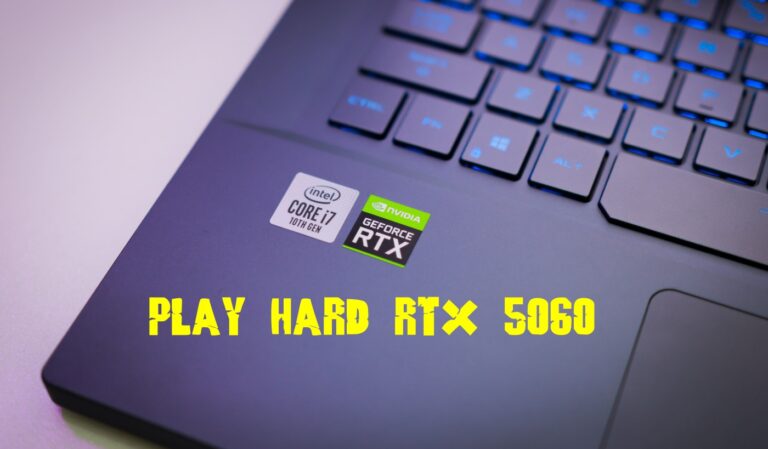
If you’re considering a gaming laptop instead of a desktop GPU upgrade, our guide to the best RTX 5060 gaming laptops highlights the models that deliver the best balance of gaming performance, cooling and long-term value.
If you care about 1440p, 4K, ultra settings, or modern visual features, the GPU usually does the heavy lifting. Not sure how much video memory you actually need? Our detailed 8GB vs 12GB vs 16GB VRAM comparison breaks down the best choice for 1080p, 1440p, and modern gaming.
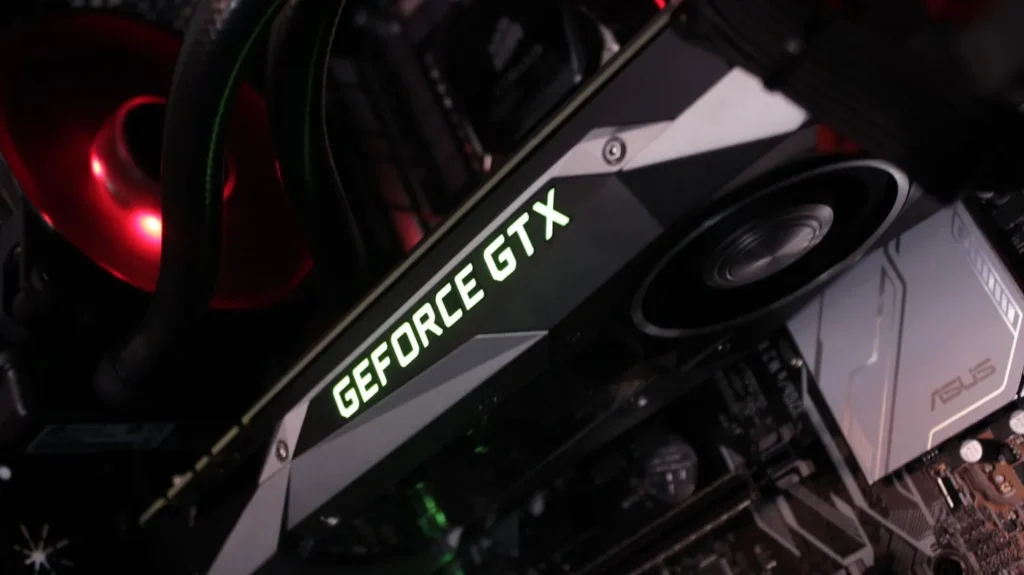
But this is where people make some truly expensive mistakes. A stronger GPU does not automatically mean a better gaming experience if the rest of the build cannot keep up. You can spend a pile of money on a shiny card, then discover your CPU is holding it back, your power supply is questionable, your monitor cannot show the extra frames, and your case airflow is tragic.
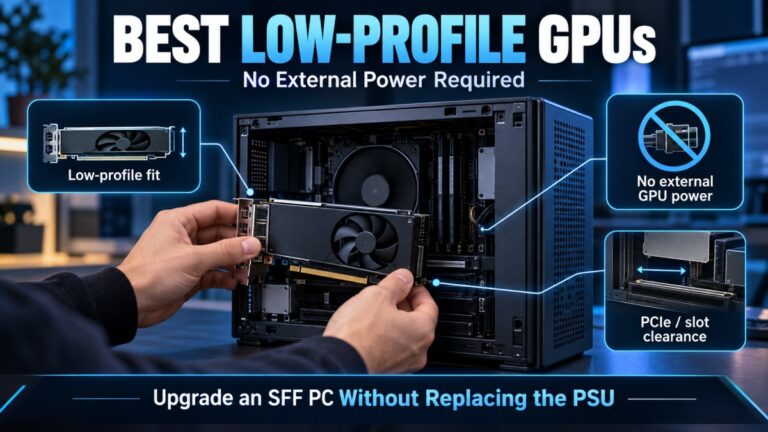
Start with the best GPU picks for 1080p and 1440p. Then read whether 8GB of VRAM is still enough, GPU upgrade mistakes gamers keep making, and why some PC gamers are avoiding AMD GPUs if you want the bigger picture around real-world buying decisions.
RAM: Why Too Little Memory Can Cause Stutter
RAM is where a lot of “my PC feels weird” problems begin. When you do not have enough memory, games can hitch, freeze briefly and struggle as Windows starts relying more heavily on the page file. A poor memory configuration, such as running a single stick on a system that benefits from dual-channel memory, can also contribute to inconsistent performance.
Budget and older builds get hit hardest here. It is easy to spend money on a new GPU while leaving the system with only 8GB of RAM or a poor memory configuration, then wonder why modern games still stutter during combat, open-world traversal or heavy multitasking.
If you’re not sure whether your current capacity is enough, start with our guide to how much RAM games actually need.
If you’ve confirmed that you need more memory and are ready to upgrade, use our RAM buying guide for gaming PCs to choose the right capacity, DDR generation and kit for your system.
If you already have enough RAM but a particular game keeps consuming more and more memory, that’s a different problem. See how to fix a game using too much RAM instead.

Storage, SSD vs HDD Reality
Storage affects how quickly your system boots, how fast games load, and how smoothly assets stream in modern titles. That matters more than it used to, especially in open world games and newer engines that constantly pull data while you play. What storage usually does not do is magically boost raw FPS. That myth has survived far longer than it deserved.
Hardware matters, but it is only one part of the experience, our PC Gaming Setup Guide explains the tools, mods, and setup choices that complete the picture.
This does not mean storage is unimportant. It means you should buy it with sane expectations. Moving from a hard drive to an SSD is one of the easiest quality-of-life upgrades you can make. Moving from one decent SSD to a faster one is much more situational, and the gain is often less dramatic than marketing would have you believe.
For the no-nonsense version, read do faster SSDs improve FPS, real-world SSD performance for gaming, and the best NVMe SSDs for gaming. If you need portable options, check the best external SSDs for gaming.
Motherboard and Power Supply, The Parts People Ignore Until They Regret It
Your motherboard and power supply are not the glamorous parts, but they decide stability, compatibility, upgrade paths, and whether the whole system behaves like a reliable machine or a problem generator. A bad motherboard limits features, memory support, and future upgrades. A bad power supply is worse, because it can turn your build into a roulette table.
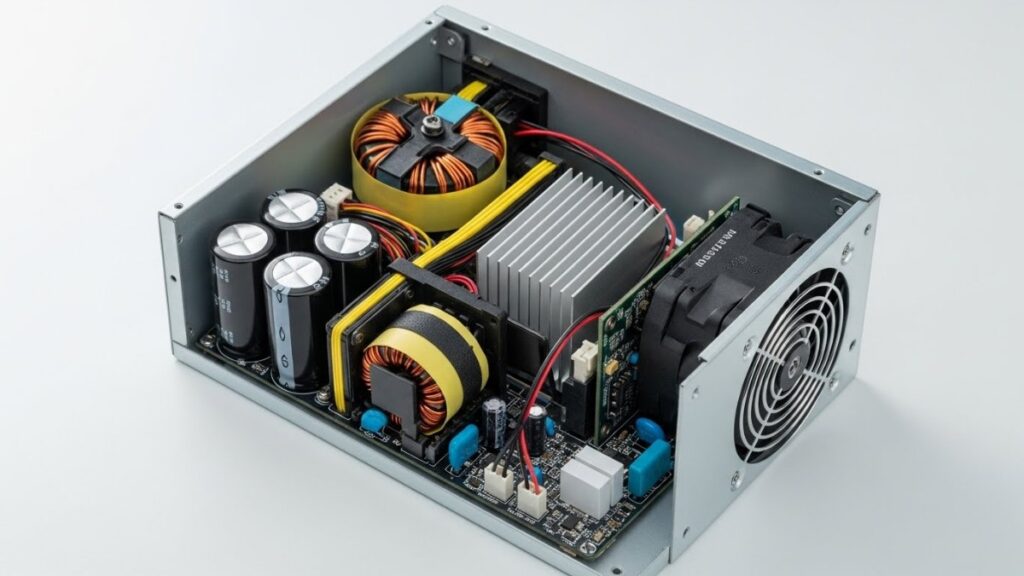
These are not the parts to cheap out on blindly. You do not need overspend nonsense either, but you do need competent hardware that matches the rest of the build. Stable power, proper VRMs, enough slots, sane connectivity, and decent thermals matter more than fake gamer branding.
Read the best gaming motherboards for every budget, the best PC power supply buying guide, and power supplies explained, wattage and efficiency. and silent PC build advice.
How to Choose Hardware Based on Your Gaming Style
A lot of buying mistakes happen because people shop for parts without defining what kind of gamer they actually are. Someone chasing high-refresh competitive play does not need exactly the same hardware priorities as someone sinking into cinematic single-player games. And a budget build for older esports titles is not the same thing as a rig meant to survive modern AAA launches.
That is why you should choose hardware around your real usage, not around bragging rights. The right build is not the one with the biggest numbers. It is the one that matches the games you play, the monitor you use, and the experience you actually want day to day.
If You Play Competitive Games
Competitive players should care about frame consistency, CPU strength, monitor refresh rate, mouse quality, and input feel. You do not need every visual setting maxed out if your goal is responsiveness. In shooters and fast reaction games, smooth frametimes, clear motion, and low input delay are worth more than pretty shadows nobody notices mid-fight.

That usually means prioritizing a balanced CPU and GPU combo, enough RAM, a high refresh display, and peripherals that do not fight you. Start with match your monitor to your pc, then move to top gaming mice, the best mechanical keyboards under $100, and why capping your FPS can help.
If You Play Story Games and AAA Releases
Single-player and big-budget AAA games usually hit your GPU harder and care more about visual horsepower, VRAM headroom, storage speed, and enough CPU performance to avoid ugly lows. If you love cinematic games, your money often goes further with a stronger graphics card and a good display than with niche peripherals you barely notice.
This is also where open world asset streaming, large texture packs, and heavier memory use become more important. Read GPU picks for 1080p and 1440p, best gaming monitors by budget
If You Are on a Budget or Upgrading an Older PC
Budget builds live or die on balance. This is where bad advice hurts the most, because one wrong purchase can eat your whole upgrade budget and barely improve anything. Older systems especially need careful planning, since platform limits, PSU capacity, motherboard support, and RAM constraints can stop you long before the dream GPU enters the room.
If you are on DDR3-era hardware or an old motherboard, be careful. Modern DDR4 and DDR5 kits, NVMe assumptions, newer GPU power demands, and current platform features may not fit your system at all. In some cases the smart move is a small second-hand upgrade. In others, you are just polishing a corpse and should save for a platform rebuild instead.
Use the gaming PC budget guide, best budget PC build, best mid-range gaming PC build, best ultra-budget gaming PC build, and Smart PC Upgrades for weak PCs. If you are trying to squeeze life from old hardware, also read how to upgrade your old PC the right way and cheap gaming PC mistakes to avoid.
What Actually Improves Performance
This is where a lot of PC advice goes off the rails. People talk about “performance” as if it is one single thing, when really it means different problems with different causes. Some upgrades improve average FPS. Some improve consistency. Some improve load times. Some improve comfort. Some just improve your ego and your RGB bill.

If you want meaningful gains, you need to match the upgrade to the problem. Otherwise you end up buying expensive parts that barely change your real experience, then acting shocked when your system still feels rough.
Upgrades That Matter
The best upgrades are the ones that fix the system’s weakest link. Sometimes that is a GPU. Sometimes it is moving from 8GB to 16GB or 32GB of RAM. Sometimes it is replacing a hard drive with a decent SSD. Sometimes it is finally upgrading a monitor that has been quietly bottlenecking your eyes for years.
For practical starting points, read gaming PC upgrades that actually matter, cheap gaming upgrades that boost FPS, and the best PC upgrades under $100.
Bottlenecks Explained
A bottleneck is not some dramatic internet buzzword. It just means one part is holding the rest of the system back. A weak CPU can limit a strong GPU. Bad RAM can cause stutter even when both CPU and GPU look fine. A 60Hz monitor can hide the benefit of a system pushing way past 100 FPS. The point is not to avoid all bottlenecks forever, because that is impossible. The point is to avoid dumb ones.
If that sounds like your life lately, read the hidden throttles killing FPS, how to tell if it is a CPU or GPU problem, and why your PC still feels slow after an upgrade.
Why FPS Is Not Everything
A high FPS number can still feel bad if frametimes are uneven, shader compilation stutters are hitting hard, or your CPU is choking in busy scenes. This is why two systems with similar benchmarks can feel completely different during real play. Smoothness is not just a number, it is the rhythm of the whole setup working together.
If you want to understand how to measure that properly, go to how to monitor temps, clocks, and usage, the HWiNFO guide for bottlenecks and sanity checks, how to use MSI Afterburner, and how to test gaming PC performance.
Peripherals That Matter More Than People Admit
Peripherals get treated like optional fluff right up until someone uses a genuinely better monitor, mouse, keyboard, or headset and suddenly understands why their old setup felt miserable. These are not just decorations around your PC. They are the parts of the experience you actually see, hear, and touch.
The best internal hardware in the world cannot save a setup that feels awkward, blurry, mushy, or uncomfortable. That is why this hardware pillar does not stop at internal components. If the goal is a better gaming experience, peripherals absolutely belong in the conversation.
Monitors
A good monitor changes gaming instantly. Better refresh rate, better motion handling, better response, and a panel that matches your goals can make games feel sharper and faster even before you touch the rest of the system. If you are still staring at a weak old display, it might be the most obvious upgrade you are ignoring.
Start with the gaming monitor hub, then read best gaming monitors by budget.

Audio and Comfort
A good gaming setup is not only about frame rates. Clear audio helps you pick out footsteps, dialogue, and other important sound cues, while a comfortable chair makes longer sessions far easier on your body. Neither upgrade will increase your FPS, but both can make gaming more enjoyable and help you stay focused for longer.
If sound is letting your setup down, start with our guide to the best gaming headsets. Players who prefer something lighter can compare the options in our gaming earbuds guide. If discomfort is the bigger problem, our gaming chair buying guide explains what to look for before spending your money.
Mice and Keyboards
If you want a full breakdown of how input gear affects aim, comfort, and real gameplay feel, go to the complete gaming peripherals guide, which focuses purely on mice, keyboards, and control setups.
Your input gear is where your decisions become in-game actions. If the mouse shape is wrong, the weight is bad, the sensor is inconsistent, or the keyboard feels awful, your control suffers whether you consciously notice it or not. You do not need ultra-premium everything, but you do need tools that fit your hands and your play style.
Start with the full peripherals hub, then move to top gaming mice and the best mechanical keyboards under $100. If you play flight sims or niche genres, specialist gear can matter even more, which is where reviews like the VKB Gladiator NXT EVO F-14 review come in.
Secondary Hardware That Still Matters
Secondary hardware is where many annoying PC problems hide. These parts and factors are not always the main stars of a gaming build, but they can still affect daily use, stability, latency, and quality of life. Ignoring them completely is how you end up chasing fake problems in the wrong places.

This category includes things like network gear, certain PSU choices, and hardware decisions that matter situationally instead of universally. Not every gamer needs to obsess over them, but the right reader absolutely should care.
If you rely on wireless networking, read the best WiFi adapters for gaming PCs and whether faster internet really reduces lag. and single PC streaming setup advice if you are trying to game and create from one machine.
What to Avoid When Buying or Upgrading Gaming Hardware
This is the section that saves you money. A lot of bad hardware decisions do not come from ignorance alone. They come from impatience, marketing pressure, and the very human urge to buy the exciting part before understanding the boring one. That is how people end up with expensive builds that still feel wrong.
If the angle of this article is “stop wasting money on the wrong hardware,” this is where that promise gets paid off. You do not need to avoid every mistake. You just need to dodge the expensive ones.
Buying RGB Instead of Performance
There is nothing wrong with your PC looking good, but aesthetics should come after function. If the choice is between extra lights and better cooling, more RAM, a better monitor, or a more reliable PSU, the answer is not hard. One improves your setup. The other glows at you while your game stutters.
Upgrading the Wrong Part
This is probably the most common mistake in PC gaming. People buy a new GPU when the CPU is the problem, buy a faster SSD when the real issue is RAM, or blame the whole system when the monitor is stuck at 60Hz and hiding the benefit of every other upgrade. Before you spend, diagnose the weak point first.
Ignoring Bottlenecks and Compatibility
A part can be good and still be wrong for your system. That is the hard truth. Motherboard support, PSU limits, case fitment, memory compatibility, platform age, and BIOS requirements can all turn a “great deal” into a giant waste of time.
Buying Cheap Junk That Fights You
Some budget hardware is smart. Some is just bad. Cheap mice with poor sensors, no-name PSUs, terrible chairs, weak cooling, and random untested RAM kits are not bargains if they make your setup worse or less stable. Saving money is good. Buying problems is not.
For more examples, read cheap gaming PC mistakes, GPU upgrade mistakes gamers keep making, new PC first-boot mistakes, and why your PC still feels slow after an upgrade.
How Hardware Actually Affects Real Gaming Performance
Benchmarks matter, but real gaming performance is about more than chasing a single FPS figure. What you actually feel while playing depends on how well your CPU, GPU, RAM, storage, monitor, and cooling are working together. A system can benchmark well in a neat chart and still feel rough in live gameplay if one area is unstable, overloaded, or badly matched.
This is why hardware advice gets so messy online. People oversimplify. They say “just buy a better GPU” or “more RAM fixes everything” when the truth is that real performance is a chain of causes and trade-offs. You need to understand the shape of the problem first.
CPU vs GPU Behavior
The GPU usually controls your higher settings and resolution headroom. The CPU usually controls how well the game world, AI, physics, and frame delivery hold together in complex scenes. If the GPU is maxed out, lowering visual settings may help. If the CPU is choking, the gains from a stronger GPU may be smaller than expected.
RAM and Stutter
RAM issues usually show up as hitching, sudden pauses, streaming problems, or frame pacing that feels ugly even when average FPS looks acceptable. This is one reason a “fast” PC can still feel bad. It is not always about low FPS. Sometimes it is about consistency and the system’s ability to keep up under load.

Frametimes vs FPS
FPS tells you how many frames are being produced. Frametime tells you how evenly they arrive. If the numbers are jagged, the game can feel choppy, twitchy, or delayed even when the headline FPS sounds impressive. That is why good monitoring matters and why raw benchmarks should never be your only lens.
If your games are already misbehaving, stop guessing and use monitoring tools properly. Then read why games stutter on low-end PCs, why games stutter on high-end PCs, how to fix high CPU usage while gaming, and why Windows 11 might be running slow.
Do You Actually Need to Upgrade?
Not always. Sometimes the smartest move is not buying anything yet. If your temperatures are bad, background junk is eating resources, Windows is bloated, or your monitor is the real weak point, throwing money at the GPU first can be a lazy answer to the wrong question.
I would rather tell you the truth than shove every reader toward a shopping cart. If your current setup still matches the games you play, your target resolution, and your refresh rate, you might be better off optimizing what you have and waiting for a more meaningful jump. Upgrading just because the internet is bored is not a strategy.
Before spending, check Windows settings to disable for gaming, how to disable bloatware on Windows, how to reduce lag without sacrificing graphics, and the PC maintenance and optimization guide. You might fix more than you expect without touching a single new component.
Where to Go Next
You do not need to read every hardware article on the site in one sitting like it is a university course for nerds with RGB addiction. You just need to follow the path that matches your problem. That is the whole reason this page exists. It is here to stop the chaos and point you toward the right next step.
If you are building a rig, start with how to pick PC parts that fit and perform and gaming PC builds for every budget. If you are upgrading, go to gaming PC upgrades that actually matter. If your system feels rough, read why your PC still feels slow after an upgrade and how to monitor temps, clocks, and usage. If the display side is your weak point, head into the gaming monitor hub.
This gaming PC hardware guide is meant to be the central hub that keeps all of those choices connected. As new hardware guides, tests, and upgrade articles go live, this page should keep getting sharper, broader, and more useful. That is how a real pillar works. It does not just sit there looking important. It actually helps people make better decisions.
If you want extra technical analysis beyond BuiltToFrag’s practical buying focus, two good places to keep an eye on are GamersNexus for deep thermal and stability testing, and NotebookCheck for useful display and laptop performance data. Use them as supporting evidence, then come back here when you want the plain-English version without the nonsense.