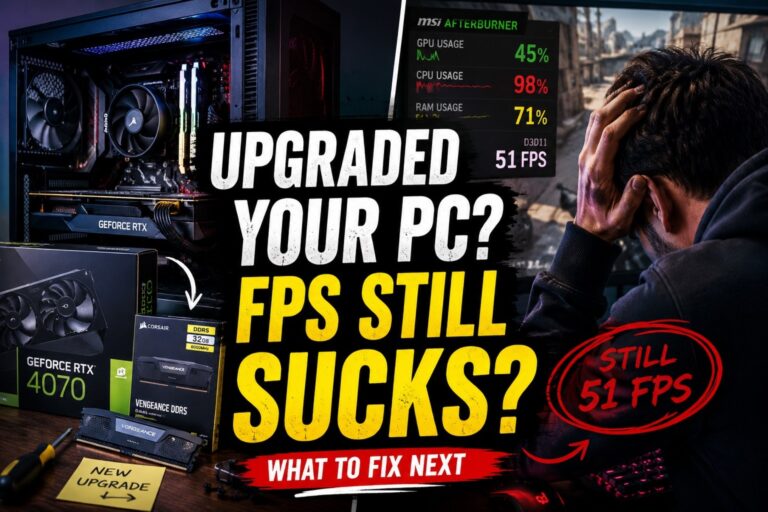
Deciding Which GPU Should You Pair With Your CPU isn’t just about buying the fastest GPU you can afford. It’s about finding the right balance between your CPU and GPU so every Rand or Dollar you spend actually improves your gaming experience.
Far too many gamers waste money pairing flagship graphics cards with mid-range processors or buying expensive CPUs that end up feeding entry-level GPUs. The result is an unbalanced gaming PC that costs more without delivering the performance you expected.
This guide helps you avoid that mistake.

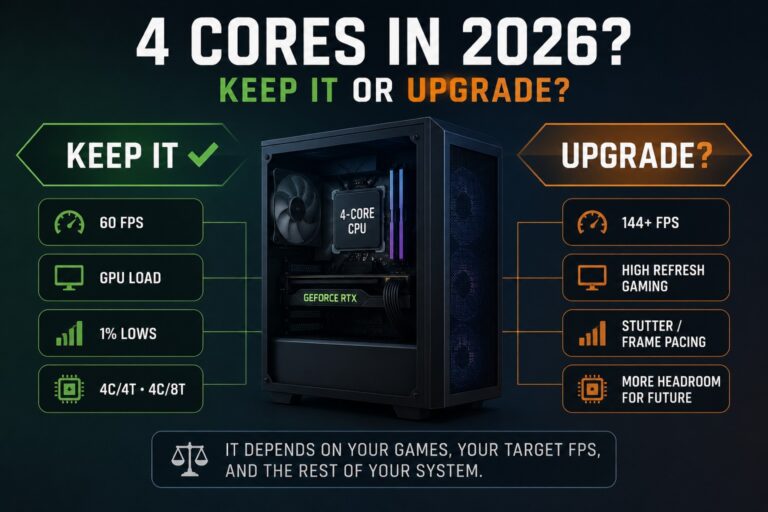
Instead of recommending the most expensive hardware, we’ll show you which GPU makes the most sense for your CPU, where spending more stops being worthwhile, and when upgrading your processor first will give you a bigger improvement than buying a faster graphics card. If you’re still using a quad-core, our guide to whether your 4-core CPU is still enough can help you decide if the processor actually needs replacing first.
Whether you’re building a brand-new gaming PC or upgrading an existing one, this guide will help you build a balanced system that delivers the best value for your budget.
If you’re still deciding which processor to buy, read Stop Wasting Money: The Gaming CPUs Actually Worth Buying in 2026 first. Once you’ve chosen your CPU, come back here to find the right graphics card.
Why CPU and GPU Pairing Matters
Your CPU and GPU work as a team. The processor handles game logic, physics, AI, draw calls and everything happening behind the scenes. Your graphics card takes that information and turns it into the images you actually see on screen.

If one component is much stronger than the other, one ends up waiting for the other to finish its work. This is what people usually call a bottleneck. But bottlenecks aren’t always bad.
Every gaming PC has one somewhere. The goal isn’t to eliminate bottlenecks completely. The goal is to build a balanced system where neither component is dramatically limiting the other during the games and resolutions you actually play.
That’s why pairing matters far more than buying the fastest individual component. For example, pairing an RTX 5090 with a Ryzen 5 may look impressive on paper, but many gamers would see almost no practical benefit over a much cheaper graphics card, especially at 1080p. If you are working with a compact OEM or small-form-factor PC, the choice may be limited further by case size and available GPU power, so see our guide to the best low-profile GPUs without external power before choosing a card.
That extra money would often be better spent elsewhere in the build. Likewise, pairing a Ryzen 7 9800X3D with an entry-level graphics card leaves a huge amount of CPU performance sitting unused.
Balanced systems deliver:
- Better value for money
- More consistent frame rates
- Fewer upgrade regrets
- Smarter long-term upgrade paths
- Higher overall gaming performance for your budget
If you’re planning an entire build rather than just replacing one component, our guide to choosing PC parts that actually fit together will help you avoid expensive compatibility mistakes.
CPU to GPU Quick Lookup Table
If you just want the answer, start here.
The table below shows the graphics card that offers the best balance for each popular gaming CPU, along with the fastest GPU that still makes financial sense before you start paying for performance your processor is unlikely to use effectively.
These recommendations assume modern AAA gaming with high-quality settings and are designed around overall value rather than chasing the highest benchmark numbers.
| CPU | Ideal GPU | Maximum GPU Worth Buying | Best Gaming Resolution |
|---|---|---|---|
| Ryzen 5 5600 | RTX 5060 | RTX 5070 | 1080p / 1440p |
| Ryzen 5 7600 | RTX 5060 Ti | RTX 5070 Ti | 1080p / 1440p |
| Ryzen 5 9600X | RTX 5070 | RTX 5080 | 1440p |
| Ryzen 7 9700X | RTX 5070 Ti | RTX 5080 | 1440p / 4K |
| Ryzen 7 9800X3D | RTX 5080 | RTX 5090 | 1440p / 4K |
| Core i5-14600K | RTX 5070 | RTX 5080 | 1440p |
| Core Ultra 7 | RTX 5070 Ti | RTX 5080 | 1440p / 4K |
Think of the Ideal GPU as the sweet spot where performance, value and long-term usability meet. The Maximum GPU Worth Buying is the point where spending more usually delivers rapidly diminishing returns unless you have a very specific workload or you’re gaming primarily at 4K.
Next, we’ll break these recommendations down by CPU tier so you can understand why each pairing makes sense instead of simply following a table.
Best GPU for Every CPU Tier
Not every processor needs a flagship graphics card. In fact, many gamers get the best value by choosing a GPU that matches their CPU rather than buying the fastest card their budget allows.
Below are our recommended pairings for today’s most popular gaming processors. These recommendations focus on real-world gaming performance, long-term value and avoiding unnecessary bottlenecks.
Entry-Level Gaming CPUs
Typical processors:
- Ryzen 5 5500
- Ryzen 5 5600
- Intel Core i5-12400F
- Intel Core i5-13400F
| Recommended GPU | Alternative | Pairing Score | Verdict |
|---|---|---|---|
| RTX 5060 | RX 9060 XT | ★★★★★ | Perfect Balance |
| RTX 5060 Ti | RX 9070 | ★★★★☆ | Excellent Upgrade |
| RTX 5070 | RX 9070 XT | ★★★☆☆ | Only Worthwhile for Some 1440p Builds |
These processors remain excellent gaming CPUs, especially for 1080p gaming. Spending beyond an RTX 5070-class GPU generally offers diminishing returns unless you’re planning to upgrade your processor in the near future.
Mid-Range Gaming CPUs
Typical processors:
- Ryzen 5 7600
- Ryzen 5 9600X
- Intel Core i5-14600K
- Intel Core Ultra 5
| Recommended GPU | Alternative | Pairing Score | Verdict |
|---|---|---|---|
| RTX 5060 Ti | RX 9070 | ★★★★★ | Best Overall Value |
| RTX 5070 | RX 9070 XT | ★★★★★ | Ideal for 1440p Gaming |
| RTX 5080 | RX 9080 XT | ★★★☆☆ | Mainly for 4K Gaming |
This is currently the sweet spot for most gaming PCs. These CPUs have enough processing power to drive powerful graphics cards while still representing excellent value. For the majority of gamers, this tier delivers the highest FPS per dollar.
High-End Gaming CPUs
Typical processors:
- Ryzen 7 9700X
- Ryzen 9 9900X
- Intel Core Ultra 7
| Recommended GPU | Alternative | Pairing Score | Verdict |
|---|---|---|---|
| RTX 5070 Ti | RX 9070 XT | ★★★★★ | Excellent Match |
| RTX 5080 | RX 9080 XT | ★★★★★ | Fantastic for High Refresh 1440p and 4K |
| RTX 5090 | – | ★★★★☆ | Only if You Truly Need It |
High-end processors allow you to take advantage of faster graphics cards, but that doesn’t automatically mean you should buy the most expensive GPU available. Unless you’re gaming at 4K, chasing maximum ray tracing performance, or using demanding creative workloads, an RTX 5080-class card is often the smarter investment.
X3D and Enthusiast CPUs
Typical processors:
- Ryzen 7 9800X3D
- Ryzen 9 9950X3D
| Recommended GPU | Alternative | Pairing Score | Verdict |
|---|---|---|---|
| RTX 5080 | RX 9080 XT | ★★★★★ | Outstanding Gaming Pair |
| RTX 5090 | – | ★★★★★ | Ultimate No-Compromise Build |
X3D processors exist for gamers who want maximum gaming performance. These are among the few CPUs that can genuinely justify flagship graphics cards without feeling unbalanced.
If you’re still deciding between platforms, our Best Gaming PC Builds for Every Budget guide shows how these pairings fit into complete systems.
How Resolution Changes Everything
One of the biggest mistakes gamers make is assuming the same CPU and GPU pairing is ideal for every resolution. It isn’t.

As resolution increases, the graphics card takes on more of the workload while the processor becomes relatively less important.
| Resolution | CPU Importance | GPU Importance | Best Upgrade Priority |
|---|---|---|---|
| 1080p | Very High | High | CPU and GPU should be closely balanced. |
| 1440p | High | Very High | Invest slightly more in your graphics card. |
| 4K | Moderate | Extremely High | Prioritise GPU performance. |
At 1080p, especially with competitive esports titles running at very high frame rates, the processor often limits performance first. That’s why pairing a weak CPU with a powerful GPU can lead to disappointing results.
At 1440p, the workload becomes more balanced. This is where many gamers find the best compromise between image quality and frame rate.
At 4K, modern graphics cards become the primary performance limiter in most games. A stronger GPU usually delivers more benefit than upgrading an already capable processor.
When Your CPU Is Holding Back Your GPU
CPU bottlenecks are one of the most misunderstood topics in PC gaming.
Many gamers assume a bottleneck means they’ve built their PC incorrectly. In reality, every gaming system has a limiting component depending on the game, graphics settings and resolution.
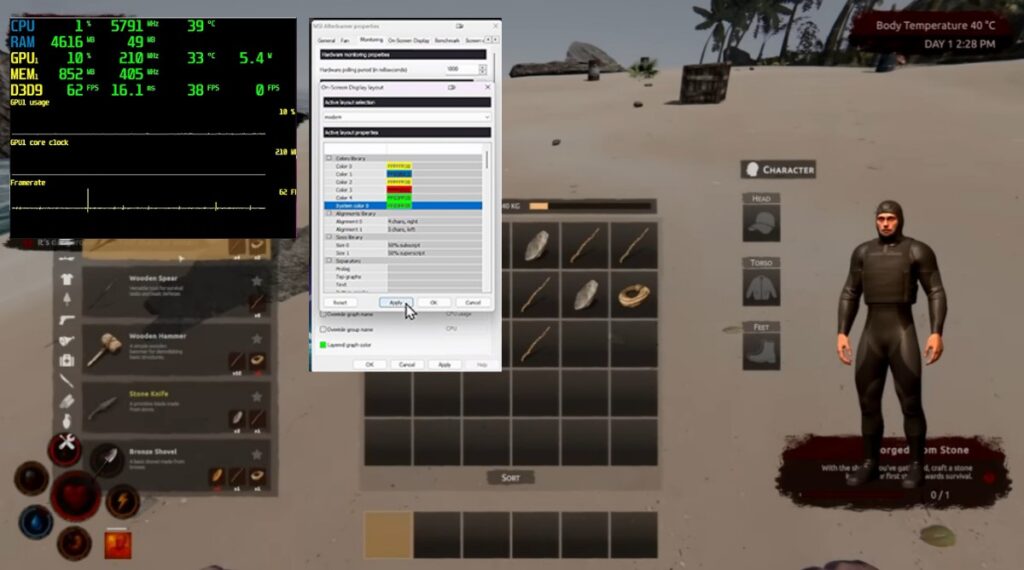
Your CPU may be limiting your graphics card if you notice:
- GPU usage regularly below 90% in demanding games.
- One or more CPU cores sitting near maximum usage.
- Large FPS gains when lowering CPU-heavy settings but little change from lowering graphics settings.
- Excellent benchmark scores but disappointing real-world gaming performance.
If you’re unsure which component is actually holding your system back, read our guide to identifying PC bottlenecks before upgrading. It walks through simple tests that can save you from buying hardware you don’t actually need.
Remember, a bottleneck isn’t automatically a problem. The real question is whether it’s preventing you from enjoying the games you play at the settings and frame rates you want.
When Buying a Faster GPU Stops Making Sense
One of the biggest myths in PC gaming is that a faster graphics card is always a better investment.
In reality, every CPU has a point where spending more on your GPU produces smaller and smaller gains. Beyond that point, you’re paying premium prices for performance your processor, monitor or gaming habits may never fully utilise.
This is called diminishing returns, and it’s where many gaming budgets go off the rails.
| If You Have… | Buying This GPU Makes Sense | Buying Beyond This Usually Doesn’t |
|---|---|---|
| Ryzen 5 5600 | RTX 5060 / RTX 5070 | RTX 5080 and above |
| Ryzen 5 7600 | RTX 5060 Ti / RTX 5070 | RTX 5090 |
| Ryzen 5 9600X | RTX 5070 / RTX 5080 | RTX 5090 for most gamers |
| Ryzen 7 9700X | RTX 5070 Ti / RTX 5080 | RTX 5090 unless targeting flagship 4K gaming |
| Ryzen 7 9800X3D | Any current gaming GPU | None |
This doesn’t mean these combinations won’t work. They absolutely will. It simply means the additional money often produces relatively small improvements compared to spending that same budget elsewhere, such as a faster monitor, more memory, a larger SSD or saving towards your next platform upgrade.
Buying balanced hardware almost always provides better long-term value than chasing the most expensive graphics card available. If you’re curious about the relative performance of modern graphics cards,
Tom’s Hardware maintains a comprehensive GPU performance hierarchy. Use it as a performance reference, but remember that the fastest GPU isn’t always the smartest purchase. A balanced CPU and GPU combination almost always delivers better value than simply buying the highest-ranked graphics card.
Should You Upgrade Your CPU or GPU First?
If your gaming performance isn’t where you want it to be, don’t automatically assume the graphics card is the answer. Ask yourself these four questions first.

Are You Gaming at 1080p?
If most of your gaming happens at 1080p, your processor plays a much bigger role than many people realise. Upgrading from an older CPU can often deliver larger improvements than replacing your graphics card.
Are You Gaming at 1440p or 4K?
Higher resolutions shift more work onto the GPU. If your processor is already reasonably modern, upgrading the graphics card usually delivers the biggest improvement.
If you’re shopping for a new GPU, our 8GB vs 12GB vs 16GB VRAM buying guide explains how much graphics memory makes sense for the resolution, games and settings you actually use.
What Games Do You Play?
Different genres stress different parts of your PC.
- Competitive shooters often favour faster CPUs.
- Large strategy games and simulations are heavily processor dependent.
- Modern AAA games with ray tracing rely far more on GPU performance.
- Open-world games benefit from both components being well balanced.
What Is Your Upgrade Plan?
If you’re planning to replace your CPU within the next year, buying a slightly stronger GPU today may make sense. If you intend keeping your current processor for several years, buying beyond its practical limits usually doesn’t.
If you’re still unsure where your money will have the biggest impact, read Which PC Upgrade Gives the Biggest FPS Boost? before making your purchase.
Common CPU and GPU Pairing Mistakes
These are the mistakes we see most often.
Buying Based on Benchmarks Alone
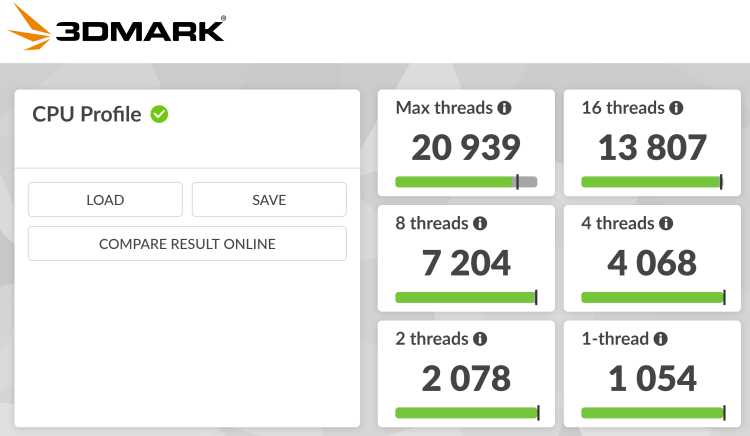
Synthetic benchmark charts don’t tell the whole story. Real games, different resolutions and individual hardware combinations often produce very different results.
Ignoring Your Monitor
Buying an RTX 5090 to play on a 1080p 60Hz display rarely makes financial sense. Your monitor determines how much of your hardware’s performance you can actually see.
Overspending on the CPU
A flagship processor paired with an entry-level GPU usually produces a poorly balanced gaming PC. For most gaming-focused builds, your graphics card deserves the larger share of the budget.

Ignoring Power Supply Requirements
Modern graphics cards often require significantly more power than older models. Always confirm that your power supply has sufficient wattage and the correct connectors before upgrading.
Our gaming power supply buying guide explains exactly what you need without overspending.
Ignoring the Upgrade Path
Sometimes buying the absolute fastest GPU today isn’t as valuable as choosing hardware that leaves room for your next CPU upgrade.
Think about where you want your gaming PC to be two or three years from now, not just next weekend.
Best CPU and GPU Pairings by Budget
| Budget | CPU | GPU | Why It Works |
|---|---|---|---|
| Budget Gaming | Ryzen 5 5600 | RTX 5060 / RX 9060 XT | Excellent 1080p gaming without overspending. |
| Mainstream Gaming | Ryzen 5 9600X | RTX 5070 / RX 9070 | Outstanding balance for high-refresh 1440p. |
| Performance Gaming | Ryzen 7 9700X | RTX 5070 Ti / RX 9070 XT | Ideal for demanding AAA games. |
| Ultimate Gaming | Ryzen 7 9800X3D | RTX 5080 / RTX 5090 | Maximum gaming performance with minimal compromises. |
If you’re planning an entirely new system rather than upgrading one component, our step-by-step gaming PC upgrade guide explains the smartest order to replace your hardware.
Frequently Asked Questions
Will my CPU bottleneck my GPU?
Every PC has a bottleneck somewhere. The goal isn’t eliminating bottlenecks completely but building a balanced system where neither component wastes the other’s potential.
Can I pair an RTX 5080 with a Ryzen 5?
Yes, particularly with newer processors like the Ryzen 5 9600X. At 1440p and especially 4K, the combination can work very well. Older Ryzen 5 models may not fully utilise the card in every game.
Should I upgrade my CPU or GPU first?
It depends on your current hardware, the games you play and your monitor resolution. At 1080p, a CPU upgrade often provides bigger gains. At 4K, upgrading the GPU usually has the greatest impact.
Is AMD or NVIDIA better for gaming?
Both companies make excellent graphics cards. NVIDIA generally leads in ray tracing and DLSS support, while AMD often delivers exceptional rasterisation performance and value at similar price points.
Does 4K reduce CPU bottlenecks?
Usually yes. As rendering resolution increases, the graphics card becomes responsible for a larger share of the workload, making CPU limitations less noticeable in many games.
Is an X3D processor worth it?
If gaming is your primary focus, AMD’s X3D processors remain among the best gaming CPUs available. They particularly shine when paired with high-end graphics cards and high-refresh-rate monitors.
Final Thoughts
Choosing the right GPU isn’t about buying the fastest graphics card on the market. It’s about buying the graphics card that makes sense for your processor, your monitor and the games you actually play.
A balanced gaming PC almost always delivers a better experience than an expensive but mismatched one. By understanding where each CPU reaches its practical GPU limit, you can avoid overspending, upgrade more intelligently and build a system that continues delivering excellent performance for years.
The smartest gaming PC isn’t the one with the biggest numbers. It’s the one where every component works together.
That’s the philosophy we follow at BuiltToFrag, and it’s how you get the most gaming performance for every dollar you spend.