Roblox Lagging on PC? Fix FPS Drops on Low-End Hardware
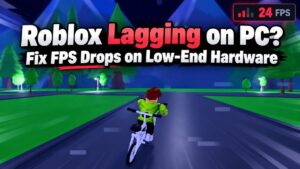
Roblox lagging on your PC? Learn how to diagnose FPS drops, reduce stuttering, and improve gameplay on low-end PCs, older laptops, and integrated graphics without unnecessary upgrades.
Play Better. Fix Smarter. Frag Harder.
Struggling with low FPS, stuttering, overheating, or sudden performance drops? Our PC performance fixes and troubleshooting guides help you identify what’s slowing down your games and how to fix it. From Windows gaming settings and CPU bottlenecks to GPU problems and unstable frametimes, we focus on practical solutions before recommending expensive upgrades.
PC Builds & Upgrades →
Hardware Buying Guides →
Low-End PC Gaming →
Game Guides & Tutorials →
Roblox lagging on your PC? Learn how to diagnose FPS drops, reduce stuttering, and improve gameplay on low-end PCs, older laptops, and integrated graphics without unnecessary upgrades.
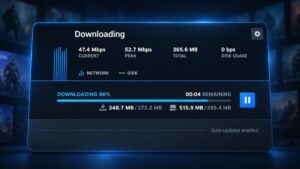
Steam download speed keeps dropping to zero? Learn how to tell normal disk activity from a genuine download problem, identify the cause, and apply the right fix.
When a game freezes but sound continues, the audio alone cannot identify the cause. Use these quick checks to tell whether the problem affects one game, the graphics system, or the whole PC—and choose a sensible next step.
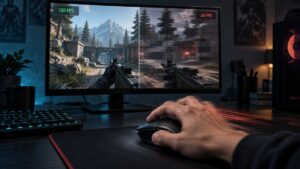
If your game runs smoothly until the mouse moves, do not start replacing hardware. Learn how to separate mouse-input problems from camera-rendering stutter, test polling rate correctly, and isolate software, USB or game-specific causes.
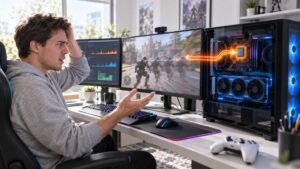
Is your game using integrated graphics instead of the dedicated GPU? Learn how to confirm which GPU is actually rendering the game, correct Windows and laptop settings, and recognise when hybrid graphics are working normally.

If your PC restarts or shuts down while gaming, do not assume the PSU is dying. Use Windows records and controlled tests to isolate heat, power, memory, GPU and stability problems before replacing parts.
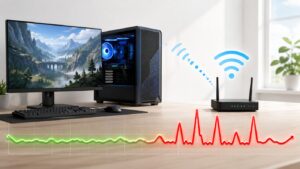
Think your WiFi adapter is causing lag? Follow these step-by-step tests to check router ping, packet loss, signal strength, drivers and other devices before replacing your adapter.
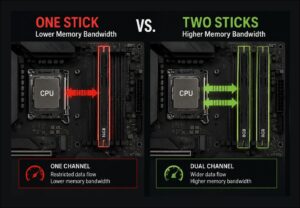
Single vs dual channel RAM for gaming isn't just about FPS. One RAM stick can limit memory bandwidth, hurt 1% lows and contribute to stuttering, especially on budget PCs and integrated graphics. Here's how to check your RAM configuration and decide whether dual channel is worth the upgrade.
This complete Gaming PC Health Check walks you through temperatures, CPU and GPU usage, RAM, VRAM, storage, Windows, and real gaming performance so you can diagnose problems before spending money on upgrades.

You spend thousands building your dream gaming PC. You expect buttery smooth gameplay, instant responsiveness, and the ability to crank every graphics setting to Ultra without breaking a sweat. Instead, your expensive new PC behaves like a bargain-bin office computer.…