PC gaming has always been about freedom. Freedom to tweak your graphics settings, mod your favorite games into absolute chaos, monitor every temperature in your system, and spend two hours fixing a problem just so you can finally play for thirty minutes in peace. This “Ultimate PC Gaming Setup guide” helps to achieve this freedom.
But somewhere along the line, modern PC gaming advice became ridiculous. Every second video online tells you to buy a new GPU, rebuild your desk setup, install 14 overlays, or spend money on gear you probably do not even need.
The truth is simpler than that.
A better PC gaming setup is usually built from smarter tools, cleaner organization, better stability, sensible tweaks, and realistic upgrades, not just expensive hardware.
This guide covers the mods, utilities, setup changes, monitoring tools, and practical improvements that genuinely make PC gaming feel better without turning your room into a sponsored RGB showroom.
What Actually Improves PC Gaming?
The biggest improvements to PC gaming usually come from five things:
- Stable performance and fewer stutters
- Better mods and proper mod management
- Useful gaming tools and overlays
- Cleaner Windows and game organization
- Better controls, audio, and comfort
Most gamers do not need a completely new PC. They need a smarter setup.
PC Gaming Is More Than Just FPS
A lot of PC gamers eventually fall into the same trap. They become obsessed with frame rates and benchmarks while forgetting what actually makes games enjoyable in the first place.
Yes, smooth gameplay matters. Nobody enjoys random freezes, shader stutter, or their GPU sounding like a leaf blower during boss fights. But once a game reaches a reasonably stable state, the overall experience starts depending on far more than raw FPS.
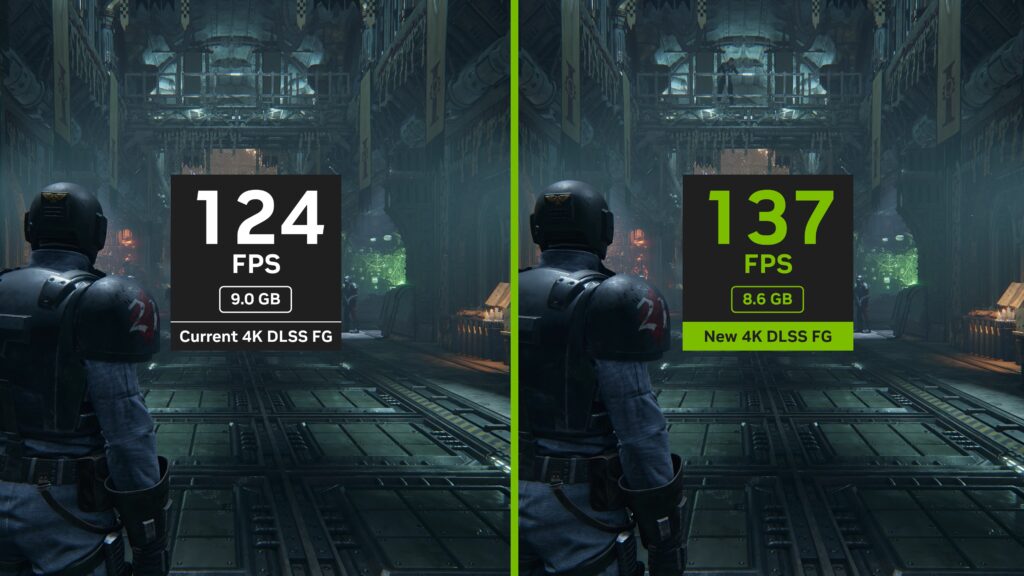
Good PC gaming comes from balance:
- Stable frametimes
- Clean controls
- Good audio
- Useful overlays
- Proper modding
- Comfortable peripherals
- Smart organization
- Reasonable settings choices
This is especially true on weaker or older PCs. Chasing ultra settings on struggling hardware usually makes games feel worse, not better.
If your system constantly stutters, overheats, or drops frames unpredictably, read Why PC Games Run Badly, FPS Drops, Stutter & Bottlenecks Explained.
The Biggest Things That Actually Improve PC Gaming
Most “gaming setup” advice online focuses on flashy hardware instead of practical improvements that affect your daily experience. In reality, small quality-of-life upgrades often matter more than giant expensive purchases.
Better Controls
A bad mouse, uncomfortable keyboard, or awkward controller setup can make games feel miserable even on powerful hardware.
Input latency, poor ergonomics, inconsistent sensitivity, and unreliable peripherals all damage the experience far more than people realize.
- Best Gaming Peripherals for PC: What Actually Matters
- Best Gaming Mouse 2026 for FPS, MMO, and Everyday Gaming
- Best Mechanical Keyboards Under $100 That Don’t Feel Cheap
Better Audio
Good audio gear massively changes immersion, especially in shooters, RPGs, horror games, and competitive titles.

Many gamers spend thousands on GPUs while still using terrible speakers or distorted headsets from 2017 that sound like someone trapped inside a tin can.
- Best Gaming Headsets 2026
- Best Earbuds for PC Gaming
- Audio Crackling in Games? 9 Fixes That Actually Work
Better Stability
Nothing ruins PC gaming faster than instability. Random crashes, corrupted saves, overheating, and mystery stutters turn gaming into unpaid IT work.
Good stability comes from clean drivers, sensible overlays, healthy temperatures, stable mods, and reasonable graphics settings.
- How to Use MSI Afterburner Without Frying Your Rig
- Ultimate HWiNFO64 Guide
- Master How to Monitor Temps, Clocks and Usage Like a Pro
Better Organization
PC gaming becomes dramatically smoother when your files, launchers, mods, saves, and storage are organized properly.
Many “slow gaming PC” complaints actually come from full drives, broken installs, conflicting launchers, corrupted mods, or background junk.
If your games take forever to launch or load, read Why Your Games Take Forever to Load on a Weak PC.
Better Visuals
Better visuals do not always mean “max settings.” In fact, badly optimized ultra settings often create unstable frametimes, VRAM problems, and ugly stutter.
Sometimes balanced settings, smart sharpening, sensible anti-aliasing, or lightweight mods improve the experience far more than brute-force graphics settings.
DLSS vs FSR vs XeSS: Why FPS Gains Lie explains why raw FPS numbers are not always the full story.
Game Mods: The Best And Worst Thing About PC Gaming
Mods are one of the biggest reasons PC gaming remains special. No console ecosystem has ever fully matched the freedom of community-made fixes, gameplay overhauls, graphical improvements, and complete fan expansions.

At the same time, mods are also capable of completely destroying game stability if installed carelessly. That is the trade-off.
Why Mods Matter
Mods extend the lifespan of games dramatically. Some games survive for decades almost entirely because of their modding communities, including Skyrim, Minecraft, Fallout, Starfield, Stalker, and Cyberpunk 2077.
Mods can improve graphics, fix bugs, add content, improve UI, boost immersion, improve performance, and rebalance gameplay.
Most PC gamers eventually end up using trusted modding platforms like Nexus Mods, especially for games like Skyrim, Fallout, Cyberpunk 2077, and Starfield.. If you are new to modding, start with Game Mods Guide: Install, Fix, and Optimize Mods the Right Way.
Why Mods Break Games
Most mod crashes happen because gamers install too many mods too quickly without understanding compatibility, dependencies, or load order systems.
Common causes include conflicting mods, outdated mods, broken script extenders, VRAM overload, bad load orders, and corrupted saves.
If your modded game keeps exploding every fifteen minutes, read Why Your Mods Keep Crashing (and How to Fix It for Good).
Why Weak PCs Need To Be Careful With Mods
Low-end systems often struggle with massive texture packs, aggressive reshade presets, giant draw-distance mods, and script-heavy gameplay overhauls.
This does not mean weak PCs cannot enjoy mods. It simply means you need smarter mod choices.
For a deeper breakdown, see How Game Mods Actually Work (And Where They Install on Your PC).
The Essential PC Gaming Tools Worth Installing

The best PC gaming tools are the ones that solve real problems without creating five new ones.
You do not need twenty overlays stacked on top of each other while your GPU cries in confusion. You need a small collection of genuinely useful utilities.
FPS Monitoring Tools
Monitoring tools help identify overheating, GPU bottlenecks, CPU overload, VRAM problems, and unstable frametimes.
The best tools include MSI Afterburner, RTSS, HWiNFO, and Steam’s built-in overlay. Proper monitoring helps you understand why games feel bad instead of randomly changing settings and praying.
Mod Managers
Mod managers are essential once your mod library grows beyond a handful of files. They simplify load orders, profiles, conflict management, backups, and mod removal.

The biggest debate still revolves around Vortex versus Mod Organizer 2. Read Vortex Vs Mod Organizer 2: Which Mod Manager Actually Saves You Headaches?.
Game Launchers
Modern PC gaming now involves enough launchers to simulate corporate warfare. Steam, Epic Games Launcher, EA App, Ubisoft Connect, Battle.net, Xbox App, GOG Galaxy, Riot Client, and Rockstar Launcher all compete for attention.
A cleaner launcher ecosystem genuinely improves the experience. Fewer overlays, fewer startup apps, and less launcher clutter usually result in better stability and faster startup times.
For compatibility fixes, launch options, controller fixes, ultrawide support, and technical game tweaks, PCGamingWiki remains one of the most useful resources in the entire PC gaming ecosystem.
Save Backup Tools
Every experienced PC gamer eventually learns the importance of save backups, especially modders.
Cloud saves help, but they are not perfect. Corrupted saves, overwritten progress, and bad mod interactions still happen constantly. Simple backup systems can save dozens of hours of progress.
Controller Utilities
Modern PC gaming is no longer keyboard-only.
Controller support has become excellent across platformers, soulslikes, racing games, sports games, and emulation. Steam Input alone has massively improved controller flexibility for PC gamers.
Gaming Tweaks That Actually Help
The internet is filled with terrible “gaming optimization” advice. Registry hacks, fake FPS boosters, random Windows scripts, and suspicious “ultimate gaming tweaks” have wasted gamers’ time for decades.
Most of them either do nothing or actively damage system stability.
Useful Tweaks
The useful tweaks are boring, which is exactly why they work. Clean startup apps, proper GPU drivers, temperature monitoring, reasonable FPS caps, balanced graphics settings, reduced background junk, and stable power settings matter more than magic scripts.
Useless Tweaks
Random registry edits, fake RAM cleaners, one-click FPS boosters, dangerous Windows scripts, and mystery YouTube optimization packs are usually a bad idea.
For a practical Windows cleanup approach, read 10 Brutal Windows Settings I Always Disable on a Fresh Gaming Rig.
Most PC Gaming Setup Advice Online Is Garbage
A huge amount of PC gaming content online exists purely to sell you things. That is the uncomfortable truth. Many setups you see online are designed more for thumbnails than actual usability.

You do not need a $400 keyboard, three RGB monitor lights, five overlays, ultra settings at all costs, or a second mortgage for desk accessories.
You need stable gameplay, comfortable controls, clean audio, reasonable temperatures, organized software, and realistic expectations.
Many gamers would enjoy games more by reducing clutter instead of adding more things.
How To Improve PC Gaming Without Buying Expensive Hardware
This is where PC gaming becomes interesting, because many gaming improvements cost little or nothing at all.
Especially on older hardware, you can often improve the experience with better airflow, clean drivers, lighter overlays, sensible FPS caps, balanced graphics settings, stable mods, organized launchers, storage cleanup, and Windows cleanup.
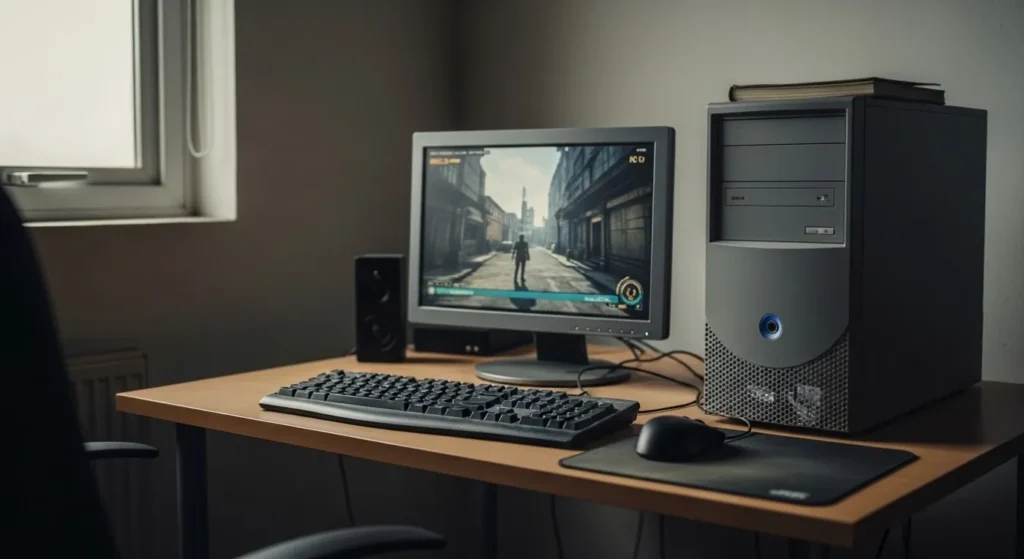
For practical lag reduction strategies, read How To Reduce Lag Without Sacrificing Graphics.
And if your system still struggles badly, this full ecosystem guide helps explain realistic expectations for weak hardware: Low-End PC Gaming Guide: What Actually Runs on Your Hardware.
When Hardware Actually IS The Problem
Sometimes tweaks, tools, mods, and cleanup simply are not enough. Eventually hardware limitations become unavoidable.
This is especially true with 8GB VRAM GPUs, dual-core CPUs, slow HDDs, thermal throttling, and tiny RAM capacities.

When games constantly stutter despite reasonable settings and stable temperatures, the hardware itself may finally be the bottleneck.
These guides help identify when an actual upgrade is finally necessary:
- What Should You Upgrade First on a Low-End PC?
- Smart PC Upgrades for Weak Systems
- The Complete Gaming PC Hardware Guide
If you’re at the point where replacing the system makes more sense than continuing to upgrade it, a gaming laptop is another option. For buyers who want strong modern gaming performance without moving into flagship laptop pricing, see our Best RTX 5060 Gaming Laptops to compare the models we think are actually worth buying.
Final Thoughts
The best PC gaming setup is not the most expensive one.
It is the setup that feels stable, comfortable, organized, immersive, and enjoyable to use every single day.
That usually comes from smarter choices, not bigger spending.
Good mods, sensible tools, clean organization, stable performance, and realistic expectations improve PC gaming far more than chasing influencer-grade hardware setups most gamers neither need nor can realistically afford.
That is the real advantage of PC gaming. You build the experience around what actually matters to you.