Modern games are huge, your internal drive is not, and re-downloading 120GB because you ran out of space is a hobby nobody asked for. This Best External SSDs for Gaming guide breaks down the best external SSD for gaming by real world speed, durability, and value, across PS5, Xbox, and PC.
Quick heads up before we get fancy, consoles have rules. On PS5, external USB storage is great for storing PS5 games, but you generally cannot play PS5 games directly from a USB drive, you must copy them back to console storage when you want to play. PS4 games can run from USB storage. On Xbox Series X|S, external USB storage is excellent for storing games, and you can play many older gen titles from it, but Optimised for Series X|S games typically need the internal SSD or an Expansion Card to run. We cover the details below.
Top External SSD Features Every Gamer Should Know
Ignore the marketing confetti for a second. For gaming, an external SSD is only as good as its real sustained speed, its interface (USB or Thunderbolt) and whether it stays cool during long transfers. If a drive overheats and throttles, your “fast” SSD turns into an expensive mood swing.
This is especially important for gaming laptop owners, where external storage is often the easiest way to expand your game library. If you’re shopping for a new laptop, our guide to the best RTX 5060 gaming laptops highlights models with strong upgrade potential and fast storage options.
Sustained Speed vs Peak Speed
Brands love quoting peak speeds. Gaming libraries love long writes. Installing a 120GB game or moving multiple titles at once is sustained throughput, not a tiny synthetic burst. A good gaming portable SSD should stay consistent, not fall off a cliff after the first few gigabytes.
Interfaces That Actually Matter
- USB 3.2 Gen 2 (10Gbps) is common and plenty for solid load times and fast installs.
- USB 3.2 Gen 2×2 (20Gbps) is faster, but your PC or dock must support it. Many do not.
- Thunderbolt 3 or 4 (up to 40Gbps) is the top tier for external storage, mainly for PC users who want near internal NVMe behavior and fast large file moves.
Real World External SSD Speed Differences
| Interface Tier | Typical Real Read/Write | Move a 100GB Game | Who Actually Benefits |
|---|---|---|---|
| USB 3.2 Gen 2 (10Gbps) | 700–1,000 MB/s | About 2–3 minutes | Most gamers, console storage, general PC libraries |
| USB 3.2 Gen 2×2 (20Gbps) | 1,400–2,000 MB/s | About 1–2 minutes | PC users with confirmed 20Gbps ports |
| Thunderbolt 3 / 4 | 2,500–3,500 MB/s | Under 1 minute | High end PC setups, large file movers, creators |
Reality check: game load times usually improve most when moving from HDD to any SSD. Differences between fast SSD tiers are more noticeable when installing or moving large games, not always during gameplay loads.
Heat, Throttling, and Rugged Builds
Small metal enclosures can get hot, fast. Rugged models can be great for travel and console setups, but check reviews for thermal behavior and sustained performance. A “rugged” SSD that throttles under load is still ruggedly slow.

Durability and Endurance
Portable drives get tossed in bags, knocked off desks, and plugged in a thousand times. Look for decent build quality and, if possible, a longer warranty. Endurance matters more if you install and uninstall games constantly, especially on PC.
Value per TB
For gaming, 1TB is the minimum that feels sane. 2TB is the sweet spot for most people. 4TB is for the “I keep everything installed” crowd, or for Xbox/PS5 archiving.
Best External SSD for Gaming, What Actually Matters
Here is the practical way to think about external SSD speeds for gaming.
Budget Tier (good enough for libraries)
Best for: storing lots of games, playing older titles, and faster loads than any HDD. These drives still feel like a huge upgrade over spinning storage.
Mid Tier (the best value zone)
Best for: fast installs, quick game moves, great PC load times, and “one drive for everything” setups.
High Tier (USB 20Gbps and Thunderbolt)
Best for: PC gamers with the right ports who want the fastest possible external experience, and creators who also move large files.
When Faster Stops Helping
Once your external SSD is “fast enough,” some games will not load dramatically faster because other factors become the limiter, CPU decompression, shader compilation, game engine behavior, and random read patterns. Speed still matters, but chasing the highest number on the box is not always the best value.
Best External SSDs for Gaming by Category
Best Overall External SSD’s for Gaming


Best for PS5 Game Installs
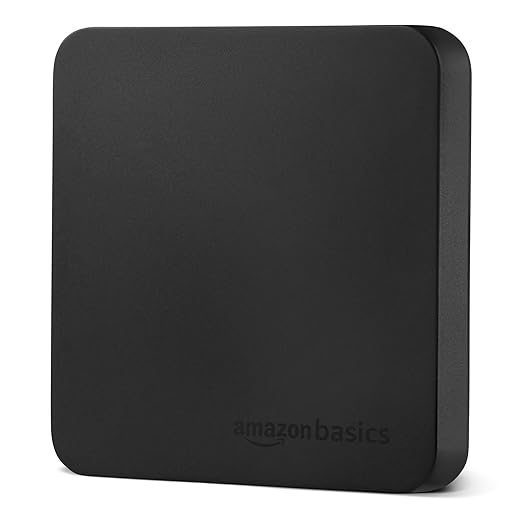
Reality check: PS5 games generally cannot be played directly from external USB storage. External SSDs are best for storing PS5 games and playing PS4 games from USB. If you want more playable PS5 storage, you are looking at an internal M.2 SSD upgrade, not a USB portable.
Top Console Picks

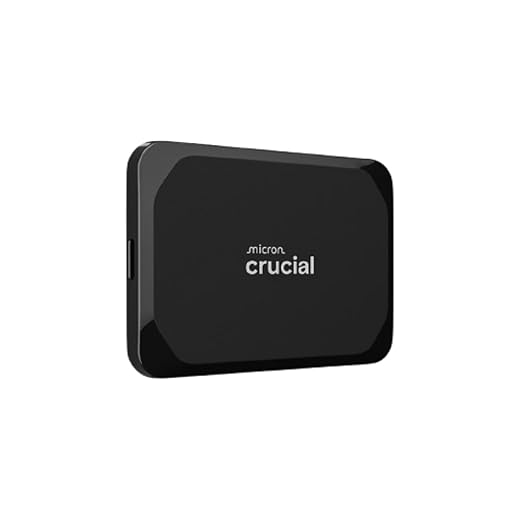
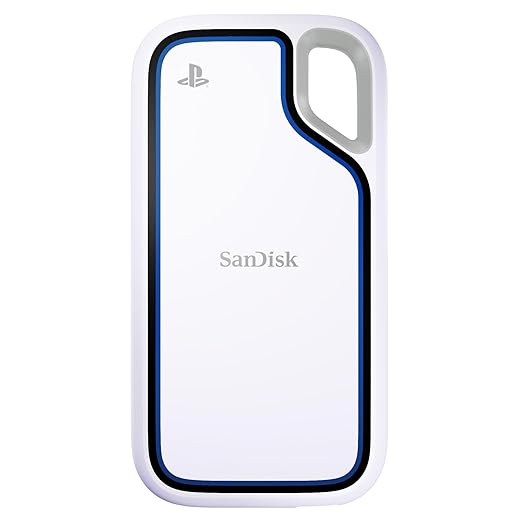
Console Compatibility Guide (PS5, Xbox, PC)
PS5 External SSD Rules
- PS5 games: you can store PS5 games on USB extended storage, but you generally cannot play them directly from USB. Copy them back to console storage to play.
- PS4 games: can be played directly from USB extended storage.
- Want more playable PS5 space: upgrade with a compatible internal M.2 NVMe SSD. Sony recommends a sequential read speed of 5,500MB/s or faster for internal M.2 upgrades.
Official references: see Sony’s PS5 USB extended storage support page and their internal M.2 SSD install requirements page linked below.
Xbox Series X|S External SSD Rules
- External USB drives: great for storing games and playing many older gen titles.
- Optimised for Series X|S games: generally need the internal SSD or a Storage Expansion Card to run, with USB storage mainly used for storage and moving.
- Fast workflow tip: use external SSD as a “parking lot,” move your current rotation to internal storage when you are actively playing.
Official reference: Xbox Storage Expansion Card documentation is linked below.
PC Game Library Use
PC is the most flexible. You can run games directly from an external SSD, especially if it is on a fast USB-C or Thunderbolt port. For most modern titles, an external SSD feels similar to an internal SATA SSD, and the best ones can approach internal NVMe behavior for large transfers.
If you are chasing smoother gameplay, remember that storage is only one piece. If you have stutters, frametime spikes, or shader compilation hitching, check your BuiltToFrag performance guides instead of trying to brute force it with a new drive:
- Why does my game stutter on high end PC
- How to test gaming PC performance
- Fix high CPU usage while gaming
- How to use MSI Afterburner safely
- Capping your FPS
Performance Behavior, How External SSDs Affect Real Gaming

This is the part most “best SSD” lists skip. External SSDs can absolutely improve your day to day gaming experience, but the gains show up in specific places.
Load Times vs Install Times
Load times depend on how a game streams assets, how it decompresses data, and your CPU behavior, not just raw storage speed. You will usually see a bigger improvement moving from HDD to SSD than moving from a mid tier SSD to a top tier model.
Install times and moving games benefit directly from sustained write and read speeds. If you constantly shuffle games between drives, faster sustained performance is worth paying for.
Texture Streaming and Open World Games
Open world games and modern engines stream data constantly. A decent SSD helps prevent “I entered a new area and everything is blurry for a second” moments, but stutter is often CPU, shader compilation, or background tasks. Storage helps, it is not magic.
USB Bottlenecks and Cable Limits
External SSD speed is limited by your slowest link, your port, your cable, and sometimes your enclosure. If your drive supports USB 20Gbps but your PC only supports 10Gbps, you paid for speed you cannot use. Thunderbolt can reach higher bandwidth, but only on systems that actually support it.
Portable SSD vs NVMe Enclosure, Which Is Smarter
If you want maximum performance per dollar on PC, a DIY setup can be great, buy a quality NVMe SSD and put it in a good enclosure. You can also reuse the SSD later inside a desktop. The downside is more compatibility variables, more heat risk, and more chances to buy the wrong port combination.
Top SSD Enclosures
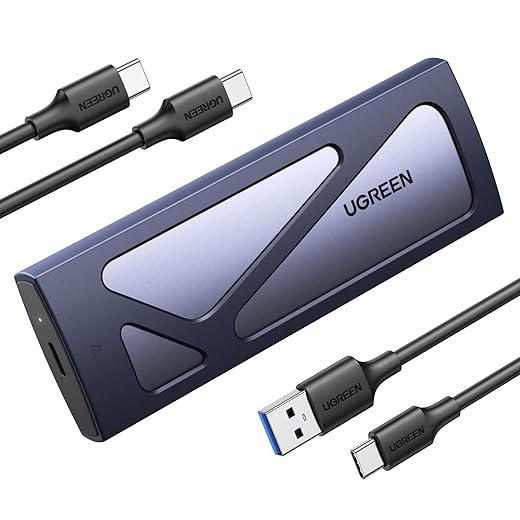


Portable SSDs are simpler. Plug in, game, done. For consoles and most people, simplicity wins.
When an External SSD Is the Wrong Buy
External SSDs are great, but they are not always the smartest upgrade. In some setups, internal storage gives you better performance per dollar and fewer limitations.
PS5: Internal M.2 Is Better for Playable Space
If your goal is more playable PS5 storage, an internal M.2 NVMe upgrade is usually the better move. External USB SSDs are excellent for storing PS5 games and playing PS4 titles, but PS5 games normally must be copied back to internal storage to run. If you are constantly shuffling games, internal expansion saves time and friction.
PC: Internal NVMe Is Faster Per Dollar
On PC, an internal NVMe SSD is almost always faster and often cheaper per terabyte than a premium external drive. If you have a free M.2 slot and rarely need portability, internal storage is the performance-first choice. External SSDs make more sense for large portable libraries, laptops with limited upgrade options, or multi-system use.
Xbox Series X|S: Expansion Card vs USB SSD
For Xbox Series X|S, the official Storage Expansion Card gives you full-speed, fully playable storage for optimized titles. USB external SSDs are excellent as a storage and transfer drive, but optimized games typically need internal or expansion card storage to run. If you want zero copy delays, the expansion card is the cleaner, but more expensive, solution.
Bottom line: buy an external SSD for flexibility and fast storage. Choose internal upgrades when you want maximum playable speed and the least hassle.
Buying Mistakes That Waste Money

- Buying for peak speed only: sustained performance matters for big installs and long transfers.
- Ignoring your port: your PC or dock must support the drive’s top speed to benefit.
- Going too small: 500GB fills instantly in 2026.
- Assuming PS5 can play PS5 games from USB: it is mostly storage and PS4 playback, not native PS5 running.
- Skipping durability: portable drives get abused. Plan for it.
If you want a broader “spend smarter” upgrade list, this pairs well with: Best PC upgrades under $100
Quick Picks by Use Case
- I want the safest overall pick: Crucial X10 Pro Portable SSD
- I want the best value per dollar: Crucial X10 Pro
- I am on PS5 and mainly want fast archiving: SanDisk Extreme Pro Portable SSD
- I am on Xbox and want fast storage and moving: Crucial X9 2TB Portable SSD
- I travel and need rugged: SanDisk 1TB Extreme Portable SSD
- I want cheap but still fast: Samsung T9 Portable SSD
FAQs
Can you run games from an external SSD on PC
Yes. For most PC games, running from an external SSD is fine, especially on a fast USB-C or Thunderbolt port. Expect the biggest improvement versus an HDD, and smaller differences between decent SSDs.
Can you play PS5 games from an external USB SSD
Generally, no. You can store PS5 games on USB extended storage, but you typically need to copy them back to console storage to play. PS4 games can be played directly from USB storage.
Can you play Xbox Series X|S games from an external SSD
External SSDs are great for storage and playing many older gen titles. Optimised for Series X|S games typically need internal storage or an Expansion Card to run, with USB drives used for storage and moving.
Should I buy 1TB or 2TB
1TB is the minimum that works. 2TB is the best balance for most gamers. If you play lots of huge titles and hate uninstalling, go 4TB.
Is USB fast enough for gaming
Yes, especially USB 10Gbps and above. Just make sure your device, port, and cable match the speed tier you are paying for. For a quick, authoritative breakdown of USB versions and what the speed labels actually mean, see the USB Implementers Forum (USB-IF) official site.
Where to go next
If you are upgrading your storage for faster loads and smoother installs, these hubs will help you make smarter performance moves next, not random ones:
PC Game Performance
The Complete Gaming PC Hardware Guide
PC Builds & Upgrades
Start with PC Storage Guides if you are choosing between NVMe, SATA, and external drives. Jump to PC Performance & Fixes if your games still load slow or stutter after upgrading.