RAM is one of the most misunderstood parts of PC gaming performance. Many low-end PC gamers assume stuttering means their GPU is too weak, when in reality the system is running out of memory and quietly choking in the background. So how much ram do games need Actually?
This guide explains how RAM affects gaming performance, how much you actually need in 2026, and how to tell when RAM is the real reason your games stutter. If you want a broader performance playbook beyond memory alone, our PC maintenance and optimization guide ties all the major fixes together.
What RAM Actually Does in Games

RAM is your system’s short-term working memory. Games load textures, audio, scripts, shaders, and background data into RAM so they can be accessed quickly.
When there is enough RAM available, this happens smoothly. When RAM fills up, Windows starts pushing data to storage instead. That process is slow, and when it happens mid-game, you feel it as stutter. Many free strategy games for low-end PCs still run comfortably with only 4GB of RAM.
RAM does not increase FPS directly. It improves consistency. Stable memory access means stable frame delivery. Also if you are ready to buy ram but not sure what options to choose from, see this giude for clarity RAM buying guide for gaming PCs
Why Low RAM Causes Stuttering (Even at Low Settings)
Lowering graphics settings reduces GPU load, not memory usage.
Many free and lightweight games still load large assets into RAM. Add Windows background processes, browsers, launchers, and overlays, and an 8GB system can hit its limit quickly. If you are still unsure why RAM changes did not fix your performance, read why your PC still feels slow after an upgrade to understand how memory bottlenecks fit into the bigger picture.
Once that happens, the system starts swapping memory to disk. Even with an SSD, this causes hitching. On an HDD, it is much worse. Not sure what to upgrade next after RAM? Here are the cheap gaming upgrades that actually boost FPS, ranked by real impact.
This is a common pattern on budget systems, and we break it down in more detail in our guide on why games stutter on low-end PCs.
How Much RAM Do Games Actually Need in 2026?

8GB RAM
8GB is no longer comfortable for gaming in 2026. If you are still dealing with long loading screens, this breakdown of why games take forever to load on a weak PC explains what is actually slowing your system down.
What 8GB Ram actually delivers:
- Playable for very light or older games
- Stutter appears faster as background apps accumulate
- Alt-tabbing often causes freezes
8GB works only if you aggressively close background applications and accept occasional hitching. If you’re hitting performance issues mid-session, you might already be running out of usable memory, here’s what that actually looks like: game using too much RAM. If you’re unsure whether your current library is simply too demanding, see what games are realistically suited to an 8GB RAM PC.
16GB RAM
16GB is the current sweet spot.
- Smooth gameplay in most free and modern games
- Much lower risk of memory swapping
- Stable performance over long sessions
For low-end PCs, upgrading from 8GB to 16GB often removes stutter entirely when RAM pressure was the root cause. This is also why most sensible upgrade paths, including our best ultra budget gaming PC build, prioritize 16GB as a baseline. If you’re wondering whether more memory will help your setup, it also helps to see our full guide to low end pc games that actually run.
32GB RAM
32GB is rarely necessary for gaming alone.
- Useful for heavy multitasking or content creation
- Does not improve FPS over 16GB
- No stutter benefit unless you were exceeding 16GB usage
Memory requirements increase quickly if you’re streaming while gaming, which is why a stable single PC streaming setup usually benefits from extra RAM.
For most gamers, 16GB remains the practical limit. Running out of RAM does not usually lower average FPS, but it can cause stutter, freezes, and sudden pauses as the system starts relying on much slower storage. Before you overthink RAM speeds, see the two upgrades that actually matter most under $100: Best PC Upgrades Under $100 That Make Old FPS Games Playable.
Microsoft documents how memory pressure forces Windows to page data to disk, which is especially noticeable in games that stream assets in real time. Game developers also confirm that insufficient system memory leads to hitching rather than clean performance drops.
Microsoft explains how Windows handles memory pressure and paging
Epic Games explains how memory limits cause stutter in modern games
Single Channel vs Dual Channel RAM (This Matters More Than Speed)
Running RAM in single channel can bottleneck low-end systems. Games like Diablo 4 can slowly consume more RAM during long sessions, especially on weaker systems. We explain this further in our breakdown of Diablo 4’s current PC performance situation.
Dual-channel RAM allows the CPU to access memory more efficiently. On budget CPUs and integrated graphics systems, this can noticeably reduce stutter and improve frame pacing.
- 1 stick of RAM equals single channel
- 2 matched sticks equals dual channel
If your system has one 8GB stick, adding a second matching stick can provide a bigger real-world improvement than chasing faster RAM speeds. Also Storage and memory are often confused, so we break down why faster SSDs rarely fix FPS issues and when stutter has a different cause.
Does RAM Speed Reduce Stutter?
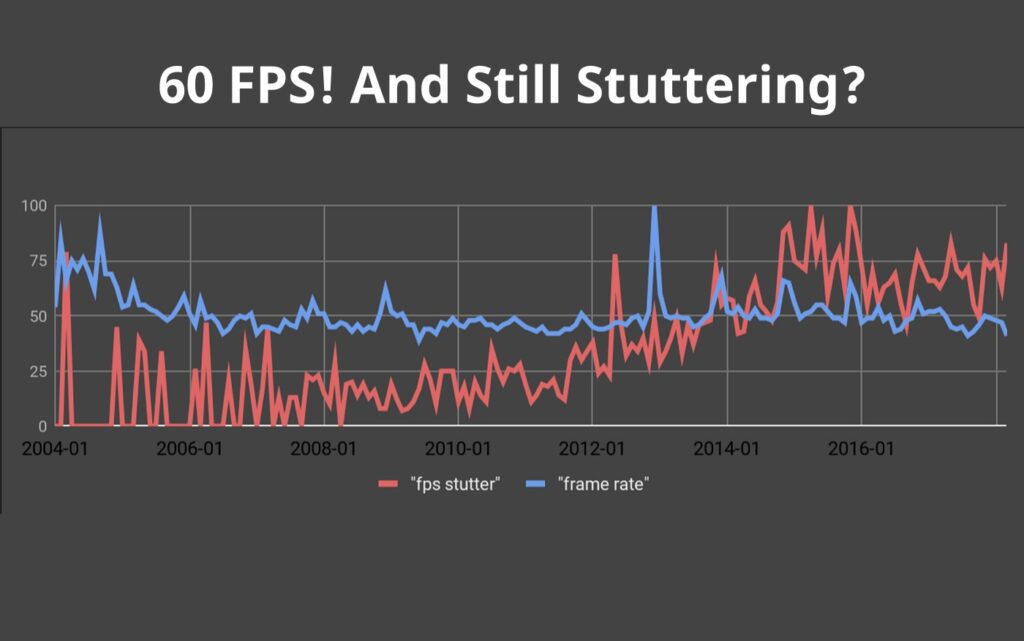
More RAM can help, but it won’t fix everything. What Smooth Gameplay Actually Feels Like on a Low-End PC explains when stutter is caused by memory vs other bottlenecks.
RAM speed matters less than capacity and channel configuration. On low-end systems:
- Going from 8GB to 16GB matters a lot
- Single to dual channel matters a lot
- 3200MHz vs 3600MHz matters very little
Latency and consistency matter more than raw MHz numbers.
Signs Your PC Is Stuttering Because of RAM
RAM-related stutter has predictable symptoms.
- Games stutter after playing for a while
- Alt-tabbing causes freezes or audio cutouts
- Stutter increases when a browser is open
- Disk usage spikes during gameplay
If these symptoms overlap with general performance problems, you may also benefit from techniques that reduce lag without sacrificing graphics.
How to Check RAM Usage While Gaming

You do not need special tools.
Use Windows Task Manager:
- Press Ctrl + Shift + Esc
- Go to the Performance tab
- Watch Memory usage while gaming
If memory usage sits above 85 to 90 percent during gameplay, stutter is expected. Advanced tools like HWiNFO can show memory spikes and help confirm the diagnosis.
When a RAM Upgrade Actually Fixes Stutter
Adding RAM helps when stutter is caused by memory pressure.
It will not fix:
- GPU VRAM limits
- CPU bottlenecks
- Slow storage causing asset loading pauses
If your system is powerful on paper but still stutters, the issue may lie elsewhere. In those cases, this breakdown of why games stutter on high-end PCs is the better next step.
RAM vs SSD for Stutter, Which Comes First?

If you are choosing between RAM and storage:
- Games installed on HDD with loading stutter: SSD first
- Stutter builds over time or with multitasking: RAM first
Many low-end systems eventually benefit from both, but RAM upgrades are often cheaper and easier.
Final Thoughts: RAM Fixes Consistency, Not FPS
RAM does not turn a weak GPU into a powerful one.
What it does is remove one of the most common causes of stutter on low-end PCs. When your system stops fighting memory limits, games feel smoother, more responsive, and more stable.
If you’re not sure whether a RAM upgrade will actually help, complete our Complete Gaming PC Health Check first. It shows you how to monitor memory usage, identify paging, and determine whether your system is genuinely running out of RAM before you spend money on an upgrade.
If you’re deciding whether RAM is the right upgrade, our guide on which PC upgrade gives the biggest FPS boost explains when upgrading your memory makes the biggest difference—and when another component deserves your budget instead..
If your games stutter even on low settings and performance degrades over time, RAM is one of the first things you should evaluate. Once you know how much RAM you need, the next step is choosing the right kit, our RAM buying guide for gaming PCs helps you pick the correct tier without overspending.