Updated 09/04/2026
If you are trying to build a better gaming setup, start with the gear your hands actually touch. The best gaming peripherals for PC are not just shiny extras for your desk. They decide how cleanly you aim, how comfortable long sessions feel, and whether your setup works with you or annoys you every time the match gets sweaty. A faster GPU helps, sure, but bad controls can still make a good PC feel clumsy.
This guide focuses on the peripherals that matter most for real players: gaming mice, keyboards, and HOTAS setups for flight sim fans. The goal is simple, help you understand what changes performance, what is mostly marketing fluff, and which BuiltToFrag guides to open next.
Best Gaming Peripherals for PC, Quick Answer
If you just want the short version, prioritize your setup in this order: mouse first for aim and comfort, keyboard second for layout and feel, and HOTAS only if you actually play flight sims regularly. A great mouse will improve most players immediately. A good keyboard improves consistency and desk space. A HOTAS is amazing, but only for the right genre.
- Most important for most gamers: a gaming mouse that fits your grip and weight preference
- Best second upgrade: a keyboard layout that gives you space and comfortable switches
- Best genre-specific upgrade: a HOTAS for serious flight sim play
What Gaming Peripherals Matter Most for PC Players?
Not every peripheral deserves equal attention. That is where a lot of buying guides go sideways. They act like every glowing piece of desk plastic is equally important, which is nonsense. For most PC gamers, the mouse has the biggest impact first, then the keyboard, then more specialized gear like HOTAS.
A mouse affects aim, tracking, fatigue, and how natural your movement feels under pressure. A keyboard affects comfort, desk space, and how quickly you can build muscle memory for common inputs. HOTAS gear is incredible for flight sims, but it is not a universal upgrade. It is a specialist tool, not a default recommendation.
- Mouse: biggest upgrade for FPS, action, and general control feel
- Keyboard: important for comfort, space, switch feel, and long-session usability
- HOTAS: worth it for flight sim and space sim players, overkill for everyone else
Best Gaming Mouse for PC: What to Prioritize First
If you buy only one real gaming peripheral upgrade, make it your mouse. This is where people get tricked by spec sheets, because brands love throwing absurd DPI numbers and tactical-looking buttons at you. In practice, shape, weight, and sensor reliability matter a lot more than flashy nonsense. If you mainly play shooters, especially titles like the best FPS games on PC, your mouse becomes your primary performance tool. It affects tracking, flicking, and consistency far more than most players realise.

A good gaming mouse should feel like an extension of your hand, not a small argument you have to win every night. If the shape is wrong, everything else becomes irrelevant. A perfect sensor cannot save a mouse that makes your wrist hate you. If your aim feels inconsistent even on decent hardware, it may not be your GPU. It is often input friction combined with poor frame pacing. Start with your mouse, then look at your system using this lag reduction guide to eliminate hidden performance issues.
Mouse Shape and Grip Matter More Than Spec Sheet Bragging
Different grips need different shells. Palm grip players usually want more support and a fuller shape. Claw grip players often like a stronger hump and tighter control. Fingertip players tend to prefer lighter, more agile mice that disappear in the hand. This is why “best mouse” lists can be misleading. The best mouse for somebody else can feel terrible for you.
- Shape first: match the mouse to your grip style
- Weight second: lighter for speed, slightly heavier for stability if that suits you
- Sensor third: clean tracking, no weird prediction, no spin-out nonsense
- Buttons fourth: enough for your game, not a calculator strapped to your thumb

Wired vs Wireless Gaming Mouse
This debate used to matter more. These days, good wireless gaming mice are excellent. Unless you are buying bargain-bin junk, wireless latency is basically a solved problem. Wired is still great if the cable is flexible and you want to save money, but wireless is no longer the “pretty but compromised” option it used to be.
If you want specific picks instead of principle, go straight to the Top 8 Gaming Mice guide.
Best Gaming Keyboard for PC: What Actually Changes the Experience
Keyboards are where people waste stupid amounts of money on lighting effects and buzzwords while ignoring the stuff that affects daily use. The best gaming keyboard for PC is not automatically the loudest, most metallic, most “pro” looking board on the shelf. It is the one that feels right, fits your space, and does not punish your hands after long sessions. If you are upgrading from a cheap board, even a solid budget option like those in the best mechanical keyboards under $100 guide can massively improve comfort and control.
Unlike mice, keyboards do not usually create an instant dramatic performance jump. What they do change is comfort, consistency, desk layout, and how smooth your movement and input rhythm feel across hours of play.

Switches, Layout, and Build Quality Matter Most
Switches decide how each keypress feels. Linear switches are smooth and simple. Tactile switches give you a bump. Clicky switches are for people who want their whole house to know they pressed reload. None of these is universally best. What matters is matching the feel to your own preference and tolerance. Your keyboard layout also affects your mouse space, which directly impacts aiming. If your setup feels cramped, it is worth reviewing your display and layout using this gaming monitor guide to optimise your desk properly.
Layout matters almost as much. Full-size boards give you everything, but they eat desk space. TKL boards are the sweet spot for many players because they leave more room for mouse movement without becoming annoyingly tiny. Very small boards can work, but only if you are happy sacrificing convenience for space.
- Switch feel: pick for comfort, not trend chasing
- Layout: TKL is often the safest gaming-first choice
- Build quality: avoid hollow, rattly boards that feel cheap after a month
- Keycaps and stabilizers: small details, big effect on daily feel

Your current hub mentions keyboard coverage is still coming, and that is fine, but this pillar should make it obvious that a dedicated keyboard guide belongs here later. Until then, this section does the job of setting buying priorities without pretending the page is already a full roundup.
Best HOTAS for PC Flight Sims: Who Actually Needs One?
HOTAS is not a must-buy peripheral for most PC gamers, and that is exactly why it deserves a clean explanation. If you mostly play shooters, RPGs, strategy games, or MMOs, a HOTAS is a niche toy. If you play flight sims or space sims seriously, it can completely change the experience.
That difference matters because the wrong buyer will waste money here. The right buyer will wonder why they ever tolerated keyboard flying in the first place.

What Makes a Good HOTAS Setup?
A good HOTAS should feel precise, sturdy, and natural to use without hand gymnastics. Button placement matters because reaching for controls mid-fight should not feel like yoga. Axis smoothness matters because flight control is miserable when inputs feel sticky or cheap. Mounting also matters more than many buyers expect, because posture can make an expensive setup feel terrible.
- Axis precision: smooth control beats fake “premium resistance”
- Build quality: avoid flimsy plastic where stress matters most
- Button placement: controls should be reachable without awkward stretching
- Mounting and comfort: desk setup matters almost as much as the stick itself
For a real example, see the VKB Gladiator NXT EVO F-14 Combat Edition review.
Mouse vs Keyboard vs HOTAS: What Actually Improves Performance Most?
This is where the buying decision gets simpler. If your goal is raw improvement for the widest range of games, the mouse wins. If your goal is long-session comfort and a cleaner desk layout, the keyboard is next.Consistency matters more than raw numbers. If your frames are unstable, even the best peripherals will feel off. Start by learning when to cap your FPS correctly to stabilise input and frametimes.
If your goal is immersion and control in flight sims, HOTAS becomes the specialist king. Modern features like upscaling and frame generation can also change how responsive your setup feels. If you want to understand why higher FPS does not always mean better input feel, read this breakdown of DLSS vs FSR vs XeSS real performance.
So yes, peripherals do matter, but not equally, and not always in the way marketing departments pretend they do.
Do Peripherals Really Matter, or Is This Just Gear Hype?
Here is the honest counter-argument. A skilled player can still perform well on average gear. Buying expensive peripherals does not magically grant aim, game sense, or discipline. If your fundamentals are bad, no mouse in the world is coming to save you. That part is true. For a broader look at controls, audio, tools, mods, and setup choices, read our PC Gaming Setup Guide.

But comfort, consistency, and control quality are also real. Better peripherals do not replace skill, they reduce friction. That means fewer annoying mistakes, less fatigue, and a setup that helps your habits instead of getting in the way. That is the difference between useful hardware and overpriced desk jewelry.
- For most players: upgrade the mouse first
- For comfort-focused setups: upgrade the keyboard second
- For flight sim players: HOTAS is the biggest specialist upgrade
How Gaming Peripherals Behave on Real PCs
Unlike GPUs or CPUs, peripherals do not usually change your frame rate. What they change is how your PC feels during play. If your setup still feels sluggish after upgrading peripherals, the issue is likely deeper in your system.
Focus on the changes that actually matter using this PC upgrade guide.A better mouse can make input feel more stable and less fatiguing. A better keyboard can improve spacing and rhythm. A HOTAS can transform a sim from awkward to immersive in one move.
On older PCs, this matters even more than people think. When performance is already limited, cleaner input and better comfort can help the whole setup feel less frustrating. No, a mouse will not fix stutter, but it can stop your control layer from being part of the problem. If your system itself is fighting you, start with the broader No-BS Gaming Hardware Guide and build outward from there.
Build a Control Setup That Matches Your Games, Grip, and Desk
The best gaming peripherals for PC are not the most expensive ones, and they are definitely not the ones with the most aggressive product page adjectives. The right setup depends on what you play, how you grip, how much desk room you have, and whether comfort matters more to you than raw compactness.
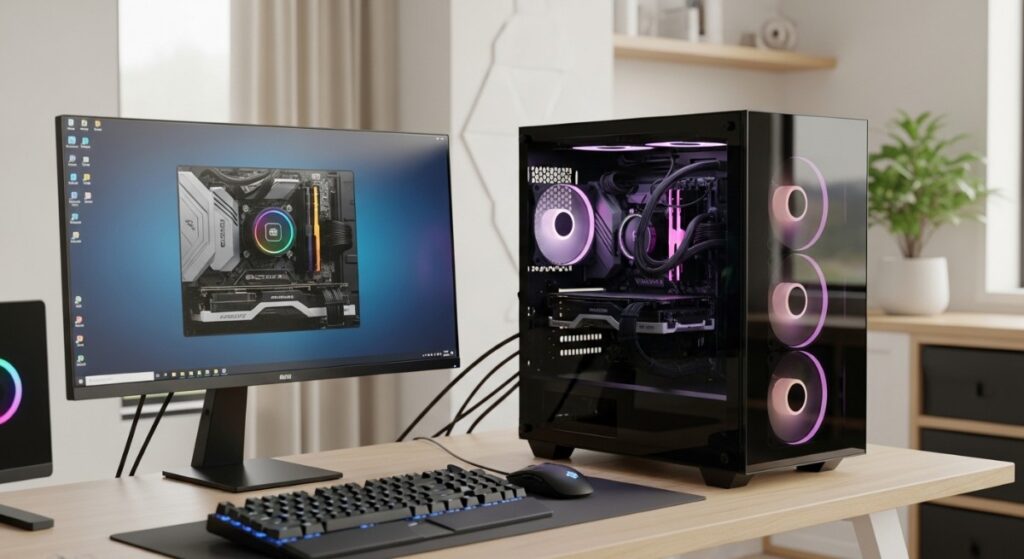
That means the right path usually looks like this:
- FPS and action players: start with a good mouse
- General PC gamers: pair that with a sensible keyboard layout
- Flight sim players: add HOTAS when the genre is central to your time
- Everyone: ignore spec-sheet chest beating and buy for feel first
To really understand how your system behaves during gameplay, monitor your temps, clocks, and usage using this performance monitoring guide.
Related BuiltToFrag Guides
If you want to go deeper, these guides break down specific parts of your setup so you can make smarter upgrades without wasting money.
- Top 8 Gaming Mice
- VKB Gladiator NXT EVO F-14 Combat Edition Review
- No-BS Gaming Hardware Super-Pillar
As your keyboard and broader accessory coverage grows, this is the section that should expand first. If you are building from scratch or planning a full upgrade path, combine your peripheral choices with a solid system foundation using this PC parts selection guide.
FAQ
These are the questions readers usually ask before buying new gear, and they are exactly the kind of queries this pillar should help answer.
Does a gaming mouse really improve performance?
Yes, especially compared with a cheap office mouse. A better gaming mouse can improve tracking consistency, comfort, and control feel. It will not replace skill, but it can remove a lot of unnecessary friction.
Are mechanical keyboards worth it for gaming?
Usually, yes. Mechanical keyboards tend to offer better feel, durability, and layout options. The main benefit is not magical speed, it is comfort and consistency over time.
Are wireless gaming peripherals good now?
Yes. Good wireless mice are excellent now, and the old fear about obvious lag is mostly outdated. Cheap wireless gear can still be rough, but decent modern options are very competitive.
Is HOTAS worth it for PC gaming?
It is worth it if you play flight sims or space sims regularly. If you do not, it is a specialist purchase that probably makes less sense than upgrading your mouse or keyboard first.
What is the most important gaming peripheral upgrade?
For most PC gamers, the mouse is the first upgrade that makes the biggest difference. After that, a better keyboard improves comfort and layout. HOTAS comes later unless you are deeply into sim games.
Final Say
The best gaming peripherals for PC are the ones that improve control, comfort, and consistency for the games you actually play. That usually means buying a mouse for fit before buying one for hype, choosing a keyboard layout that supports your desk instead of crowding it, and only going full HOTAS when your genre habits justify it. For a full system-wide view, including GPUs, cooling, and builds, return to the No-BS Gaming Hardware Super-Pillar, which ties the entire setup together.
That is the whole point of this page. Not to scream brand names at you, not to worship RGB, and not to act like every accessory is equally important. Just to help you build a setup that feels better every time your hands hit the desk.
For more outside perspective, you can also compare how Rock Paper Shotgun covers gaming mice and how Tom’s Hardware approaches keyboard buying.