Not every RTX 5060 gaming laptop delivers the same experience. While they all use the same NVIDIA GPU, differences in cooling, GPU power limits (TGP), display quality and build quality can have a surprisingly large impact on gaming performance and long-term value.
That’s why we’ve ranked the best RTX 5060 gaming laptops based on what actually matters: real-world gaming performance, cooling, display quality, upgradeability and overall value, not just the specifications on the box. Whether you’re buying your first gaming laptop or upgrading from an older machine, these are the models genuinely worth your money.
RTX 5060 Gaming Laptops: Quick Comparison
If you already know what matters most to you, this table gives you the quickest way to narrow down the list. The detailed recommendations below explain where each laptop makes sense and what compromises you should expect.
| Rank | Laptop | Best For | Main Strength | Main Compromise |
|---|---|---|---|---|
| 🥇 1 | Lenovo Legion 5 | Best Overall | Strong cooling, build quality and long-term usability | Costs more than the value-focused options |
| 🥈 2 | Lenovo LOQ 15 Gen 10 | Best Value | Excellent balance of gaming performance and price | Less premium display and chassis options |
| 🥉 3 | ASUS TUF Gaming A18 | Best for Students & Everyday Use | Good balance of durability, battery life and gaming performance | Display quality varies by configuration |
| 4 | Acer Nitro V 16 AI | Best Mid-Range Choice | Balanced performance, cooling and features | Build quality is below more premium models |
| 5 | Acer Nitro V 16S AI | Best Budget Choice | Strong RTX 5060 gaming value at a lower price | More basic chassis and cooling |
| 6 | Gigabyte Gaming A16 | Best Balanced Alternative | Solid all-round package when priced competitively | Software and chassis refinement trail the leaders |
| 7 | MSI Crosshair A16 HX 16″ | Best Performance Alternative | Strong CPU and GPU performance in a larger chassis | Average battery life and less premium construction |
Which RTX 5060 Gaming Laptop Should You Buy?
If you want the short version, choose based on the type of buyer you are rather than chasing the biggest specification on the page.
| If you want… | Choose… |
|---|---|
| The best overall RTX 5060 gaming laptop | Lenovo Legion 5 |
| The best value for the money | Lenovo LOQ 15 Gen 10 |
| The best option for students and everyday use | ASUS TUF Gaming A18 |
| A strong mid-range all-rounder | Acer Nitro V 16 AI |
| The cheapest RTX 5060 option we’d seriously consider | Acer Nitro V 16S AI |
| A balanced alternative when the price is right | Gigabyte Gaming A16 |
| A performance-focused alternative with a larger chassis | MSI Crosshair A16 HX 16″ |
For most buyers, the Lenovo LOQ 15 Gen 10 is likely to be the smartest value choice, while the Lenovo Legion 5 remains our pick if you want the strongest all-round package and are willing to spend more.
Why RTX 5060 Gaming Laptops Aren’t All Equal
Seeing an RTX 5060 badge on two different laptops doesn’t mean they’ll deliver the same gaming experience. Cooling, GPU power limits (TGP), processor choice, display quality and upgradeability all affect how well a laptop performs and how enjoyable it is to own long-term.

That’s why these rankings don’t focus solely on specifications. Instead, we’ve compared each laptop based on real-world gaming performance, cooling, build quality, display quality, upgrade potential and overall value.
BuiltToFrag Tip: A well-designed RTX 5060 laptop will almost always provide a better long-term gaming experience than a poorly cooled model with similar specifications.
The 7 Best RTX 5060 Gaming Laptops Ranked
1. Lenovo Legion 5
Best Overall RTX 5060 Gaming Laptop
If we had to recommend just one RTX 5060 gaming laptop for someone who wants a strong all-round machine, the Lenovo Legion 5 would be our first choice.
What makes the Legion 5 stand out is how few major compromises it asks you to make. Rather than chasing the lowest possible price, Lenovo puts more emphasis on the areas that matter during everyday ownership: cooling, build quality, display options, keyboard quality and upgradeability.
Its cooling design is one of its biggest strengths, giving the RTX 5060 Laptop GPU room to maintain strong performance during longer gaming sessions without the chassis having to be unusually thin or lightweight.
The available high-refresh-rate displays are another reason to consider it, particularly if you play a mixture of competitive games and more visually demanding single-player titles. Just check the exact display specification before buying, as laptop configurations can vary.
The keyboard and chassis also feel more substantial than what you typically find on cheaper gaming laptops, while accessible RAM and storage upgrades give you more flexibility if your needs change later.
Pros
- Strong cooling for sustained gaming performance
- Premium build quality
- Strong high-refresh-rate display options
- Comfortable keyboard
- Upgradeable RAM and storage
- Well suited to long-term ownership
Cons
- Usually costs more than value-focused RTX 5060 alternatives
- Not the best choice if low weight and maximum portability are your priorities
Best suited for: Gamers who want a well-rounded RTX 5060 laptop they can keep for several years rather than simply buying the cheapest model available. If your budget allows it and you value cooling, build quality and upgradeability as much as raw gaming performance, the Legion 5 is our top overall pick.

2. Lenovo LOQ 15 Gen 10
Best Value RTX 5060 Gaming Laptop
If the Legion 5 is our best overall choice, the Lenovo LOQ 15 Gen 10 is the one we’d look at when getting the most gaming laptop for your money matters more than premium materials.
Lenovo keeps many of the things that matter to gamers while cutting costs in areas that are easier to live with. You still get an RTX 5060 gaming platform, capable cooling and useful upgrade potential, but without paying as much for the more refined construction of the Legion series.
That balance is what makes the LOQ particularly attractive. You’re not choosing it because it is the cheapest laptop in the ranking; you’re choosing it because the compromises make sense for the money.
The main areas to watch are the display and exact configuration. Lenovo offers different LOQ specifications, so check the screen, processor, RAM and storage included with the particular model before buying rather than assuming every LOQ 15 Gen 10 is identical.
Build quality is also more functional than the Legion 5, with greater use of plastic and fewer premium touches. For a buyer primarily interested in gaming performance and value, however, those are reasonable places to save money.
Pros
- Excellent balance of price and gaming performance
- Capable cooling for a value-focused gaming laptop
- Good upgrade potential
- Sensible alternative to more expensive premium models
- Well suited to first-time gaming laptop buyers
Cons
- Display quality can vary between configurations
- Chassis and materials are less premium than the Legion 5
Best suited for: Budget-conscious gamers and first-time gaming laptop buyers who want to put more of their money toward gaming performance rather than premium construction. If the LOQ 15 Gen 10 is meaningfully cheaper than the Legion 5 in the configurations you’re comparing, this is our value pick.
3. ASUS TUF Gaming A18
Best RTX 5060 Laptop for Students and Everyday Use
Not everyone buys a gaming laptop purely for gaming. If the same machine also needs to handle university work, everyday productivity and long gaming sessions, practicality matters just as much as raw performance.
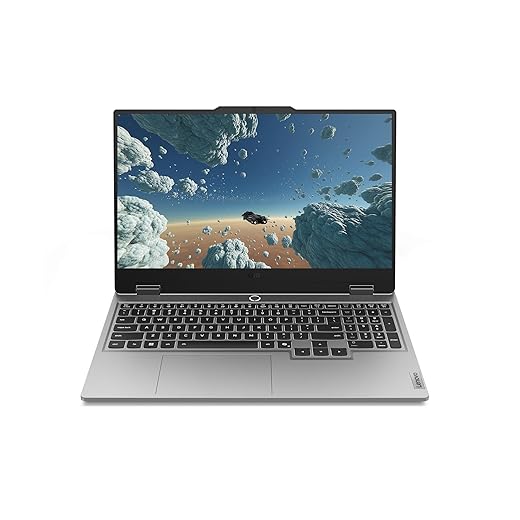
The ASUS TUF Gaming A18 makes sense for that kind of buyer. Its large 18-inch format gives you plenty of screen space for both gaming and productivity, while the TUF chassis is designed with durability and everyday use in mind.
Gaming performance remains a major part of the appeal, with the RTX 5060 paired with modern processor options and a cooling system designed for sustained gaming workloads. The larger chassis also gives the cooling hardware more room to work than you typically get in thin-and-light gaming laptops.
The trade-off is obvious: this is an 18-inch gaming laptop, so it isn’t the model we’d choose if minimum weight and easy travel are your priorities. It makes more sense for someone who wants a large-screen laptop that can still be moved between home, university or work when necessary.
Pay close attention to the exact configuration before buying as well. ASUS offers different TUF display, processor, memory and storage configurations, so don’t assume every A18 listing gives you exactly the same hardware.
Pros
- Large display works well for gaming and productivity
- Durable, practical chassis
- Good cooling potential from the larger design
- Comfortable choice for longer gaming and work sessions
- Good fit for a combined gaming and everyday-use laptop
Cons
- Large 18-inch chassis is less convenient for frequent travel
- Display and other specifications can vary between configurations
- Not as refined as more premium gaming laptops
Best suited for: Students and gamers who want one large-screen laptop for gaming, studying and everyday use rather than a machine they need to carry around constantly. If you value screen space, durability and a practical all-purpose design more than minimum size and weight, the TUF Gaming A18 is the model we’d consider here.
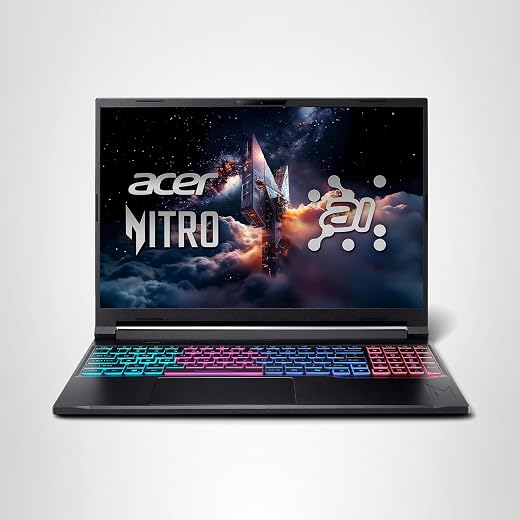
4. Acer Nitro V 16 AI Copilot+ PC Gaming Laptop
Best Mid-Range RTX 5060 Gaming Laptop
The Acer Nitro V 16 AI sits in a useful middle ground for buyers who want a capable RTX 5060 gaming laptop without paying for the more premium construction of models like the Lenovo Legion 5.
Its main appeal is balance. You get the RTX 5060 Laptop GPU, a modern processor platform, a large 16-inch display and a chassis designed around gaming rather than extreme portability. That makes it a good fit for gamers who want strong everyday performance without moving into a more expensive premium tier.
The larger chassis also gives the cooling system more room to handle sustained gaming workloads, while the high-refresh-rate display suits both competitive games and more demanding single-player titles. As always with gaming laptops, check the exact display and processor specification of the configuration you’re buying.
Upgrade potential is another useful advantage. Being able to expand RAM or storage later can extend the useful life of the laptop, particularly as modern games continue to demand more memory and drive space.
The compromise is that the Nitro V doesn’t have the same premium feel as the more expensive machines in this ranking. If chassis refinement and higher-end materials matter more to you, the Legion 5 remains the stronger choice. If you’d rather keep more of your budget focused on the hardware that affects gaming, the Nitro V 16 AI makes more sense.
Pros
- Strong balance of gaming performance, features and price
- Large high-refresh-rate display
- Good cooling potential from the 16-inch chassis
- Upgradeable RAM and storage
- Good middle ground between budget and premium RTX 5060 laptops
Cons
- Build quality is less premium than the Lenovo Legion 5
- Not the obvious choice if portability or battery life is your main priority
- Specifications can vary between configurations
Best suited for: Gamers who want a well-rounded RTX 5060 laptop without paying extra for premium construction. If you want something more substantial than the cheapest RTX 5060 options but don’t need to stretch to the Legion 5, the Acer Nitro V 16 AI is our mid-range pick.

5. Acer Nitro V 16S AI
Best Budget RTX 5060 Gaming Laptop
If your priority is getting into an RTX 5060 gaming laptop while keeping the purchase price as low as possible, the Acer Nitro V 16S AI is the model we’d look at first.
The appeal here isn’t premium materials or luxury features. It’s getting the gaming hardware you actually care about without paying extra for the refinement found on more expensive machines.
That means accepting some compromises. The chassis is more functional than premium, and the cooling and overall construction aren’t the main reasons to choose this laptop. What matters is that the Nitro V 16S AI gives budget-conscious buyers a way into RTX 5060 gaming without automatically stepping into the higher prices of the more polished models in this ranking.
The display and exact hardware configuration still deserve attention before you buy. Acer offers different Nitro specifications, so check the processor, RAM, storage and screen included with the particular model you’re considering rather than buying on the RTX 5060 badge alone.
This is also where price matters enormously. If a Lenovo LOQ 15 or one of the stronger mid-range options is available for only a little more money, we’d consider paying the difference. The Nitro V 16S AI makes the most sense when it is genuinely one of the cheaper RTX 5060 laptops available.
Pros
- Lower-cost route into RTX 5060 laptop gaming
- Good gaming hardware for a budget-focused machine
- Sensible option for first-time gaming laptop buyers
- Worth considering when heavily discounted
Cons
- More basic chassis and materials than higher-ranked models
- Cooling and overall refinement aren’t class-leading
- Exact specifications can vary between configurations
Best suited for: Buyers who want an RTX 5060 gaming laptop but need to keep the initial purchase price down. If the Nitro V 16S AI is noticeably cheaper than the LOQ 15 and the other models above it, this is the budget option we’d consider first.
6. Gigabyte Gaming A16
Best Balanced Alternative
The Gigabyte Gaming A16 is the alternative we’d keep on the shortlist rather than automatically choosing one of the better-known Lenovo, ASUS or Acer models. Its biggest advantage is that it can become a very sensible buy when the price is right.
There isn’t one headline feature that defines the Gaming A16. Instead, it offers a balanced combination of RTX 5060 gaming performance, a large display, capable cooling and a practical keyboard without pushing heavily into premium pricing.
That makes it particularly useful for deal hunters. If similarly configured Lenovo LOQ or Acer Nitro models cost noticeably more, the Gaming A16 can give you the hardware you actually need without paying extra simply for a more familiar model.
The compromises are mostly in refinement. The chassis and software experience aren’t the strongest reasons to choose it, and we’d still favour the Legion 5 if build quality and long-term ownership mattered more than price.
As with the other laptops in this guide, check the exact configuration before buying. Processor, RAM, storage and display specifications can vary, and a lower price only represents good value if the rest of the hardware still matches what you need.
Pros
- Balanced overall gaming package
- Worth considering when competitively priced
- Large display suited to gaming and everyday use
- Practical alternative to the more obvious brands
Cons
- Chassis refinement trails more premium alternatives
- Software experience isn’t a standout feature
- Value depends heavily on current pricing and configuration
Best suited for: Buyers who compare prices rather than shopping for one particular brand. If the Gigabyte Gaming A16 is noticeably cheaper than a similarly configured LOQ, Nitro or TUF model, it becomes a strong alternative; if the prices are similar, we’d favour one of the higher-ranked laptops instead.

7. MSI Crosshair A16 HX 16″
Best Performance-Focused Alternative
The MSI Crosshair A16 HX is the option we’d consider when outright performance matters more than premium construction, battery life or having the most refined laptop in the group.
Its appeal comes from pairing the RTX 5060 Laptop GPU with high-performance HX-class processor options in a larger 16-inch gaming chassis. That combination makes it particularly interesting for demanding games and other CPU-heavy workloads where a stronger processor can matter alongside the GPU.
The larger design also gives the cooling system more room to deal with sustained gaming workloads, while the high-refresh-rate display, spacious keyboard and useful selection of ports make it well suited to spending most of its time on a desk.
The trade-off is refinement. This isn’t the laptop we’d choose over the Legion 5 for build quality or overall ownership experience, and a performance-oriented HX platform is not the obvious choice if long battery life is important to you.
Pricing and configuration therefore matter enormously. Check the exact processor, display, RAM and storage included with the model you’re considering. The Crosshair becomes much more compelling when its stronger hardware is available at a similar price to less performance-focused RTX 5060 laptops.
Pros
- Performance-focused RTX 5060 configuration
- High-performance HX processor options
- Large 16-inch high-refresh-rate display
- Larger chassis suited to sustained gaming workloads
- Good selection of ports
Cons
- Build quality and refinement trail more premium alternatives
- Not the obvious choice if battery life and portability are priorities
- Its value depends heavily on the exact configuration and current price
Best suited for: Gamers who prioritise CPU and GPU performance over premium materials and battery life. If the Crosshair A16 HX gives you a stronger processor configuration for similar money to the other RTX 5060 laptops you’re considering, it’s the performance-focused alternative we’d put on the shortlist.

Buying Advice Before You Spend Your Money
Don’t Buy Based on the GPU Alone
Seeing “RTX 5060” in the specifications does not mean two gaming laptops will perform or feel the same. The GPU is only one part of the machine.

Before choosing between two RTX 5060 laptops, compare the processor, cooling design, GPU power configuration, RAM, display and upgradeability as well as the graphics card. A cheaper laptop can still be the better buy, but only if the manufacturer hasn’t cut too deeply into the rest of the system to reach that price.
This is why we rank the Lenovo Legion 5 above cheaper alternatives overall, while the Lenovo LOQ earns our value recommendation. The best choice isn’t simply the laptop with an RTX 5060 sticker on the box; it’s the machine that gives you the best complete package for the money you’re spending.
16GB RAM Should Be the Minimum
For an RTX 5060 gaming laptop, we would treat 16GB of RAM as the minimum worth buying. It is enough for many games, but it leaves less headroom once Windows, launchers, browsers, Discord and other background applications are running alongside more demanding titles.
If the price difference is reasonable, 32GB is the more comfortable choice for a new gaming laptop you intend to keep for several years. Otherwise, 16GB is much easier to accept when the laptop allows you to upgrade the memory later.
If you’re unsure whether paying for 32GB makes sense for the games you play, our guide to how much RAM games actually need explains where 16GB is still enough and when additional capacity becomes useful.
Don’t Ignore Storage
Modern games can consume well over 100GB each, so storage disappears surprisingly quickly once Windows, applications and several large games share the same drive.
For a new RTX 5060 gaming laptop, 1TB is a much more comfortable starting point than 512GB. A smaller SSD isn’t necessarily a deal-breaker, but check whether the laptop provides an additional M.2 slot or allows the original SSD to be replaced later.

If the laptop supports another internal NVMe drive, that is usually the cleaner way to expand your game storage. An external SSD is still useful when you don’t want to open the laptop or need portable storage between systems. Our guide to the Best External SSDs for Gaming covers that option.
Is 8GB of VRAM Enough?
VRAM deserves attention when buying an RTX 5060 laptop, particularly if you intend to play demanding AAA games at high texture settings.
Eight gigabytes does not automatically make the RTX 5060 a poor gaming GPU, but it does mean you should have realistic expectations. Some demanding games may require reduced texture settings or other compromises as VRAM requirements increase, particularly when you push resolution and visual settings higher.
If VRAM longevity is one of your biggest concerns, read Is 8GB VRAM Still Enough? before deciding whether an RTX 5060 laptop is the right tier for you.
DLSS, Frame Generation and Ray Tracing
NVIDIA’s DLSS technology, including its upscaling and frame-generation features, is an important part of the RTX 5060 Laptop GPU’s appeal, particularly in demanding games where native rendering can become difficult at higher settings.
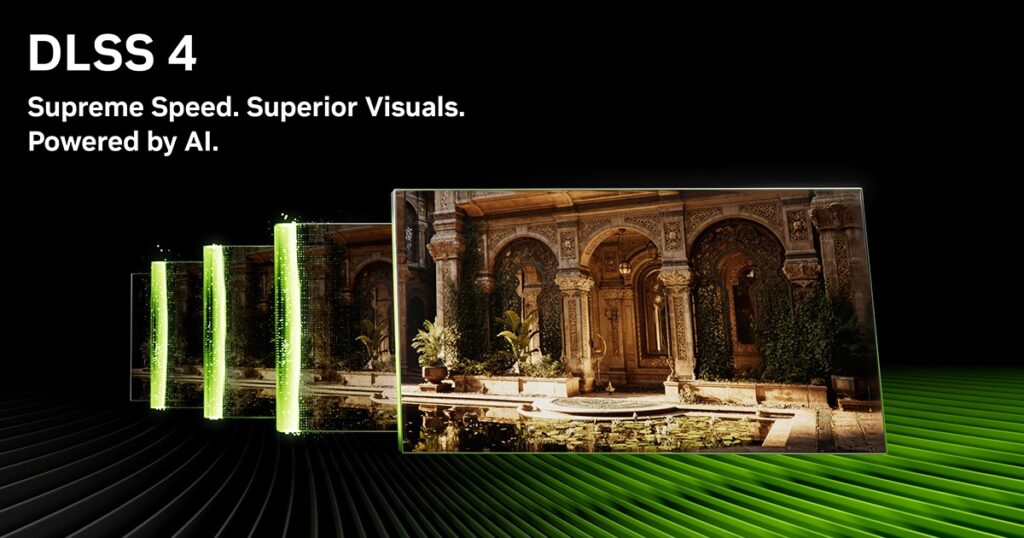
DLSS can improve performance by rendering at a lower internal resolution and reconstructing the image, while supported Frame Generation features can increase displayed frame rates further. These technologies can be genuinely useful, but they shouldn’t be used to excuse poor underlying performance or turn every graphics setting to maximum.
If you’re unfamiliar with the differences between the major upscaling technologies, our DLSS vs FSR vs XeSS comparison explains how they work and where each one makes sense.
Ray tracing is another feature worth understanding rather than simply enabling because the GPU supports it. Our guide to what ray tracing does in games explains the visual benefits, performance cost and when it is actually worth using.
BuiltToFrag Tip: Don’t become so focused on buying an RTX 5060 that you ignore a better overall laptop simply because it uses a different GPU. If your budget is under $1,000, compare the current on board GPU Models before making a decision.
Should You Buy an External Gaming Monitor?
You don’t need an external monitor to enjoy an RTX 5060 gaming laptop, but it can make sense if the laptop will spend most of its time on a desk. A larger screen can give you a more comfortable gaming setup while the laptop still provides portability when you need it.
Don’t automatically buy the highest-resolution or highest-refresh-rate monitor you can afford, though. Match the display to the games you play and the performance your laptop can realistically deliver. Our Best Gaming Monitors Guide will help you choose a screen that makes sense for the hardware rather than paying for specifications you won’t use.
What Gaming Performance Can You Expect?
The RTX 5060 Laptop GPU is best viewed as a strong modern gaming option rather than a replacement for high-end enthusiast hardware. For most buyers, 1080p gaming is its natural territory, where it can handle demanding modern games at good settings while leaving enough performance for high-refresh-rate gaming in lighter titles.

1440p gaming is also realistic in many games, but this is where expectations need to become more sensible. Demanding titles may require reduced settings, DLSS or a combination of both, particularly if you’re trying to maintain higher frame rates rather than simply reaching 60 FPS.
Competitive games such as Counter-Strike 2, Valorant, Fortnite, Rocket League and Rainbow Six Siege are a particularly good match for this class of GPU. These games can reach much higher frame rates than demanding AAA titles, making a 144Hz, 165Hz or faster laptop display considerably easier to justify.
Games such as Cyberpunk 2077, Alan Wake 2 and Black Myth: Wukong are a different story. You can still get a very good experience, but maximum settings and heavy ray tracing should not be the expectation. Sensible settings, DLSS and supported Frame Generation features become much more useful in games this demanding.
Remember that two RTX 5060 laptops can still perform differently. Cooling, GPU power configuration, processor performance and memory configuration all influence the final result, which is why we rank the complete laptops rather than treating every RTX 5060 model as interchangeable.
BuiltToFrag Tip: Don’t sacrifice a good cooling system just to move up one CPU tier on the specification sheet. A well-balanced laptop that can sustain its performance during a long gaming session is usually the better gaming machine.
RTX 5060 Gaming Laptops We’d Think Twice About
An RTX 5060 badge is not enough to make a gaming laptop a good buy. This is especially important when one model appears dramatically cheaper than everything else you’re comparing.
Manufacturers have several ways to reach a lower price. Some compromises are perfectly reasonable, such as using more plastic in the chassis. Others can directly affect the gaming experience, including weaker cooling, a poor display, limited memory or storage upgradeability, and an unusually constrained GPU implementation.
Before buying a heavily discounted RTX 5060 laptop, check for these warning signs:
- Poor display specifications: A dim screen, weak colour reproduction or otherwise mediocre panel can make an expensive gaming laptop unpleasant to use every day.
- Weak cooling: Look beyond short benchmark runs and check whether the laptop can maintain sensible temperatures and performance during longer gaming sessions.
- Limited RAM or storage upgradeability: A cheap 16GB/512GB configuration is much easier to accept when you can expand it later.
- Poor memory configuration: Check how the installed RAM is configured and whether memory is soldered, replaceable or expandable rather than looking only at the total capacity.
- Unusually constrained GPU performance: Don’t assume every RTX 5060 laptop performs identically. Cooling and the manufacturer’s GPU power configuration can affect sustained performance.
- Poor keyboard, ports or everyday usability: These specifications won’t increase FPS, but you’ll notice them every single day you own the laptop.
- A suspiciously low price: A genuine sale can be excellent value, but if one RTX 5060 laptop is dramatically cheaper than comparable models, find out what was sacrificed before assuming you’ve found a bargain.
The goal isn’t to avoid every compromise. Budget gaming laptops have to save money somewhere. The important question is whether the manufacturer saved money in an area you can live with. A less premium chassis may be perfectly acceptable; poor cooling or a bad display can be much harder to ignore.
Frequently Asked Questions
Is an RTX 5060 gaming laptop worth buying?
For gamers looking for strong 1080p performance and access to NVIDIA features such as DLSS, Frame Generation and ray tracing, an RTX 5060 laptop can make a lot of sense. It is particularly worth considering if you’re replacing a much older GTX or early RTX gaming laptop, but the quality of the complete laptop matters just as much as the GPU inside it.
Can an RTX 5060 laptop play AAA games?
Yes. The RTX 5060 Laptop GPU is capable of running modern AAA games, particularly at 1080p. The most demanding titles may require sensible graphics settings, DLSS or Frame Generation to maintain the performance you want, especially when ray tracing is enabled.
How much RAM should an RTX 5060 laptop have?
We would treat 16GB as the minimum for a new RTX 5060 gaming laptop. If the price difference is reasonable, 32GB gives you more breathing room for demanding games, multitasking and longer-term ownership. A 16GB model is much easier to recommend when the memory can be upgraded later.
Should I buy an RTX 5060 or RTX 5070 gaming laptop?
Don’t choose based on the GPU name alone. An RTX 5070 laptop can make sense when the price difference is reasonable and the rest of the machine is equally good, but we would rather own a well-cooled RTX 5060 laptop with a good display and solid build quality than compromise heavily elsewhere just to move up one GPU tier.
How important is GPU TGP?
GPU power configuration can affect laptop performance, but it should not be judged in isolation. Cooling, processor performance and the manufacturer’s overall implementation matter as well. This is one reason two laptops using the same RTX 5060 GPU can still perform differently during sustained gaming.
Can I connect an RTX 5060 laptop to an external monitor?
Yes. An external monitor can turn an RTX 5060 laptop into a very capable desktop gaming setup while preserving the ability to take the laptop with you. Just make sure the monitor’s resolution and refresh rate make sense for the games you play and the performance the laptop can realistically deliver.
Final Verdict
If you want the strongest all-round choice in this ranking, the Lenovo Legion 5 is our top pick. It makes the most sense for buyers willing to spend more for better overall refinement, cooling, build quality and long-term usability rather than simply chasing the lowest RTX 5060 price.
For value-conscious buyers, the Lenovo LOQ 15 Gen 10 is the model we’d check next. If it is meaningfully cheaper than the Legion 5 in the configurations you’re comparing, its more functional construction becomes an easier compromise to accept in exchange for keeping more of your budget focused on gaming hardware.
The other laptops in this guide make sense for more specific buyers: the ASUS TUF Gaming A18 for a large-screen gaming and everyday-use machine, the Acer Nitro models for buyers working with tighter budgets, the Gigabyte Gaming A16 when pricing makes it particularly attractive, and the MSI Crosshair A16 HX when performance matters more than premium refinement or battery life.
Whichever model you choose, compare the complete laptop, not just the RTX 5060 badge. Cooling, display quality, processor choice, RAM, storage, upgradeability and current price can easily make one RTX 5060 laptop a much better purchase than another.