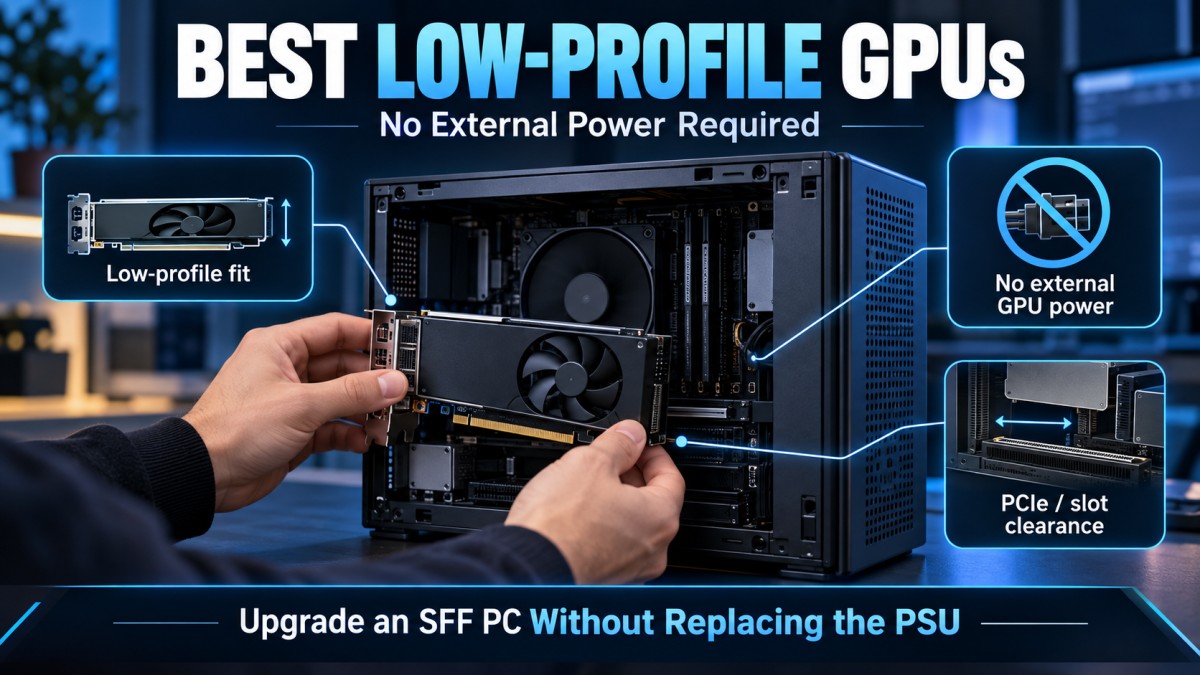
If your small-form-factor PC has no 6-pin or 8-pin GPU power cable, your graphics card choices narrow very quickly. The strongest modern option is usually an RTX 3050 6GB Low Profile if your PC has enough total power headroom and two-slot clearance. If you only have one usable expansion slot, an RX 6400 Low Profile becomes more practical. On an older PCIe 3.0 system, a correctly priced used GTX 1650 Low Profile can still make sense.
But there is an important catch: a GPU using less than 75W and needing no external power cable does not automatically mean it is safe or suitable for every 180W, 200W or 240W OEM power supply. You still need to check the exact PC, PSU, physical clearance and PCIe generation before buying anything.
This guide is aimed at compact OEM systems such as Dell OptiPlex, HP ProDesk or EliteDesk, Lenovo ThinkCentre and similar small-form-factor desktops where replacing the PSU may be difficult or simply not worth the trouble.
Best Low-Profile GPUs Without External Power: Quick Picks
| Your situation | GPU to investigate first | Why |
|---|---|---|
| Want the strongest modern option | RTX 3050 6GB Low Profile | Strongest performance case among the serious mainstream slot-powered cards covered here |
| Only have one usable expansion slot | RX 6400 Low Profile | Very low power draw and genuinely single-slot models exist |
| Older PCIe 3.0 system | GTX 1650 Low Profile | PCIe 3.0 x16 on qualifying models and still viable if bought used at the right price |
The table is deliberately short. There are plenty of low-profile GT 610, GT 710, GT 730 and similar cards still being sold, but fitting inside a small PC does not make them good gaming upgrades.
Before choosing any of these cards, make sure the GPU is actually the part holding your PC back. If you are not sure, start with our guide on what you should upgrade first on a low-end PC. There is no point squeezing a new graphics card into an old OEM machine if the CPU, RAM or storage is the real problem.
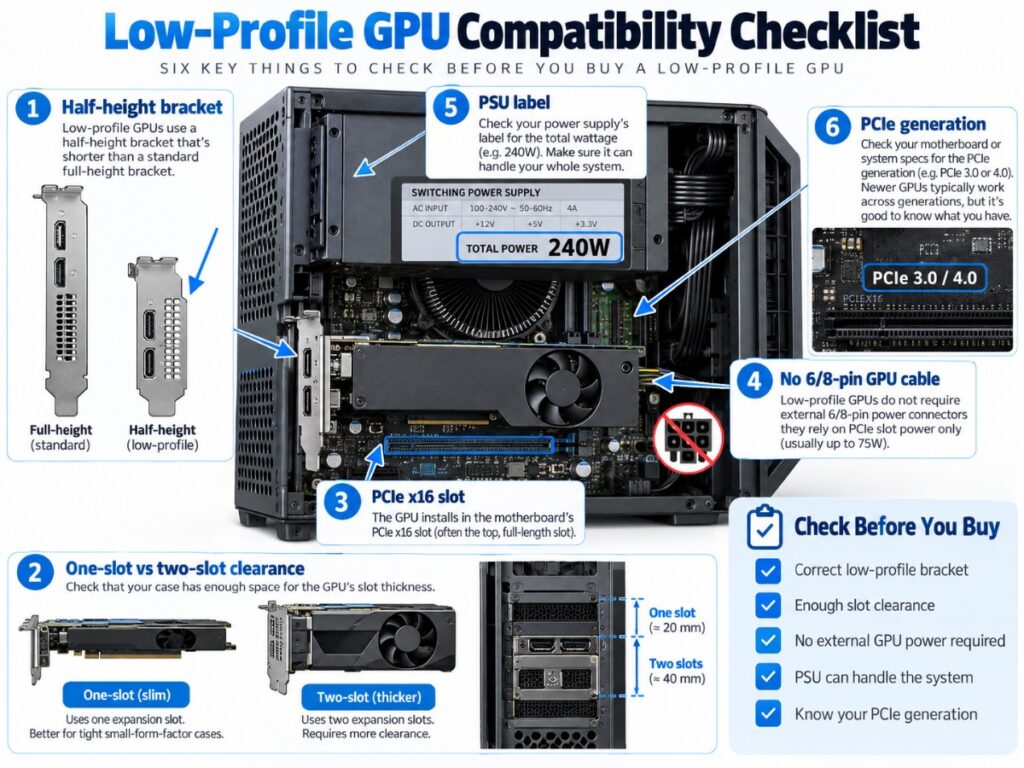
Check These 5 Things Before Buying a Low-Profile GPU
Low-profile GPU shopping goes wrong when people start with performance instead of compatibility. A card can be fast, cheap and technically low-profile and still be completely useless to you because it needs two slots, the wrong bracket or more system power than your PC can reasonably supply.
1. Make Sure It Really Is Low Profile
A low-profile card is designed for a shorter half-height expansion slot. The exact card should either ship with the correct low-profile bracket or clearly support one.
Do not assume that every card using the same GPU fits the same case. An RTX 3050 can exist as a normal full-height card and as a completely different low-profile model.
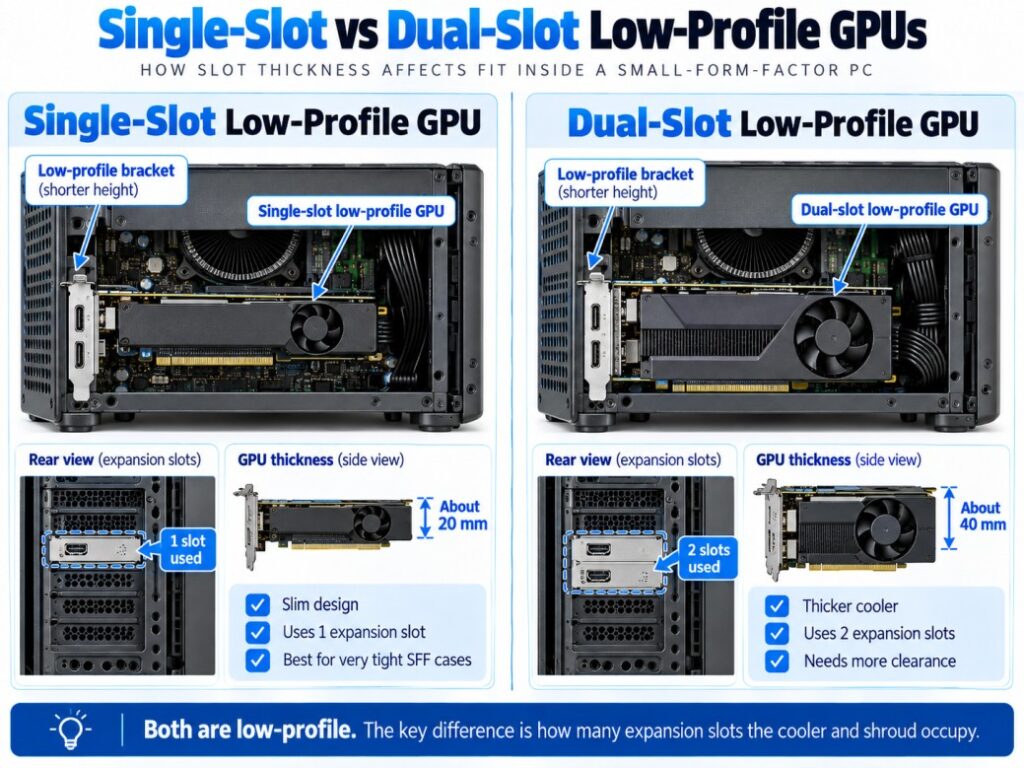
2. Check Whether You Have One Slot or Two
This is one of the most important checks in a small OEM PC. Low-profile describes the height of the card, not its thickness.
Many low-profile RTX 3050 cards occupy roughly two expansion slots. An RX 6400 is available in genuinely single-slot designs. If your case only gives you one usable slot, the faster card may simply not fit.
3. Check the Exact Power Connector Requirement
The entire point of this guide is avoiding cards that require a separate GPU power cable, but you still need to verify the exact model number before ordering.
That matters especially with older cards such as the GTX 1650. Some models are entirely slot-powered while others use an auxiliary power connector. The GPU name alone is not enough.
4. Check the PSU and the Rest of the System
A slot-powered GPU still draws power from the computer’s power supply through the motherboard. That means a 53W or 70W graphics card is not running independently of the rest of the system.
For example, MSI rates its RTX 3050 LP 6G at 70W but lists a 300W recommended PSU. AMD rates the RX 6400 at only 53W typical board power while listing a 350W minimum PSU recommendation. Those are broad manufacturer whole-system recommendations, not proof that every lower-wattage OEM machine will fail, but they are also a reminder that GPU board power alone does not prove compatibility.
Before buying, identify your exact PC model, read the PSU label and consider the CPU, drives and other installed hardware. If you need help understanding total power requirements, read our guide on what PSU wattage a gaming PC actually needs.
5. Check Whether Your PC Uses PCIe 3.0 or 4.0
This matters far more for some cards than others. The RX 6400 only uses four PCIe lanes, so moving it from PCIe 4.0 to PCIe 3.0 can reduce available bandwidth enough to hurt performance in some games.
The RTX 3050 6GB Low Profile models we are considering use a wider x8 electrical interface, while qualifying GTX 1650 Low Profile models can use PCIe 3.0 x16. We will return to this because it can completely change which card makes sense in an older office PC.
RTX 3050 6GB Low Profile: Strongest Performance if Your PC Can Fit It
If you want the strongest performance-oriented card in this group, the RTX 3050 6GB Low Profile currently makes the strongest case.
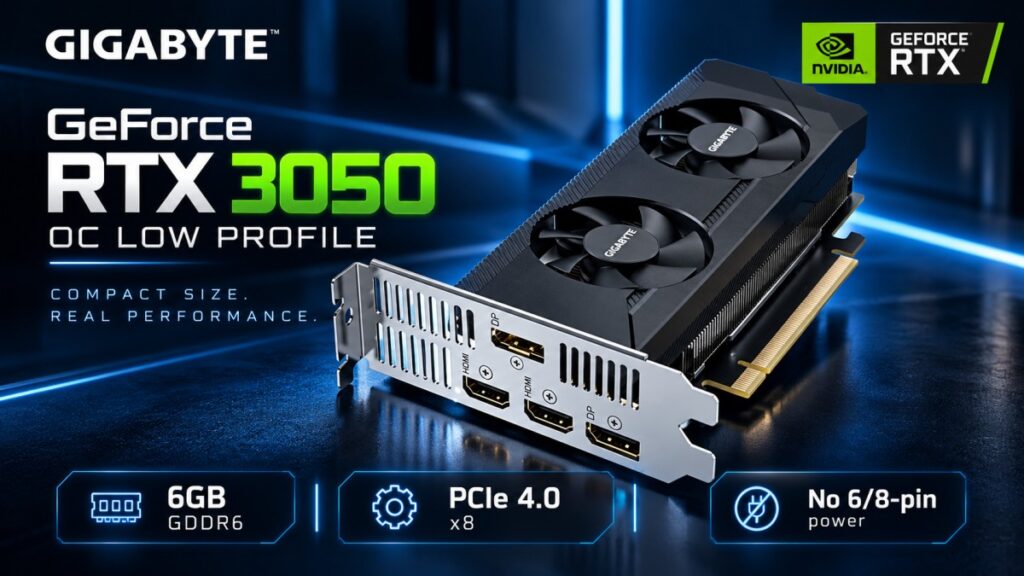
The important part is 6GB Low Profile. Do not shop for a generic RTX 3050 and assume it meets the same requirements.
| Example model | MSI GeForce RTX 3050 LP 6G |
|---|---|
| VRAM | 6GB GDDR6 |
| GPU power | 70W |
| External GPU power | None |
| PCIe interface | PCIe 4.0, x8 electrical |
| Dimensions | 174 × 69 × 42mm |
| Manufacturer PSU recommendation | 300W |
The 70W power target is exactly what makes the 6GB RTX 3050 interesting for constrained systems. NVIDIA states that partner models can operate entirely from PCIe slot power without a separate GPU power cable.
The other major advantage is the x8 PCIe interface. That does not make the card immune to every old-platform limitation, but it avoids the especially narrow x4 link used by the RX 6400.
The biggest catch is physical size. The MSI model above is 42mm thick, so you need roughly two-slot clearance. That immediately rules it out for some SFF office PCs even though the card itself is low-profile.
The RTX 3050 LP therefore makes the most sense when your machine has dual-slot clearance, enough total system power and a CPU that can make reasonable use of it. If you are unsure whether the CPU is already too weak, use our guide on which GPU you should pair with your CPU before spending more.
Bottom line: this is the performance leader in this shortlist, not a universal answer for every tiny Dell, HP or Lenovo.

Radeon RX 6400: The Better Fit for Tight Single-Slot PCs
The RX 6400 is easy to underestimate because it is slower than the RTX 3050 6GB, but it solves a problem the faster card often cannot: very tight physical clearance.
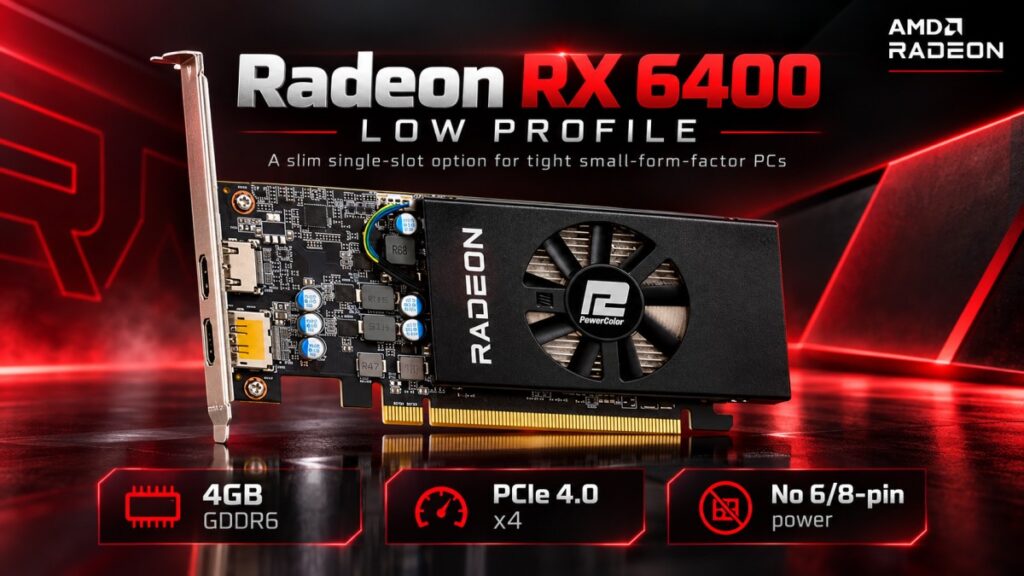
AMD rates the RX 6400 at only 53W typical board power, and genuinely single-slot low-profile versions exist. For an OEM SFF machine where the neighbouring slot is blocked or unavailable, that can matter more than raw benchmark performance.
| VRAM | 4GB GDDR6 |
|---|---|
| Typical board power | 53W |
| External GPU power | None |
| PCIe interface | PCIe 4.0 x4 |
| Single-slot models available | Yes |
| AMD minimum PSU recommendation | 350W |
There are two important drawbacks.
The first is the 4GB VRAM limit. The second, and more important for this article, is the PCIe 4.0 x4 interface. Independent testing has shown that the RX 6400 can lose a meaningful amount of performance when it is installed in a PCIe 3.0 system, with the size of the loss varying significantly by game.
The RX 6400 also has limited media functionality compared with some alternatives. AMD’s published specifications do not list H.264 or H.265 hardware encoding support for this GPU, which matters if you were hoping to use the same PC for hardware-accelerated recording or streaming.
Bottom line: choose the RX 6400 because your physical or power constraints make it the right fit, not because it automatically becomes the best GPU for every old office PC.

GTX 1650 Low Profile: Still Worth Considering New or Used
The GTX 1650 is an older card, but qualifying low-profile models are still available both new and used. Its relevance now depends mostly on price: if a new or used GTX 1650 LP costs substantially less than a newer RTX 3050 6GB LP, it can still make sense for an older PCIe 3.0 system.
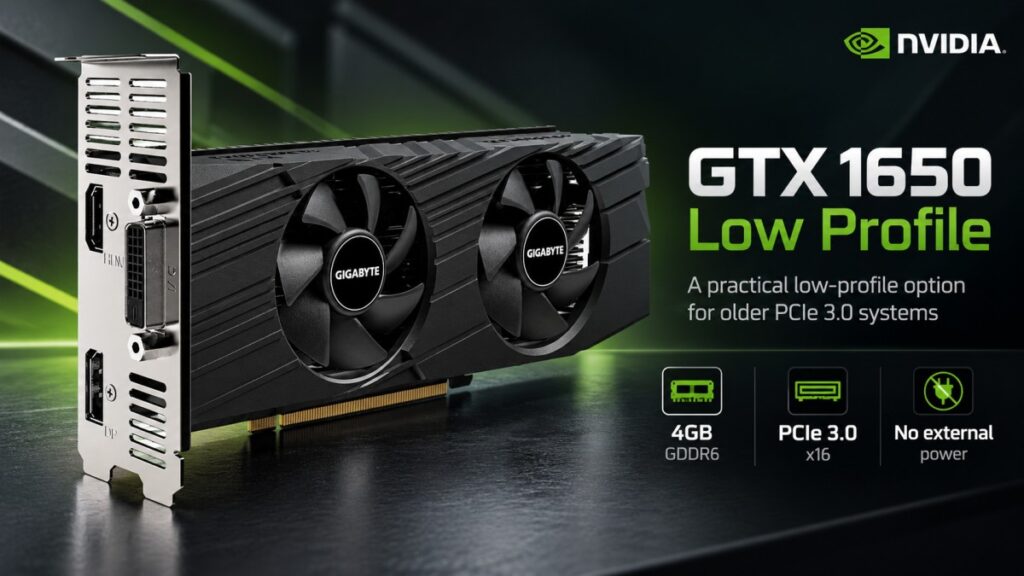
A verified example is the Gigabyte GV-N1656OC-4GL, which uses 4GB of GDDR6, measures 166.9 × 69 × 39mm, includes a low-profile bracket and does not require a separate GPU power connector.
That wider PCIe 3.0 interface is particularly relevant on older OEM machines because the GTX 1650 does not have the same x4 bandwidth restriction as the RX 6400.
That does not make the GTX 1650 automatically better. You still get only 4GB of VRAM, older architecture and a card that is now mostly interesting because of the used market.
The price therefore decides everything. If a used GTX 1650 LP is substantially cheaper than a newer RTX 3050 6GB LP and your old PC is limited to PCIe 3.0, it can still be a sensible upgrade. If the prices are close, the value argument becomes very difficult to defend.
Bottom line: the GTX 1650 LP is a price-dependent option for older PCIe 3.0 systems, whether bought new old-stock or used.

Intel Arc A380 Low Profile: Worth Considering if You Can Find One
The Arc A380 Low Profile is a legitimate 6GB slot-powered option, but availability is now a major problem. If you can find the actual low-profile A380 at a sensible price, it is worth considering on a system with proper Resizable BAR support. Do not substitute the more common A380 Challenger ITX, because that model is full-height and requires an 8-pin power connector.
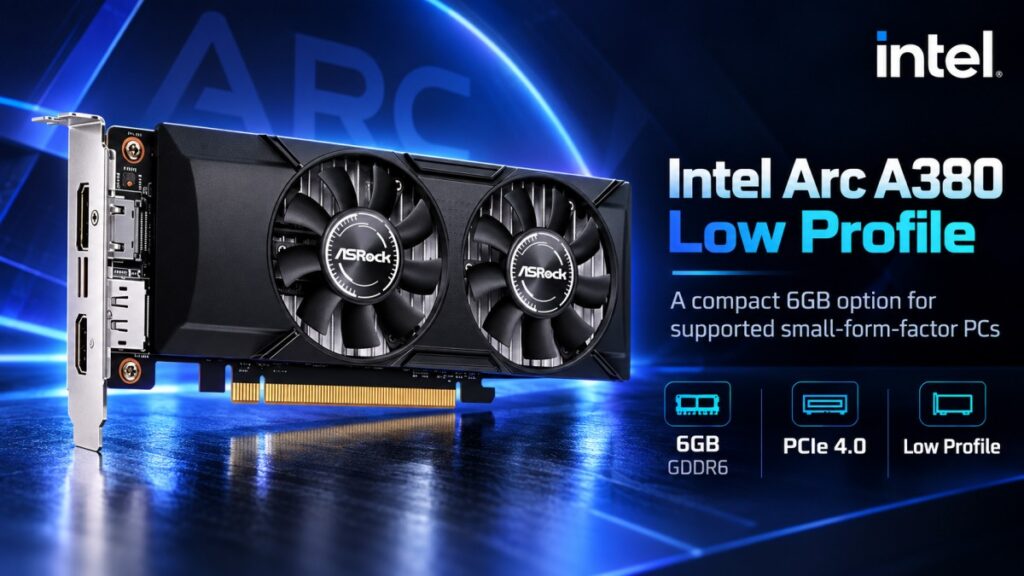
Intel states that Arc A-series cards can operate without Resizable BAR, but ReBAR should be enabled for optimal performance. Intel also acknowledges that some OEM systems do not expose or support the required firmware option.
That matters because many PCs shopping in this category are exactly the kind of older office systems where ReBAR support may be absent or awkward.
Bottom line: only keep an A380 LP on your shortlist after confirming that your motherboard and BIOS properly support Resizable BAR. If they do not, move on.
Why PCIe 3.0 Changes the Best GPU Choice
One of the easiest mistakes in this upgrade is assuming that every graphics card using a PCIe x16 slot has the same connection to the CPU. It does not.
A card can physically fit an x16 slot while electrically using fewer lanes.
| GPU example | Interface | Why it matters |
|---|---|---|
| RTX 3050 6GB LP | PCIe 4.0 x8 | Wider link than the RX 6400 |
| RX 6400 | PCIe 4.0 x4 | More vulnerable to bandwidth loss on PCIe 3.0 systems |
| GTX 1650 LP | PCIe 3.0 x16 on qualifying models | Well matched to older PCIe 3.0 platforms |
The RX 6400’s x4 connection is the one to watch. On a PCIe 4.0 system, it gets four lanes of PCIe 4.0 bandwidth. Put it into an older PCIe 3.0 machine and those same four lanes run at the older, slower standard.
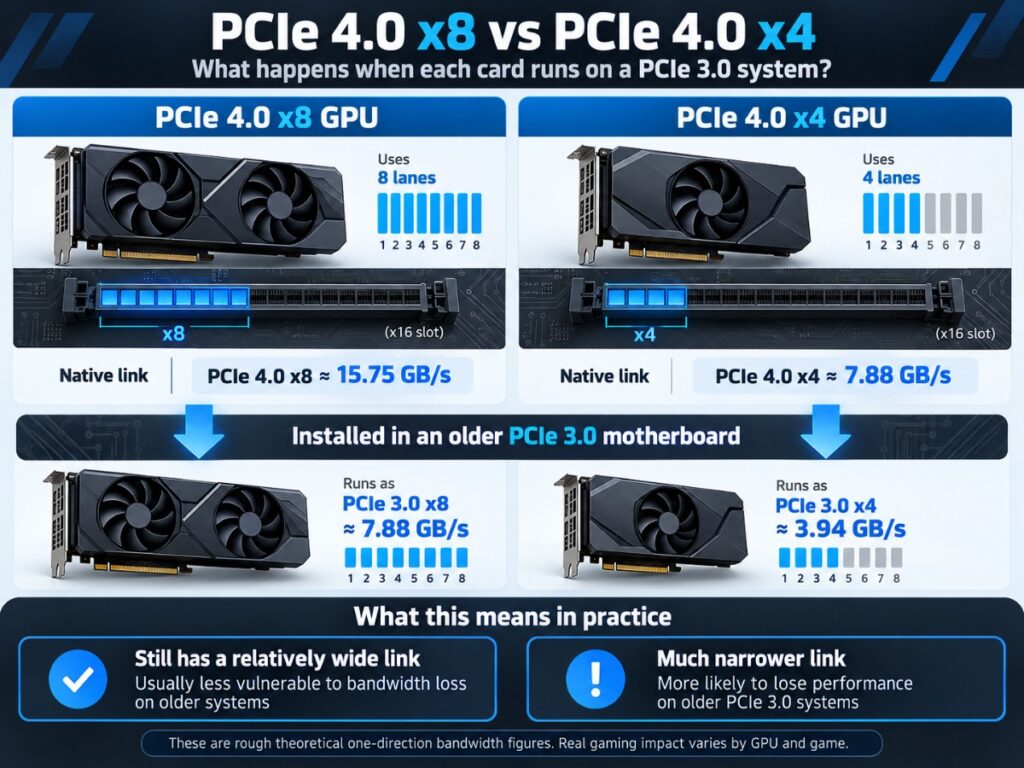
Independent testing from TechSpot shows that the performance loss on PCIe 3.0 can be relatively small in some games and much larger in others. That is why there is no honest single percentage that applies to every title.
This does not mean you should never use an RX 6400 on PCIe 3.0. If it is the only card that physically fits your machine, it may still be the most practical option. It simply means the PCIe limitation belongs in the buying decision rather than being hidden in a footnote.
Which Low-Profile GPU Should You Buy?
The correct answer depends more on your PC’s constraints than on which GPU tops a benchmark chart.
| Your PC | First option to investigate |
|---|---|
| Two-slot clearance, suitable PSU headroom, strongest gaming performance wanted | RTX 3050 6GB Low Profile |
| Only one usable expansion slot | RX 6400 Low Profile |
| Older PCIe 3.0 system and a good used deal is available | GTX 1650 Low Profile |
| Newer SFF system with confirmed ReBAR support | Arc A380 Low Profile can be considered |
| Very weak CPU or platform | Reassess whether a GPU upgrade is worth the money |
| Normal ATX PSU and case upgrade is easy | Do not restrict yourself to slot-powered low-profile GPUs unless you actually need to |
The important part is that the fastest card is not always the right one.
If your PC only has one usable slot, the RX 6400 may win by simply being able to fit. If your old system is PCIe 3.0, a used GTX 1650 LP may be more attractive than its age suggests. If your machine has enough room and power headroom, the RTX 3050 6GB LP gives you the strongest performance-oriented option in this shortlist.
And if your machine is too old, too CPU-limited or too awkward to justify the cost, the correct answer may be to buy none of them.
When a Low-Profile GPU Upgrade Is the Wrong Move
Low-profile GPUs exist because compact PCs are difficult to upgrade. That does not mean every compact PC deserves upgrading.
Your CPU Is Already the Main Limit
If the CPU is already pinned in the games you care about, installing a faster GPU may produce far less improvement than you expect. Check the bottleneck before buying rather than assuming graphics performance is always the answer.
You Cannot Verify the PSU or System Configuration
Do not gamble with an old OEM machine just because the card itself uses less than 75W. If you cannot identify the PSU, PC model or available expansion space, stop and verify the hardware first.
The Upgrade Costs Too Much Relative to the PC
There is a point where paying a premium for a specialised low-profile card stops making sense. If the GPU costs a large percentage of what a better used PC or platform would cost, compare the two options before sinking more money into the old machine.
Our guide on whether you should upgrade your old PC or buy a new one is designed for exactly that decision.
You Can Easily Replace the Case or PSU
If your PC uses a normal ATX power supply and standard case, you may not need to restrict yourself to expensive low-profile slot-powered cards at all. A straightforward PSU or case upgrade can open a much larger GPU market.
The whole point of this category is solving a real constraint. If you do not actually have that constraint, do not pay for it.
The simple version: choose the GPU your machine can properly support, not the fastest model that happens to fit on paper. For most compatible two-slot systems that points first toward the RTX 3050 6GB Low Profile. For true single-slot builds, the RX 6400 remains useful. For older PCIe 3.0 PCs, do not ignore a reasonably priced used GTX 1650 LP. And if the machine itself is already the problem, keep the money for the next PC.