

If you are deciding between Vortex and Mod Organizer 2, the short answer is simple: Vortex is the better choice for beginners and players who mod multiple games, while Mod Organizer 2 is the better choice for Skyrim, Fallout, and Starfield players building large or complex mod lists. Vortex is easier to start with, while MO2 gives you more control, safer profiles, and a cleaner long-term modding experience.
Vortex vs Mod Organizer 2 Comparison Table
| Feature | Vortex | Mod Organizer 2 |
|---|---|---|
| Best for beginners | Excellent | Steeper learning curve |
| Best for Skyrim | Good | Excellent |
| Large mod lists | Good | Outstanding |
| Virtual file system | No | Yes |
| Multi-game support | Excellent | Good |
| Ease of setup | Very easy | Moderate |
| Advanced control | Good | Excellent |
| Nexus Mods integration | Native | Good |
Quick Verdict: Should You Use Vortex or Mod Organizer 2?
- Choose Vortex if you are new to modding, play several different games, or want the easiest setup with minimal manual configuration.
- Choose Mod Organizer 2 if you mainly mod Skyrim, Fallout, or Starfield and expect to build large or highly customized mod lists.
- For most casual players, Vortex is simpler. For long-term enthusiasts and power users, MO2 offers greater flexibility and control.
Still unsure which one fits your style? The sections below compare Vortex and Mod Organizer 2 in detail, covering beginners, Skyrim, Starfield, large mod lists, conflict resolution, virtual file systems, and multi-game support so you can choose the right tool with confidence.
New to modding or want a full refresher on the basics? Start with the Complete Game Mods 101 pillar before diving into advanced tools and workflows.
What Makes Vortex Different (And Why Some People Love It)
The UI That Babysits You (In a Good Way)
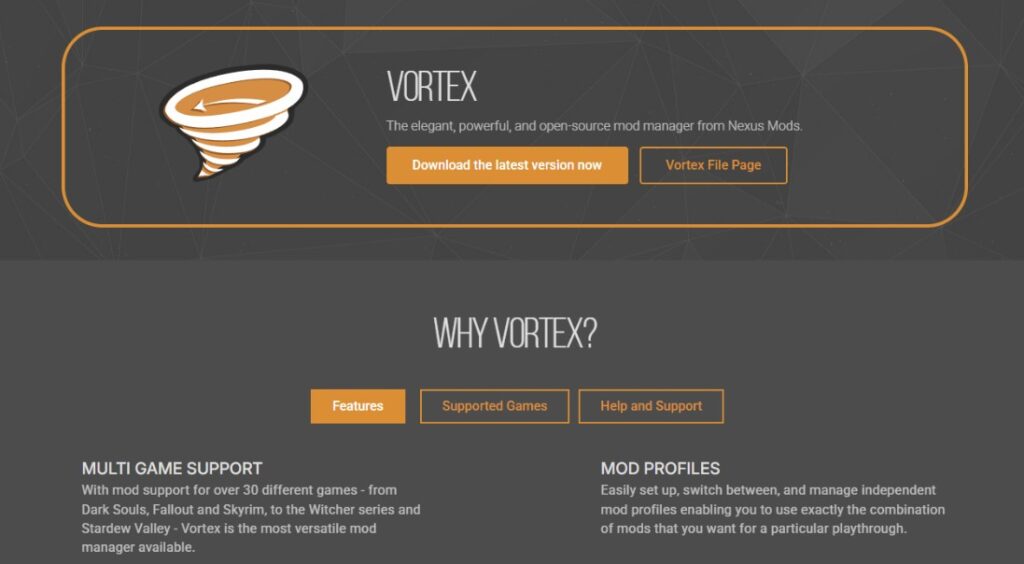
Vortex is built to guide new modders through the chaos. It auto sorts your load order, auto deploys files, detects conflicts, and warns you before you break something. If you want a manager that does most of the thinking for you, this is the one.
The Big Vortex Strength: Multi Game Modding
If you hop between Skyrim, Fallout, Starfield, Baldur’s Gate 3, and whatever else catches your eye, Vortex keeps everything under one roof. No juggling profiles across multiple tools. One app. Many games. Very few headaches.
If you are modding Starfield specifically, check out the best Starfield mods guide.
When Vortex Actually Saves You Time
- You have a small or medium modlist.
- You do not want to touch the file system.
- You want easy install and uninstall workflows.
When Vortex Creates Headaches
- Large modlists can overwhelm its auto sorting system.
- Deployment errors occasionally appear and confuse new modders.
- Isolating broken builds is harder without complete profile separation.
Vortex vs Mod Organizer 2 for Beginners
If you are brand new to modding and barely know what a load order is, Vortex is the most comfortable starting point.

- Vortex walks you through conflicts, rules, and sorting so you are never guessing what to click.
- It explains load order basics in plain language which helps you learn without getting overwhelmed.
- The built in warnings and notifications catch mistakes before they break your saves.
- You spend more time playing and less time troubleshooting because the tool handles the heavy lifting.
If you want to grow into heavy modding later, learn MO2 early. It rewards you with long term stability and far fewer reinstalls.
- Learning MO2 early teaches you proper modding habits that save you trouble later.
- Its virtual file system protects your game from accidental damage while you learn.
- You can experiment freely with profiles and test builds without risking your main setup.
- Once you understand MO2, upgrading to huge modlists is smooth and far less painful.
Also check the safest PC game mod sites to make sure your downloads are trustworthy.
What Makes Mod Organizer 2 Different (And Why Power Users Swear by It)
The Virtual File System Superpower
Mod Organizer 2 uses a virtual file system. This keeps your real game folder clean while stacking mod files in a virtual layer. You can add, remove, rearrange, or nuke mods without corrupting the actual game. It is the safest modding environment you can get.
Profiles and Instances for Zero Risk Experimenting
MO2 lets you run multiple full setups with zero overlap. You can keep a clean vanilla profile for safe testing, maintain a cursed 500 mod monster for your main playthrough, and spin up experimental profiles for new packs or Wabbajack builds without any of them touching each other. Each profile behaves like its own isolated universe, so you can break things, rebuild them, or swap setups instantly without risking your main game.
If you want to keep modded games smooth and stable, pair your setup with The Hidden Throttles Killing FPS.
When MO2 Saves Your Sanity
- Big modlists (100 to 500 mods).
- You want to test load orders without breaking your main setup.
- You use ENB presets, patches, LOD tools, and heavy script mods.
- You run Wabbajack modlists or want to tweak them.
When MO2 Creates Headaches
- The learning curve is bigger than Vortex.
- You must understand basic load order rules.
- Multi game support is not as flexible as Vortex.
Vortex vs Mod Organizer 2 for Large Mod Lists
For large mod lists, Mod Organizer 2 has the clear advantage. Vortex can handle small and medium builds well, but once you move past a hundred mods, conflict rules, deployment errors, patches, script mods, and tool outputs can become harder to manage. MO2 was built for deeper modding setups where isolation, testing, and control matter more than convenience.

MO2 keeps your real game folder cleaner, lets you separate different profiles, and gives you the freedom to test, disable, reorder, or rebuild parts of your setup without risking your main installation. For big Skyrim, Fallout, or Starfield modding projects, stability is not just a bonus. It is the entire point.
Which One Is Safer for Saves?
Mod Organizer 2 is safer for saves because its profile system helps keep different setups separated. If one heavily modded profile breaks, you can fall back to a cleaner profile instead of risking every save and every setup at once.
Best Option for Wabbajack Modlists
Mod Organizer 2 is usually the better option for Wabbajack modlists. Many Wabbajack setups are built around MO2-style workflows, separate profiles, and isolated mod folders, which makes MO2 the more natural fit for large prebuilt modlists.
Vortex vs Mod Organizer 2 for Skyrim
For Skyrim, Mod Organizer 2 is usually the stronger long-term choice. Skyrim modding often grows from a few texture packs into a massive setup with patches, script mods, ENB presets, Nemesis, LOD tools, and multiple profiles. MO2 handles that kind of deep setup better because it keeps your real game folder clean and lets you test different builds without destroying your main profile.
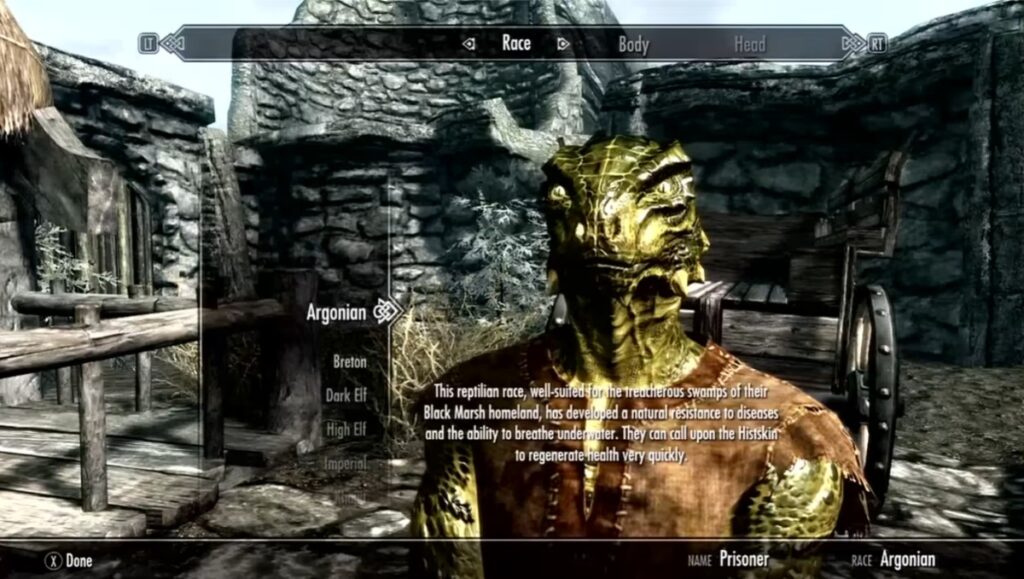
Vortex can still work well for lighter Skyrim mod lists, especially if you want a simpler interface and faster setup. But once your Skyrim list becomes large or fragile, MO2 gives you more control over what is loading, what is overwriting what, and which profile is safe to use.
Which Mod Manager Is Better for Starfield?
For most Starfield players, both Vortex and Mod Organizer 2 are excellent choices, but the better option depends on how deeply you plan to mod the game. If you want a quick and beginner-friendly experience with seamless Nexus Mods integration, Vortex is the easiest way to install and manage Starfield mods.

If you expect to build a heavily modded Starfield setup with dozens or even hundreds of mods, Mod Organizer 2 offers greater long-term flexibility. Its profile system and virtual file management make it easier to experiment, troubleshoot conflicts, and maintain separate playthroughs without affecting your main installation.
For casual Starfield modding, Vortex is usually the more convenient choice. For advanced users creating complex load orders or testing multiple builds, Mod Organizer 2 provides the additional control needed to keep large mod collections stable and organized.
If you’re looking for recommended mods to install, be sure to check out our dedicated Starfield guides and curated mod collections for the latest compatible picks.
Mod Organizer 2 Virtual File System vs Vortex Deployment
The biggest technical difference is how each tool handles your game files. Vortex uses a deployment system that places managed mod files into the game setup. Mod Organizer 2 uses a virtual file system, which keeps the real game folder cleaner and loads mods through a separate virtual layer.
That is why advanced users often prefer MO2. If something breaks, you can disable a mod, switch profiles, or rebuild your setup without cleaning out the actual game directory. Vortex is easier to understand at first, but MO2 gives you more safety when your modding setup becomes serious.
Which Has Better Conflict Resolution?
When it comes to conflict resolution, both Vortex and Mod Organizer 2 are capable tools, but they approach the problem differently. Vortex focuses on simplicity by automatically detecting conflicts and guiding you through deployment rules with an interface designed for beginners. For many players, this makes resolving common issues quick and painless.

Mod Organizer 2 takes a more hands-on approach. Instead of hiding the details, it gives you precise control over load order, file priority, and overwrite behavior through its virtual file system. Advanced users often prefer MO2 because they can see exactly which files are winning conflicts and make manual adjustments when troubleshooting complex mod setups.
If you are running a small or medium mod list, Vortex’s automated conflict management is usually more than enough. However, if you regularly build large Skyrim or Fallout mod lists, use custom patches, or troubleshoot script-heavy setups, Mod Organizer 2 provides greater transparency and finer control, making it the stronger choice for advanced conflict resolution.
Vortex vs Mod Organizer 2 for Multi-Game Support
If you regularly mod several different games, Vortex has a clear advantage. Its unified dashboard, built-in Nexus Mods integration, and straightforward deployment system make it easy to switch between Skyrim, Fallout, Starfield, Baldur’s Gate 3, and many other supported titles without constantly changing tools or workflows.
Mod Organizer 2 can also manage multiple games, but it shines when you invest heavily in one title at a time. If your goal is to maintain huge, carefully tuned modlists for Skyrim or Fallout, MO2 offers deeper control. If you prefer to experiment across many games with minimal setup, Vortex is generally the more convenient choice.
Starfield players looking for recommended mods can also explore our dedicated Starfield guides and curated mod collections for the latest compatibility information.
Which Mod Manager Grows Better With You?
The answer depends on how your modding habits evolve. Vortex grows horizontally by making it easy to manage many different games from one interface, while Mod Organizer 2 grows vertically by providing increasingly powerful tools for larger, more advanced, and more heavily customized mod setups.
If you expect to install a handful of mods across multiple games, Vortex will likely remain the simpler and more enjoyable experience. If you see yourself building 200+ mod Skyrim or Fallout load orders, experimenting with profiles, generating LODs, or creating custom patches, Mod Organizer 2 will scale much better over time.
In short, choose Vortex if convenience across many games is your priority. Choose Mod Organizer 2 if you expect your hobby to grow into large, complex, and highly customized modding projects where maximum control and stability matter most.
FAQ
Is Vortex good enough for heavily modded Skyrim
It works but becomes unpredictable once your list gets large. MO2 is safer long term.
Does MO2 work for Starfield
Yes. Support continues to improve. Starfield coverage lives in the Terran Fleet update analysis and the best Starfield mods list.
Is it bad to use both
Yes. Pick one. Mixing managers often leads to broken files and load order conflicts.
Is Mod Organizer 2 better than Vortex?
Mod Organizer 2 is better for advanced users, large mod lists, Skyrim modding, and anyone who wants safer profile control. Vortex is better for beginners and players who mod several different games with a simpler setup.
Is Vortex better for beginners?
Yes. Vortex is easier for beginners because it has strong Nexus Mods integration, clearer warnings, automatic sorting support, and a simpler interface for installing and managing mods.
Should Skyrim players use Vortex or MO2?
Skyrim players with small mod lists can use Vortex comfortably. Skyrim players building large, complex, or long-term mod lists should usually use Mod Organizer 2 because it offers better profile control and cleaner testing.
Which mod manager is best for large mod lists?
Mod Organizer 2 is usually the best mod manager for large mod lists because it keeps mods isolated, supports strong profile management, and makes troubleshooting safer.
Can I switch from Vortex to Mod Organizer 2 later?
Yes, but the process is mostly manual. It is often easier to rebuild the mod list carefully in MO2 instead of trying to transfer everything automatically from Vortex.
Does MO2’s virtual file system improve stability?
MO2’s virtual file system improves safety more than raw performance. It helps keep the real game folder clean, makes testing easier, and reduces the risk of damaging your main installation while experimenting with mods.
Reader Jump Points
- Game Mods 101 Pillar
- Safest PC Game Mod Sites
- Best Starfield Mods
- Starfield Hub
- Terran Fleet Update Insights
- Hidden Throttles Killing FPS
- Capping Your FPS
Final Verdict
If you want the least amount of troubleshooting, pick the mod manager that matches how you mod right now.
- Use Vortex if you want a friendly beginner experience, auto management, and support for many games.
- Use MO2 if you want deeper control, safer experimenting, and total protection for large modlists.
Both tools are great. The winner is the one that saves you time and lets you spend more hours actually playing instead of fixing your game. If you want to explore each tool in more detail, start with their official pages. Vortex is maintained directly through Nexus Mods and offers full documentation on installation and conflict resolution over at the official Vortex page. Mod Organizer 2 is developed and updated by the community, with stable downloads and technical notes available on the MO2 GitHub repository. Both sources give you the latest features, updates, and troubleshooting advice straight from the developers.