You lower the settings. The game still runs badly. Your GPU usage looks weird. Your FPS tanks in cities. Then you watch somebody with “the same hardware” getting double your performance. Welcome to modern PC gaming.
The problem is that FPS is only part of the story. Frametime spikes, CPU bottlenecks, thermal throttling, RAM pressure, background apps and shader compilation can all make a game run badly for completely different reasons.
This guide will help you figure out what is actually hurting your gaming performance before you waste money trying to fix the wrong thing.
Quick Answer: Why Games Feel Bad on PC
| What You See | Most Likely Cause |
|---|---|
| High FPS but game still feels choppy | Frametime instability or microstutter |
| GPU usage stuck below 60% | CPU bottleneck or engine limitation |
| FPS drops in cities or large battles | CPU load, RAM pressure or asset streaming |
| Performance worse after updates | Shader recompilation or poor optimization |
| Random lag spikes after long sessions | Thermal throttling or memory buildup |
| Games take forever to load | Slow storage or overloaded system drive |
Why Games Feel Bad Even at “Good FPS”
This confuses a lot of gamers because FPS alone does not determine how smooth a game feels. You can have 90 FPS and still experience hitching, stutter, inconsistent mouse movement or weird input delay.
What usually matters more is frametime consistency. If your frames are arriving unevenly, the game feels unstable even when the FPS counter looks healthy. This is why some games feel smooth at 60 FPS while others feel awful at 100 FPS. The same principle applies at the lower end: in our guide to running RDR2 on a low-end PC, a stable 30 FPS can make far more sense than chasing a higher frame rate your hardware cannot consistently maintain.
If you’re using an older quad-core, our guide to how to tell if a 4-core CPU is hurting gaming performance explains why average FPS can look fine even when CPU limitations are causing poor 1% lows and inconsistent frame delivery.

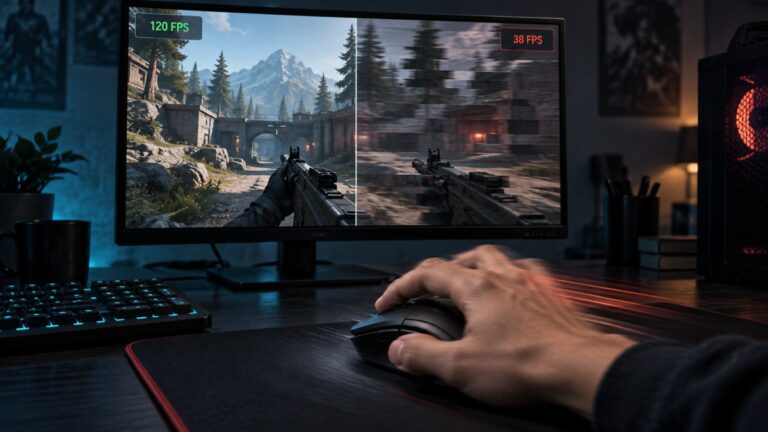
A good example is when your FPS counter jumps between 120 and 80 constantly during movement. Technically, the average FPS looks fine, but the actual frame delivery is inconsistent, and your eyes notice the instability immediately. If the drop happens specifically when you move the mouse, not during comparable keyboard or controller movement, use this guide to diagnose FPS drops when you move the mouse.
This is especially common in:
- Open-world games
- Poor PC ports
- Games with shader compilation issues
- Large multiplayer matches
- Systems running out of RAM
Many gamers spend months chasing “more FPS” when the real issue is frametime spikes. Strategy games suffer from a unique problem where performance can collapse in the late game as thousands of AI calculations stack up. If you’ve noticed this happening, read Why Strategy Games Lag in the Late Game.
If you have never monitored frametimes before, you should start learning how overlays and monitoring tools work because guessing performance problems is how people waste money on unnecessary upgrades.
How to Monitor Temps, Clocks & Usage Like a Pro is one of the best places to start if you want to actually understand what your PC is doing during gameplay.
Why Lowering Graphics Settings Sometimes Does Nothing
This is one of the biggest warning signs that your graphics card is not actually the main problem. Most gamers assume lower settings automatically equal higher FPS. Sometimes that works perfectly.
Other times you lower everything to potato mode and your FPS barely changes. That usually points to another component holding your system back, so it’s worth learning how to identify what’s actually bottlenecking your gaming PC before upgrading anything.

That usually means something else is choking the game before the GPU can fully stretch its legs. For example, if your processor is already maxed out handling:
- AI calculations
- NPC simulation
- physics
- asset streaming
- background Windows tasks
then lowering texture quality or shadows may not improve performance much at all. This is extremely common in:
- Battle royale games
- Open-world RPGs
- Strategy games
- Large multiplayer shooters
- CPU-heavy simulation games
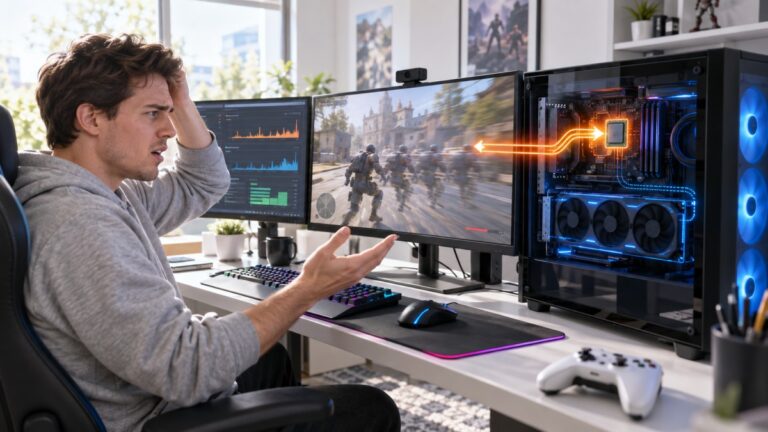
It is also why older quad-core CPUs are starting to struggle badly in newer games even when paired with decent GPUs. If your GPU usage keeps dropping while your CPU spikes to 90–100%, your processor is probably becoming the limiting factor.
However, before assuming your CPU needs replacing, it’s also worth checking whether your system is running the latest motherboard firmware, as outdated BIOS versions can sometimes cause stability and performance issues on newer Intel platforms. Learn more in our guide on why your Intel gaming PC may still need another BIOS update.
If your game stutters immediately after launching, repeated shader compilation could be the hidden culprit. Learn when it’s normal and how to fix it in our guide: Game Compiling Shaders Every Launch? Here’s What Causes It and How to Stop It.
This is exactly why people misunderstand bottlenecks so often. The GPU gets blamed because it is the “gaming part,” while the actual issue is the rest of the system failing to feed it properly. If you want a deeper breakdown of how this works, read: Low FPS or Weird Usage? Here’s How to Tell If Your CPU or GPU Is the Problem
Why Your GPU Usage Looks Wrong
One of the most common panic moments in PC gaming is opening MSI Afterburner and seeing your GPU sitting at 40% usage while the game runs terribly. People immediately assume the graphics card is broken. Usually it is not.
Before diagnosing a bottleneck, confirm that the game is actually using your dedicated GPU. If the game is rendering on integrated graphics, low usage on the dedicated GPU is expected. If the correct GPU is active, it may be waiting because the CPU is overloaded, RAM is full, a single-channel RAM configuration is restricting memory bandwidth, storage is choking asset delivery, or the game engine has poor threading.
If you’re not sure which of these is actually causing the problem, work through our Complete Gaming PC Health Check. It walks you through checking temperatures, CPU and GPU usage, RAM, storage, and Windows so you can identify the real bottleneck before spending money on upgrades.
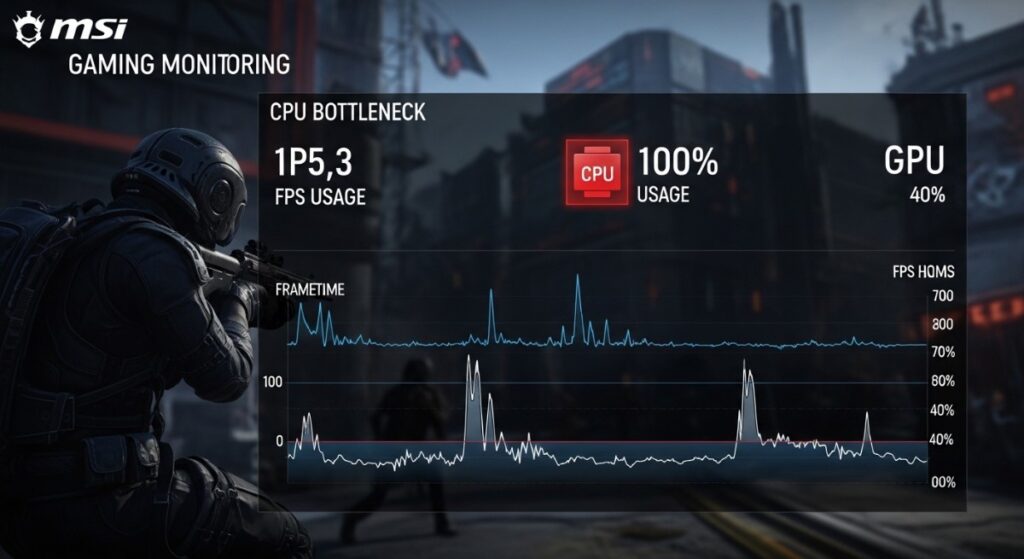
This is why GPU usage is not a “good or bad” number by itself. Context matters. Here are some examples:
- GPU at 99% with stable FPS = usually healthy GPU load
- GPU at 40% with CPU maxed out = likely CPU bottleneck
- GPU usage constantly bouncing = unstable frame delivery
- VRAM maxed out = texture streaming problems and hitching
A lot of low-end systems also run into memory bandwidth limitations, especially older DDR3 builds or systems using integrated graphics.
Integrated graphics are particularly sensitive because the GPU and system memory are sharing resources at the same time.
If you still game on Intel HD or older Vega integrated graphics, this guide is worth bookmarking: Intel HD Graphics Gaming Guide: What Actually Runs
Why Some Games Stutter No Matter What Hardware You Have
This is where modern PC gaming gets annoying. Not every performance problem is your fault. Some games simply ship in rough technical condition. Others suffer from shader compilation stutter, traversal stutter or terrible CPU scheduling.
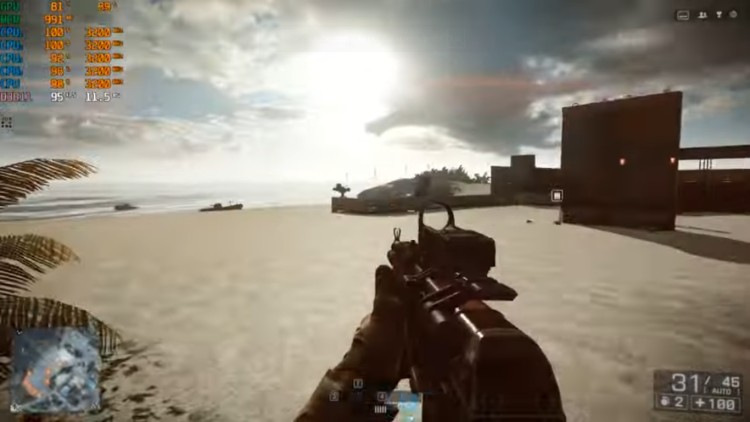
You can throw a monster RTX card at the problem and still get hitching while moving through the world. This became especially obvious over the last few years as more games launched with:
- aggressive asset streaming
- poor optimization
- shader caching issues
- heavy CPU overhead
- background compilation systems
This is why some games stutter on both low-end and high-end PCs. People love pretending every performance problem can be solved with settings tweaks, but some PC ports are simply rough at launch.
If you experience random stutter even on powerful hardware, this article goes deeper into the issue: Why Does My Game Stutter on High-End PC? And if you are gaming on older hardware, this one matters too: Why Games Stutter on Low-End PCs
Valve has also publicly discussed shader compilation stutter and pre-caching on PC gaming systems through Steam’s shader pre-caching system, showing just how widespread modern stutter problems have become across the industry.
Steam Shader Pre-Caching Support Page
Why Temperatures Quietly Destroy Performance
A shocking number of gaming PCs are quietly thermal throttling without the owner realizing it. The system still works. Games still launch. Nothing crashes. But performance slowly collapses once temperatures climb too high.
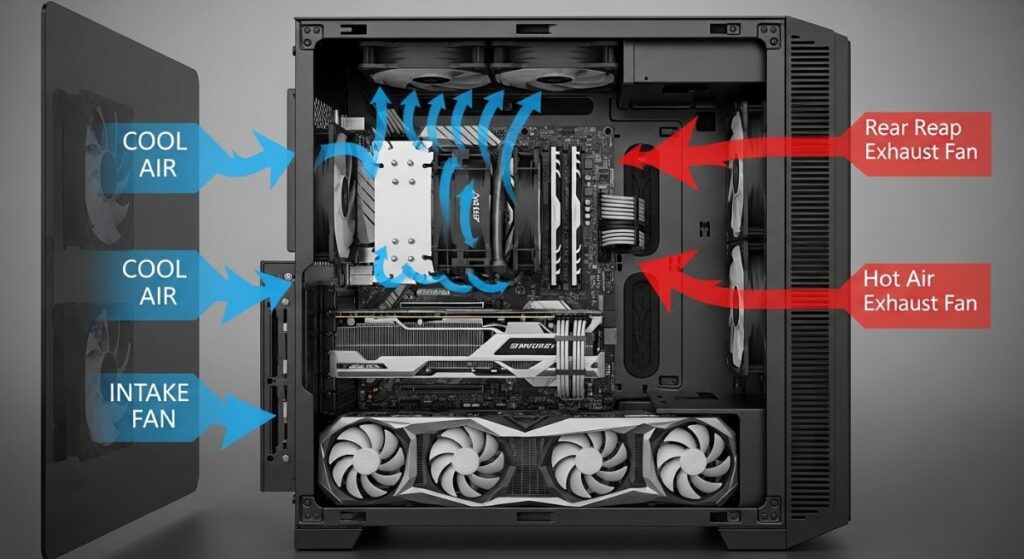
This is especially common in:
- dust-filled desktops
- gaming laptops
- cheap prebuilt PCs
- older CPUs with dried thermal paste
- cases with terrible airflow
If your clock speeds suddenly drop after 15–20 minutes of gameplay, your system may be protecting itself by reducing performance to stay within thermal limits.
This creates:
- FPS drops
- microstutter
- input delay
- wild frametime spikes
- random instability
And because the slowdown happens gradually, many gamers never connect the problem to temperatures. This is one of the reasons monitoring tools matter so much. You cannot fix what you never measure. For deeper thermal troubleshooting: The Hidden Throttles Killing FPS
And if your system temperatures are completely out of control: How to Undervolt Your GPU and Lower Temps
Why Open-World Games Hammer Older PCs
Modern open-world games are brutal on weaker systems because they constantly stream data while you move through the world. Older games loaded levels in chunks. Modern games continuously stream:
- textures
- NPCs
- audio
- physics
- animations
- world events

That puts pressure on:
- CPU
- RAM
- storage speed
- VRAM
This is why weak PCs often collapse in busy cities while smaller indoor areas run fine. It is also why upgrading from an old hard drive to an SSD can dramatically improve loading smoothness and asset streaming even if raw FPS barely changes.
Games today are increasingly designed around SSD assumptions, which is becoming rough news for older SATA HDD systems still trying to survive modern AAA gaming. If your games take forever to load or constantly hitch while moving through the world: Why Games Take Forever to Load on Weak PCs
And if you want to understand the real-world impact storage has on gaming: Real-World SSD Performance for Gaming
Why “Bottlenecks” Are Usually Misunderstood
The internet has absolutely destroyed the meaning of the word “bottleneck.” People now talk about bottlenecks like they are a disease your PC catches. Every PC has a bottleneck somewhere. That is normal.
The real question is whether one part of your system is limiting performance badly enough to create obvious problems.
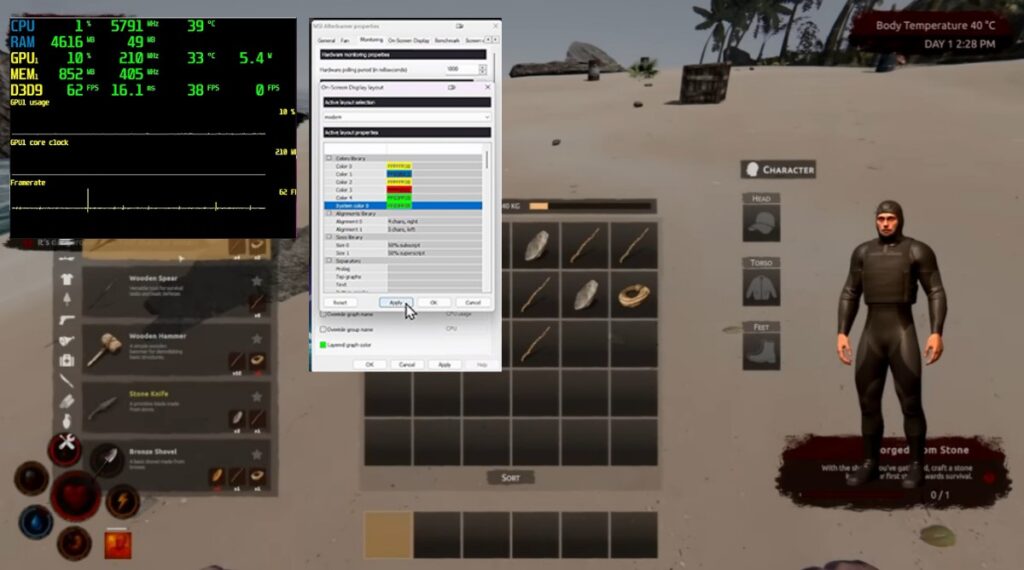
A balanced system keeps components working together efficiently. An unbalanced system creates situations where one component spends more time waiting than working.
For example:
- A weak CPU paired with a powerful GPU may cause low GPU usage
- Insufficient RAM may cause heavy stutter during streaming
- A slow hard drive may delay asset loading
- Overheating may reduce clock speeds across the system
The important thing is understanding what symptom points toward what limitation. This is why blindly buying a new GPU often disappoints people. If the real problem is thermal throttling, RAM exhaustion or an aging CPU, the graphics card upgrade may barely change the experience.
This is also why some older systems reach a point where “optimization” stops helping much. Hardware limits are real.
How To Actually Diagnose PC Gaming Problems
If there is one thing most struggling PC gamers need to stop doing, it is guessing. Performance diagnosis should be treated like troubleshooting, not superstition. You need to observe patterns.
Look for:
- CPU usage spikes
- GPU utilization drops
- VRAM limits
- temperature behavior
- frametime spikes
- RAM saturation
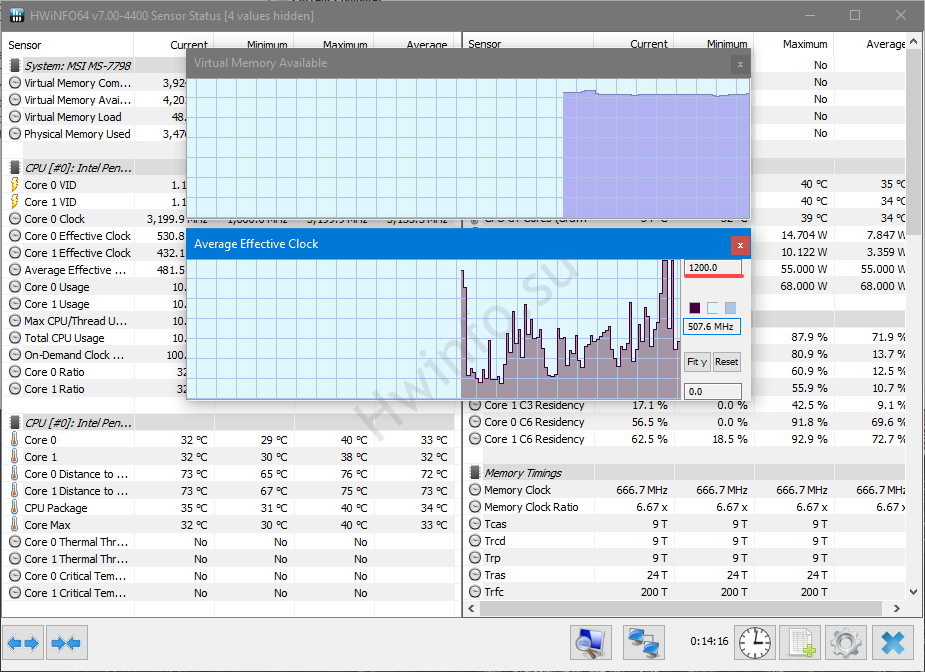
Microsoft also provides official documentation for Task Manager performance monitoring, which can help newer PC gamers understand CPU, memory, storage and GPU behavior while troubleshooting performance issues. Microsoft Task Manager Performance Guide
Good monitoring tools completely change how you understand your PC. Once you can actually see:
- clock speeds
- temperature behavior
- frametimes
- CPU thread usage
- GPU power draw
you stop throwing random fixes at the wall. These guides are essential if you want to learn proper performance diagnosis:
What Upgrade Actually Helps Most?
This is where many gamers waste the most money. People buy upgrades emotionally instead of diagnostically.

They buy a new GPU because FPS is low, only to discover their old CPU cannot keep up. Or they buy more RAM while the real problem is an overheating laptop cooking itself alive during gameplay. The “best” upgrade depends entirely on what your system is struggling with.
Some examples:
- Long load times and streaming hitching → SSD upgrade
- GPU usage stuck low → possible CPU limitation
- Constant RAM usage near max → memory upgrade
- Thermal throttling → cooling and airflow fixes
- Integrated graphics struggling → system-wide limitations
This is especially important for low-end and older PCs because not every system deserves expensive upgrades anymore.
Sometimes a smart second-hand upgrade makes sense. Other times you are pouring money into a dead platform. That reality matters.
If you are trying to decide what upgrade actually helps weak systems: What to Upgrade First on a Low-End PC
And if you want to avoid terrible upgrade decisions: GPU Upgrade Mistakes Gamers Avoid
Final Thoughts
Modern PC gaming performance is messy. That is the truth nobody really tells beginners.
Games today hammer CPUs, GPUs, storage drives, RAM and cooling systems all at the same time. Some games are beautifully optimized. Others arrive held together with duct tape and emergency patches.
And unfortunately, not every problem can be fixed by lowering settings or buying a more expensive graphics card. The important thing is learning how to recognize what your PC is actually struggling with.
Because once you stop guessing and start understanding:
- frametimes
- utilization
- temperatures
- streaming behavior
- bottlenecks
you stop chasing fake solutions and start making smarter decisions. That is the difference between endlessly tweaking a broken experience and actually understanding why your games run badly in the first place.