Fortnite is not the same lightweight battle royale many players remember from years ago. It started as a fast, colourful shooter that could run on a surprising range of hardware, but the game has grown into something much bigger. Bigger maps, newer visuals, more modes, more effects, and years of Unreal Engine upgrades have all changed what Fortnite asks from your PC.
That sounds bad if you are still gaming on an older desktop, a dusty laptop, or a machine that sounds like it is preparing for take-off every time you open the Epic Games Launcher. But here is the good news: Fortnite can still be surprisingly playable on low-end PCs if you understand the limits and use the right settings.
This is not a fantasy guide where we pretend an ancient office PC will suddenly become an esports machine. We are going to look at what still works, what struggles, what Performance Mode actually does, and when it is time to stop fighting your hardware and consider an upgrade.
Quick Answer: Can a Low-End PC Still Run Fortnite?
Yes, a low-end PC can still run Fortnite, but the experience depends heavily on your CPU, RAM, graphics hardware, and whether you use Performance Mode. Older systems with Intel UHD graphics, Ryzen Vega integrated graphics, or entry-level dedicated GPUs can often play Fortnite at low settings. Very old Intel HD systems, dual-core CPUs, and 4GB RAM machines may still launch the game, but you should expect compromises.
If your PC has 8GB RAM, a decent quad-core CPU, and any modern integrated or budget dedicated graphics chip, Fortnite is still worth trying. If you are stuck on 4GB RAM, an old hard drive, and ancient Intel HD graphics, the game may technically run, but smooth gameplay is not guaranteed. That is not Fortnite being rude. That is your PC wheezing into the microphone.
| Hardware Type | Fortnite Expectation |
|---|---|
| Intel UHD / Ryzen Vega graphics | Playable at low settings with Performance Mode |
| Older GTX 750 Ti / GTX 1050 / RX 560 | Playable with better frame rates at low to medium settings |
| 4GB RAM systems | Possible, but stutter and loading issues are likely |
| Old dual-core CPUs | May struggle with frame drops and background tasks |
| HDD-only systems | Playable, but expect slower loading and hitching |
Why Fortnite Is Harder to Run Than It Used to Be
Fortnite has changed because Fortnite had to change. The game is no longer just a simple battle royale map with building, loot, and panic edits. It is now a full platform with Battle Royale, Zero Build, LEGO Fortnite, Fortnite Festival, Rocket Racing, Creative islands, UEFN maps, branded events, and more live content than most games see in their entire lifespan.
That growth matters because every new layer adds pressure somewhere. Bigger environments need more memory. Better lighting and effects need more GPU power. More complex scenes can stress the CPU. Even if you turn the graphics down, Fortnite is still doing more behind the curtain than it used to.
This is where older PCs start to feel the squeeze. A machine that ran Fortnite comfortably years ago may now struggle with frame pacing, loading delays, or sudden drops during busy fights. It is not always because the game is “badly optimized.” Sometimes the game simply evolved while your hardware stayed parked in 2016, quietly pretending nothing happened.
The good part is that Epic knows Fortnite needs to run on a wide range of systems. That is why Performance Mode exists, and it is also why Fortnite remains one of the better options for players on weak PCs compared to many modern shooters. If you are building a broader low-end game library, you should also check our Low-End PC Gaming Guide and our list of online games for low-end PCs.
If you are unsure where your system stands today, it is worth comparing it against Epic’s official Fortnite system requirements. They will not tell the whole story, but they provide a useful baseline before you start tweaking settings or considering upgrades.
The Garbage PC Test: Can an Ancient Machine Still Play Fortnite?
Before we pretend every old PC is the same, let us define the kind of machine we are talking about. A “low-end PC” can mean anything from an older gaming rig with a GTX 1050 to a school laptop with integrated graphics and 4GB RAM. Those are not the same beast. One is tired. The other is begging for mercy.

For BuiltToFrag, the garbage PC baseline is the kind of system many real players are still using: an old dual-core CPU, 4GB RAM, integrated graphics, and maybe a slow hard drive. This is not ideal, but it is the reality for plenty of gamers who want to play free online games without buying a whole new machine.
| Component | Garbage PC Baseline | Fortnite Reality |
|---|---|---|
| CPU | Old dual-core Intel or AMD chip | May launch, but frame drops are likely in busy areas |
| RAM | 4GB | Very tight, especially with Windows and background apps |
| Graphics | Intel HD / basic integrated graphics | Only realistic with Performance Mode and low resolution |
| Storage | Old HDD | Longer loading and possible hitching |
| Expectation | Survival mode, not luxury | Playable for some, painful for others |
So, can this kind of machine run Fortnite? Sometimes, yes. Should you expect smooth 60 FPS? No. Should you expect it to look pretty? Also no. On a true garbage PC, the goal is not beauty. The goal is getting into a match, moving without constant freezing, and not losing every fight because your frame rate collapsed into a slideshow.
If your PC is weaker than this baseline, you may be better off starting with lighter games from our free games for garbage PCs list. If your system is slightly better, especially with 8GB RAM or a newer integrated GPU, Fortnite becomes a lot more realistic.
Can Intel HD Graphics Still Run Fortnite?
Intel HD graphics is where things get messy. Some players say Fortnite runs fine, while others call it unplayable. Both can be right because “Intel HD” covers a huge range of hardware. Older Intel HD 3000 and HD 4000 systems will struggle badly, while newer Intel HD 520 and Intel UHD graphics have a much better chance when paired with low settings and Performance Mode.
The biggest mistake is treating all integrated graphics the same. A newer Intel UHD laptop with 8GB RAM can perform very differently from an old office PC with 4GB RAM and a mechanical hard drive. Since integrated graphics use system memory, RAM capacity, RAM speed, and background applications can have a major impact on Fortnite performance. realize.
If you are specifically trying to figure out what your integrated graphics can handle, our Intel HD Graphics Gaming Guide is a better starting point. Fortnite can be part of the answer, but it should not be your only test. Some older machines are better suited to lighter shooters, older competitive games, or free titles that do not punish weak graphics hardware as hard.
For Fortnite on Intel HD or Intel UHD, your practical checklist looks like this:
- Use Performance Mode instead of DirectX 12.
- Drop the resolution if your frame rate is unstable.
- Keep textures, effects, shadows, and post-processing low.
- Close browsers, launchers, overlays, and background apps before playing.
- Use dual-channel RAM if your system supports it.
- Do not expect competitive-level performance from ancient integrated graphics.
Can 4GB RAM Still Handle Fortnite?
If there is one hardware specification that causes endless arguments online, it is RAM. Someone always claims Fortnite runs perfectly on 4GB, while someone else insists it is impossible. The truth sits somewhere in the middle.
Fortnite can still launch on some 4GB systems, but modern PCs have more to juggle than just the game. Windows, Discord, browsers, and anti-cheat software all consume memory, leaving very little headroom for Fortnite itself.
This is why many low-end players experience stuttering even when average FPS looks reasonable. The game may be running at 40 or 50 FPS, but constant memory pressure can cause hitching, loading delays, and sudden pauses that feel worse than a lower frame rate.

For most 4GB systems, Performance Mode is essential, and closing background applications can make a noticeable difference. Even then, 4GB RAM is now survival territory rather than a comfortable experience.
If you are still gaming on 4GB RAM, moving to 8GB is one of the most impactful upgrades you can make. It benefits Fortnite, Windows, and virtually every other game you play.
If you want the honest answer, 4GB RAM is now survival territory. The game can still work, but it is no longer the comfortable experience it once was. Upgrading to 8GB is one of the biggest quality-of-life improvements you can make, which is why we often recommend reading How Much RAM Do Games Actually Need? and What Should You Upgrade First on a Low-End PC? before spending money elsewhere.
In short:
- 4GB RAM can still launch Fortnite on some systems.
- Expect more stuttering than on 8GB systems.
- Performance Mode is strongly recommended.
- Background applications become a major problem.
- Moving to 8GB RAM often feels like a bigger upgrade than many people expect.
Fortnite Performance Mode Explained
If Epic Games ever made a feature specifically for BuiltToFrag readers, it might be Performance Mode.
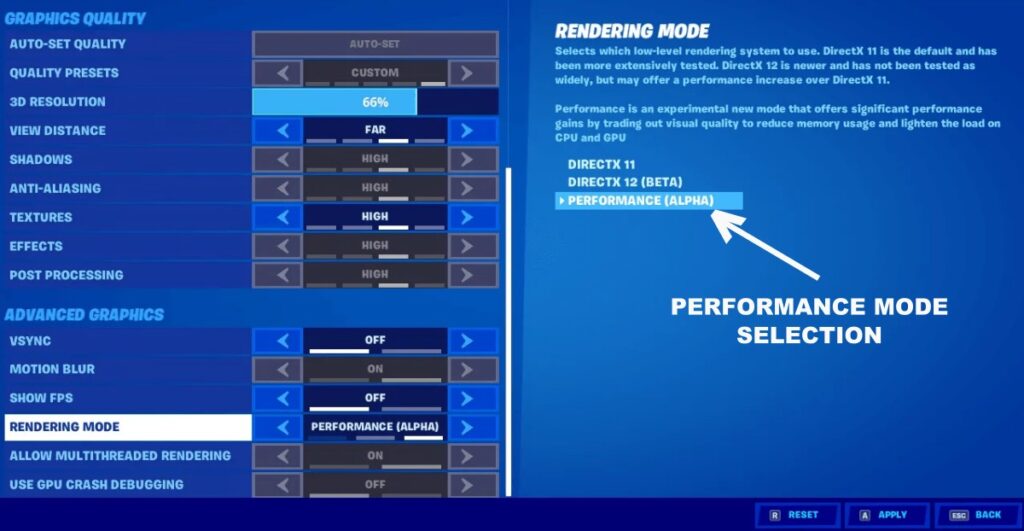
Performance Mode was introduced to help weaker systems maintain higher frame rates by reducing graphical complexity. Instead of pushing advanced visual features, Fortnite focuses on delivering a smoother experience. It strips away many of the visual extras that make modern Fortnite look prettier, but it often rewards players with significantly better performance.
This is why you will see competitive players using Performance Mode even when they own powerful PCs. Better visibility and more stable frame rates can sometimes provide a gameplay advantage. On a low-end PC, the benefits are even more dramatic.
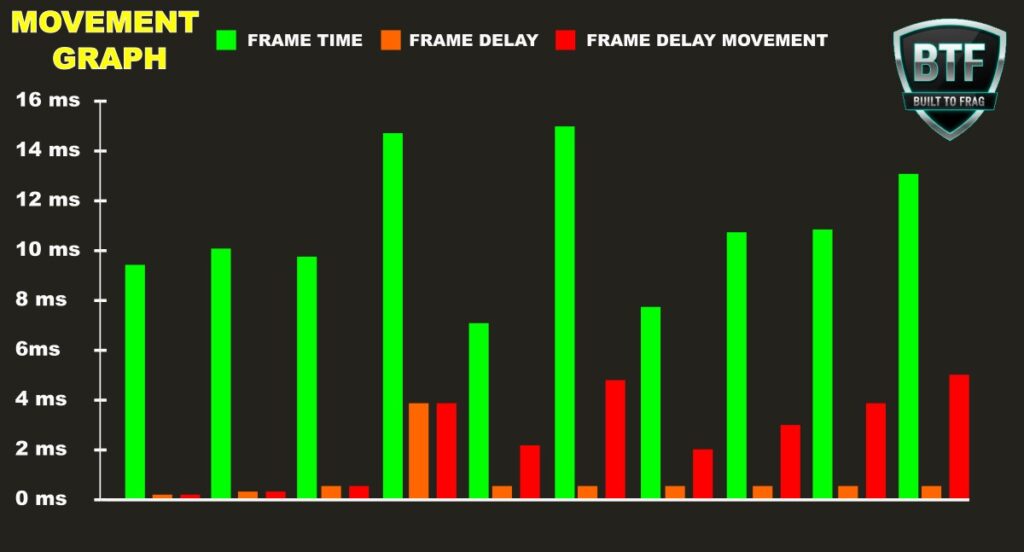
Performance Mode reduces pressure on both the GPU and system memory. It simplifies certain visual effects, lowers rendering complexity, and generally makes life easier for struggling hardware.
For many players using Intel UHD graphics, older GTX cards, or aging laptops, Performance Mode is the difference between:
- Playable and unplayable.
- Stable and stuttery.
- Fun and frustrating.
The biggest mistake low-end players make is refusing to use it because they think the game looks worse. It does. That is the point. The goal is not to win screenshots. The goal is to win gunfights.
If Fortnite still feels rough even after enabling Performance Mode, the issue may not be graphics settings at all. Bottlenecks, thermal throttling, RAM limitations, or CPU problems often play a bigger role. If that sounds familiar, our guides on Why PC Games Run Badly, Hidden Throttles Killing FPS, and Why Your PC Stutters Even on Low Settings are worth reading.
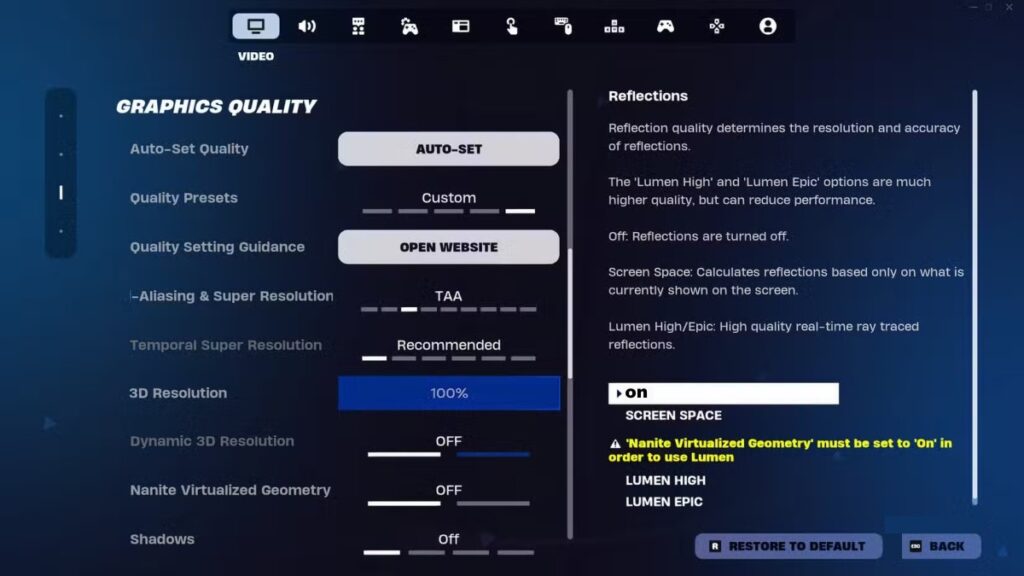
Recommended Fortnite Settings for Weak PCs
One mistake many players make is lowering everything without understanding what actually hurts performance. Some settings barely matter. Others can dramatically impact frame rate.
If your goal is smooth gameplay rather than visual beauty, these settings are a solid starting point.
| Setting | Recommendation |
|---|---|
| Rendering Mode | Performance Mode |
| Resolution | Native or slightly reduced if needed |
| View Distance | Medium |
| Shadows | Off |
| Textures | Low |
| Effects | Low |
| Post Processing | Low |
| Motion Blur | Off |
These settings are not magic. They will not transform an ancient office PC into an esports monster. What they can do is eliminate unnecessary visual overhead and allow weaker hardware to spend more of its resources on maintaining playable frame rates.
Players chasing every last frame should also consider capping their FPS appropriately. Unlimited frame rates often cause inconsistent frame pacing and additional heat. Our article on why unlimited FPS can actually make games feel worse explains this in more detail.
Another common issue is monitoring. Many players assume Fortnite is the problem when the real culprit is thermal throttling, background usage, or unstable hardware behaviour. Tools like MSI Afterburner and HWiNFO can quickly reveal what is happening behind the scenes.
Useful guides include:
- How to Use MSI Afterburner
- Monitor Temps, Clocks and Usage Like a Pro
- How to Test Gaming PC Performance
Think of Fortnite settings as the final layer of optimization. If your hardware is overheating, bottlenecked, or starved for RAM, graphics settings alone will not save you.
What Hardware Matters Most for Fortnite?
One of the most common upgrade mistakes is assuming Fortnite is only about the graphics card. While the GPU matters, Fortnite is actually influenced by several components working together.
For many low-end systems, RAM and CPU upgrades can produce bigger improvements than expected. Fortnite relies heavily on frame consistency, and that means stable CPU performance matters just as much as raw graphics power.
Here is how the upgrade priority usually looks for older systems:
| Priority | Upgrade | Impact |
|---|---|---|
| 1 | RAM Upgrade | Reduces stuttering and improves overall responsiveness |
| 2 | SSD Upgrade | Improves loading times and reduces hitching |
| 3 | CPU Upgrade | Improves frame consistency and minimum FPS |
| 4 | GPU Upgrade | Improves visual settings and higher frame rates |
This is where many gamers waste money. They immediately chase a GPU upgrade without understanding what is actually holding their system back. A shiny new graphics card cannot fix a CPU bottleneck, insufficient RAM, or a dying hard drive.
Before spending anything, I strongly recommend reading:
- CPU or GPU Problem During Gaming?
- What Should You Upgrade First on a Low-End PC?
- Smart PC Upgrades for Weak Systems
- Gaming PC Upgrades That Actually Matter
Fortnite is surprisingly forgiving compared to many modern games, but it still rewards balanced hardware. The strongest low-end systems are rarely the ones with the biggest GPU. They are usually the ones where every component is pulling its weight.
When Is It Time to Upgrade?
Many low-end gamers assume every Fortnite performance problem means they need a new PC. Fortunately, that is often not true. Fortnite remains one of the more forgiving modern multiplayer games, and relatively small upgrades can still make a noticeable difference.
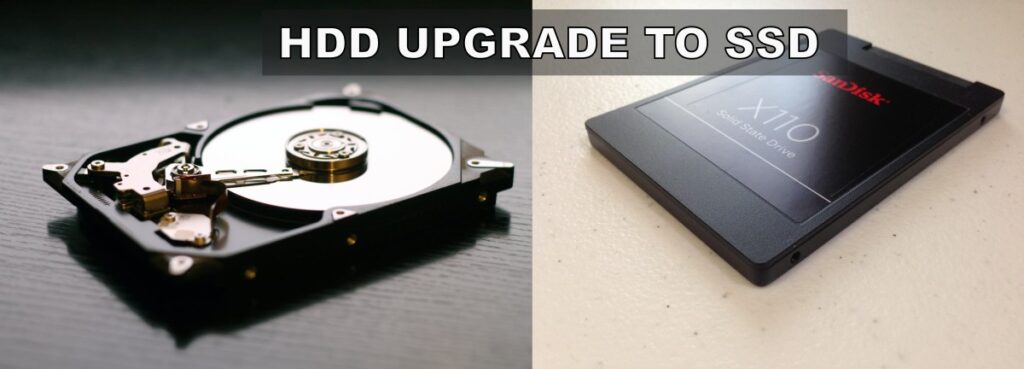
If Fortnite launches, stays reasonably stable, and remains playable in Performance Mode, upgrades like moving from 4GB to 8GB RAM, adding an SSD, or installing a budget second-hand GPU can often extend the life of your system. However, if you are running a very old dual-core CPU with limited upgrade options, it may be time to start planning for a replacement instead.
A good rule of thumb is to ask yourself three questions:
- Can Fortnite maintain playable frame rates in Performance Mode?
- Can I upgrade one or two components without replacing everything?
- Will those upgrades also help other games I play?
If the answer is yes, a few targeted upgrades may be enough to extend your PC’s life. If the answer is no across the board, it may be time to start planning a replacement instead.
Older DDR3-era systems are the biggest example. Second-hand parts can still help, but every platform eventually reaches a point where further upgrades stop making financial sense.
If you are unsure where to start, these guides will help:
- PC Upgrades That Sound Good but Barely Improve Gaming
- Cheap PC Upgrades That Actually Fix Stutter
- Best Value GPUs for 1080p and 1440p Gaming
- Best Budget PC Build That Can Actually Run Modern Games
The goal is not to spend the most money. The goal is to spend the least amount necessary to get the experience you want.
Is Fortnite Still Worth Playing on an Old PC?
Fortnite may be bigger and more demanding than ever, but it remains one of the most accessible online games for low-end hardware.
If your PC can handle Performance Mode and maintain stable frame rates, there is a good chance you can keep playing without rushing out to buy a new system. And if performance is starting to slip, a few targeted upgrades are usually cheaper than a full rebuild.
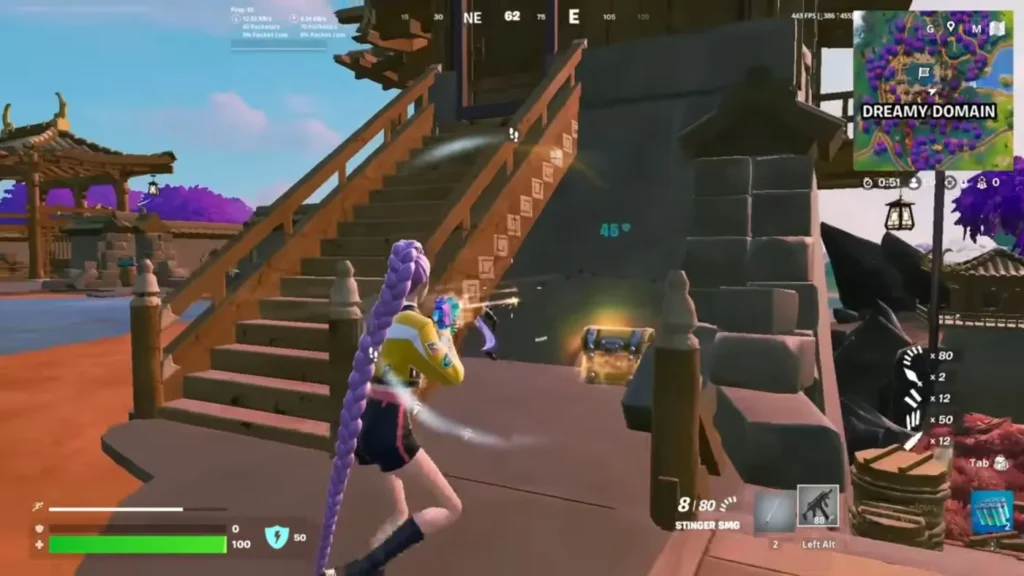
For most low-end gamers, the verdict is simple: Fortnite is still worth trying before you give up on your old PC.
If you are looking for more games that run well on aging hardware, do not stop here. Check out our guides to games for 4GB RAM PCs, free games for garbage PCs, games for dual-core CPUs, and FPS games without a graphics card. Your hardware may have more life left in it than you think.
Frequently Asked Questions
Can Fortnite run on Intel HD Graphics?
Some Intel HD Graphics systems can still run Fortnite, particularly newer Intel HD and Intel UHD generations. Performance Mode, lower resolutions, and reduced settings are often necessary to maintain playable frame rates. Very old Intel HD 3000 and HD 4000 systems may struggle significantly.
Is 4GB RAM enough for Fortnite?
Fortnite can still launch on some 4GB RAM systems, but the experience is becoming increasingly limited. Stuttering, loading delays, and background memory pressure are common. Upgrading to 8GB RAM is one of the most effective improvements low-end players can make.
What is Fortnite Performance Mode?
Performance Mode is a rendering option designed to improve frame rates on weaker hardware. It reduces visual complexity and lowers system demands, making Fortnite significantly more playable on older PCs and laptops.
What FPS should I expect on a low-end PC?
The answer depends entirely on your hardware. Older integrated graphics systems may see 20 to 40 FPS, while newer integrated GPUs and entry-level dedicated graphics cards can often reach 60 FPS or more with optimized settings and Performance Mode enabled.
Should I upgrade my GPU for Fortnite?
Not always. Many Fortnite performance issues are caused by limited RAM, CPU bottlenecks, thermal throttling, or slow storage. Before buying a graphics card, identify the actual bottleneck affecting your system.
What is the best upgrade for Fortnite on an older PC?
For many low-end systems, upgrading from 4GB to 8GB RAM and installing an SSD provides the biggest overall improvement. These upgrades help both Fortnite and general system responsiveness while usually costing less than a dedicated GPU upgrade.