Part of our Gaming Patches and Update Breakdowns collection.
Live-service games are constantly evolving. Every new season, expansion and content update can make a game bigger, better… and harder to run. Features like higher-resolution textures, improved lighting, larger maps and more complex game systems all place extra demands on your CPU, GPU, memory and storage.
But Live Service Games for Older PCs, budget gaming PCs or aging laptops, can be frustrating. A game that ran perfectly a few years ago may suddenly suffer from lower frame rates, longer loading times or persistent stuttering after several years of updates. Fortunately, not every developer takes the same approach.
Some live-service games continue to optimize performance alongside new content, allowing older hardware to remain surprisingly capable. Others prioritise graphical upgrades and increasingly ambitious features, making it much harder for older systems to keep up. Knowing which games have aged well can save you from unnecessary upgrades and help you get more life out of your current PC.
In this guide, we’ll look at which live-service games still run well on older hardware, which ones have become significantly more demanding over time, why this happens, and what you can do before deciding it’s finally time to upgrade your PC.
Why Some Live-Service Games Age Better Than Others
Games like Diablo IV, Red Dead Online, and even Fragpunk proved that fixing the fundamentals can bring players back faster than any shiny crossover skin ever could. If you want another update that genuinely changed how a game feels to play, check out our Riftbreaker 2.0 update gameplay changes breakdown.

That contrast becomes even clearer when you look at how some live-service games handle updates. In titles like Call of Duty, new crossover events often add more content, but they can also introduce performance overhead that not every system handles well. If you’ve noticed your game running worse after updates, this Call of Duty crossovers breakdown explains what’s happening behind the scenes.
Some shooters live or die by how they manage updates, so if you want co-op games that still have active players without the constant performance swings, check out this list of best co-op shooters on PC that won’t leave you in dead lobbies.
Live-Service Games That Still Run Surprisingly Well

Not every live-service game leaves older hardware behind. Some developers continue refining their engines alongside new content, improving asset streaming, reducing CPU bottlenecks and optimising shader compilation as the game evolves. The result is a game that continues receiving updates without becoming dramatically more demanding every season.
Diablo IV
Diablo IV is a great example of this balance. While Blizzard continues adding seasonal content, gameplay systems and quality-of-life improvements, the game has remained relatively well optimised across a broad range of hardware. Older mid-range gaming PCs can still deliver a smooth experience by adjusting a few graphics settings rather than requiring a complete hardware upgrade.

Diablo IV certainly isn’t a lightweight game, but its hardware requirements have evolved far more gradually than many competing live-service titles. If you’re wondering whether it’s still worth installing today, our complete Diablo IV guide explains everything that’s changed.
What These Games Have in Common
The best-performing live-service games share a few important characteristics. Their developers optimise alongside new content instead of simply adding more visual effects and larger downloads. They also tend to respect existing players by ensuring updates don’t suddenly make older systems obsolete.
Unfortunately, not every live-service game follows that philosophy. Some titles have gradually become much harder to run after years of updates, seasonal content and increasingly demanding graphics.
Red Dead Online

Red Dead Online’s Undead Missions update showed that older live-service games don’t always need flashy graphical upgrades to stay engaging. Rockstar has continued expanding the game while keeping its underlying hardware requirements relatively stable, allowing many older gaming PCs to continue delivering an enjoyable experience.
Although you’ll still benefit from a dedicated graphics card, an SSD and plenty of system memory, Red Dead Online hasn’t seen the dramatic increases in hardware demands that have affected many newer live-service games. If your PC handled the game a few years ago, there’s a good chance it still can today with sensible graphics settings.
Other Live-Service Games That Have Aged Well
Red Dead Online isn’t the only success story. Several long-running live-service games have continued receiving regular updates while remaining surprisingly accessible on older hardware.

- Warframe — One of the best examples of long-term optimisation. Digital Extremes has consistently improved the game without leaving lower-end hardware behind.
- Guild Wars 2 — Despite years of expansions, ArenaNet has maintained broad hardware compatibility, making it an excellent MMORPG for older gaming PCs.
- Path of Exile — League updates continue to expand the game, but flexible graphics settings allow many older systems to maintain enjoyable performance.
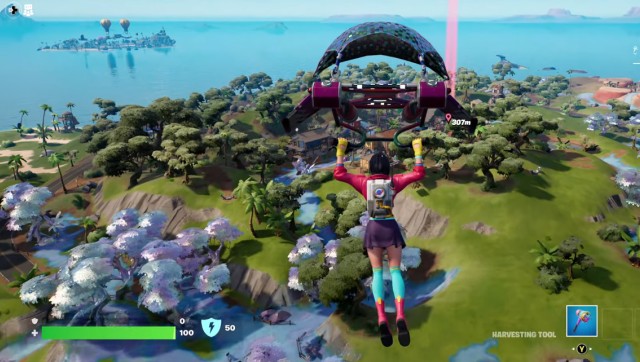
- Fortnite (Performance Mode) — While Fortnite’s standard visuals have become significantly more demanding, Epic’s Performance Mode has helped countless older PCs stay in the game.
These games all demonstrate the same philosophy: new content doesn’t have to mean abandoning players with older hardware. Developers who continue investing in optimisation alongside gameplay updates can dramatically extend both a game’s lifespan and the lifespan of the PCs running it.
Unfortunately, the opposite is also true. Some live-service games have steadily increased their hardware demands through years of larger updates, more complex graphics and expanding game systems, making them far less forgiving on older PCs than they once were.
Live-Service Games That Have Become Much Harder to Run
Not every live-service game has managed to balance new content with good optimisation. In some cases, years of seasonal updates, graphical improvements and increasingly ambitious features have pushed hardware requirements far beyond what players originally signed up for. If your PC used to run these games comfortably but now struggles after major updates, you’re not imagining things.
Battlefield 2042
Battlefield 2042 is a good example of how live-service games can become increasingly demanding over time. DICE improved the game’s stability and gameplay through multiple updates, but the combination of massive maps, large player counts, complex destruction systems and enhanced visual effects means older CPUs and mid-range GPUs often have a much tougher time maintaining smooth performance than they did at launch.

Call of Duty
Modern Call of Duty titles continue growing with every major update. Larger installs, high-resolution texture packs and constantly evolving seasonal content have dramatically increased storage requirements while placing additional pressure on both system memory and graphics hardware. If you’ve noticed performance dropping after recent updates, you’re certainly not alone.
Our Call of Duty crossovers breakdown explains how ongoing content updates can affect the overall experience beyond just gameplay.
Destiny 2
Although Destiny 2 remains an excellent live-service shooter, years of expansions and evolving game systems have gradually increased its hardware demands. New lighting, larger environments and additional background systems mean older gaming PCs may need lower graphics settings to maintain stable frame rates than they did just a few years ago.
None of these games are “bad” because they’ve become more demanding. They’re simply examples of how live-service development naturally pushes hardware forward over time. The key is understanding what to expect before reinstalling a game on an older PC.
Why Live-Service Updates Sometimes Hurt Performance
Many players assume that if a game ran well when they first installed it, it should continue performing the same way forever. Unfortunately, that’s rarely how live-service games work. Unlike traditional single-player games, they’re constantly evolving, sometimes for years after launch.

Each major update can introduce new character models, higher-resolution textures, improved lighting, larger environments, additional animations and more complex gameplay systems. Individually these changes might seem small, but over dozens of updates they gradually increase the amount of work your hardware needs to do.
CPU Demand Gradually Increases
Modern live-service games often simulate far more than they did at launch. Larger player counts, improved AI, additional physics calculations and more complex world events all place extra load on the processor. That’s why older CPUs frequently become the first bottleneck, even when the graphics card is still capable.
GPU and VRAM Usage Continue Growing
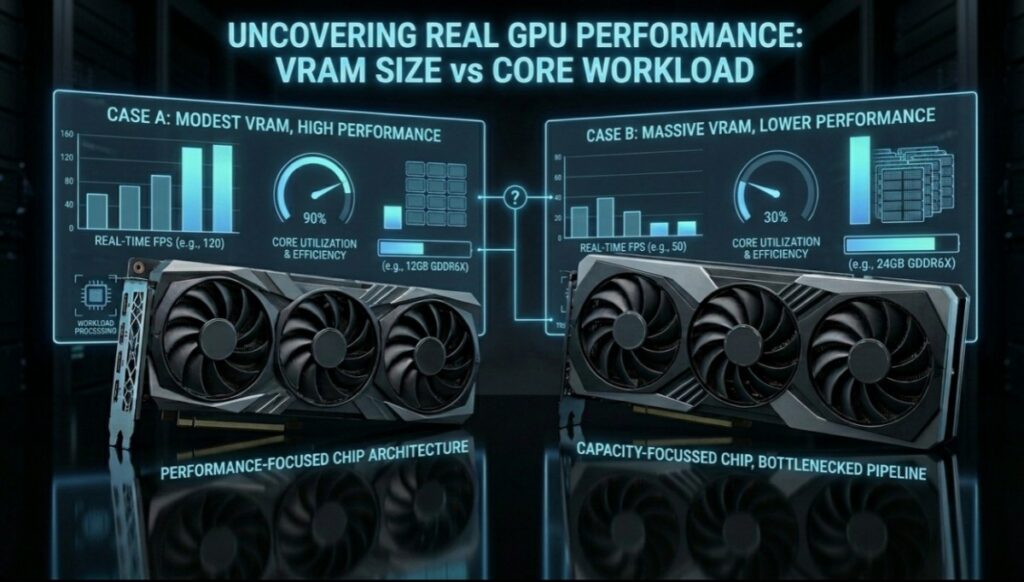
Visual improvements are great, but they’re rarely free. Higher-quality textures, improved shadows, more detailed environments and modern lighting techniques all increase GPU workload and VRAM usage. As updates accumulate, graphics settings that once ran comfortably may need to be reduced to maintain smooth gameplay.
Storage and Shader Caches Matter More Than Ever
Live-service games also continue growing in size. Larger installations mean longer download times, while expanding shader caches can contribute to stuttering after major updates. Installing games on an SSD and allowing shaders to compile properly can make a noticeable difference to overall performance.
Understanding these changes helps explain why two live-service games of a similar age can perform so differently on the same PC. One developer may continue optimising alongside new content, while another simply keeps adding features until older hardware starts falling behind.
If you’ve ever wondered why some games suddenly perform worse after major updates, our guide on Why PC Games Run Badly explains the most common causes.
Live-Service Games for Older PCs at a Glance
| Game | Still Updated | Older PC Friendly | CPU Demand | GPU Demand | Overall Verdict |
|---|---|---|---|---|---|
| Diablo IV | ✔ Yes | Good | Medium | Medium | Well optimised for most mid-range and older gaming PCs. |
| Warframe | ✔ Yes | Excellent | Low | Low-Medium | One of the best long-term optimised live-service games available. |
| Guild Wars 2 | ✔ Yes | Very Good | Medium | Low | Still runs well on many older gaming systems. |
| Path of Exile | ✔ Yes | Good | Medium | Medium | Benefits from graphics tweaks on older hardware. |
| Fortnite (Performance Mode) | ✔ Yes | Good | Medium | Low-Medium | Performance Mode significantly improves playability. |
| Battlefield 2042 | ✔ Yes | Limited | High | High | Large battles make this demanding on older CPUs. |
| Call of Duty | ✔ Yes | Limited | High | High | Large installs and frequent updates continue increasing hardware demands. |
| Destiny 2 | ✔ Yes | Moderate | Medium-High | Medium | Still enjoyable, but newer content is noticeably more demanding than at launch. |
No live-service game stays exactly the same forever. Some developers continually optimise alongside new content, while others naturally push their games toward newer hardware. Understanding that difference helps you decide whether lowering a few settings is enough—or whether your PC is genuinely starting to reach its limits.
How to Keep Playing Live-Service Games on Older PCs
If your favourite live-service game has become more demanding over the years, don’t assume you need a brand-new gaming PC. In many cases, a few smart adjustments can restore smooth performance without spending a cent.
Lower CPU-Heavy Settings First
Many live-service games are limited by CPU performance rather than graphics power. Reducing view distance, shadow quality, crowd density and physics settings can often provide a larger FPS improvement than lowering texture quality alone, especially on older processors.
If you’re still experiencing hitching after lowering your settings, our guide on why games stutter on low-end PCs walks through the most common causes.
Cap Your Frame Rate
Trying to push the highest possible FPS often creates unnecessary CPU and GPU load. Locking your frame rate to a level your PC can comfortably maintain results in smoother gameplay and more consistent frame times.
Install Games on an SSD
Modern live-service games stream enormous amounts of data while you play. Installing them on an SSD can significantly reduce loading times, minimise texture pop-in and improve shader compilation compared to running from a traditional hard drive. If your game seems to rebuild shaders after every update, our guide on why games keep compiling shaders explains what’s happening.
Still waiting forever at loading screens? Here’s why games take forever to load on weak PCs and what you can do about it.
Close Background Applications
Browsers, launchers, RGB software and unnecessary background programs all compete for CPU time and memory. Closing anything you don’t need before launching a game gives your system more resources where they matter most.
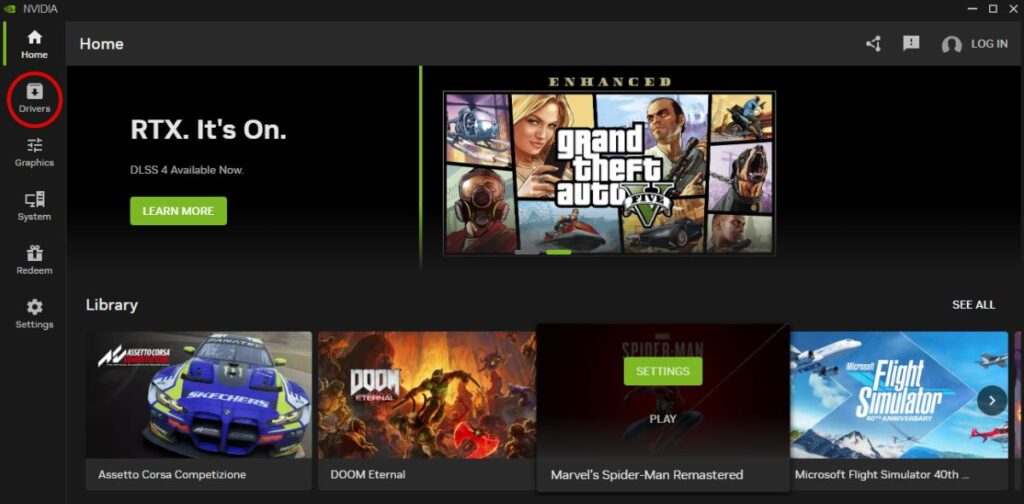
Keep Your Graphics Drivers Updated
Graphics driver updates often include game-specific optimisations for newly released seasons and major updates. Staying reasonably up to date can improve stability and performance without changing any hardware.
When an Upgrade Actually Makes Sense
If you’re running out of memory, relying on an older hard drive or using a graphics card that no longer supports modern rendering features, Sometimes optimisation isn’t enough, if your hardware has genuinely reached its limits, focus on gaming PC upgrades that actually matter instead of replacing everything at once.
Before upgrading anything, monitor your CPU, GPU and memory usage during gameplay. Our guide on monitoring temps, clocks and usage shows exactly what to look for.
Before spending money, it’s worth identifying the component that’s actually holding your system back. Upgrading the wrong part often delivers little real-world improvement, while a simple SSD or RAM upgrade can sometimes make an older gaming PC feel surprisingly responsive again.
The best live-service games don’t require the newest hardware, they reward players who understand their systems and make sensible optimisation decisions. Before replacing your PC, spend a little time tuning your settings. You may be surprised how much life your current hardware still has left.
Continue Optimising Your Gaming PC
If you’re trying to get the most out of an older gaming PC, these BuiltToFrag guides can help you improve performance, choose smarter upgrades and decide which games are actually worth your time.
- Is Diablo IV Worth Playing? – Find out how Blizzard’s ongoing updates have changed the game and whether it’s still worth installing.
- Is Battlefield 2042 Boring Again? – Learn why Battlefield’s updates have divided the community and how they affect the overall experience.
- Call of Duty Crossovers Explained – Discover how seasonal content continues to reshape one of gaming’s biggest live-service franchises.
- Best Co-op Shooters on PC – Looking for active multiplayer games that are still worth playing? Start here.
Final Thoughts
Live-service games don’t all age the same way. Some continue receiving updates while remaining remarkably friendly to older hardware, while others naturally become more demanding as new content, larger worlds and improved visuals are added.
Before assuming you need a new gaming PC, spend a little time optimising your current one. Lower CPU-heavy settings, install games on an SSD, keep your drivers updated and identify any hardware bottlenecks. In many cases, you’ll get far more life out of your existing system than you might expect.
If an upgrade really is necessary, make it a targeted one. Understanding what’s actually limiting your performance will always save you more money than replacing parts at random.