RAM is one of the most misunderstood parts of PC gaming performance. Many low-end PC gamers assume stuttering means their GPU is too weak, when in reality the system is running out of memory and quietly choking in the background. So how much ram do games need Actually?
This guide explains how RAM affects gaming performance, how much you actually need in 2026, and how to tell when RAM is the real reason your games stutter. If you want a broader performance playbook beyond memory alone, our PC maintenance and optimization guide ties all the major fixes together.

RAM is your system’s short-term working memory. Games load textures, audio, scripts, shaders, and background data into RAM so they can be accessed quickly.
When there is enough RAM available, this happens smoothly. When RAM fills up, Windows starts pushing data to storage instead. That process is slow, and when it happens mid-game, you feel it as stutter.
RAM does not increase FPS directly. It improves consistency. Stable memory access means stable frame delivery. Also if you are ready to buy ram but not sure what options to choose from, see this giude for clarity RAM buying guide for gaming PCs
Lowering graphics settings reduces GPU load, not memory usage.
Many free and lightweight games still load large assets into RAM. Add Windows background processes, browsers, launchers, and overlays, and an 8GB system can hit its limit quickly. If you are still unsure why RAM changes did not fix your performance, read why your PC still feels slow after an upgrade to understand how memory bottlenecks fit into the bigger picture.
Once that happens, the system starts swapping memory to disk. Even with an SSD, this causes hitching. On an HDD, it is much worse. Not sure what to upgrade next after RAM? Here are the cheap gaming upgrades that actually boost FPS, ranked by real impact.
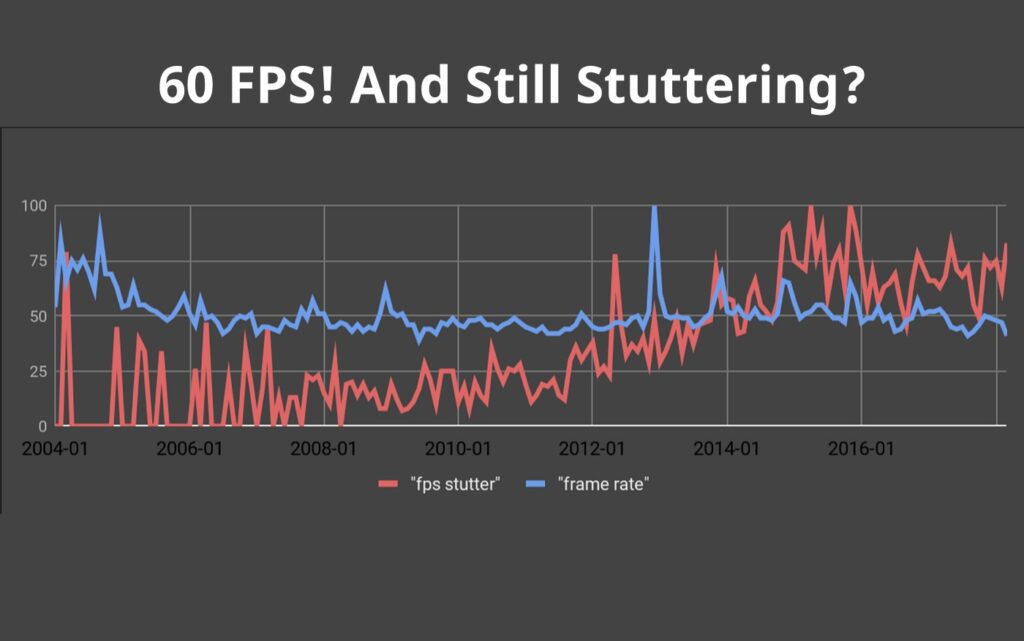
This is a common pattern on budget systems, and we break it down in more detail in our guide on why games stutter on low-end PCs.

8GB is no longer comfortable for gaming in 2026.
8GB works only if you aggressively close background applications and accept occasional hitching.
16GB is the current sweet spot.
For low-end PCs, upgrading from 8GB to 16GB often removes stutter entirely when RAM pressure was the root cause. This is also why most sensible upgrade paths, including our best ultra budget gaming PC build, prioritize 16GB as a baseline.
32GB is rarely necessary for gaming alone.
For most gamers, 16GB remains the practical limit. Running out of RAM does not usually lower average FPS, but it can cause stutter, freezes, and sudden pauses as the system starts relying on much slower storage. Before you overthink RAM speeds, see the two upgrades that actually matter most under $100: Best PC Upgrades Under $100 That Make Old FPS Games Playable.
Microsoft documents how memory pressure forces Windows to page data to disk, which is especially noticeable in games that stream assets in real time. Game developers also confirm that insufficient system memory leads to hitching rather than clean performance drops.
Microsoft explains how Windows handles memory pressure and paging
Epic Games explains how memory limits cause stutter in modern games
Running RAM in single channel can bottleneck low-end systems.
Dual channel allows the CPU to access memory more efficiently. On budget CPUs and integrated graphics systems, this can noticeably reduce stutter and improve frame pacing.
If your system has one 8GB stick, adding a second matching stick can provide a bigger real-world improvement than chasing faster RAM speeds. Also Storage and memory are often confused, so we break down why faster SSDs rarely fix FPS issues and when stutter has a different cause.
RAM speed matters less than capacity and channel configuration.
On low-end systems:
Latency and consistency matter more than raw MHz numbers.
RAM-related stutter has predictable symptoms.
If these symptoms overlap with general performance problems, you may also benefit from techniques that reduce lag without sacrificing graphics.

You do not need special tools.
Use Windows Task Manager:
If memory usage sits above 85 to 90 percent during gameplay, stutter is expected.
Advanced tools like HWiNFO can show memory spikes and help confirm the diagnosis.
Adding RAM helps when stutter is caused by memory pressure.
It will not fix:
If your system is powerful on paper but still stutters, the issue may lie elsewhere. In those cases, this breakdown of why games stutter on high-end PCs is the better next step.

If you are choosing between RAM and storage:
Many low-end systems eventually benefit from both, but RAM upgrades are often cheaper and easier.
RAM does not turn a weak GPU into a powerful one.
What it does is remove one of the most common causes of stutter on low-end PCs. When your system stops fighting memory limits, games feel smoother, more responsive, and more stable.
If your games stutter even on low settings and performance degrades over time, RAM is one of the first things you should evaluate. Once you know how much RAM you need, the next step is choosing the right kit, our RAM buying guide for gaming PCs helps you pick the correct tier without overspending.




A practical GTA VI PC performance readiness guide with hardware predictions, stress points, and upgrade priorities based on Rockstar’s PC…

This guide explains how game mods actually work behind the scenes, how games load them, and where mod files install…

A practical buyer guide to the best gaming monitors by budget, with smart picks per price tier and performance-focused recommendations.

Not every cheap PC upgrade improves gaming performance. This guide ranks low cost upgrades by real FPS impact and shows…