Finding free open world games for low-end PCs is harder than it should be.
A lot of lists throw in massive games that technically launch, but then your laptop sounds like it is trying to escape the desk. That does not help anyone with Intel HD graphics, 4GB RAM, an old AMD APU, or a PC with no dedicated GPU.
This guide is different. These are free open world, sandbox, survival, MMO, or open-zone games that still make sense for weaker hardware in 2026. Some are very light. Some need settings lowered. A few are better for 8GB RAM than 4GB RAM. None are here just because they look good in a thumbnail.
If you want paid options too, start with our main open world games for low-end PCs guide. If you only want free games, stay here.
How We Chose These Games
The goal was simple: answer one question from start to finish.
Which free open world games can you realistically enjoy on a weak PC?
To make the list, a game had to be genuinely free to access, not just a weekend giveaway or demo. It also had to offer real exploration, open zones, sandbox freedom, survival space, MMO worlds, or player-driven open areas.
We also cared about weak hardware. That means older laptops, Intel HD/UHD graphics, AMD APUs, 4GB to 8GB RAM systems, and PCs without dedicated graphics cards. If a game needs a modern GPU to feel enjoyable, it does not belong near the top of this list.
For even more lightweight recommendations, see our 10 Best PC Games Under 5GB That Actually Run on Low-End PCs, featuring games that are both storage-friendly and easy on older hardware.
Performance expectations are kept realistic. You will see settings like 720p Low, 900p Low, and 1080p Low, but you will not see fake FPS numbers. Your CPU, RAM, storage speed, drivers, background apps, and thermal throttling all matter. If your games stutter badly, read our guide on why games stutter on low-end PCs.
Quick Comparison Table
| Game | Type | Free? | Multiplayer | Offline | Intel HD Friendly | 4GB RAM Friendly | Approx Download Size |
|---|---|---|---|---|---|---|---|
| Old School RuneScape | Open world MMORPG | Yes | Yes | No | Yes | Yes | Very small |
| Tibia | Open world MMORPG | Yes | Yes | No | Yes | Yes | Very small |
| Ryzom | Open world MMORPG | Yes | Yes | No | Yes | Yes | Around 10GB |
| Villagers and Heroes | Open world MMORPG | Yes | Yes | No | Yes | Yes | Around 3GB |
| Albion Online | Sandbox MMORPG | Yes | Yes | No | Usually | Yes | Around 2GB+ |
| Trove | Voxel MMO sandbox | Yes | Yes | No | Yes | Yes | Around 1GB+ |
| Luanti / Minetest | Sandbox survival | Yes | Optional | Yes | Yes | Yes | Small |
| Veloren | Open-source voxel RPG | Yes | Yes | Yes / LAN | Depends | Yes | Around 2GB+ |
| Daggerfall Unity | Open world RPG | Yes | No | Yes | Maybe older HD struggles | Yes | Small to moderate |
| Muck | Survival sandbox | Yes | Yes | Yes | Intel HD 520+ | Yes | Very small |
| Unturned | Zombie survival sandbox | Yes | Yes | Yes | Mixed | Better with 8GB | Around 4GB+ |
| RuneScape | Open world MMORPG | Yes | Yes | No | UHD better | Better with 8GB | Small to moderate |
| AdventureQuest 3D | Open-zone MMO | Yes | Yes | No | Usually | Yes | Small to moderate |
| Roblox Open World Games | Platform / sandbox | Yes | Yes | No | Depends on game | Usually | Varies |
| Guild Wars 2 | Open world MMORPG | Free base game | Yes | No | No | No | Very large |
At a Glance
Only have 4GB RAM?
Start with Tibia, Old School RuneScape or Luanti.
Have Intel UHD?
Albion Online, Trove and RuneScape become realistic.
Need offline?
Daggerfall Unity and Luanti are your best bets.
Want the biggest worlds?
Old School RuneScape, Guild Wars 2 and RuneScape.
The 15 Best Free Open World Games for Low-End PCs
1. Old School RuneScape
Best for: very weak laptops, long-term progression, classic MMO grinding
Old School RuneScape is one of the safest recommendations on this list because it understands weak hardware by accident. It was built from an older design philosophy, so it does not need flashy graphics to feel massive.
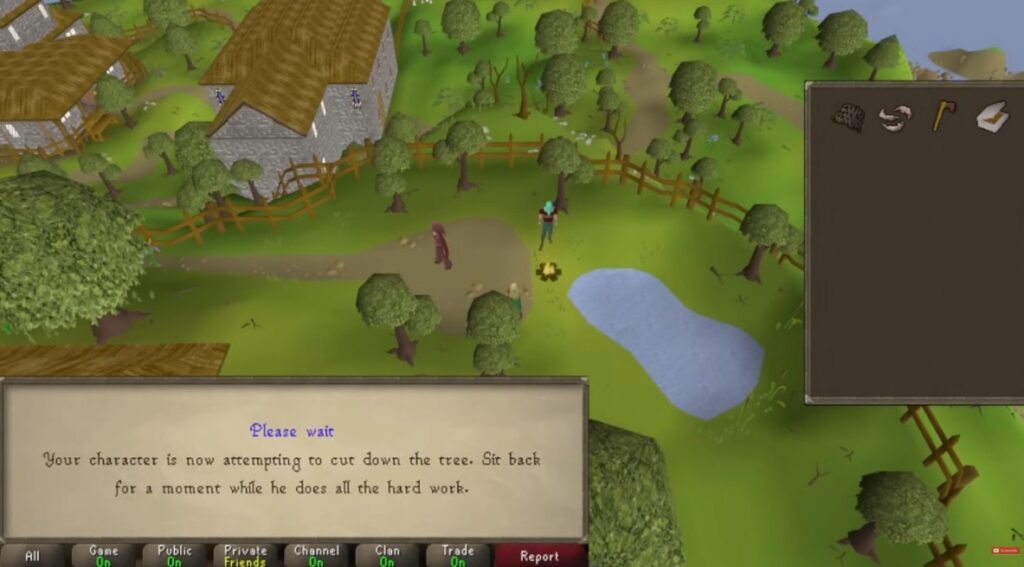
You get a huge world, quests, skilling, trading, bossing, PvP, and years of content. The free version has limits, but there is still enough here to decide whether the game is worth your time.
Low-end settings: use the standard client or keep RuneLite plugins sensible. Avoid heavy HD plugins on Intel HD.
Hardware fit: Intel HD, Intel UHD, AMD APUs, 4GB RAM, and no dedicated GPU users should start here.
2. Tibia
Best for: ultra-low-end PCs, old-school MMORPG fans, tiny download size
Tibia is not here because it looks modern. It is here because it is still alive, still free to start, and still one of the easiest open world MMOs to run on weak hardware.
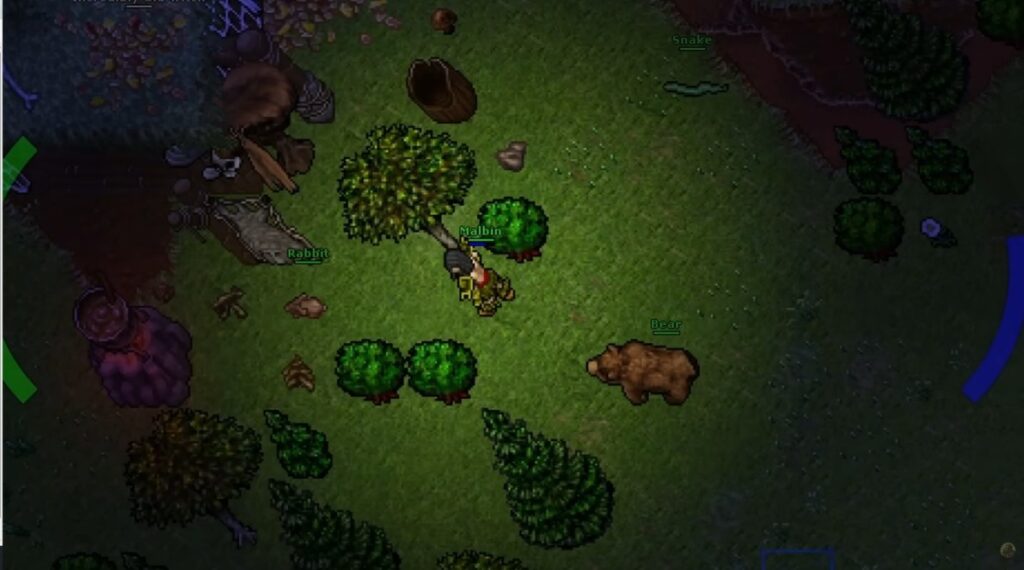
The world is dangerous, the progression is grind-heavy, and the game has that old MMO harshness where you actually care about what you are carrying. It is not for everyone, but if your PC is truly weak, Tibia deserves respect.
Low-end settings: use the simplest renderer option available if your GPU is ancient.
Recommended: excellent for 4GB RAM systems, integrated graphics, older laptops, and players who want a free MMORPG that does not eat storage.
3. Ryzom
Best for: exploration, crafting, older MMO worlds
Ryzom is a proper open world MMORPG with a strange alien setting, open exploration, harvesting, crafting, and an old-school community feel. It is not as popular as the biggest MMOs, but that is also why it can feel refreshing.

The system requirements are friendly compared with modern online RPGs. It is a good choice if you want a free open world game that feels more like a world than a lobby.
Low-end settings: 720p Low or 900p Low is the sensible starting point. Keep shadows and view distance conservative.
Hardware fit: good for 4GB RAM and integrated graphics, especially if your laptop is not thermally destroyed.
4. Villagers and Heroes
Best for: relaxed MMO players, questing, crafting, casual exploration
Villagers and Heroes is a lighter MMORPG with a friendly style, open areas, quests, crafting, gathering, and co-op play. It is not the flashiest game here, but that is part of why weaker PCs have a chance.

This is a better pick for players who want a comfortable MMO rather than a hardcore PvP grind. If your PC struggles with huge action games, this is much more realistic.
Low-end settings: 720p Low for older Intel HD, 900p Low for newer UHD or AMD APUs.
Ideal hardware: strong pick for 4GB RAM, onboard graphics, and older dual-core systems.
5. Albion Online
Best for: sandbox MMO players, gathering, economy, PvP, guilds
Albion Online is one of the best free sandbox MMOs for low-end PCs because it gives you a player-driven world without demanding AAA hardware. You can gather, craft, trade, fight, join guilds, and build your own economy path.
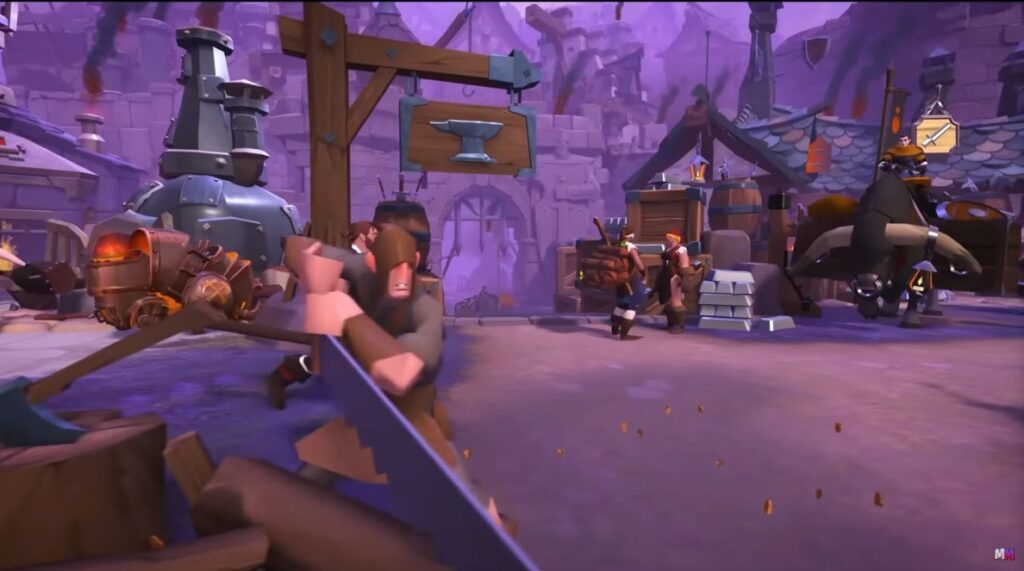
The warning is simple: crowded battles are not low-end friendly. Solo gathering, small group content, and casual play are much more realistic than massive ZvZ fights on a weak laptop.
Low-end settings: 720p Low, disable unnecessary effects, and avoid crowded cities if your RAM is tight.
Hardware fit: good for 4GB RAM on paper, but 8GB RAM feels safer. If you are unsure how much RAM matters, read how much RAM games actually need.
6. Trove
Best for: voxel exploration, casual MMO grinding, colorful worlds
Trove is a free voxel MMO with open exploration, dungeons, classes, loot, mounts, building, and a lot of casual progression. It looks simple, and that helps it scale down better than many modern free games.
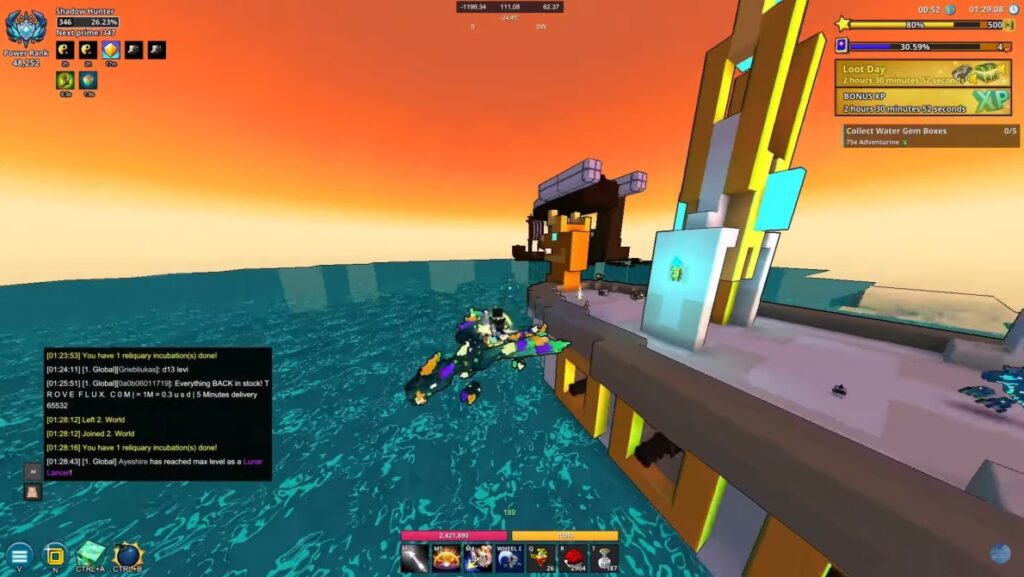
It is not perfect. Busy areas and long sessions can still cause dips on weaker laptops. But as a free open world-style MMO for low-end PCs, it remains one of the better fits.
Low-end settings: 720p Low, lower draw distance, and avoid pushing visual extras.
Best suited for: Intel HD 3000 or better is listed for minimum requirements, making it one of the more low-end-friendly picks here.
7. Luanti / Minetest
Best for: free Minecraft-style sandbox play, offline building, survival
Luanti, formerly Minetest, is a free and open-source sandbox engine that can become exactly the kind of open world game you want. Survival, building, exploration, multiplayer servers, mods, and custom games are all part of the appeal.

This is one of the best choices if you want free open world gameplay and offline support. It is also a smart pick for weak PCs because you can keep mods light and avoid overloaded servers.
Low-end settings: reduce view range, keep texture packs simple, and avoid heavy mod collections.
Hardware fit: excellent for Intel HD, AMD APUs, 4GB RAM, and no dedicated GPU systems.
If you like this type of game, also check our wider list of free PC games that do not need a GPU.
8. Veloren
Best for: open-source voxel RPG exploration
Veloren is a free open-source voxel RPG inspired by games like Cube World. It gives you exploration, combat, mounts, multiplayer servers, and a fantasy world that feels bigger than its download size suggests.

The catch is GPU support. It is not as universally light as Tibia or Old School RuneScape. Newer Intel UHD and AMD APUs have a better chance than very old Intel HD chips.
NB! Older Intel HD 3000 and HD 4000 systems may not support the graphics features Veloren expects.
Low-end settings: start at 720p Low, keep view distance modest, and test before committing hours to it.
Runs well on: good for 4GB RAM if your integrated graphics supports the required graphics API. Weak old Intel HD laptops may struggle.
9. Daggerfall Unity
Best for: offline open world RPG fans
Daggerfall Unity is one of the best free offline open world RPG options if you do not mind older design. The world is massive, the RPG systems are deep, and the game can be played without an internet connection once set up.

This is not a modern hand-holding RPG. It can feel clunky, weird, and old. But if you want a free open world game with actual scale and offline play, it is hard to ignore.
Low-end settings: avoid heavy visual mods. Use the base experience first.
Hardware fit: good for 4GB RAM, but older Intel HD systems may struggle if they lack proper DirectX 11 support.
10. Muck
Best for: free survival sandbox chaos
Muck is not a traditional open world RPG. It is a free survival sandbox where you gather, craft, fight, explore, and try not to get deleted by the world. It is small, simple, and surprisingly fun with friends.

The big win is how light it is. The download size is tiny compared with most modern games, and the minimum requirements are friendly for low-end machines.
Low-end settings: 720p Low, reduce shadows, and keep background apps closed.
Hardware fit: Intel HD 520 or better, 4GB RAM, AMD APUs, and cheap laptops are realistic targets.
11. Unturned
Best for: zombie survival, multiplayer servers, low-poly open maps
Unturned looks like it should run on a toaster, but be careful. Newer requirements are heavier than many people expect, and servers can vary a lot. Still, it remains one of the better free survival sandbox games if you have a slightly stronger low-end PC.

It gives you open maps, scavenging, vehicles, base building, zombies, and multiplayer servers. It is much more realistic on 8GB RAM than on a tired 4GB laptop.
Low-end settings: 720p Low, reduce draw distance, avoid overloaded servers, and keep mods minimal.
Hardware fit: better for Intel UHD, newer AMD APUs, and 8GB RAM systems.
12. RuneScape
Best for: modern MMO progression on modest hardware
RuneScape is more demanding than Old School RuneScape, but it is still worth considering if you have a newer low-end laptop. It offers a massive world, quests, skills, bosses, social play, and a free-to-start path.
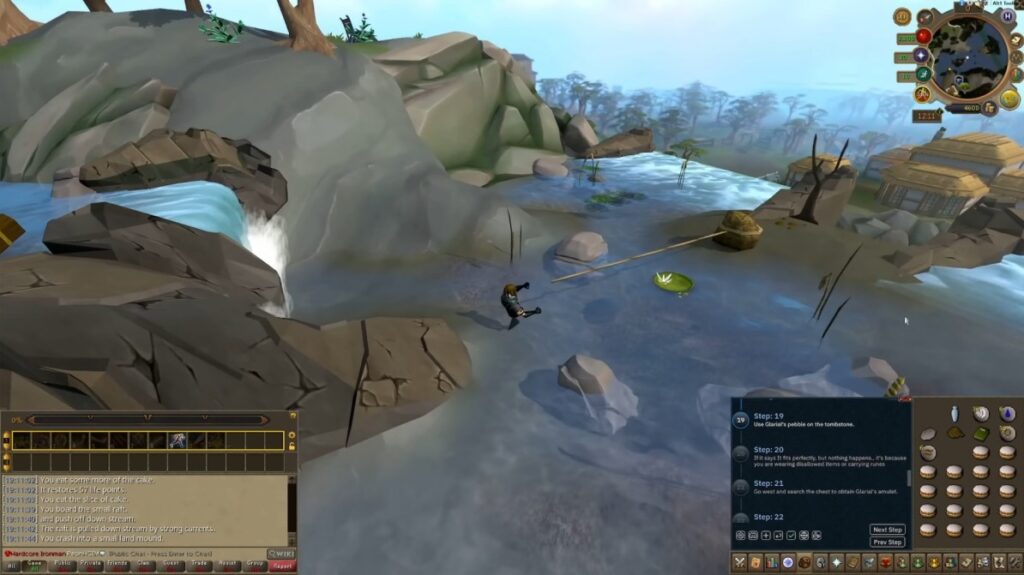
Do not treat it like a guaranteed 4GB Intel HD miracle. If your laptop is extremely weak, play Old School RuneScape instead. If you have Intel UHD, an AMD APU, and 8GB RAM, RuneScape becomes much more sensible. And if you are wondering how much further hardware like this can be pushed, we also looked at whether a low-end PC can actually run Red Dead Redemption 2.
Low-end settings: 720p Low or 900p Low, reduce shadows, lower draw distance, and avoid busy areas when testing.
Hardware fit: best for 8GB RAM and newer integrated graphics.
13. AdventureQuest 3D
Best for: casual open-zone MMO play
AdventureQuest 3D is a free cross-platform MMO with open-zone exploration, quests, classes, dungeons, and a lightweight style. It is not a huge hardcore sandbox, but it is much friendlier to low-end players than many modern MMORPGs.

This is a good pick when you want something easy to jump into without downloading a giant 80GB game. Something to note, while not a traditional seamless open world, AdventureQuest 3D offers large connected zones that scratch a similar exploration itch on weaker hardware.
Low-end settings: 720p Low first, then move upward if your laptop stays stable.
Hardware fit: good for 4GB to 8GB RAM systems, Intel UHD, and many AMD APUs.
14. Roblox Open World Games
Best for: lightweight open world experiments and casual multiplayer
Roblox is not one game, so you need to be picky. Some Roblox open world experiences run well on weak PCs. Others are bloated, messy, and badly optimized. The platform is free, but the quality depends heavily on the specific game you choose.
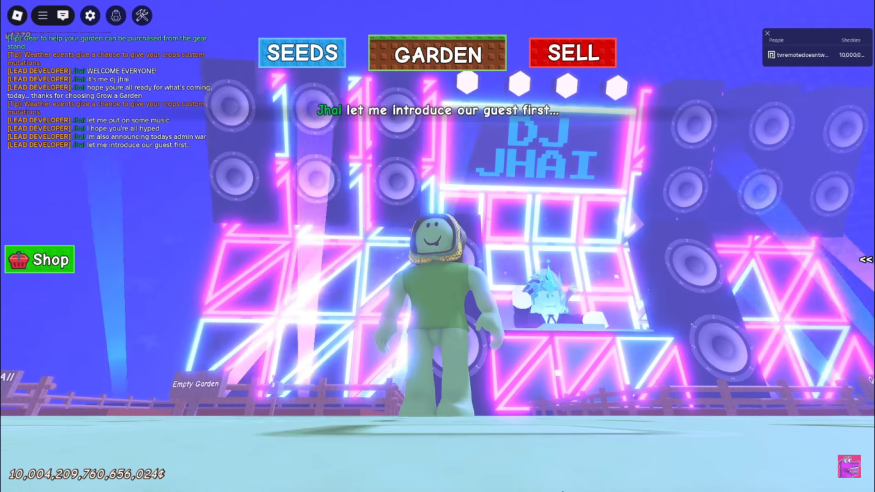
Look for lower-detail open world RPGs, driving games, city roleplay games, survival maps, and exploration-focused servers. Avoid games packed with effects, high-detail assets, and huge player counts if your PC is weak.
Low-end settings: lower the Roblox graphics slider manually instead of leaving it on automatic.
Hardware fit: mixed, but many experiences work on Intel HD, Intel UHD, AMD APUs, and 4GB RAM systems.
15. Guild Wars 2
Best for: stronger low-end PCs, free base MMO content, Guild Wars 2 earns the final spot because the base game is free, but it really targets the upper end of what I’d consider a budget gaming PC.
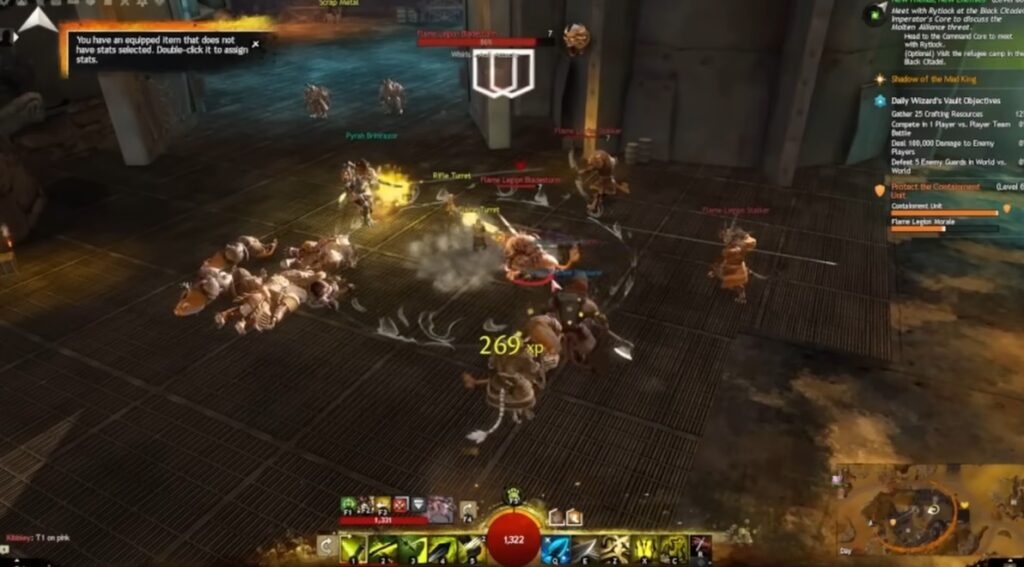
It is an excellent open world MMORPG, active updates, exploration, events, world bosses, and a huge amount to do. But it is not friendly to very weak PCs anymore.
If you have 4GB RAM and Intel HD, skip it. If you have 8GB RAM, a newer AMD APU, Intel Iris Xe, or an older dedicated GPU, it becomes more realistic at low settings.
Low-end settings: 720p Low, character model limit low, shadows low/off, reflections off, and avoid world boss crowds while testing.
Hardware fit: only for stronger budget PCs. Not recommended for true garbage PCs.
Best Picks for Intel HD and 4GB RAM
If you have Intel HD Graphics, start with the lightest games first:
- Old School RuneScape
- Tibia
- Luanti / Minetest
- Villagers and Heroes
- Ryzom
- Trove
- Muck, if your Intel HD is newer
If you have Intel UHD Graphics, you can also try Albion Online, RuneScape, Veloren, Unturned, and AdventureQuest 3D at low settings.

For more hardware-specific help, use our Intel HD Graphics gaming guide and our list of the best games for Intel UHD Graphics.
Online vs Offline: Which Free Open World Games Work Without Internet?
Most free open world games are online because free-to-play games usually rely on accounts, servers, cosmetics, battle passes, memberships, or player economies.
If you need offline play, your best choices from this list are Luanti / Minetest, Daggerfall Unity, and Muck. Veloren can also work locally or over LAN, depending on how you set it up.
If you enjoy kicking back with a gamepad, don’t miss our guide to the best free controller games for PC, where we’ve rounded up free titles that feel even better with a controller.
If offline gaming matters more than free-to-play, check our dedicated guide to offline games for low-end PCs. If you prefer multiplayer, use our guide to online games for low-end PCs.
Low-End PC Optimization Tips for Free Open World Games
Open world games hit weak PCs harder because they load more terrain, NPCs, players, objects, and background systems. That is why an older free MMO can run better than a newer paid AAA game. Simpler engines, lower texture detail, smaller effects, and older visual targets are often kinder to integrated graphics.
- Start at 720p Low before trying 900p or 1080p.
- Lower shadows before lowering everything else.
- Reduce view distance in sandbox and MMO games.
- Close browsers, launchers, Discord overlays, and background apps.
- Use fullscreen mode if borderless causes stutter.
- Install games on an SSD where possible.
- Avoid high-resolution texture packs and heavy mods.
- Keep laptop vents clear to reduce thermal throttling.
For a deeper setup checklist, read how to get smooth gameplay on low-end PCs.
When You Should Consider Upgrading
You do not need an expensive gaming PC to enjoy these games. But there is a point where your hardware wastes more of your time than it saves money.

If your PC has only 4GB RAM, upgrading to 8GB is usually the first meaningful improvement. If your storage is still a slow hard drive, an SSD can reduce loading and stutter. If you already have 8GB RAM and an SSD, then the GPU or CPU may be the real wall.
Before spending money, read what you should upgrade first on a low-end PC and our guide to cheap gaming upgrades that boost FPS.
FAQ
What are the best free open world games for low-end PCs?
The safest picks are Old School RuneScape, Tibia, Luanti / Minetest, Villagers and Heroes, Ryzom, Trove, Albion Online, Daggerfall Unity, and Muck. These are much more realistic for weak PCs than modern AAA open world games.
Can I play free open world games on Intel HD Graphics?
Yes, but choose carefully. Old School RuneScape, Tibia, Luanti / Minetest, Villagers and Heroes, Ryzom, and Trove are better starting points. Newer games may need Intel UHD, Iris Xe, or an AMD APU.
Are there free offline open world games for low-end PCs?
Yes. Luanti / Minetest, Daggerfall Unity, and Muck are the best options from this list for offline or mostly offline play.
Can 4GB RAM run open world games?
Yes, but you need lighter games. Old School RuneScape, Tibia, Luanti / Minetest, Villagers and Heroes, Ryzom, Trove, and Muck are more realistic than massive modern open world titles.
Are free open world games pay-to-win?
Some free games sell memberships, cosmetics, boosts, premium currency, or convenience items. That does not automatically ruin the game, but you should know what you are getting into. Sandbox MMOs and free MMORPGs often have monetization systems, so avoid spending money until you know the game runs well on your PC.
Final Verdict: Which Free Open World Game Should You Try First?
If your PC is extremely weak, start with Old School RuneScape, Tibia, or Luanti / Minetest.
If you have a decent low-end laptop with Intel UHD or an AMD APU, try Albion Online, Trove, Ryzom, Villagers and Heroes, or Muck.
If you have 8GB RAM and slightly stronger graphics, then RuneScape, Unturned, Veloren, and even Guild Wars 2 become worth testing.
The main rule is simple: do not waste your data, storage, and patience on games your PC can barely survive. Pick free open world games for low-end PCs that match your actual hardware, lower the right settings first, and spend your time playing instead of troubleshooting.
For more safe picks, continue with our best free games for low-end PCs, low-end PC games that actually run, and free games for garbage PCs.
Bonus: If a game isn’t running as expected, PCGamingWiki is an excellent resource for troubleshooting compatibility issues, launch problems, graphics settings, and community fixes.