

Updated: September 7, 2026
If your PC starts negotiating for retirement every time you open a game, you are in the right place. This guide covers 15 of the best free games for low-end PCs, including genuinely lightweight games for 4GB systems, older laptops and integrated graphics.
The important part is knowing that “low-end” does not describe one type of computer. A game that works on a newer laptop with 8GB RAM and Intel UHD graphics may be miserable on an old dual-core machine with 4GB RAM. That is why every recommendation below is assigned to a practical hardware tier instead of being declared dinosaur friendly and left to ruin your afternoon.
If you are choosing games specifically for an old notebook or office laptop, use my separate guide to games for low-end laptops. Laptop hardware is more restrictive than a desktop low-end PC because heat, fixed integrated graphics, battery behaviour and limited RAM can change which games are actually worth trying.
Quick answer: Start with Brawlhalla if you want the safest all-round recommendation. Try HoloCure for lightweight single-player action, Team Fortress 2 for an older online shooter, or OpenTTD if you want a deep game that asks almost nothing from your hardware.
The Best Free Games for Low-End PCs at a Glance
If you just want something your PC has a realistic chance of running, use this table first. The hardware tiers are explained directly below it.
| Game | Best for | Hardware tier | Listed RAM | Storage | Main catch |
|---|---|---|---|---|---|
| Brawlhalla | Fighting and controller play | Very weak | 2GB minimum | About 800MB minimum | Primarily built around online matches |
| HoloCure | Single-player action roguelite | Very weak | 300MB minimum | About 250MB | Windows 10 and a 64-bit processor are required |
| Team Fortress 2 | Class-based online shooting | Very weak to basic | 512MB minimum | About 15GB | Steam now requires Windows 10 or later |
| Valorant | Competitive tactical shooting | Basic | 4GB minimum | Installation size changes | Requires Windows 10 or 11 and Riot Vanguard |
| League of Legends | Accessible competitive MOBA | Basic | 2GB minimum | About 16GB minimum | Requires supported DirectX graphics and Windows 10 or 11 |
| Super Auto Pets | Relaxed multiplayer strategy | Very weak | 1GB minimum | About 512MB | Some additional pet packs are paid |
| The Battle for Wesnoth | Turn-based fantasy strategy | Very weak | 2GB minimum | About 800MB minimum | Requires 64-bit Windows 10 on PC |
| OpenTTD | Transport and management simulation | Very weak | 256MB minimum | Very small | The interface takes time to learn |
| Endless Sky | Space trading, combat and exploration | Very weak | 750MB minimum | About 350MB minimum | Simple 2D presentation will not suit everyone |
| Muck | Survival and co-op | Very weak to basic | 2GB minimum | About 100MB | Intel HD 520-class graphics are listed as the minimum |
| Dota 2 | Deep competitive MOBA | Basic | 4GB minimum | About 60GB | Demanding to learn and heavier during busy fights |
| Old School RuneScape | Long-term MMO progression | Basic | 8GB recommended on Windows | About 2GB minimum | Much of the world and content requires membership |
| Roblox | Variety and casual multiplayer | Varies by experience | Varies | Varies | Some Roblox experiences are far heavier than others |
| Krunker | Browser-based arcade shooting | Very weak to basic | No fixed published PC minimum | No main installation required | Performance depends on the browser and integrated graphics |
| Warframe | Ambitious online co-op action | Stronger low-end | 4GB minimum | About 75GB | Requires DirectX 11 graphics and an SSE 4.2-capable CPU |
The safest choices for a genuinely weak PC are Brawlhalla, HoloCure, OpenTTD, Endless Sky, Super Auto Pets and The Battle for Wesnoth. Valorant, League of Legends, Dota 2 and Warframe belong higher up the performance ladder and should not be treated as guaranteed options for every 4GB laptop.
What Counts as a Low-End Gaming PC?
There is no single low-end specification. For this guide, we use three practical tiers:
Very Weak PC
- Older dual-core processor
- 4GB RAM or less
- Old Intel HD or similarly weak integrated graphics
- Little free storage space
Prioritise 2D games, older engines and lightweight strategy games. Brawlhalla, HoloCure, OpenTTD, Endless Sky, Super Auto Pets and The Battle for Wesnoth are the most sensible starting points.
Basic Low-End PC
- Older quad-core processor or a reasonably quick dual-core CPU
- 4GB to 8GB RAM
- Intel HD 4000, newer Intel UHD graphics or a comparable integrated GPU
- Windows 10 or another currently supported operating system
This tier opens the door to games such as Valorant, League of Legends, Team Fortress 2, Muck and Dota 2, but you may still need 720p or 900p resolution and the lowest practical graphics settings.
Stronger Low-End PC
- Relatively modern quad-core processor
- At least 8GB RAM
- Newer integrated graphics or an older DirectX 11-compatible graphics card
- Enough storage for games that now exceed 50GB
This is the safer tier for Warframe and the more demanding moments in Dota 2. It is still “low-end” compared with a modern gaming PC, but it is much stronger than a decade-old office laptop.
If you do not know which processor, graphics chip or amount of RAM you have, identify those parts before downloading anything. Our guide to testing your gaming PC’s performance explains how to check your hardware and measure whether a game is running properly.
How We Selected These Free Low-End PC Games
A game was included only if it met all of these rules:
- You can begin playing without buying the game. Paid cosmetics, expansions or memberships are allowed, but the free limitations must be explained.
- Its current requirements fit at least one low-end hardware tier. Looking old or having simple graphics is not enough.
- It remains available and worthwhile today. We excluded games that are difficult to obtain legitimately or too abandoned to recommend confidently.
- It serves a distinct type of player. The list includes shooters, RPGs, strategy, survival, simulation, fighting, co-op and browser games instead of giving half the positions to one genre.
- Its limitations can be stated honestly. A game does not qualify merely because it launches. Storage, operating-system support, demanding areas and free-to-play restrictions also matter.
We did not benchmark all 15 games on one machine, and we will not pretend otherwise. The hardware guidance is based primarily on current publisher requirements, supported operating systems and the practical demands of each type of game. Minimum specifications are a starting point, not a promise of flawless performance.
For this guide, playable generally means being able to target approximately 30 FPS at 720p or 900p using low settings. Turn-based games can remain enjoyable below that target, while competitive shooters benefit far more from a stable 60 FPS.
The 15 Best Free Games for Low-End PCs
The list begins with the safest broadly useful recommendations before moving into games with more specific hardware, storage or online requirements. Check the limitation under each game before committing to the download.
1. Brawlhalla — Best Overall for Very Weak PCs
Brawlhalla is the safest overall recommendation for a genuinely weak PC. It is free, quick to download, easy to play with a keyboard or controller, and officially lists only 2GB RAM and around 800MB of available storage at minimum.
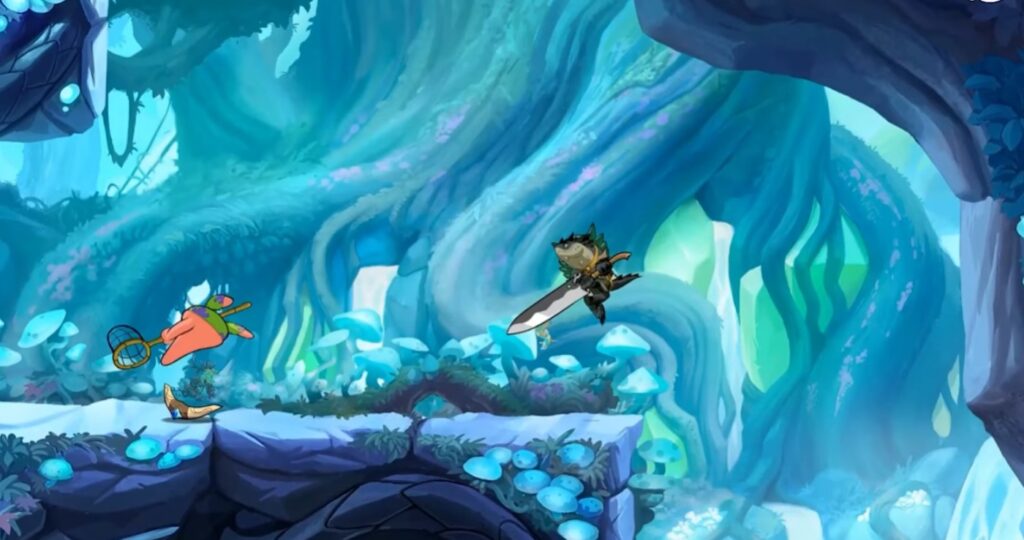
The game is a platform fighter in which up to eight players try to knock one another off compact arenas. Its colourful 2D presentation keeps the hardware demands low, but the combat still offers enough weapons, movement techniques and character matchups to support serious competitive play.
- Best for: fighting-game fans, controller users and short multiplayer sessions.
- Hardware fit: very weak PCs, including many 4GB systems.
- Official minimum: 2GB RAM and approximately 800MB storage.
- What is free: the core game and online modes are free. Optional purchases include cosmetics and faster access to additional Legends.
- Main limitation: competitive online play still depends on a stable internet connection, regardless of how well the PC runs the game.
- Low-end tip: close memory-heavy background programs and reduce visual quality if large matches produce frame-rate drops.
You can download Brawlhalla free from Steam. If you prefer playing with a gamepad, our guide to the best free controller games for PC includes more suitable options.
2. HoloCure: Save the Fans! — Best Lightweight Action Game
HoloCure is what a low-end recommendation should look like: genuinely free, remarkably small and still substantial enough to keep you playing. It is a single-player action roguelite inspired by games such as Vampire Survivors, with automatic attacks, large enemy waves and increasingly ridiculous character builds.
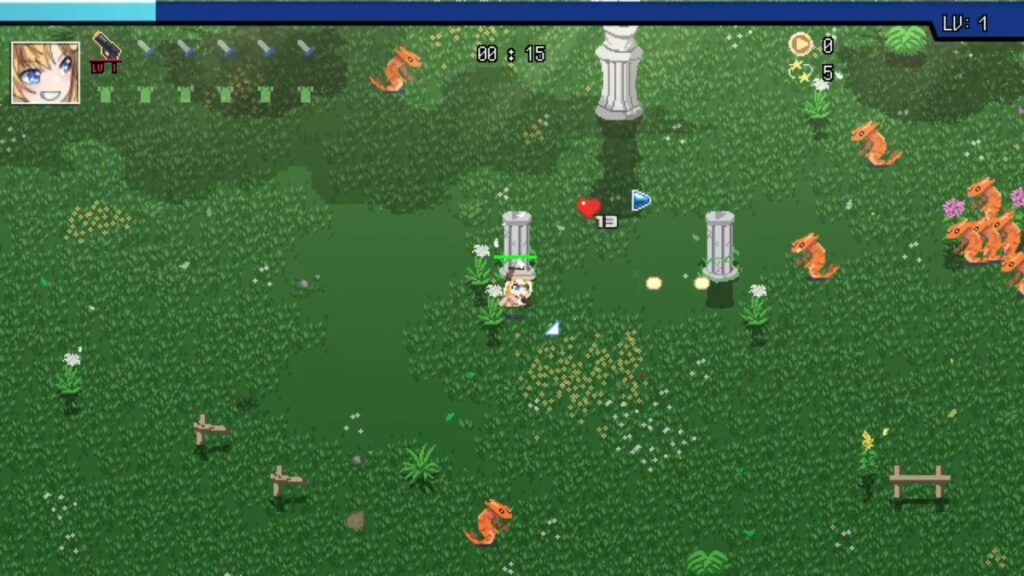
The official minimum lists only 300MB RAM and approximately 250MB of storage. That does not guarantee perfect performance when the screen becomes crowded, but it makes HoloCure one of the least demanding modern games in this list.
- Best for: single-player action, short runs and players who enjoy unlocking stronger character builds.
- Hardware fit: very weak PCs with a supported 64-bit operating system.
- Official minimum: Windows 10, a 64-bit processor, 300MB RAM and approximately 250MB storage.
- What is free: the complete game is free. It is not built around paid characters, premium currency or paid power.
- Main limitation: it is available only on Windows, and the Hololive theme may not appeal to everyone.
- Low-end tip: if late-run enemy waves cause slowdowns, reduce unnecessary visual effects and close other programs before playing.
You can download HoloCure free from Steam.
3. Team Fortress 2 — Best Shooter for Older Hardware
Team Fortress 2 is old enough to remember when installing a game did not require clearing half your SSD. Valve’s class-based shooter remains a strong choice for older PCs because its official hardware requirements are extremely low and its cartoon art style still works well at reduced settings.
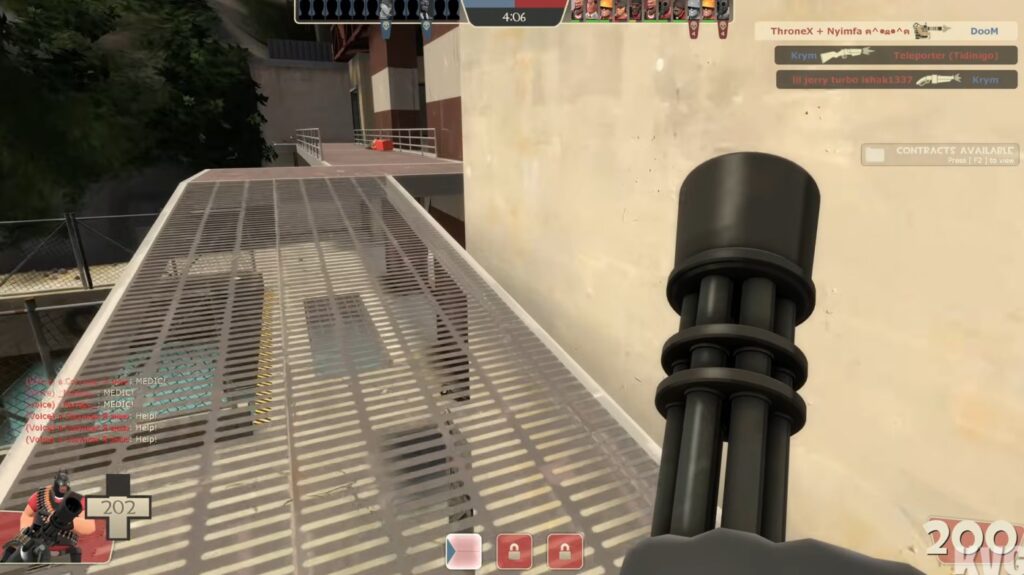
You choose from nine classes ranging from the straightforward Heavy and Soldier to the more specialised Spy and Engineer. That variety makes TF2 easier to enjoy when your aim—or your frame rate—is not ready for a punishing tactical shooter.
- Best for: online shooting, class-based teamwork and players who want a less serious alternative to Valorant.
- Hardware fit: very weak to basic low-end PCs.
- Official minimum: 512MB RAM, a 1.7GHz processor, DirectX 8.1 support and approximately 15GB storage.
- What is free: the full game is free. Weapons can be earned through play, while cosmetics and other items are also sold.
- Main limitation: the published game requirements are very old, while the Steam client now requires Windows 10 or later. Meeting the original minimum does not guarantee that the complete modern Steam setup will feel smooth.
- Low-end tip: reduce shadows, anti-aliasing and particle detail before lowering resolution. Large community servers and effect-heavy fights can be more demanding than small matches.
You can download Team Fortress 2 free from Steam. For more lightweight shooters, see our dedicated list of free FPS games for low-end PCs.
4. Valorant — Best Competitive Shooter for a Basic Low-End PC
Valorant is one of the few major competitive shooters with official requirements that still include old integrated graphics. Riot’s minimum 30 FPS tier lists 4GB RAM, an Intel i3-540 or AMD Athlon 200GE, and Intel HD 4000 or Radeon R5 220-class graphics.

That makes Valorant a defensible low-end recommendation, but not a guaranteed win for every ancient laptop. The game currently requires 64-bit Windows 10 or 11, a processor with SSE 4.2 or AVX support, and Riot’s Vanguard anti-cheat system. Windows 11 users may also need TPM 2.0 and Secure Boot configured correctly.
- Best for: competitive tactical shooting and players willing to learn maps, agents and team roles.
- Hardware fit: basic low-end PCs rather than extremely old 4GB laptops.
- Official minimum: 4GB RAM, Intel i3-540 or AMD Athlon 200GE, and Intel HD 4000 or Radeon R5 220-class graphics for Riot’s 30 FPS tier.
- What is free: the core game, maps and competitive modes are free. Agents can be unlocked through play, while cosmetics and optional account content are sold.
- Main limitation: the minimum target is only 30 FPS. That may be technically playable, but a stable 60 FPS is much better for competitive aiming and reaction time.
- Low-end tip: turn off bloom, distortion, shadows and anti-aliasing first. If performance still fluctuates, reduce the resolution to 900p or 720p.
You can check the current official Valorant requirements before downloading the game through Riot Games.
5. League of Legends — Best Accessible MOBA
League of Legends remains one of the more accessible competitive PC games, but its age can be misleading. Riot’s current Windows minimum includes an Intel Core i3-530 or AMD A6-3650, 2GB RAM, 1GB VRAM and Intel HD 4600, GeForce 400-series or Radeon HD 6570-class graphics.
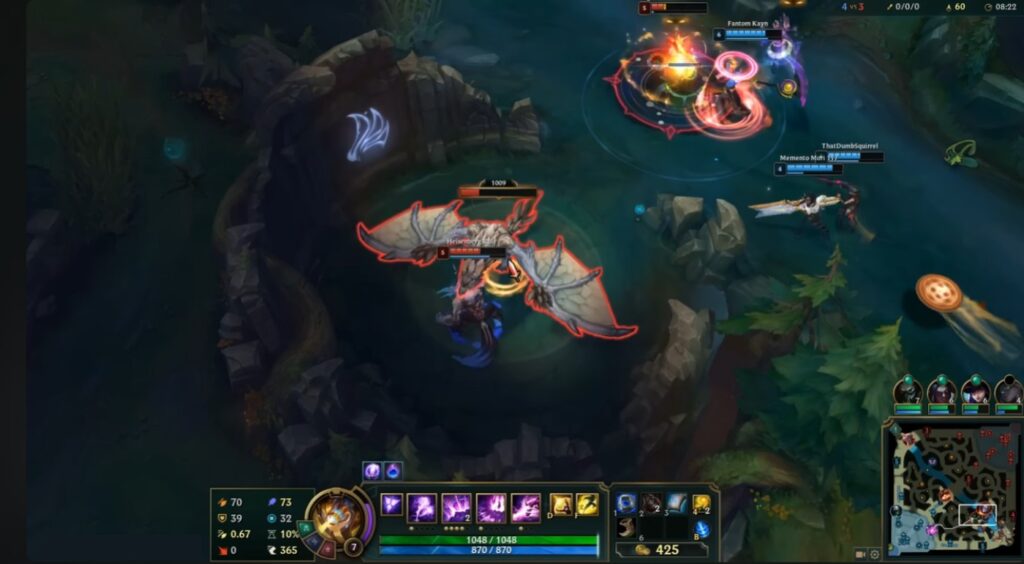
The game itself is a five-versus-five MOBA in which each player controls one champion and works with the team to destroy the opposing base. It is easier on hardware than Dota 2 and uses less storage, but learning champion abilities, items, map objectives and team roles still takes time.
- Best for: competitive strategy, team play and players who want a more approachable alternative to Dota 2.
- Hardware fit: basic low-end PCs with supported DirectX graphics.
- Official minimum: Intel Core i3-530 or AMD A6-3650, 2GB RAM, 1GB VRAM, supported DirectX graphics and approximately 16GB of free storage.
- What is free: the complete competitive game is free. Champions can be unlocked through play, while Riot sells skins, event passes and other cosmetic content.
- Main limitation: Windows 10 build 19041 or later is required. Windows 11 systems must support TPM 2.0 for Riot Vanguard.
- Low-end tip: lower shadows, character quality and effects, then cap the frame rate at a level your PC can maintain during full team fights.
Check Riot’s current League of Legends system requirements before installing.
6. Super Auto Pets — Best Relaxed Multiplayer Strategy Game
Super Auto Pets is the relaxed strategy choice in this list. It officially asks for only 1GB RAM, basic DirectX 9 graphics and approximately 512MB of storage, making it far more accessible than most current card and strategy games.
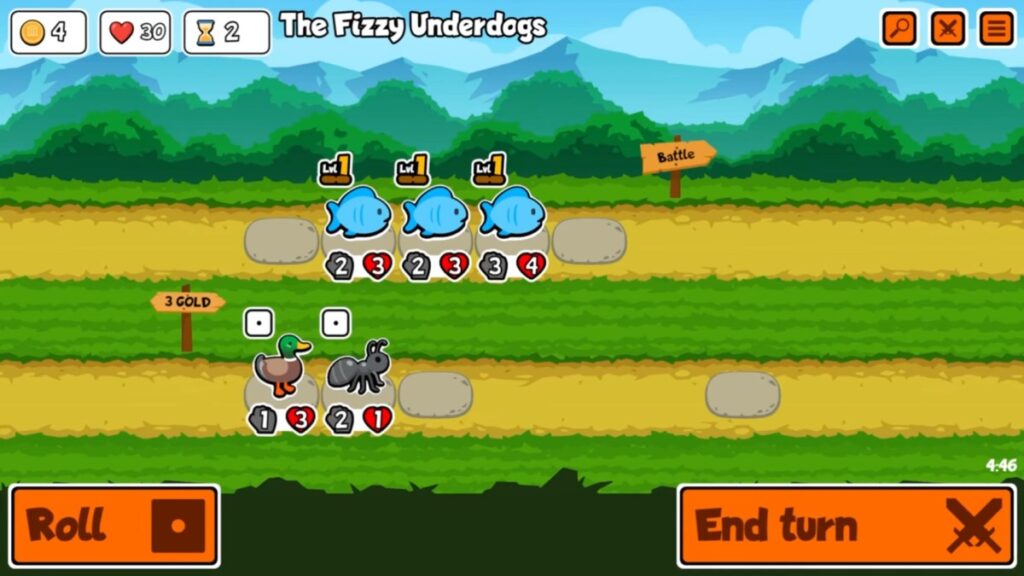
You build a team from animals with different abilities, combine their effects and then watch the battle resolve automatically. Arena mode is asynchronous and has no turn timer, so poor reflexes and an unstable frame rate are far less punishing than they would be in an action game.
- Best for: relaxed strategy, short sessions and players who enjoy discovering ability combinations.
- Hardware fit: very weak PCs with a supported 64-bit processor.
- Official minimum: 1GB RAM, SSE2 processor support, DirectX 9 Shader Model 2.0 graphics and approximately 512MB storage.
- What is free: standard and rotating weekly packs provide a complete free way to play. Additional expansion packs are available as optional purchases.
- Main limitation: it is an auto battler rather than a traditional card game, so you choose and position the team but do not directly control the fight.
- Low-end tip: use Arena mode if an inconsistent connection makes live multiplayer frustrating. Opponents are matched asynchronously and there is no turn timer.
You can download Super Auto Pets free from Steam.
7. The Battle for Wesnoth — Best Free Turn-Based Strategy Game
The Battle for Wesnoth is a proper strategy game, not a tiny tech demo included merely because it runs on weak hardware. It offers numerous fantasy campaigns, turn-based battles, multiplayer maps and a large collection of community-created content.
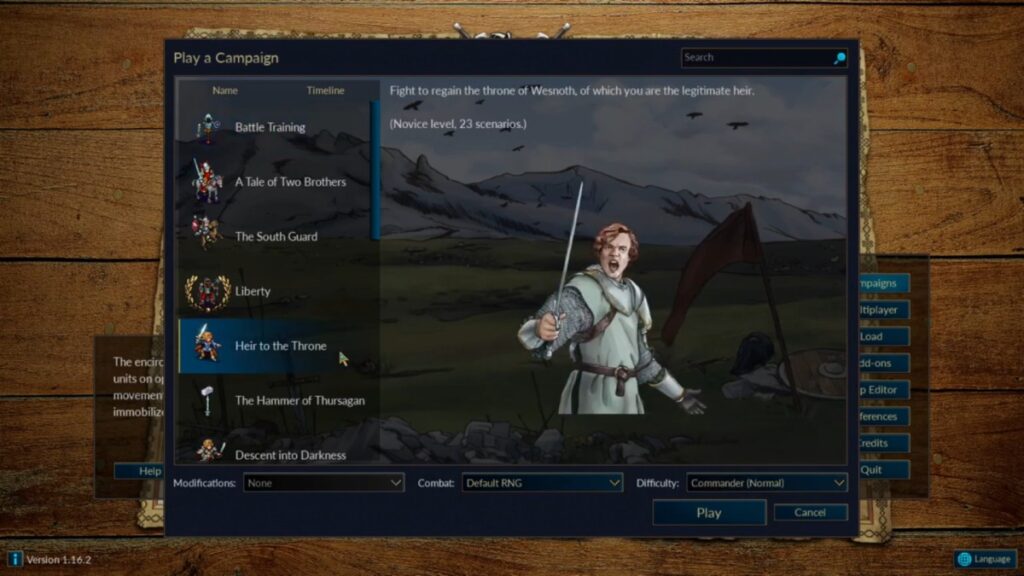
Its official Windows minimum calls for a dual-core 2GHz processor, 2GB RAM and approximately 800MB of storage. Because battles are turn-based, occasional frame-rate dips are also less disruptive than they would be in a shooter or racing game.
- Best for: tactical battles, lengthy solo campaigns and players who prefer thinking to twitch reflexes.
- Hardware fit: very weak PCs with a supported 64-bit processor and operating system.
- Official minimum: 64-bit Windows 10 version 1903 or later, dual-core 2GHz processor, 2GB RAM and approximately 800MB storage.
- What is free: the game is free and open source, including its official campaigns, multiplayer and add-on system.
- Main limitation: the presentation is deliberately old-school, and battles can punish careless unit placement more severely than casual strategy players expect.
- Low-end tip: begin with the included beginner campaigns before adding large community campaigns or high-resolution asset packs.
You can download The Battle for Wesnoth free from Steam. Our guide to free strategy games for low-end PCs includes more lightweight tactical and management games.
8. OpenTTD — Best Free Management and Simulation Game
OpenTTD is proof that a free game does not need daily rewards, premium currency or a 90GB download to swallow hundreds of hours. You build transport networks, move passengers and cargo, connect industries, manage competing routes and gradually turn a few questionable railway lines into a logistical empire.

The official Steam listing asks for only 256MB RAM at minimum and recommends 512MB. OpenTTD is therefore one of the safest games in this article for weak processors and systems with very little memory.
- Best for: management, building, transport simulation and long single-player sessions.
- Hardware fit: very weak PCs, including machines below the normal 4GB low-end tier.
- Official minimum: 256MB RAM. A processor above 2GHz and 512MB RAM are recommended.
- What is free: OpenTTD is completely free and open source, with no premium currency or paid gameplay content.
- Main limitation: the interface and transport systems take time to understand. This is a deep management game, not a five-minute arcade distraction.
- Low-end tip: begin with smaller maps and fewer competing companies. Huge maps containing hundreds of vehicles can eventually place more pressure on an old processor.
You can download OpenTTD through the official OpenTTD website or add it free through Steam.
9. Endless Sky — Best Free Space RPG
Endless Sky is a free 2D space game about starting with a fragile little ship and slowly working your way towards something that pirates will think twice about attacking. You can transport cargo, carry passengers, hunt bounties, mine asteroids, follow storylines or build an increasingly excessive fleet.
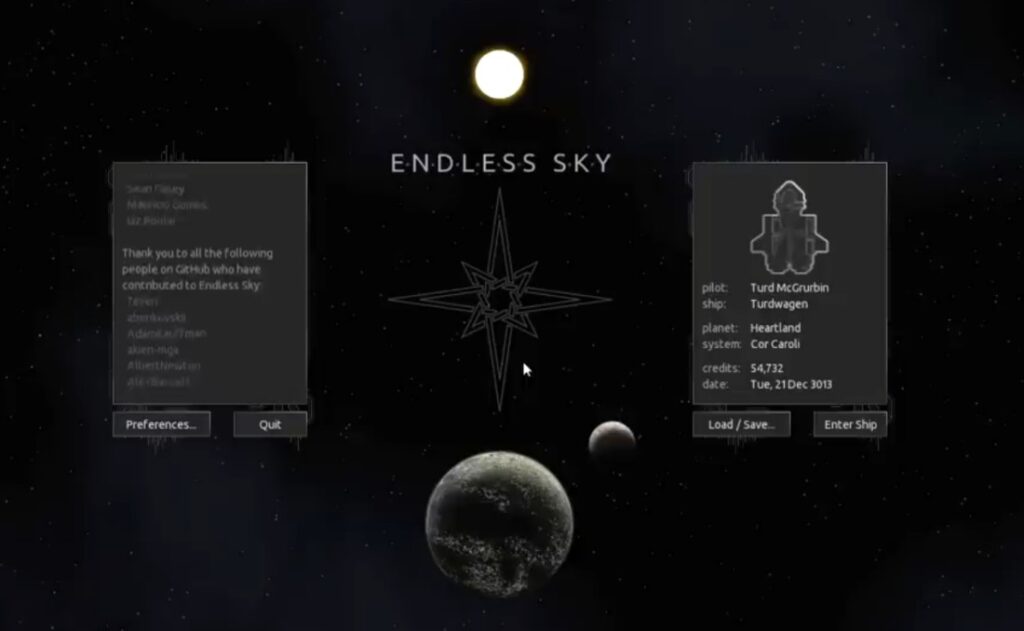
Its official minimum lists 750MB RAM, OpenGL 3.0 graphics and approximately 350MB of storage. The recommended specification still asks for only 2GB RAM, making this one of the strongest genuinely lightweight RPG choices available on PC.
- Best for: space exploration, trading, ship progression and relaxed single-player play.
- Hardware fit: very weak PCs with OpenGL 3.0-compatible graphics.
- Official minimum: 750MB RAM, OpenGL 3.0 and approximately 350MB storage.
- What is free: Endless Sky is completely free and open source. It does not sell ships, upgrades or premium currency.
- Main limitation: its top-down 2D presentation and text-heavy missions will not satisfy someone looking for cinematic space combat.
- Low-end tip: avoid installing high-resolution community plugins until you know how the standard game performs on your PC.
You can download Endless Sky free from Steam. If open-world exploration matters more than the space setting, see our list of free open-world games for low-end PCs.
10. Muck — Best Lightweight Survival Game
Muck drops you onto a procedurally generated island where you gather resources, craft equipment, build shelter and attempt to survive enemies that become considerably less polite after sunset.

The official minimum calls for a dual-core 2GHz processor, 2GB RAM, Intel HD 520-class graphics and approximately 100MB storage. That combination makes Muck one of the most defensible free survival games for an older low-end laptop.
- Best for: survival, crafting and chaotic co-op sessions.
- Hardware fit: very weak to basic low-end PCs with Intel HD 520-class graphics or better.
- Official minimum: dual-core 2GHz processor, 2GB RAM, Intel HD 520 graphics and approximately 100MB storage.
- What is free: the complete game is free, including single-player and online co-op.
- Main limitation: Muck is deliberately simple and run-based. It does not offer the persistent world, detailed crafting or enormous modding ecosystem of a full survival sandbox.
- Low-end tip: lower shadows, render distance and resolution before starting a multiplayer session. Hosting and playing at the same time may be harder on an old processor.
You can download Muck free from Steam. For more options, see our dedicated guide to free survival games for low-end PCs.
11. Dota 2 — Best for Deep Competitive Strategy
Dota 2 gives every player access to its complete hero roster without charging for characters or competitive power. It is one of the deepest free competitive games available, but its 60GB storage requirement and demanding team fights make it less suitable for extremely weak PCs.

Valve lists a dual-core 2.8GHz processor, 4GB RAM, DirectX 11 and older dedicated graphics such as a GeForce 8600/9600 GT or Radeon HD 2600/3600 at minimum. The more awkward requirement is storage: the game now needs approximately 60GB, which may rule it out for laptops with small drives.
- Best for: players who want an extremely deep MOBA and are willing to survive a brutal learning curve.
- Hardware fit: basic low-end PCs with compatible DirectX 11 graphics.
- Official minimum: dual-core 2.8GHz processor, 4GB RAM, supported older graphics and approximately 60GB storage.
- What is free: all heroes and the complete competitive game are free. Purchases focus mainly on cosmetics and optional subscription features.
- Main limitation: large team fights can be more demanding than the opening minutes of a match, and the learning curve is among the steepest in competitive gaming.
- Low-end tip: use the low graphics preset, disable high-quality effects and shadows, and test performance during a busy bot match before entering competitive play.
You can download Dota 2 free from Steam. New players should also read our guide to the Dota 2 learning curve before assuming the hardware will be their biggest problem.
12. Old School RuneScape — Best Free MMO for Long-Term Progression
Old School RuneScape is the MMO for people who find one small task, complete it 4,000 times and somehow feel more relaxed afterwards. Its deliberately simple presentation makes it easier to run than most modern MMOs, while the world offers quests, combat, gathering, crafting and an alarming number of skills to level.
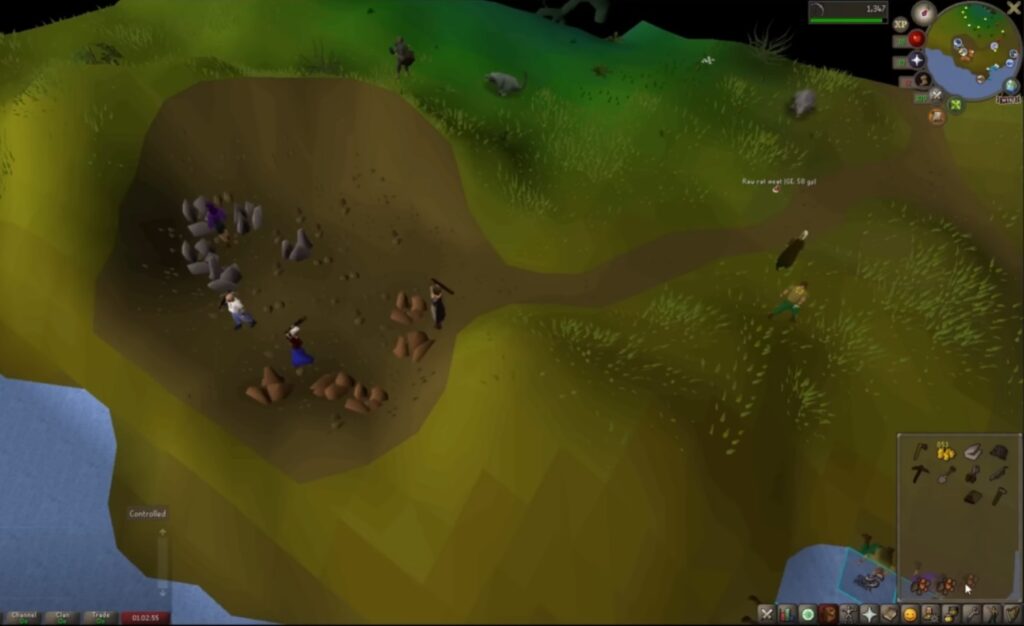
It is important not to oversell how little hardware the current client needs. Jagex’s recommended Windows specification lists an Intel i3-6100 or comparable AMD processor, Intel UHD 610 or older supported dedicated graphics, 8GB RAM and at least 2GB storage. Weaker systems may still run the game using conservative settings, but “anything with a CPU and electricity” is no longer responsible advice.
- Best for: MMO progression, questing, gathering and players who want a game that can last for years.
- Hardware fit: basic low-end PCs, depending on the client and graphics settings used.
- Official recommendation: 64-bit Windows 10 or later, Intel i3-6100 or comparable AMD processor, Intel UHD 610-class graphics, 8GB RAM and at least 2GB storage.
- What is free: free players receive a substantial starting area, selected skills and a limited quest selection. Membership unlocks the much larger world, additional skills and most quests.
- Main limitation: this is not the complete RuneScape experience for free, and progress is intentionally slow.
- Low-end tip: reduce draw distance, disable unnecessary visual effects and avoid high-detail client plugins until you know how the standard game performs.
Check the current Jagex specifications before downloading Old School RuneScape through the official Jagex Launcher.
13. Roblox — Best for Variety, but Choose the Right Experiences
Roblox is not one game with one predictable hardware requirement. It is a platform containing millions of user-created experiences, ranging from simple obstacle courses and tycoons to detailed open worlds that can punish integrated graphics.
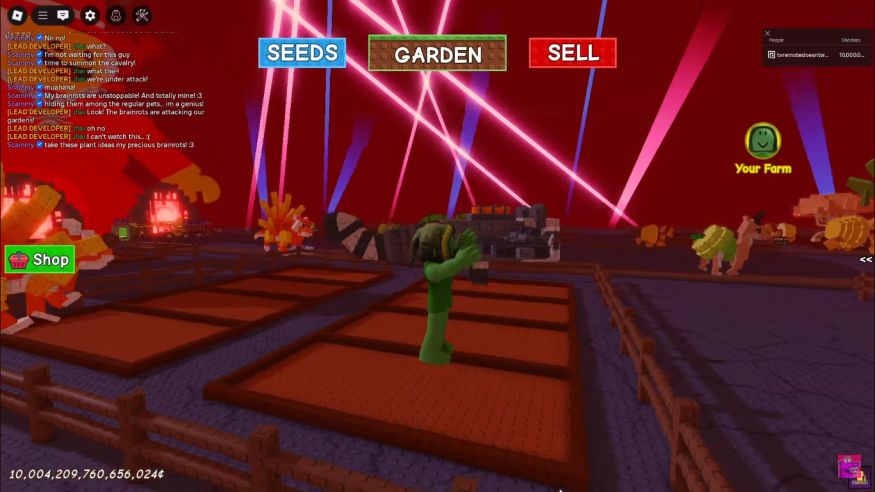
That inconsistency is precisely why Roblox stays in the list with a warning. A weak PC may handle older, simpler experiences comfortably while struggling badly with another game on the same platform. Roblox is useful for low-end players because of its variety, not because every experience is lightweight.
- Best for: casual multiplayer, younger players and anyone who wants many genres inside one platform.
- Hardware fit: varies from very weak to considerably stronger PCs, depending on the experience.
- Requirements: check the current Roblox support page and the performance of the specific experience you want to play.
- What is free: joining Roblox and playing many experiences is free. Robux is sold for avatar items, private servers and purchases created by individual developers.
- Main limitation: visual quality, optimisation, monetisation and hardware demands differ substantially between experiences.
- Low-end tip: set Graphics Mode to Manual and lower Graphics Quality. Start with simple obbies, tycoons and older experiences before attempting large, detailed worlds.
Download Roblox only through the official Roblox website.
14. Krunker — Best Browser Shooter
Krunker is the quickest route from “I want to play something” to being shot by someone moving at a speed that should probably be illegal. It is a fast browser-based FPS with compact maps, simple visuals and no large game installation.
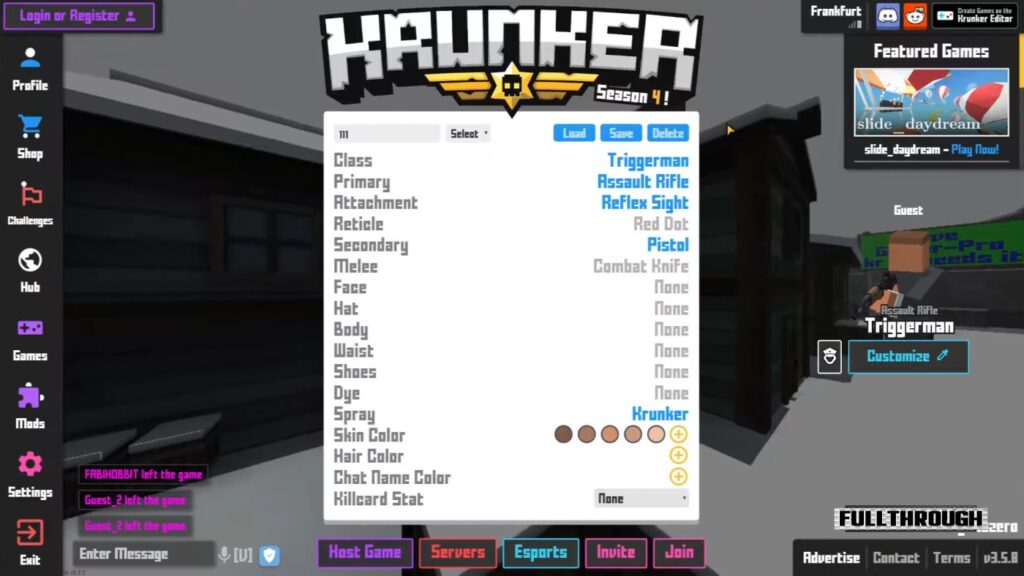
Running in a browser does not mean a game requires no graphics hardware. Browser choice, hardware acceleration, background tabs and the age of your integrated graphics can all affect performance. Krunker is still one of the most accessible online shooters here, but “anything that can open a browser can run it” is not a guarantee we are prepared to make.
- Best for: quick arcade shooting without a large download.
- Hardware fit: very weak to basic low-end PCs with a modern supported browser.
- Requirements: Krunker does not provide a useful fixed PC specification for every browser and configuration.
- What is free: the core browser game is free, with optional cosmetic and account-related purchases.
- Main limitation: performance and input response can vary between browsers, and every match requires an internet connection.
- Low-end tip: enable browser hardware acceleration, close other tabs and reduce render scale inside the game.
You can play through the official Krunker website without downloading the main game.
15. Warframe — Best Co-Op Game for a Stronger Low-End PC
Warframe is the most ambitious game in this list and therefore the least suitable for a truly ancient PC. It combines extremely fast movement, third-person combat, character and weapon crafting, open areas and years of missions that can be played alone or with other players.
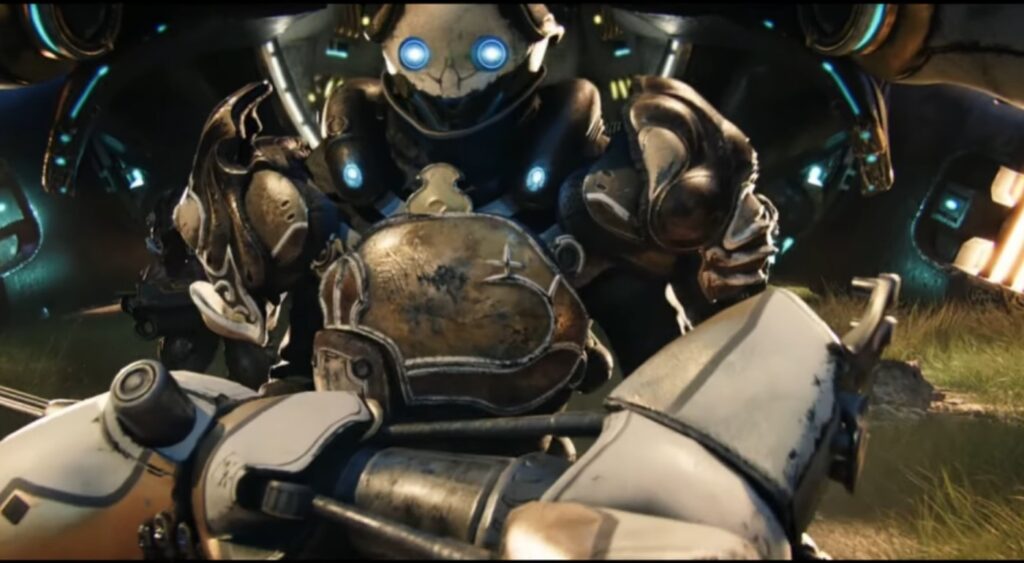
Digital Extremes lists 4GB RAM at minimum, but the rest of the specification matters: the processor must support SSE 4.2, the graphics hardware must support DirectX 11, and the installation needs approximately 75GB. A 4GB laptop with incompatible integrated graphics does not qualify merely because it has enough memory.
- Best for: online co-op, fast combat, collecting equipment and long-term progression.
- Hardware fit: stronger low-end PCs with supported DirectX 11 graphics.
- Official minimum: Intel Core i7-860, Intel Core i5-750 or AMD FX-4100-class processor with SSE 4.2 support, 4GB RAM, DirectX 11 graphics and approximately 75GB storage.
- What is free: missions, Warframes, weapons and story content can be accessed without buying the game. Purchases can reduce grind or provide cosmetics, but most gameplay equipment can be earned.
- Main limitation: storage, busy open areas and effects-heavy missions make this a conditional recommendation rather than a safe choice for every low-end PC.
- Low-end tip: enable dynamic resolution, reduce shadows and effects, and test an open-world area before deciding that performance in early corridor missions represents the whole game.
Check the current Warframe PC requirements before downloading such a large game. If Warframe is too demanding for your system, our guide to the best co-op games for low-end PCs includes several lighter alternatives.
Free Offline Games for Low-End PCs
Most of the biggest free games require a permanent internet connection, but low-end players still have several legitimate offline options. Some games may require an internet connection for the initial download, installation or first launch.
- HoloCure: lightweight single-player action with no paid content.
- OpenTTD: transport management that works perfectly well as a solo game.
- Endless Sky: a substantial single-player space RPG with no always-online requirement.
- The Battle for Wesnoth: numerous turn-based campaigns that can be played without multiplayer.
- Spelunky Classic: the original free version of the demanding 2D roguelike.
- Daggerfall Unity: a modernised way to play Bethesda’s free classic RPG, although installation requires both the game data and the Unity project.
If playing without an internet connection is essential, use our complete guide to offline games for low-end PCs. It includes both free and paid recommendations, so check the price and download source before choosing.
How to Make Free Games Run Better on a Low-End PC
Meeting a game’s minimum requirements does not guarantee that every match, map or late-game battle will run smoothly. Before spending money on upgrades, try these practical fixes:
- Close browsers and unnecessary background programs. This matters especially on a 4GB system where Windows and the game are already competing for limited memory.
- Lower shadows, reflections and post-processing first. These settings often reduce GPU load without making the game impossible to read.
- Reduce resolution when quality settings are not enough. Moving from 1080p to 900p or 720p can help weak integrated graphics considerably.
- Use a sensible frame-rate cap. A stable 30 or 60 FPS usually feels better than constantly jumping between much higher and lower figures. See our guide to capping FPS for smoother gaming.
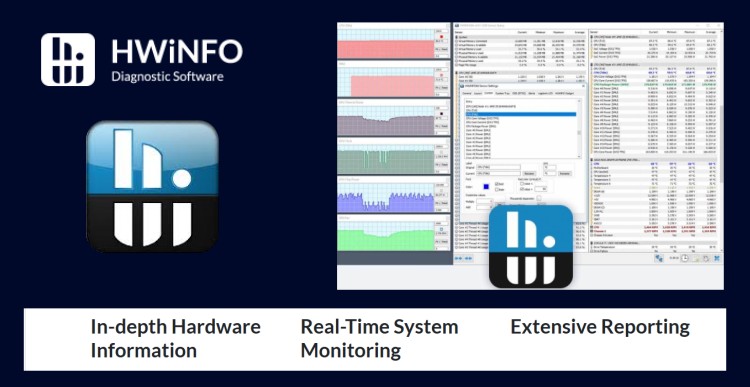
- Check temperatures and actual hardware usage. Thermal throttling, insufficient RAM and a fully occupied hard drive can produce similar symptoms. Our guide to testing PC gaming performance explains how to identify the real bottleneck.
If software changes are no longer enough, do not buy a random part and hope for the best. Use our guide to what to upgrade first on a low-end PC to match the upgrade to the actual problem.
Find More Free Low-End PC Games by Genre
No list of 15 games can suit every player. Use these focused guides if you already know which type of game you want:
- Free FPS games for low-end PCs
- Free RPGs for low-end PCs
- Free survival games for low-end PCs
- Free strategy games for low-end PCs
- Free Steam games for low-end PCs
- Free PC games that do not need a dedicated GPU
You can also visit the Free Games Hub for Older PCs to browse all our low-end free-game guides in one place.
Which Free Low-End PC Game Should You Play First?
Start with Brawlhalla if you want the safest all-round choice. It is small, free, controller-friendly and suitable for much weaker hardware than most modern multiplayer games.
Choose HoloCure for single-player action, Team Fortress 2 or Valorant for shooting, The Battle for Wesnoth for turn-based strategy, OpenTTD for management, Muck for survival or Old School RuneScape for a game that may still be consuming your evenings several years from now.
The only rule is to match the game to your actual hardware tier. “Low-end” is not a magic setting, and a demanding game does not become ancient pc-friendly just because someone lowered the shadows. Check the requirements, start with the safest options and let your old PC enjoy its remaining years with dignity.
Those games look fun to play! If someone is looking for something simpler that they can play on their phone, tablet, or PC, you can check out our dice game site, https://www.freethedice.com. We have games like Yahtzee, Farkle, and Sixzee that you can play online.