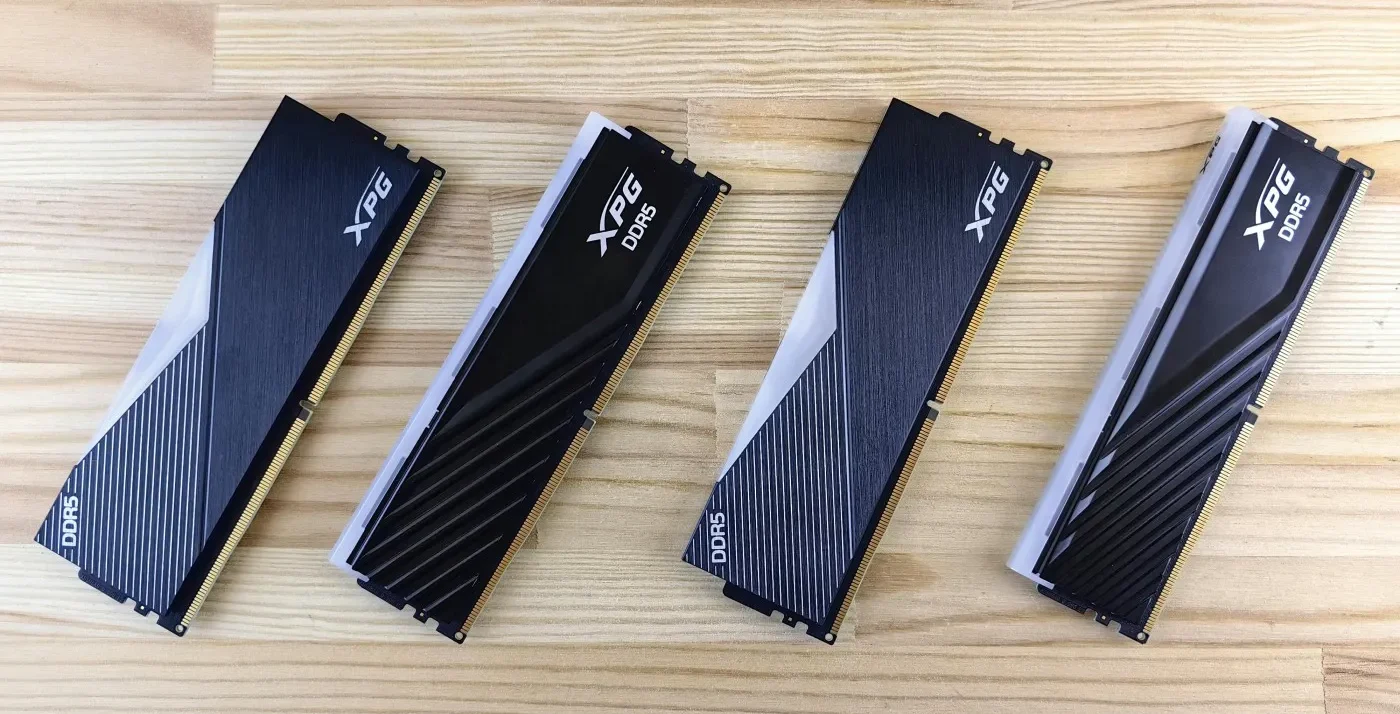
Buying RAM for a gaming PC doesn’t need to be complicated. For most gamers, the right choice comes down to four things: compatibility, capacity, configuration and speed, — in that order.
If you’re upgrading an older PC with only 8GB, a 16GB DDR4 kit can still be one of the cheapest worthwhile upgrades you can make. For a new gaming PC, 32GB of DDR5 is the more sensible starting point. And if you already have enough RAM, replacing it with something faster may do very little for your gaming performance.
The BuiltToFrag rule is simple: buy the RAM your PC actually needs, not the biggest number on the box.
This guide will show you what to buy for an older DDR4 PC, a modern DDR5 gaming build and heavier gaming-plus-work systems, and when you should save your money instead.
What RAM Should You Buy for a Gaming PC?
If you already know what kind of PC you have, the RAM decision is usually straightforward. Start with your motherboard, then choose the capacity and configuration that actually suits the way you use your PC.
| Your Situation | What to Buy |
|---|---|
| Older gaming PC with only 8GB | 16GB (2×8GB) DDR4 |
| DDR4 gaming PC that needs more headroom | 32GB (2×16GB) DDR4 |
| New gaming PC using DDR5 | 32GB (2×16GB) DDR5 |
| Gaming while streaming, editing or running heavy workloads | 32GB–64GB DDR5, depending on actual memory use |
| Already have 16GB or 32GB with no RAM-related problems | Keep your current RAM |
Before buying anything, confirm whether your motherboard uses DDR4 or DDR5. They are not interchangeable. Desktop PCs normally use DIMMs, while laptops generally require smaller SO-DIMMs.
Also avoid choosing a single RAM stick simply because the total capacity looks right. Where practical, a matched two-stick kit such as 2×8GB or 2×16GB gives your system more memory bandwidth than a comparable single-stick configuration. Our guide to single vs dual channel RAM for gaming explains when that can make a noticeable difference.
If you’re still unsure whether RAM is actually causing your performance problem, use our Complete Gaming PC Health Check before spending money. More RAM won’t fix a PC that is actually being limited by its graphics card or processor.
Best RAM for Gaming: Our Quick Picks
You don’t need the fastest or most expensive RAM to build a good gaming PC. The right kit is the one that gives you enough capacity, works properly with your platform and doesn’t consume money better spent on your CPU or graphics card.
Here are our current picks for the most common gaming PC upgrades and builds.
| Our Pick | Capacity | Type | Best For |
|---|---|---|---|
| Corsair Vengeance LPX | 16GB (2×8GB) | DDR4 | Best cheap upgrade for older gaming PCs |
| Patriot Viper Steel | 32GB (2×16GB) | DDR4 | Best 32GB upgrade for DDR4 gaming PCs |
| Crucial Pro Overclocking | 32GB (2×16GB) | DDR5 | Best budget DDR5 choice |
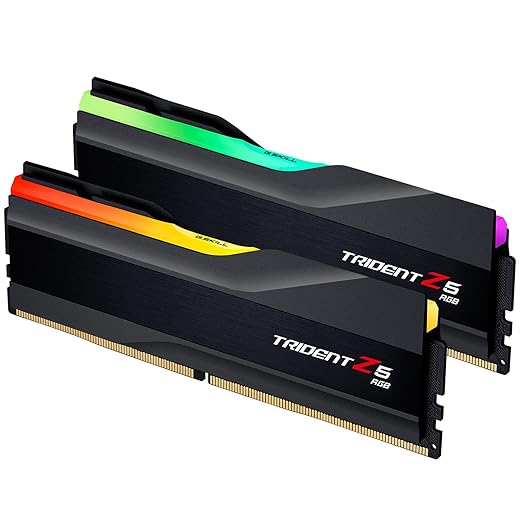
| G.Skill Trident Z5 | 32GB (2×16GB) | DDR5 | Best DDR5 RAM for most gaming PCs |
| Corsair Vengeance | 64GB (2×32GB) | DDR5 | Best for gaming plus heavy workloads |
RAM prices can move significantly, so don’t buy purely because one kit occupies a particular position in this guide. If two suitable kits have similar specifications, check the current price before deciding. A cheaper compatible kit can easily be the better buy.
Best RAM for Gaming PCs: Our Recommendations
Corsair Vengeance LPX 16GB — Best Cheap DDR4 Upgrade for Older Gaming PCs
If you’re still gaming with only 8GB of RAM on a DDR4 system, the Corsair Vengeance LPX 16GB kit is the kind of upgrade that makes sense. Rather than paying for premium speeds or RGB lighting, you’re putting the money where it matters: enough capacity and a matched two-stick configuration.
The 2×8GB DDR4-3200 CL16 kit is particularly well suited to older Ryzen and Intel gaming PCs that support DDR4. Its low-profile heatspreaders also make it easier to fit underneath larger CPU air coolers than some taller gaming RAM.
Best for: Older DDR4 gaming PCs with 8GB, budget upgrades and systems where 16GB is all the capacity you realistically need.
Skip it if: You already have 16GB of working dual-channel RAM without memory-related problems, need 32GB for heavier multitasking, or your motherboard requires DDR5.
BuiltToFrag verdict: This isn’t an exciting upgrade, and that’s the point. If an older DDR4 gaming PC genuinely needs more memory, 16GB of sensible DDR4 is a much better place to put your money than an expensive high-speed kit you won’t fully use.
If this matches your DDR4 system and 16GB is the capacity you need, check the current price and availability below.

Patriot Viper Steel 32GB — Best 32GB DDR4 Upgrade
If you’re staying on a DDR4 platform but 16GB is starting to feel restrictive, the Patriot Viper Steel 32GB kit gives you the extra capacity without spending money on a motherboard and platform change you don’t need.
A 2×16GB DDR4-3200 CL16 configuration is a sensible target for a DDR4 gaming PC that also handles heavier modern games, lots of browser tabs, Discord, streaming software or other applications in the background. You get 32GB of capacity while retaining a matched two-stick configuration, without chasing extreme memory speeds for relatively small gaming gains.
Best for: DDR4 gaming PCs that genuinely need more than 16GB, gamers who multitask heavily, and anyone planning to keep a capable DDR4 system for several more years.
Skip it if: Your existing 16GB kit handles your games comfortably, you’re planning a motherboard/platform upgrade soon, or your system uses DDR5.
BuiltToFrag verdict: Don’t retire a perfectly good DDR4 gaming PC just because DDR5 exists. If memory capacity is genuinely becoming a limitation, a sensible 32GB DDR4 kit can extend the useful life of the system for considerably less than replacing the platform.
If you’re keeping your DDR4 platform and genuinely need 32GB, check the current price and availability below.

Crucial Pro 32GB — Best Budget DDR5 RAM
If you’re building a DDR5 gaming PC and want to keep the memory budget under control, Crucial Pro 32GB is our value-focused choice. It gives you the 32GB capacity we’d recommend for a new gaming build without pushing you toward expensive enthusiast memory that may deliver very little noticeable improvement in actual games.
A 2×16GB kit is also exactly where we’d start for a new DDR5 gaming PC. You get enough capacity for modern games, Windows and the usual collection of background applications while keeping a matched two-stick configuration.
Best for: New DDR5 gaming PCs, budget-conscious builds and gamers who want 32GB without paying extra for premium styling or extreme specifications.
Skip it if: Your PC only supports DDR4, you’re upgrading a system that already has sufficient DDR5 memory, or a substantially better-specced 32GB kit is available for almost the same price.
BuiltToFrag verdict: DDR5 is one of the easiest places to spend more money for increasingly small real-world gains. For a budget gaming build, we’d rather put the extra money toward the graphics card or processor and choose a sensible 32GB memory kit like this.
If you’re building a DDR5 gaming PC on a tighter budget, check the current price and availability below.

G.Skill Trident Z5 32GB — Best DDR5 RAM for Most Gaming PCs
For a modern DDR5 gaming PC, G.Skill Trident Z5 32GB is our pick for gamers who want a stronger memory kit without wandering into extreme enthusiast territory. A 32GB 2×16GB configuration gives modern games and background applications plenty of breathing room while maintaining a matched two-stick setup.
This is the step up from our budget DDR5 recommendation. The reason to spend more isn’t simply the G.Skill name or the styling — it should be because you’re getting a better combination of memory speed and timings for a reasonable increase in price.
Best for: Modern DDR5 gaming builds, gamers putting together a balanced mid-range or high-performance PC, and buyers who want 32GB of capable DDR5 without chasing extreme memory frequencies.
Skip it if: The Crucial kit above is substantially cheaper and already meets your needs, your motherboard only supports DDR4, or you’re paying a large premium purely for appearance.
BuiltToFrag verdict: For most new gaming PCs, 32GB is the capacity we’d choose. Pair that with sensible DDR5 speed and timings and you’re essentially done — there is little reason for the average gamer to keep spending money chasing increasingly expensive memory specifications.
If you want our stronger 32GB DDR5 choice for a modern gaming build, check the current price and availability below.
Corsair Vengeance 64GB — Best 64GB RAM for Gaming + Heavy Workloads
Most gaming PCs do not need 64GB of RAM. But if the same machine is also used for video editing, content creation, large productivity workloads, virtual machines or other memory-heavy applications, Corsair Vengeance 64GB gives you the additional capacity without turning the purchase into an exercise in chasing extreme specifications.
A 2×32GB configuration also gives you 64GB while using only two memory slots, leaving the remaining slots free and avoiding the additional memory-controller load that can come with filling all four DIMM slots.
Best for: Gaming PCs that double as serious work machines, content creators, heavy multitaskers and users who can demonstrate that 32GB is actually becoming restrictive.
Skip it if: Gaming is your primary workload and you’re comfortably operating within 32GB. Spending the difference on a faster GPU, CPU or another meaningful system upgrade will usually produce far more value.
BuiltToFrag verdict: Don’t buy 64GB because it sounds future-proof. Buy it because your workloads can actually use it. For gaming alone, we’d stop at 32GB; for a gaming PC that also handles genuinely memory-heavy work, 64GB becomes much easier to justify.
If your gaming PC genuinely needs 64GB for heavier workloads, check the current price and availability below.

How to Choose the Right RAM for Your Gaming PC
Once you know which kits are worth considering, the next step is making sure you choose the right one for your actual PC. Work through these five checks in order. Compatibility and capacity matter far more than chasing impressive-looking memory specifications.
Step 1: Check Whether You Need DDR4 or DDR5
Your motherboard determines which DDR generation you can use. A DDR4 motherboard requires DDR4 memory, while a DDR5 motherboard requires DDR5. The two standards are physically different and are not interchangeable.
If you’re upgrading an existing DDR4 gaming PC, there is usually no reason to replace the motherboard purely to gain DDR5 support. Buy good DDR4 memory and keep using the platform if the rest of the system still meets your needs.
Also confirm whether you need desktop DIMM memory or laptop SO-DIMM memory. They use different physical formats and cannot be swapped between systems.
Step 2: Decide How Much RAM You Actually Need
BuiltToFrag Insight: One of the biggest upgrade mistakes is jumping from 16GB to 32GB expecting a massive FPS increase. If your games already fit comfortably inside 16GB, your graphics card or processor may deserve the upgrade budget more.
- 16GB: the sensible minimum for an older gaming PC and still enough for many esports, indie and older titles.
- 32GB: the better choice for a new gaming PC, heavier modern games and gaming while running browsers, Discord, recording software and other background applications.
- 64GB: usually unnecessary for gaming alone, but worthwhile when the same PC also handles demanding editing, professional software, virtual machines or other memory-heavy workloads.
If you’re still unsure which capacity fits the games and applications you actually use, read our full guide to how much RAM games need.
Step 3: Choose a Two-Stick Kit When Possible
Capacity is not the whole story. When practical, buy a matched two-stick kit such as 2×8GB, 2×16GB or 2×32GB rather than one large stick.
Using two properly installed memory modules can give the memory controller access to more bandwidth than a comparable single-stick setup. This can matter particularly on older DDR4 systems, CPU-limited games and PCs using integrated graphics.
Our guide to single vs dual channel RAM for gaming explains exactly when one stick can leave performance on the table.
Step 4: Choose a Sensible RAM Speed
BuiltToFrag Insight: We’ve seen far too many gamers spend extra money chasing very fast RAM while still using an entry-level graphics card. In most gaming PCs, a better GPU produces a much larger improvement than paying heavily for higher memory frequencies.
RAM speed matters, but it should come after compatibility, capacity and configuration. A slightly faster kit can be worthwhile when the price difference is small, but sacrificing capacity or a meaningful GPU upgrade for extreme memory specifications rarely makes sense.
DDR4 Speed
- Choose a proven speed that your processor and motherboard support reliably.
- On older systems, stable operation is more important than chasing the highest MHz number.
- If a faster kit costs almost the same, take the faster option, but don’t sacrifice capacity to get it.
DDR5 Speed
- Mainstream DDR5 kits generally offer the best balance of stability, cost and real-world gaming performance.
- Very high-frequency kits can be useful in enthusiast systems, but they are also where small performance gains become expensive.
- For most gaming PCs, choose a proven mainstream kit rather than buying extreme memory purely for the specification sheet.
What about CAS latency? You’ll often see memory advertised using specifications such as DDR5-6000 CL30. The frequency describes memory speed, while the CL figure relates to memory timings. Lower latency can help performance, but capacity and platform compatibility should still come first.
If your system gradually becomes rougher during longer gaming sessions, high memory usage may be the real problem rather than memory speed. Our guide to a game using too much RAM shows you what to look for.
Step 5: Check XMP or EXPO Support
Many RAM kits will not automatically run at their advertised performance settings after installation. Intel-oriented systems commonly use XMP, while modern AMD systems commonly support EXPO.
Choose a memory kit with a profile suitable for your platform, then enable the appropriate profile in your BIOS after installation. Otherwise, your new RAM may run below its advertised speed.
Should You Actually Upgrade Your RAM?
Before spending anything, make sure RAM is actually the component holding your PC back. More memory can make a major difference when your system genuinely runs out of RAM, but it cannot fix every performance problem.
- You only have 8GB: moving to 16GB is often a worthwhile upgrade and can reduce stuttering, paging and general system sluggishness.
- You already have 16GB: upgrade to 32GB when your games and background applications regularly push memory usage close to the limit.
- You already have 32GB: pure gaming rarely justifies moving to 64GB unless your actual workloads are using the capacity.
- Your GPU is constantly at 100%: the graphics card is probably the more important gaming bottleneck.
- You expect faster RAM to produce a huge FPS increase: replacing sufficient working memory usually delivers much smaller gains than a meaningful CPU or GPU upgrade.
If you’re still not sure whether RAM is actually your problem, use our Complete Gaming PC Health Check. You can also compare normal CPU, GPU and RAM usage during gaming before buying another component.
RAM Compatibility Checks Before You Buy

Do these checks before placing the order. They prevent most compatibility mistakes and unnecessary returns.
- DDR4 or DDR5: confirm the memory generation supported by your motherboard.
- DIMM or SO-DIMM: desktop and laptop memory use different physical formats.
- Matched kit: buy a proper 2×8GB, 2×16GB or 2×32GB kit instead of combining random modules where possible.
- Motherboard capacity: check the maximum supported memory capacity and supported module sizes.
- XMP or EXPO: make sure your platform supports the profile used by the kit you are buying.
- Physical clearance: tall heatspreaders can interfere with large CPU air coolers in compact systems.
If you’re upgrading several components at once, our guide to how to pick PC parts that fit and perform covers the broader compatibility checks that matter when changing hardware.
RAM Buying Mistakes That Waste Money

- Buying DDR5 for a DDR4 motherboard: it will not fit and it will not work.
- Buying one large stick when a matched two-stick kit makes more sense: you may give up useful memory bandwidth for no good reason.
- Mixing separate RAM kits: even memory with similar advertised specifications can use different chips internally. One matched kit is the safer choice.
- Overpaying for speed: don’t sacrifice a better graphics card simply to afford faster RAM.
- Ignoring BIOS setup: failing to enable XMP or EXPO can leave your memory running slower than expected.
- Buying RGB before useful specifications: lighting is fine when the price makes sense, but don’t sacrifice capacity or value just for appearance.
If an upgrade has already left your system feeling underwhelming, read why your PC still feels slow after an upgrade. It can help you determine whether RAM is actually the problem before spending again.
Frequently Asked Questions
Is 16GB of RAM still enough for gaming?
Yes. For many gamers, 16GB is still enough for esports titles, older games and lighter modern games. If you regularly play demanding games while running Discord, browsers, recording software and other background applications, 32GB provides more breathing room.
Will upgrading RAM increase FPS?
Only when your current memory setup is limiting performance. Moving from 8GB to 16GB can improve frame consistency and reduce stuttering when the system is running out of memory. Replacing an already adequate 16GB or 32GB kit purely for higher capacity usually produces much smaller gaming gains.
Should I buy DDR4 or DDR5?
Buy the memory generation supported by your motherboard. DDR4 and DDR5 are not physically compatible. If you’re building a new PC on a DDR5 platform, buy DDR5. If your existing gaming PC uses DDR4 and still performs well, there is normally no reason to replace the entire platform simply to change memory generation.
If you’re unsure what your system supports, the Crucial System Scanner can help identify compatible memory before you buy.
Can I mix different RAM brands?
Sometimes, but it is not the preferred approach. Even memory kits with similar specifications may use different chips internally. Buying one matched kit gives you the best chance of stable operation and predictable settings.
How do I know if my RAM is the problem?
Watch your memory usage while gaming. If available RAM is constantly exhausted, Windows is relying heavily on the page file, or games begin stuttering as memory fills, additional RAM may help. If your graphics card remains at 100% usage while RAM use is comfortable, the GPU is usually the more important bottleneck.
Does RAM speed matter for gaming?
Yes, but generally less than buying enough memory and choosing the correct configuration. Faster RAM can improve performance on some systems, particularly in CPU-limited situations, but it should not come at the expense of capacity or a more important component upgrade.
Should I buy 32GB of RAM now?
For a new gaming PC, 32GB is a sensible choice. For an existing 16GB gaming PC, upgrade only if your games and background applications are actually pushing memory usage high enough to justify it.
What RAM brands do you recommend?
Reputable memory brands include Corsair, Crucial, G.Skill, Kingston, Patriot, TeamGroup, ADATA and Lexar. The logo matters less than choosing the correct capacity, DDR generation, timings, warranty and price for your system.
Should I upgrade my RAM or graphics card first?
If you’re still gaming with only 8GB and regularly running out of memory, RAM can be one of the cheapest meaningful upgrades. If you already have enough memory and your GPU is constantly at full load, upgrading the graphics card will usually have a much larger effect on gaming performance.
Which RAM Should You Buy?
Buy RAM the boring, correct way. Get the right DDR generation for your motherboard, buy enough capacity for the way you actually use your PC, choose a matched two-stick kit where practical, and then select a sensible speed inside your budget.
- Older DDR4 PC with only 8GB: start with our 16GB Corsair Vengeance LPX recommendation.
- DDR4 PC that genuinely needs 32GB: choose the Patriot Viper Steel 32GB kit.
- Budget DDR5 gaming build: the Crucial Pro 32GB kit is our value-focused choice.
- Modern gaming PC where you want stronger DDR5: choose the G.Skill Trident Z5 32GB kit.
- Gaming plus genuinely heavy professional workloads: consider the Corsair Vengeance 64GB kit.
If none of those situations describes your PC and your current memory is working properly, don’t buy RAM simply because newer RAM exists. Save the money for the component that actually limits your games.
If you’re upgrading several parts and want to understand which component deserves the money first, use our Ultimate Gaming Hardware Guide or compare your system with our balanced gaming PC builds for every budget.
And if you’re still uncertain whether RAM is the upgrade you need at all, start with How Much RAM Do Games Need? before spending anything.