






Can Your Rig Handle Doom Dark Ages? That’s the question a lot of gamers are asking in 2025! and the short answer? Not easily with just 8GB of VRAM. This article dives into what you need to run it properly, based on community feedback, expert benchmarks, and real-world player experiences.
Can You Really Run Doom: The Dark Ages with Minimum PC Specs?

Yes, the minimum specs say you can run it. And technically, you can. But if you define “run” as “barely breathing at 30fps with half the features turned off,” then sure. Doom: The Dark Ages now requires hardware-accelerated ray tracing. This isn’t optional, it’s hardwired into the game engine.
So if your card doesn’t support ray tracing, the game doesn’t launch. Welcome to the future. If this sounds familiar, you’ve probably seen it creeping into other demanding titles like our roundup of 2025’s best new PC games.
You can find the official system requirements for Doom: The Dark Ages on Bethesda’s support page.
id Tech 8: Beautiful, Brutal, and Built to Break 8GB Cards

The id Tech engine has always been known for punching above its weight in performance. But id Tech 8 takes things up a notch—offering path tracing, destructible environments, more on-screen enemies, and some of the cleanest rendering we’ve seen outside of the Unreal 5 hype machine.
This engine is a technical masterpiece. But it’s also ruthlessly honest. You either have the VRAM—or you don’t. If you’re building a rig now, be sure to check out our guide to choosing components that actually perform.
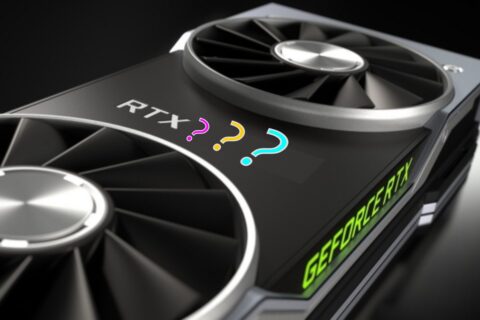
Multiple sources and players confirm that cards with 8GB VRAM struggle, especially at Ultra Nightmare settings. And with no option to turn off ray tracing, there’s no escape hatch. You’re either inside the gates of Hell—or locked out completely.
RTX 4070 vs 5060 Ti: What the Community Says

We didn’t do hands-on benchmarking, but we pulled together dozens of data points from trusted reviews, YouTube performance tests, and user feedback on Reddit and Quora.
Here’s the consensus:
- RTX 4070 (12GB) runs the game smoothly at 1080p and higher with DLSS enabled. Players report smooth frame times and enough headroom for max settings.
- RTX 5060 Ti (8GB) technically runs it but not well. Frame generation improves FPS, but at the cost of consistency. Expect stutters, VRAM warnings, and sadness.
Dropping the texture pool size helps a little, but you’re still operating under a hard ceiling. 8GB is no longer enough. For recommended GPUs, frame tech, and VRAM guidance, see our Next-Gen GPU Performance Hub.
DLSS vs FSR: Performance vs Pretty Pixels

Upscaling can save your bacon—if done right. If you’re new to this, our piece on beginner-friendly PC gaming genres covers what tech matters most in various game types.
According to player reports and tech breakdowns:
- DLSS gives better visuals and anti-aliasing. But with frame generation on, it introduces occasional stuttering and artifacts.
- FSR 3 is smoother on weaker hardware and offers higher 1% lows—but at the cost of some grainy, low-detail visuals at aggressive presets.
Rock Paper Shotgun’s technical breakdown covers how id Tech 8 handles these upscalers in-depth.
Do You Need a New CPU to Run Doom: The Dark Ages?
Nope. Doom: The Dark Ages is mostly GPU-bound. Even older CPUs like Zen 2 or 10th-gen Intel are holding up fine—unless you’re pushing for 240Hz esports-level smoothness.
Reddit users with Ryzen 9 3950X and similar setups reported stable performance, with bottlenecks appearing only under extreme frame gen settings. We saw similar behavior in CPU-sensitive games like Master of Command, where the bottlenecks hit fast if your CPU can’t keep up with AI cycles.
Why 8GB Isn’t Enough to Run Doom: The Dark Ages on PC
Not just for Doom, but for any AAA title past 2023. Doom: The Dark Ages proves that even the best game engine can’t work miracles without VRAM. So the question remains, Can Your Rig Handle Doom Dark Ages?
If you’re still using an 8GB GPU, your options are:
- Stick to medium settings and hope for the best, or
- Start saving for a GPU that doesn’t sweat at the sight of fire and brimstone.
If you’re hitting performance issues, check out Why Does My Game Stutter on High-End PC? and Why Capping FPS Is Better for more tips to stretch what you’ve got. And if you’re looking for smoother gameplay alternatives, our free games for garbage PCs list might surprise you.
Because let’s be real: the Dark Ages are back—and they’re not kind to old gear.
If you’re curious about how other medieval-inspired games stress modern hardware, check out another punishing medieval title, Kingdom Come Deliverance 2
Our Verdict!
| Category | Good News | Bad News |
|---|---|---|
| VRAM | 12GB+ runs flawlessly | 8GB struggles badly |
| CPU | Zen 2 and newer hold up | Older chips bottleneck under load |
| DLSS/FSR | DLSS looks sharp, FSR runs smoother | DLSS stutters on weak GPUs |
| Frame Gen | Helps boost FPS | Can ruin frame pacing if overused |
Final tip: If you’re still unsure whether to upgrade, check your current VRAM. Doom: The Dark Ages doesn’t care about your feelingsm, it just wants more memory.