If your PC doesn’t have a graphics card, you are not out of the game. You are just stuck sifting through a lot of dishonest “low-end” lists that quietly assume you own a GTX 1050. This article exists for people with no dedicated GPU at all, just integrated graphics, old laptops, office PCs, and machines that still get the job done but were never built for gaming.
If your no-GPU machine is specifically an old laptop, use my dedicated guide to games for low-end laptops. Laptops add extra limits that desktop no-GPU PCs do not always have, including weaker cooling, shared memory, battery behaviour and fewer upgrade options.
If your system has 8GB of memory, you also have more options than you might expect. Our guide to games for 8GB RAM PCs shows what you can realistically play depending on the graphics hardware paired with that memory.
This list sticks to one rule, no graphics card means no graphics card. No tricks, no hidden requirements, and no wasted installs.
If you want the bigger picture, this feeds into our Free Games Hub for Older PCs, where everything is built around realistic hardware.
What “No GPU” Actually Means for Free PC Games That Don’t Need a GPU
Let’s clear this up early, because this is where most lists start lying.
- No dedicated NVIDIA or AMD graphics card
- Integrated graphics only, Intel HD, Intel UHD, or Ryzen iGPU
- 4GB to 8GB of RAM (16GB is better for iGPU systems)
- Windows 10 or Windows 11
If your PC uses a Ryzen iGPU, the exact Radeon graphics class and RAM configuration can make a substantial difference to what it can run. Our guide to the best games for AMD Radeon integrated graphics will help you identify your iGPU and choose games and settings that suit it.
If your PC can browse the web, run office apps, and not completely fall apart during Windows updates, it probably qualifies. But If your CPU is just as limited as your graphics, this games for dual core CPU guide shows what still works in extreme cases.
Two realism notes that matter:
- Drivers still matter. If you’re running ancient OEM graphics drivers (or Windows “basic” drivers), performance and stability can drop hard. If you are unsure what integrated graphics are, Intel explains it clearly in their integrated graphics overview.
- Storage can be the real bottleneck. Old no-GPU PCs are often also old HDD PCs. That means paging, hitching, and “why did it freeze when I loaded a menu” moments.
Tier 1: Free Games That Run on Absolute Stock Standard PCs
These are the safest bets. Old laptops, dusty desktops, and machines powered mostly by hope should still cope. If you want to go beyond free picks and understand the full hardware needs first, check our guide to low end pc games that actually run. If you are still gaming without a graphics card, this guide on what to upgrade first on a low-end PC will help you make the smartest first move. Now here is the List as promised!
OpenTTD

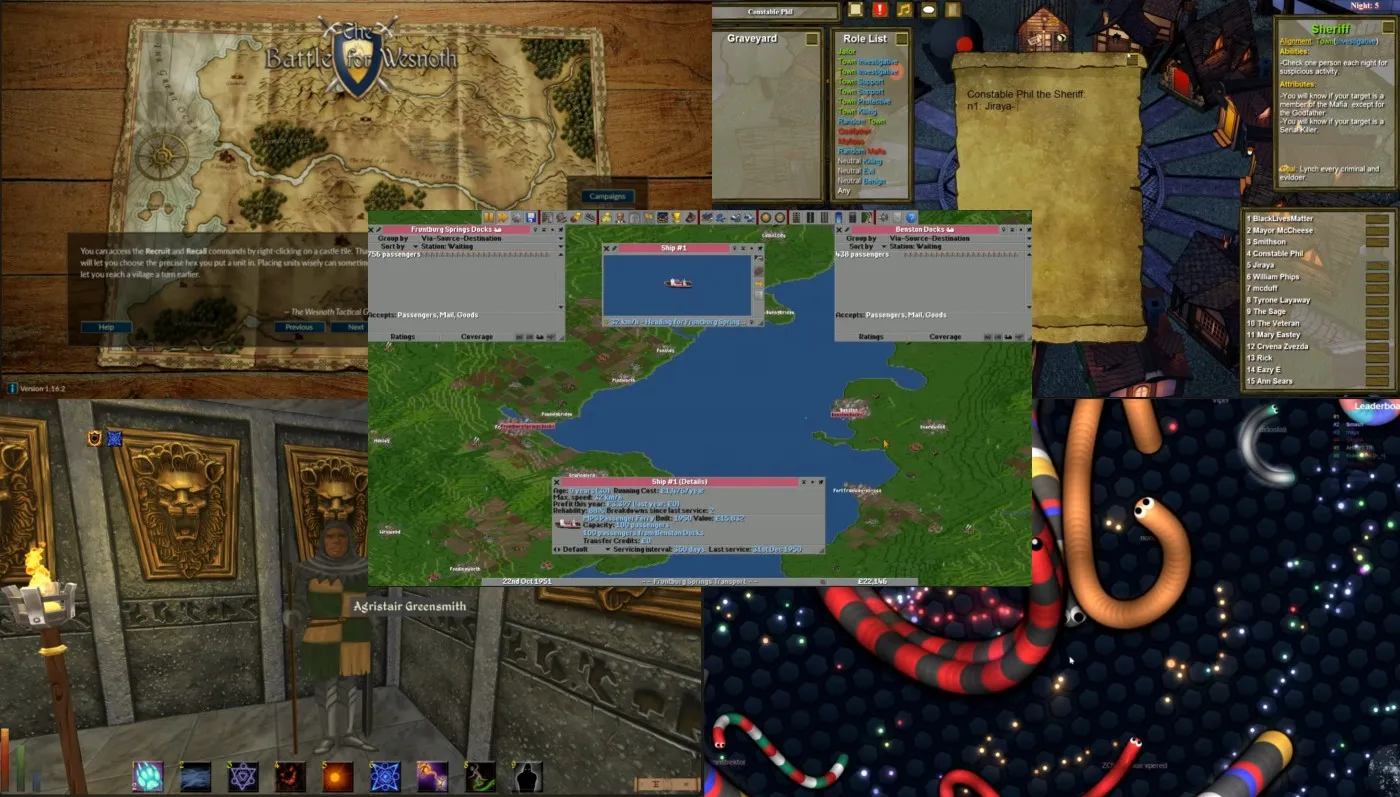
OpenTTD is a free, open-source transport management game inspired by classic PC strategy titles. You build roads, railways, airports, and shipping routes, then watch cities grow based on how well your network performs. It runs without a GPU because it uses a lightweight 2D engine with static visuals and almost zero real-time effects, meaning the CPU does most of the work.
Despite its simple look, the systems underneath are deep enough to keep you busy for dozens of hours. This is ideal if you enjoy long-term planning, optimization, and strategy over flashy visuals.
Battle for Wesnoth

Battle for Wesnoth is a turn-based fantasy strategy game focused on positioning, resource management, and careful decision-making. Every action happens in turns, which removes the need for real-time rendering and keeps hardware requirements extremely low.
The visuals are simple but readable, and the game scales well even on very old integrated graphics. What makes it stand out is the sheer amount of content, including campaigns, factions, and community-made scenarios. It is a great fit for slower systems and players who prefer thinking through moves instead of reacting quickly.
Daggerfall Unity

Daggerfall Unity is a modern engine rebuild of a classic open-world RPG that was originally designed to run on much older hardware. The Unity version focuses on stability, flexibility, and performance rather than visual upgrades, which keeps GPU demands extremely low. It runs well on weak PCs because the world logic, quests, and systems are CPU-driven, with minimal reliance on modern shader effects.
The game world is enormous, offering deep role-playing systems, factions, and procedural content. This is best suited for RPG fans who care more about freedom and scale than polished graphics.
If this tier still feels ambitious for your system, our Free Games for Garbage PCs guide goes even lower. Strategy titles are some of the most forgiving games for integrated graphics, and many free strategy games for low-end PCs run perfectly without a dedicated GPU.
Tier 2: Integrated Graphics Sweet Spot
If you are running Intel HD 4000 or newer, or any Ryzen system with built-in graphics, this is where things open up. If you’re relying on integrated graphics, our Intel HD Graphics Gaming Guide breaks down exactly what kind of performance to expect.
Brawlhalla
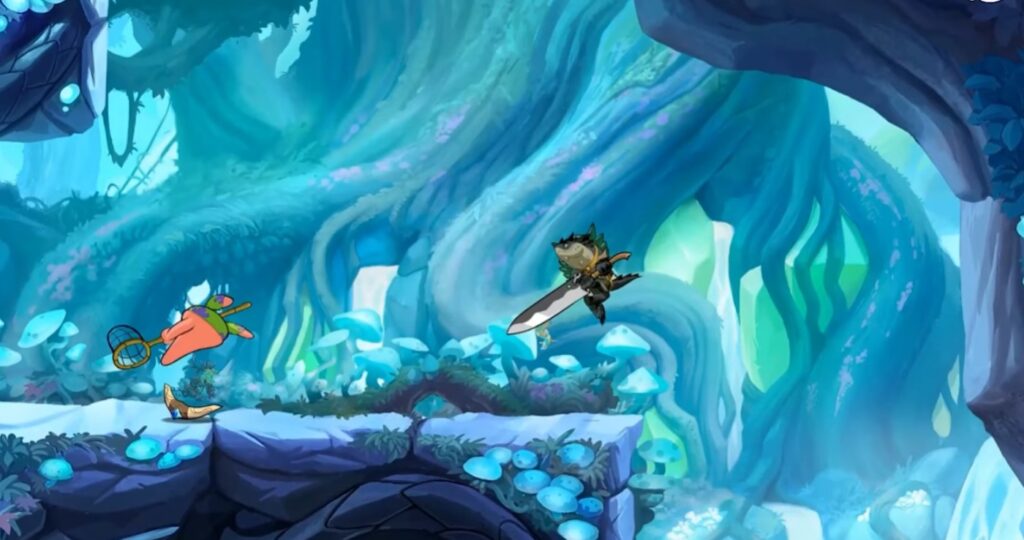
Brawlhalla is a fast-paced platform fighter that focuses on timing, positioning, and mechanical skill rather than flashy visuals. Its clean, cartoon-style art keeps GPU usage extremely low, while animations are simple and readable even at lower resolutions. The game runs well on integrated graphics because it avoids complex lighting, post-processing effects, and heavy shaders.
Despite that, it offers a deep competitive scene, frequent updates, and full cross-play support. This is a great pick if you want something skill-based and replayable without stressing weak hardware.
Team Fortress 2
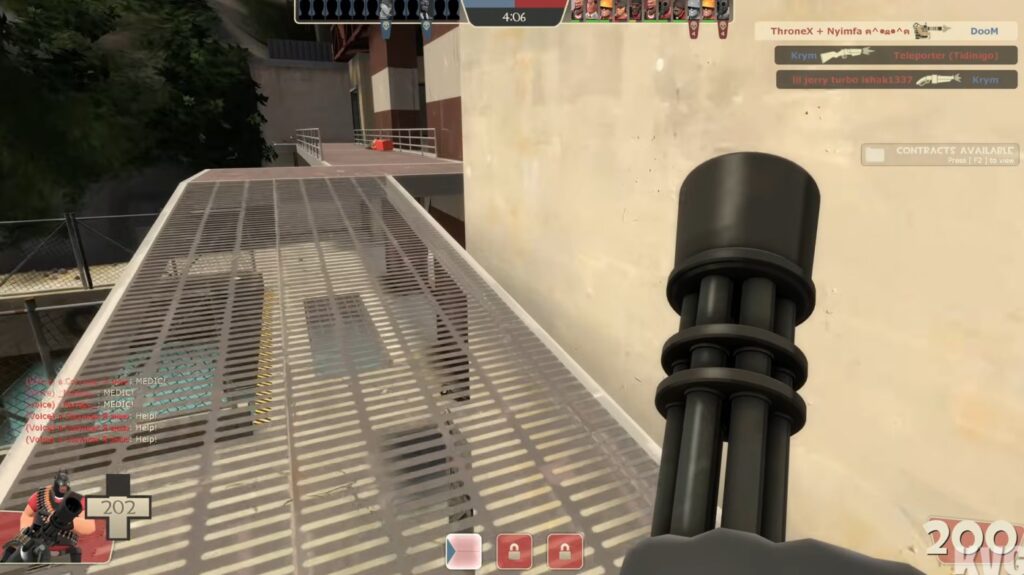
Team Fortress 2 is a class-based multiplayer shooter built on Valve’s highly scalable Source engine. It runs on integrated graphics because the engine was designed to function across a wide range of hardware and allows aggressive graphics scaling without breaking gameplay. With the right settings, it remains playable even on older Intel HD graphics.
The art style also helps, using bold colors and exaggerated characters instead of realism. This is ideal for players who want a proper FPS experience on a PC that was never meant for gaming.
Old School RuneScape
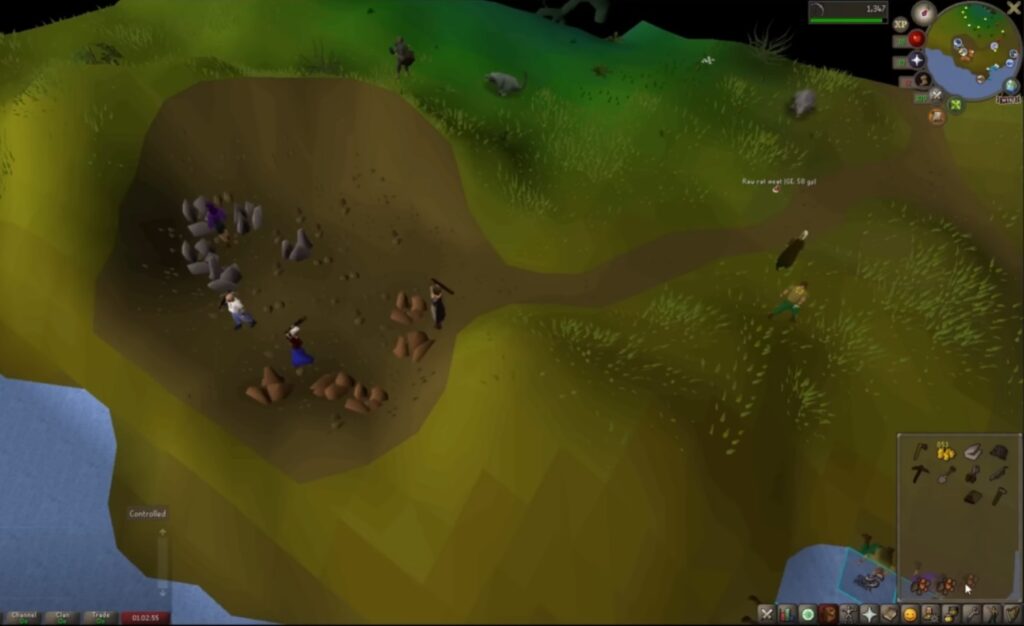
Old School RuneScape is a massively multiplayer RPG built around simplicity, progression, and long-term play. The game’s visuals are intentionally basic, which keeps system requirements extremely low and makes it one of the most reliable options for no-GPU PCs.
It runs smoothly on integrated graphics because it avoids modern rendering techniques and prioritizes game logic over visual effects. For larger worlds without needing dedicated graphics, see our collection of free open world games for low-end PCs.
What you get in return is an enormous world, hundreds of hours of content, and an active community. This is perfect if you want depth and longevity without worrying about performance.
For more options like these, see our Best Free Games for Low-End PCs breakdown, plus the genre lists below:
- Free FPS Games for Low-End PCs
- Free RPGs for Low-End PCs
- Free Survival Games for Low-End PCs
- Best Racing Games for Low-End PCs That Won’t Choke at the Starting Line
- Looking for even more recommendations? Check out our list of the best games for Intel UHD Graphics for additional free and paid titles that run well without a dedicated GPU.
For players who want scary no-GPU options, our guide to the best horror games for low-end PCs is a great next stop.
Tier 3: Browser and Lightweight Client Games
When installs are risky or storage is tight, browser and ultra-light clients keep things playable.
Krunker
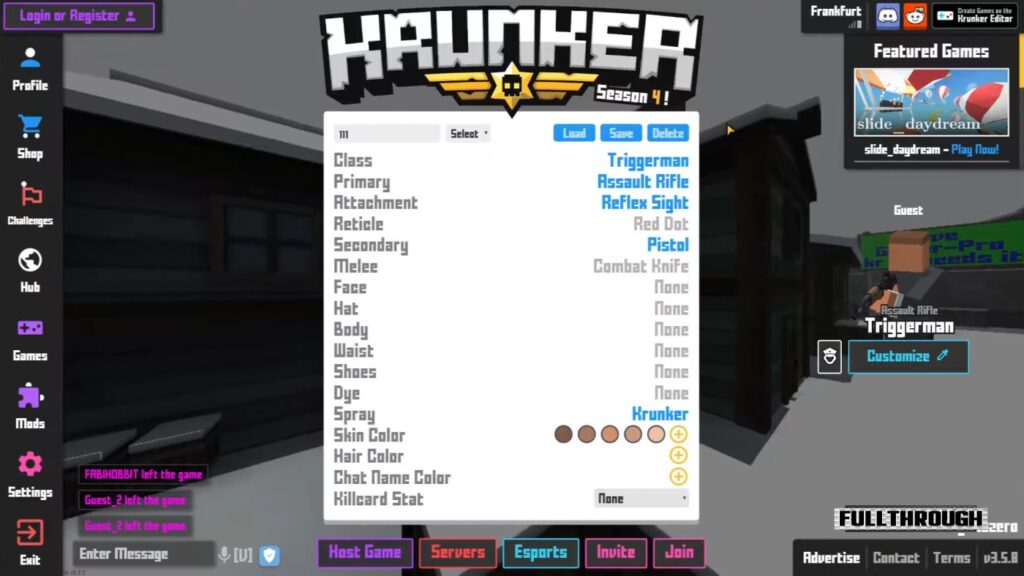
Krunker is a browser-based first-person shooter built around speed, reflexes, and instant matches rather than visual fidelity. The game uses extremely simple geometry, low-resolution textures, and minimal effects, which keeps GPU usage close to zero and makes it playable on integrated graphics. Because the visuals are intentionally stripped back, it runs well even on weak laptops and office PCs. This is a solid option if you want quick FPS action without committing storage space or stressing your hardware.
Town of Salem

Town of Salem is a social deduction game where gameplay revolves entirely around logic, discussion, and player interaction. Visually, it is extremely lightweight, using simple 2D artwork and static interfaces that place almost no load on the GPU. It runs comfortably on integrated graphics because there is no real-time rendering or animation-heavy gameplay involved. This is best suited for players who enjoy mind games and multiplayer interaction rather than fast reflex gameplay.
Slither.io

Slither.io is a browser-based multiplayer game built on a very simple visual and mechanical foundation. It runs without a dedicated GPU because the graphics are minimal, animations are basic, and the overall rendering load is extremely low. Most systems can handle it easily as long as the browser itself runs smoothly. This is a good fallback option for ultra-low-end PCs where even lightweight installed games may struggle.
Browser caveat: browser games trade install freedom for internet dependency, and they can chew RAM if you leave 27 tabs open like a raccoon hoarding shiny objects.
If your PC can handle a little more than basic no-GPU games, these open-world games like GTA V for low-end PCs are the next step up. If your no-GPU setup still wants multiplayer, check these online games for low-end PCs before wasting time on dead servers.
Performance Reality Check on No-GPU PCs
This is the part most lists skip, and it is why people think their PC is “broken” when it is actually just out of budget for modern rendering.
- You are usually CPU-bound. Integrated graphics does not magically make the CPU irrelevant, it often makes the CPU do even more work.
- RAM pressure is your silent killer. iGPUs share system memory, so 8GB total can feel tight fast once Windows, a browser, and a launcher are alive.
- Frametime matters more than FPS. You can see 60 FPS and still feel stutter if frametimes spike during loads, asset streaming, or background tasks.
- Shader compilation and caching can cause hiccups. Even lighter games can stall during first runs, especially on slow storage.
- Overlays can cause drama. Discord overlays, recorders, and “helpful” launchers are not always your friends on weak systems.
These limitations do not mean Steam is off-limits. You simply need to choose games suited to your available RAM and integrated graphics. Our guide to free Steam games matched to low-end PC hardware provides separate recommendations for very weak 4GB computers and more capable 8GB systems.
If you want to diagnose instead of guessing, these guides cover the real patterns and fixes in detail:
- Why Does My Game Stutter on a High-End PC (11 Real Fixes) (same causes often hit low-end machines harder)
- Fix High CPU Usage While Gaming
- How to Test Gaming PC Performance
- How to Use MSI Afterburner Safely
If your setup is even more limited and you need games that also work without WiFi, this list of offline games for low-end PCs is the next place to go.
Why These Games Work Without a Graphics Card
This is why the picks above behave better than modern “free” games that secretly want a dedicated GPU.
- They use 2D or simplified engines
- They avoid heavy shaders, volumetrics, and modern lighting pipelines
- They rely more on CPU processing than GPU rendering
- They scale resolution and effects cleanly without breaking readability
If you want deeper technical explanations for specific engines, PCGamingWiki is an excellent reference.
When No-GPU Gaming Is the Wrong Fight
This is the honest boundary line, because trust is more useful than false hope.
- If you want modern 3D releases: most of them are not happening on older integrated graphics, even on “low.”
- If you want competitive shooters: you might launch, but stability and frametime consistency are the real problem, not just average FPS.
- If you have a dual-core CPU plus an HDD: you will spend more time waiting than playing, and that is not a hobby.
- If your PC is overheating or throttling: performance will bounce around no matter what game you choose.
In those cases, your smartest move is not “find a magical free game,” it is a small upgrade path that removes the worst bottleneck first.
If These Still Struggle, Your Next Smart Move

If you tried the tiers above and your PC still feels cursed, do not panic. Use this simple decision ladder.
- If your RAM is 4GB: you are fighting Windows as much as the game. Upgrading to 8GB helps, 16GB is the real comfort zone for iGPU systems.
- If you are on a hard drive (HDD): the stutters and freezes are often storage paging, not “graphics.” A basic SATA SSD is the biggest quality-of-life upgrade for old PCs.
- If downloads fail or games time out: old Wi-Fi cards can be unreliable. A decent USB Wi-Fi adapter can stop a lot of launcher pain.
- If everything runs hot: clean vents, elevate the laptop, and avoid stacking background apps. Heat throttling looks like “random FPS drops.”
- If performance is inconsistent: measure first. Don’t tweak blind. Start with how to test gaming PC performance and monitor temps and usage properly.
If you want the bigger upgrade picture without wasting money, start here: Gaming PC Upgrades That Actually Matter.
Small Upgrade Toolkit That Helps No-GPU PCs Most
This is the only place in this article where buying makes sense, because this is the actual decision moment. If you want the biggest real-world improvement on no-GPU systems, these are the upgrades that punch above their weight.
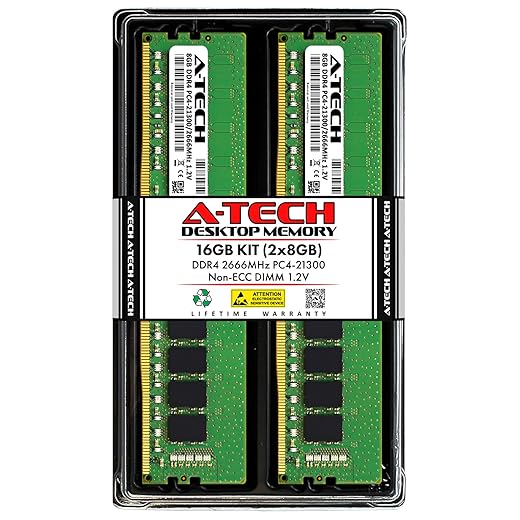
1) RAM, the iGPU performance multiplier
Integrated graphics shares system memory. More RAM reduces paging and gives your iGPU breathing room. If you do one upgrade, this is usually it.
Top 2 Choices

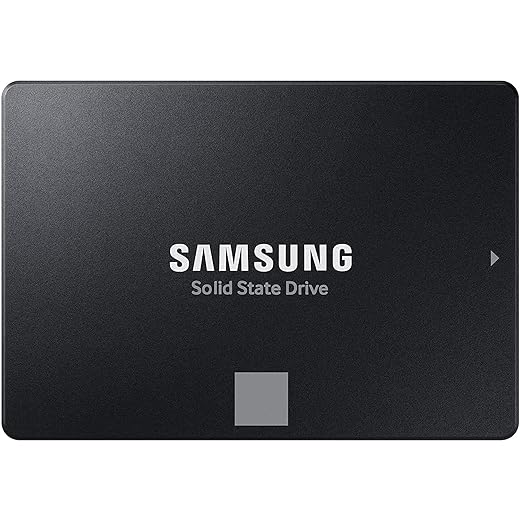
2) SATA SSD, the “my PC stopped freezing” upgrade
If you are still on an HDD, this is the upgrade that makes your whole machine feel newer. Games load faster, Windows stops choking, and hitching from paging drops hard.
2 Top Picks

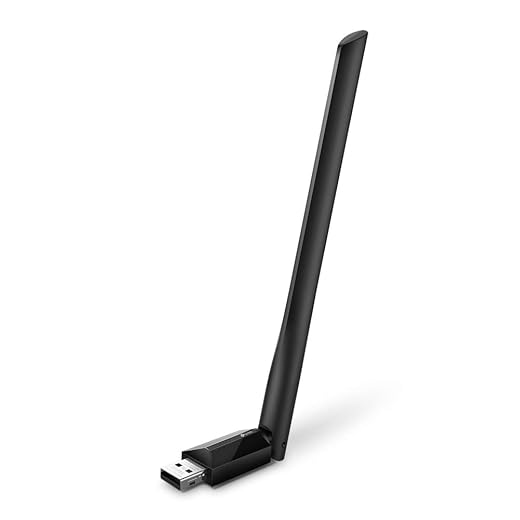
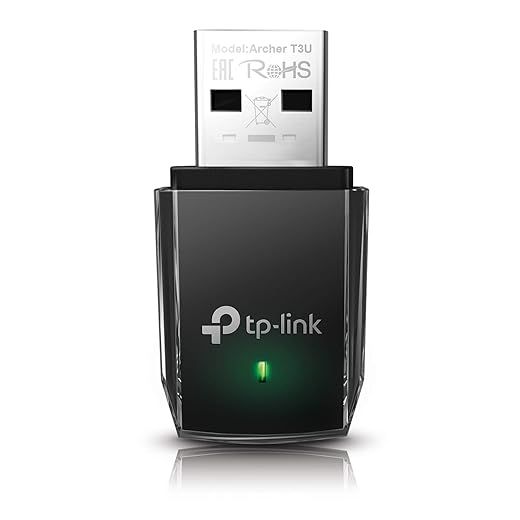
3) USB Wi-Fi adapter, for stable downloads and fewer launcher tantrums
Old built-in Wi-Fi can be unreliable, especially on office desktops and cheap laptops. A good USB adapter can mean fewer failed installs and fewer disconnects.
4) Optional, laptop cooling support
If you are on a laptop that runs hot, stability often improves just by reducing throttling. This is optional, not mandatory.
Free Games That Claim to Run Without a GPU (But Don’t)
A quick warning, because this saves frustration.
- Modern battle royale games, even on “low”
- Most Unreal Engine 5 titles
- Anything listing a GTX 960 or RX 470 as “minimum”
If a game mentions dedicated VRAM, it is not a no-GPU game. Simple as that.
Performance Tips for No-GPU PCs

You cannot brute-force performance without a graphics card, but you can avoid unnecessary losses.
- Lower resolution before touching graphics settings
- Close background apps and launchers
- Keep integrated graphics drivers updated
- Avoid overlays and recording software
For deeper fixes and troubleshooting, use these dedicated guides instead of turning this article into a wall of settings:
- Game stutter and lag fixes
- High CPU usage while gaming fixes
- MSI Afterburner monitoring setup
- How to test performance properly
FAQs: About Free PC Games That Don’t Need a GPU
Can I play these games on a work or school PC?
Technically yes, but only if policies allow it. Performance-wise, most office PCs can handle Tier 1 and some Tier 2 games. The bigger risk is IT policy, not the frame rate.
Is 4GB of RAM enough?
Sometimes, but it is the pain zone. Windows plus a browser plus a launcher can eat most of it. If you can upgrade, 8GB is survivable, 16GB is comfortable.
Does Windows 11 hurt performance?
Not automatically, but older hardware benefits from keeping startup apps under control and avoiding heavy background utilities.
Do drivers matter if I do not have a GPU?
Yes. Integrated graphics drivers still affect stability and performance. Outdated iGPU drivers are one of the easiest ways to turn “playable” into “why is this stuttering.”
Why do games stutter even if the graphics are simple?
Because stutter is often storage or CPU scheduling, not graphics. HDD paging, background tasks, and inconsistent frametimes can ruin smoothness even in lightweight games.
BTF’s Final Take on Free PC Games That Don’t Need a GPU
Gaming without a graphics card is not a fantasy, it just requires honest expectations. If your PC runs Windows reliably, there is something here you can play. BuiltToFrag exists to cut through the nonsense and point you toward what actually works.
No GPU does not mean no games. It just means smarter choices.