






Upcoming PC Games and Hardware Requirements Guide
Here comes another wave of panic upgrades. Every few months the gaming world lights up with trailers, benchmarks, and “you’ll need a NASA rig” headlines. Relax. Most of you don’t need a new GPU, yet. In this guide on upcoming PC games and hardware requirements, we’ll break down what’s really coming to your Steam library, what your rig can already handle, and when it’s actually worth upgrading. If you’re eyeing the next big releases, check our best new PC games roundup. or how to Pick your PC Parts to see where your setup stands.
What’s Coming to PC (and Why It Matters)
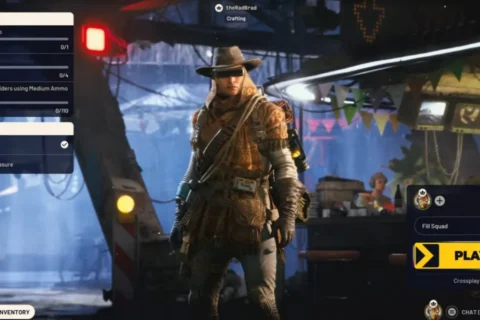
PC gaming’s next twelve months are stacked. You’ve got Call of Duty: Black Ops 7 threatening to melt CPUs, Doom: The Dark Ages benchmarking your GPU’s soul, Monster Hunter Wilds eating SSD space like candy, and indies such as Hades II reminding everyone that fun doesn’t need 800 watts. Here’s how the big hitters line up.
Call of Duty: Black Ops 7 — Still CPU-Hungry, Not a GPU Killer
Fast clocks and stable RAM matter more than max settings. If you can push 120 FPS in competitive shooters, you’re fine. COD’s engine still leans heavily on raw single-core performance, which means older Ryzen 5 and Intel i7 chips are holding up surprisingly well. Pair that with 16 GB dual-channel RAM and you’re already past the comfort zone. The biggest hit will be VRAM if you chase Ultra textures, so unless you’re playing at 4K, your mid-range GPU is safe for another year.
Doom: The Dark Ages: Benchmarking Brutality
The idTech engine is a truth serum for rigs. If your frame-times stay smooth here, you can stop worrying about the rest. Doom scales beautifully across hardware but punishes weak cooling and slow RAM. Frame pacing is tied to CPU stability, so expect gains from upgrading to a faster DDR5 kit before swapping your GPU. Even at Ultra Nightmare, the performance curve is impressively consistent, making it the perfect benchmark title for 2026.
Monster Hunter Wilds: The New Storage Hog
Expect 140 GB installs and long shader builds. NVMe drives are no longer optional. Capcom’s engine is getting heavier, and shader caching alone can take several minutes even on high-end systems. This game loves RAM bandwidth, so 32 GB systems see fewer streaming hitches. It’s also one of the first titles to quietly de-prioritize Windows 10, so upgrading to Windows 11 isn’t just about features—it’s about compatibility going forward.
Hades II: Proof That Optimization Still Exists
Runs beautifully on mid-tier hardware and scales to ultrawide heaven. Even integrated graphics can push decent framerates if you tweak shadows and post-processing. The art style hides visual compromises, making it an ideal test for balanced rigs. It’s also a great stress test for your cooling and fan curve—extended play sessions stay thermally forgiving, which is more than you can say for most AAA launches. Perfect for checking if your build is still whisper-quiet under load.
Fatal Frame 2 Remake. Ray-Traced Ghosts Included
Expect modest requirements but heavy lighting effects—VRAM, not CPU, will be the limiter. Koei Tecmo is chasing a modern cinematic horror look, so ray tracing and HDR are front and center. Expect reflections and volumetric fog that chew memory faster than most shooters. Luckily, the gameplay loop isn’t high-FPS dependent, so even 60 FPS locked feels cinematic. A good showcase for how far lighting tech can go without tanking frames—assuming your GPU isn’t allergic to RTX toggles.
Want more community-tested experiences? Check out our Dota 2 Learning Curve review, or see what pushed us in Dune Awakening and why humor itself evolved in Borderlands 4.
What These Games Tell Us About Hardware Trends

Every title above whispers the same truth: the era of bottleneck blaming the CPU is over. The new choke points are RAM, VRAM, and storage speed. Six-core processors are still golden; it’s your memory and drive bandwidth that decide how smooth the ride feels.
- RAM: 16 GB is the bare minimum. 32 GB is comfort. Anything beyond that is bragging rights unless you stream.
- VRAM: 8 GB lets you survive; 12 GB gives you breathing room for 1440p.
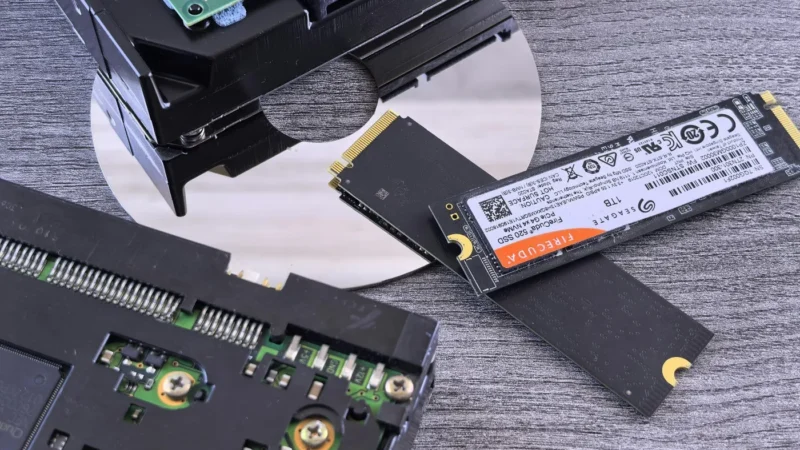
- Storage: SATA is the new bottleneck. Go NVMe or accept long load screens.
- Windows 11: Game devs are quietly dropping Win10 optimizations. Migrate before the support cliff hits.
If you’re unsure what tier you fall into, compare your setup against our best GPU picks for 1080p and 1440p list to see how your card stacks up.
Should You Upgrade or Wait?

Here’s the reality check section—the part that keeps your wallet alive.
Competitive FPS Players
High refresh rates matter more than Ultra textures. If you’re running an RTX 3060 or RX 6700 XT with a 6-to-8-core CPU, sit tight. Spend your cash on a better monitor and fine-tune latency. Need help optimizing? Our lag-reduction guide shows how to claw back frames without nuking visuals.
Cinematic AAA Gamers
Want everything cranked? GPU first, always. Aim for a 12 GB VRAM card and solid cooling. Follow our Windows performance fixes checklist before blaming the hardware.
Indie & Mid-Range Players
You don’t need to chase specs. Tune background apps, cap your framerate, and monitor thermals. (Here’s how to monitor temps and clocks like a pro.)
Windows 10 Holdouts
Time’s nearly up. Some 2026 releases are already shipping with Win11-only optimizations. If you love stability, upgrade now, not when a patch locks you out.
The Smart Gamer’s Upgrade Plan
- Test Your Baseline. Use HWiNFO or Afterburner to log CPU/GPU load during games.
- Prioritize Bottlenecks. If your GPU hits 99 % but CPU sits at 60 %, the upgrade target is obvious.
- Skip RGB, Fund Cooling. Airflow fixes more crashes than fancy lighting.
- Plan for Two Years, Not Ten. Buy what handles today’s heavy hitters with 20 % headroom—no more.
Hardware Survival Checklist
- 16 GB RAM minimum; 32 GB ideal
- 8–12 GB VRAM GPU sweet spot
- NVMe SSD mandatory for big titles
- Windows 11 for long-term support
- 6–8 core CPU @ 4.5 GHz range = still king
Cross-check your specs with real players on the Steam Hardware Survey and stop believing marketing slides.
Your Rig’s Fine (Mostly)
PC gaming is evolving fast, but most mid-range builds are still beasts if maintained right. Keep your drivers fresh, temps low, and SSDs half empty. If your GPU isn’t melting, your wallet shouldn’t either. When you’re ready to future-proof for the next cycle, start with our GPU upgrade guide.