Updated: September 1, 2026
You do not need to spend $150 or more to get a mechanical keyboard that feels good and responds reliably in games. The difficult part is separating genuinely useful features from impressive-sounding specifications, temporary discounts, and keyboards that look better in a product listing than they feel after several months of use.
This guide compares the best mechanical keyboards under $100 for different types of buyers, including competitive gamers, wireless users, people who need a numpad, and anyone looking for a good mechanical keyboard without spending the entire budget unnecessarily.
Our recommendations are based on available specifications, normal and sale pricing, recurring owner feedback, warranty information, and findings reported by established reviewers. BuiltToFrag did not personally long-term test every keyboard in this guide, so we do not pretend that switch feel or long-term reliability can be reduced to a specification sheet. Instead, each recommendation explains who the keyboard suits, why it earned its position, and which compromise you should understand before buying it.
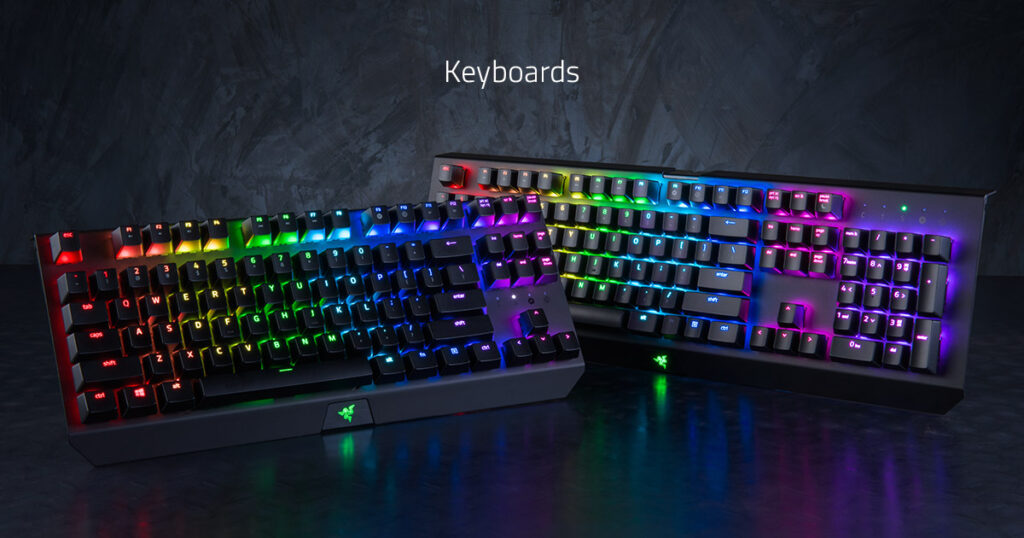
Budget mechanical keyboards can deliver responsive gaming performance, but layout, switch choice and everyday usability matter more than flashy specifications.
Some product links in this guide are affiliate links. BuiltToFrag may earn a commission if you buy through them, at no additional cost to you. Recommendations are based on suitability and value rather than commission.
Quick Picks: The Best Mechanical Keyboards Under $100
If you already know the layout and features you need, these are the quickest routes to the right keyboard. Prices can move above or below $100, so check the current offer before ordering.
| Keyboard | Best for | Layout | Connection | Main compromise |
|---|---|---|---|---|
| AULA F75 Pro | Best overall | 75% | USB-C, 2.4GHz and Bluetooth | No numpad |
| AULA F87 Pro | Best TKL | 87-key TKL | USB-C, 2.4GHz and Bluetooth | Larger than a 75% board |
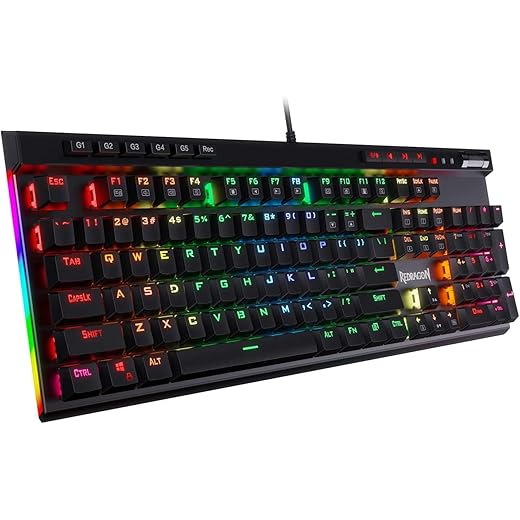
| Redragon K686 Pro | Best compact keyboard with a numpad | 98-key | USB-C, 2.4GHz and Bluetooth | Compressed key spacing |
| TECKNET 96% | Best affordable all-rounder | 97-key | USB-C, 2.4GHz and Bluetooth | Less-established keyboard ecosystem |
| Razer BlackWidow V4 X | Best for macros and familiar software | Full-size | Wired | Only qualifies under $100 when discounted |
| Redragon K580 VATA | Best budget MMO and macro keyboard | Full-size | Wired | Older design without wireless or hot-swap |
Our overall recommendation is the AULA F75 Pro. Its 75% layout, tri-mode connection, hot-swappable switches, PBT keycaps and volume knob give most gamers the best balance of desk space, features and value. Choose the Redragon K686 Pro instead if keeping a numpad is essential.
Best Mechanical Keyboards Under $100
The keyboards below are ranked by the type of buyer they suit, not by which one has the longest specification list. Each recommendation includes the reason it earned its position and the compromise you should understand before buying it.
How we score keyboards: BuiltToFrag ratings are editorial scores based on features, layout practicality, connectivity, upgrade flexibility, recurring owner feedback and value at the qualifying price. They are not laboratory test scores, and a higher rating does not mean the keyboard is right for every buyer.
Best Overall: AULA F75 Pro
BuiltToFrag rating: 4.7/5
The AULA F75 Pro is the strongest all-round recommendation for gamers who want a compact wireless keyboard without giving up arrow keys, a function row or convenient volume control. Its 75% layout leaves substantially more mouse room than a full-size keyboard while remaining easier to use outside games than a 60% board.
It combines USB-C, 2.4GHz wireless and Bluetooth connectivity with hot-swappable switches, pre-lubed Reaper linear switches, side-printed PBT keycaps and a control knob. That is a useful collection of features rather than padding added to a product title. The 2.4GHz mode is the connection to use for gaming, while Bluetooth is better reserved for tablets, laptops and casual multi-device use.
Why it earns this position: It provides the best balance of compact size, gaming-friendly wireless, replaceable switches and everyday usability among these picks. It also gives first-time mechanical-keyboard buyers room to change switches later without requiring soldering.
The compromise: There is no numpad, and side-printed legends can be harder to read from above than conventional top-printed keycaps. The compact key arrangement may also require a short adjustment period if you are moving from a full-size keyboard.
Choose it if: You want one compact keyboard for gaming, typing and wireless desktop use.
Skip it if: You regularly enter numbers or need dedicated macro keys. The Redragon K686 Pro or K580 will suit those needs better.
Check the current AULA F75 Pro price and available switch option below.

Best TKL Keyboard: AULA F87 Pro
BuiltToFrag rating: 4.6/5
The AULA F87 Pro is the better choice for someone who likes the F75 Pro’s wireless and custom-keyboard features but prefers a traditional TKL layout. Its 87-key arrangement keeps the arrow keys and navigation cluster separated, making keys such as Delete, Home, End and Page Down easier to find by touch.
Despite some marketplace titles describing it as “75% TKL,” it is an 87-key TKL keyboard. That distinction matters: it occupies more desk space than the F75 Pro, but its less-compressed layout can be easier to use for work, editing and general Windows navigation.
Tri-mode connectivity, hot-swappable switches, pre-lubed switches and side-printed PBT keycaps give it much of the same flexibility as the F75 Pro. For low-sensitivity FPS players, it still saves considerable mouse space compared with a full-size keyboard.
Why it earns this position: It combines a familiar TKL layout with the wireless and customisation features commonly associated with smaller enthusiast-style keyboards.
The compromise: It takes up more room than a 75% keyboard and still omits the numpad. Side-printed legends may not suit buyers who regularly look down to find less-familiar keys.
Choose it if: You want more mouse room without compressing the navigation keys into a 75% layout.
Skip it if: Maximum desk space matters more than separated keys. The AULA F75 Pro is the more compact alternative.
Check the current AULA F87 Pro price and switch selection below.

Best Compact Keyboard With a Numpad: Redragon K686 Pro
BuiltToFrag rating: 4.5/5
The Redragon K686 Pro is the most convincing option for buyers who want modern wireless and hot-swap features without losing the numpad. Its 98-key layout moves the keys closer together, making it narrower than a traditional full-size keyboard while retaining most of the functions needed for gaming, work and number entry.
Its gasket-mounted construction and internal sound-dampening layers are intended to reduce the hollow sound associated with cheaper plastic keyboards. It also includes tri-mode connectivity, hot-swappable switch sockets, PBT keycaps and a dedicated control knob.
Why it earns this position: It gives numpad users many of the features found on compact wireless custom-style keyboards without forcing them into a numpad-free layout.
The compromise: A 98-key board is more crowded than a traditional full-size keyboard. The smaller gaps between the arrow keys, numpad and navigation controls may cause occasional wrong keypresses until you learn the layout.
Choose it if: You want wireless gaming, hot-swap flexibility and a numpad in a narrower keyboard.
Skip it if: You prefer clearly separated key groups or rely heavily on the traditional navigation cluster. Consider the full-size K580 or BlackWidow V4 X instead.
Check the current Redragon K686 Pro price and keycap option below.

Best Affordable All-Rounder: TECKNET 96% Mechanical Keyboard
BuiltToFrag rating: 4.1/5
The TECKNET 96% Mechanical Keyboard is aimed at buyers who want a numpad, wireless connectivity and hot-swappable switches at a lower price than many better-known gaming keyboards. Its 97-key layout saves desk space by compressing the full-size arrangement rather than removing the number keys.
USB-C, 2.4GHz wireless and Bluetooth make it suitable for a gaming PC and secondary devices. The dedicated 2.4GHz connection should be used for gaming, while Bluetooth is most useful when moving between a computer, laptop or tablet.
Why it earns this position: It covers the essential features most budget buyers ask for without requiring them to pay close to the $100 ceiling.
The compromise: TECKNET does not have the same keyboard-specific ecosystem or software familiarity as Razer, Redragon or Royal Kludge. Buyers should place more weight on warranty coverage, the seller and the return process.
Choose it if: Price matters more than brand-specific software and you still want wireless, a numpad and replaceable switches.
Skip it if: You want the safer enthusiast-style feature set and more established keyboard support of the AULA F75 Pro or Redragon K686 Pro.
Check the TECKNET’s current price and warranty terms below.

Best for Macros and Familiar Software: Razer BlackWidow V4 X
BuiltToFrag rating: 4.2/5 when priced below $100
The Razer BlackWidow V4 X makes the most sense for MMO players, simulation fans and buyers who want dedicated macro keys backed by a familiar gaming-software ecosystem. This version uses Razer Yellow linear switches, which provide a smoother and quieter response than the company’s clicky Green switches.
Its full-size layout includes six dedicated macro keys, a multi-function roller and secondary media controls. Those features are more useful for games with many commands than a tiny layout or decorative screen would be.
Why it earns this position: The dedicated controls and Razer Synapse integration make it easier to manage macros, lighting and game-specific profiles than many lower-cost boards with more basic software.
The compromise: It is wired, large and not hot-swappable. The BlackWidow V4 X can also sell above $100, so it belongs in this guide only when the current price falls below the limit.
Choose it if: You want a full-size gaming keyboard with dedicated macro keys and expect to use Razer’s software features.
Skip it if: You want wireless, replaceable switches or a compact desk setup. Do not pay above $100 for it merely because it carries the Razer name.
Check whether the Razer BlackWidow V4 X is currently below $100.

Best Budget MMO Keyboard: Redragon K580 VATA
BuiltToFrag rating: 4.0/5
The Redragon K580 VATA is the value alternative to the BlackWidow V4 X for gamers who need dedicated macro and media controls but do not need wireless connectivity or hot-swappable switches. The linked brown-switch version uses a tactile switch that suits mixed gaming and typing better than buyers who want an extremely light linear action.
Its traditional full-size layout includes five dedicated macro keys, onboard macro recording and separate media controls. That makes it particularly practical for MMOs, strategy games, productivity shortcuts and simulation titles with large control lists.
Why it earns this position: It provides genuinely useful dedicated controls at a lower price than many premium gaming-branded keyboards.
The compromise: This is an older wired design. It lacks the hot-swap sockets, gasket construction, compact footprint and tri-mode connectivity offered by newer alternatives.
Choose it if: Dedicated macros, a numpad and media controls matter more than wireless or keyboard modification.
Skip it if: You mainly play FPS games or want a smaller keyboard. The extra macro column and full-size case consume considerably more desk space.
Check the current Redragon K580 VATA price and switch version below.
Other Mechanical Keyboards Worth Considering
The following keyboards are not weak products. They simply have a narrower advantage, overlap with a stronger main recommendation or include features that only make sense for a particular buyer.
RK Royal Kludge RK96: A 96% Alternative With a Wrist Rest
BuiltToFrag rating: 4.3/5
The RK96 combines a space-saving 96% layout with wired, 2.4GHz and Bluetooth connections. Its included magnetic wrist rest is a meaningful advantage if you find taller mechanical keyboards uncomfortable without additional wrist support.
Choose it over the TECKNET if the wrist rest and Royal Kludge ecosystem justify the price difference. Choose the Redragon K686 Pro instead if gasket construction, sound dampening and a control knob matter more.
Main compromise: The compact key grouping takes adjustment, and the wrist rest should not distract you from confirming the exact switch and keycap version being sold.
Check the RK96 price and included accessories below.

Redragon K673 Pro: A Strong Compact Redragon Option
BuiltToFrag rating: 4.4/5
The Redragon K673 Pro is an 81-key compact wireless keyboard with gasket construction, hot-swappable switches and a control knob. It is a sensible alternative to the AULA F75 Pro for buyers who prefer Redragon or find it at a meaningfully lower price.
Main compromise: Its role overlaps heavily with the AULA F75 Pro. Unless the K673 Pro is cheaper, has a switch you prefer or offers better local availability, the AULA remains the more convincing overall recommendation.
Check the Redragon K673 Pro price and switch option below.

Redragon K688: A 98-Key Wireless Alternative
BuiltToFrag rating: 4.3/5
The Redragon K688 is another option for buyers who want a numpad without returning to the width of a traditional full-size keyboard. It combines a 98-key layout with tri-mode connectivity, gasket mounting, hot-swappable pre-lubed linear switches, MDA-profile keycaps and a volume knob.
The taller, sculpted MDA keycap profile is a genuine point of difference, but it is also a matter of preference. Some typists enjoy the shape, while buyers accustomed to lower-profile keycaps may require time to adjust.
Main compromise: It overlaps closely with the K686 Pro. Choose between them based on current price, keycap profile, colour and the exact switch version rather than assuming the larger feature list identifies the better keyboard.
Check the Redragon K688 price and selected colour below.

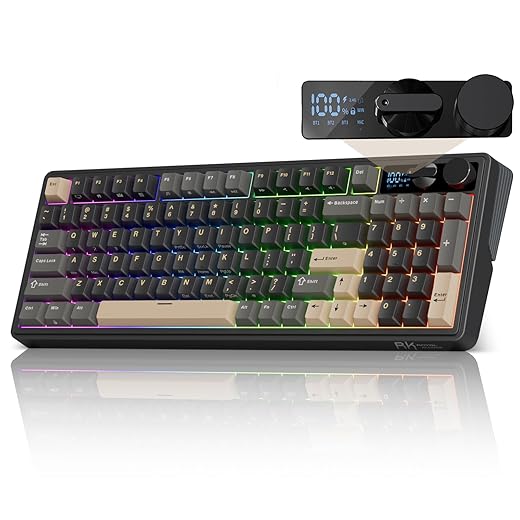
RK Royal Kludge M100: Best if You Specifically Want a Screen
BuiltToFrag rating: 4.0/5
The Royal Kludge M100 adds a display screen and control knob to a wireless mechanical-keyboard design. It suits someone who enjoys custom graphics or wants status information visible on the keyboard.
The screen is not a performance feature. It should only influence your decision after you are satisfied with the layout, switch option, wireless modes and price.
Main compromise: Part of the price is paying for the display. Buyers focused on switch feel and straightforward gaming value may be better served by the AULA F75 Pro, AULA F87 Pro or Redragon K686 Pro.
Check the Royal Kludge M100 price and screen features below.
What You Actually Get From a Mechanical Keyboard Under $100
Mechanical keyboards below $100 have improved considerably. Many now include features that were previously restricted to more expensive models, including hot-swappable switches, pre-lubed switches, wireless connections, sound-dampening material, PBT keycaps and compact layouts.
That does not mean every keyboard below $100 is equally good. This price range still involves compromises, and knowing where manufacturers commonly save money will help you avoid paying for features that look better on the box than they perform in daily use.
- Switches: Pre-lubed budget switches can feel surprisingly smooth, but consistency may vary between models and individual switches.
- Stabilizers: Larger keys such as the space bar, Enter, Backspace and Shift may rattle or feel less refined than the letter keys.
- Case construction: Plastic cases are normal at this price. A well-designed plastic case can still feel solid, while a metal top plate does not automatically guarantee a better keyboard.
- Keycaps: PBT keycaps are increasingly common and generally resist shine better than thin ABS keycaps, but shape, texture and legends still differ between models.
- Wireless performance: A good 2.4GHz connection is suitable for gaming. Bluetooth is useful for tablets and office devices but is not the preferred connection for fast-paced competitive games.
- Software: Budget keyboard software is often functional rather than polished. Check whether you actually need software for remapping, macros or RGB control before treating it as an essential feature.
- Quality control: Owner experiences can vary. Warranty coverage and an uncomplicated return process matter, especially with less-established keyboard brands.
You also do not have to spend the full $100. If you only need a reliable wired keyboard with a layout and switch type you already like, a good $50 to $70 model may be the more sensible purchase. Spending closer to $100 makes more sense when it gives you a feature you will genuinely use, such as dependable wireless, better keycaps, a specific layout, hot-swappable switches or dedicated controls.
Prices change regularly. Every main recommendation in this guide was available for $100 or less when last checked, excluding optional accessories and shipping. If a keyboard only qualifies when discounted, we identify it as a sale-dependent recommendation rather than pretending it is always a sub-$100 product.
How to Choose the Right Mechanical Keyboard Under $100
Do not begin with RGB, polling rate or the number of features in the product title. Start with the decisions that determine whether the keyboard will be comfortable and practical after the excitement of unboxing it has worn off.
Choose the Layout You Can Live With
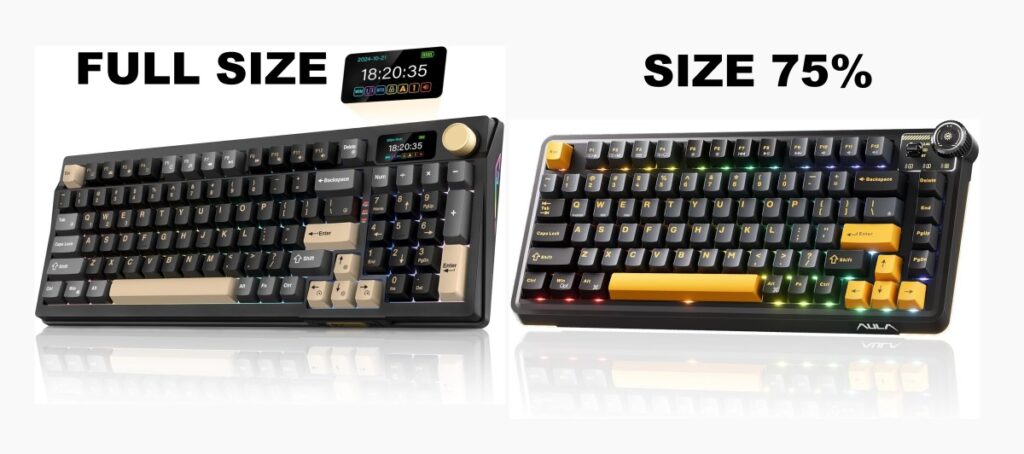
- Full-size: Includes a numpad and the complete navigation cluster. Choose it if you regularly enter numbers, use spreadsheets or rely on dedicated keys, but remember that it occupies more mouse space.
- 96% or 98-key: Keeps most full-size functions while moving the keys closer together. It saves desk space without removing the numpad, although the compressed layout may take time to learn.
- TKL or 80%: Removes the numpad but keeps the function row, arrow keys and navigation cluster. This is a strong choice for gaming without making everyday keyboard shortcuts difficult.
- 75%: Compresses the TKL functions into a smaller layout. It offers a useful balance between mouse space and dedicated keys, but key placement differs between models.
- 65% and 60%: Prioritise desk and mouse space. They can work well for gaming, but missing function or navigation keys must be accessed through shortcuts and layers.
For most gamers, TKL and 75% are the safest compact choices. They create more room for low-sensitivity mouse movement without removing so many keys that normal Windows use becomes frustrating. A 96% or 98-key keyboard makes more sense if you want nearly every full-size function in a narrower case.
Pick a Switch for Feel, Not an Assumed Performance Advantage
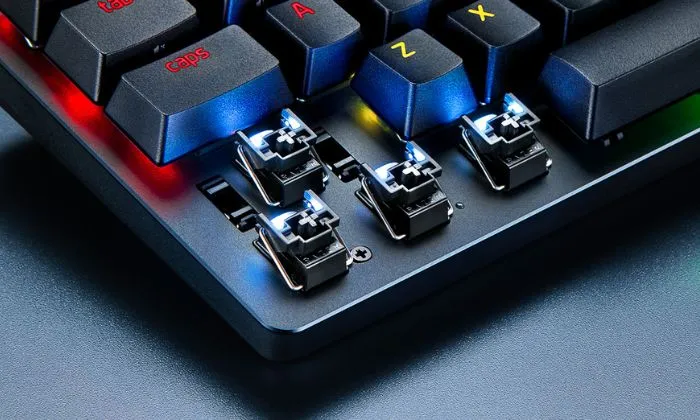
Switch type changes how every keypress feels and sounds, but no switch colour is automatically best for every gamer.
- Linear switches: Move smoothly without a tactile bump. They are popular for FPS and action games, but lighter switches may also cause accidental keypresses until you adjust to them.
- Tactile switches: Provide a noticeable bump during the keypress. They are a useful middle ground for people who divide their time between gaming and typing.
- Clicky switches: Add an audible click as well as tactile feedback. Some people enjoy the response, but they can become distracting in shared rooms, offices or voice chat.
Linear switches are common in gaming keyboards because their movement feels smooth and uninterrupted, not because they automatically make every player faster. Actuation force, travel, familiarity and your ability to avoid accidental presses matter as well. If you have never used a mechanical keyboard before, a moderate linear or tactile switch is usually a safer starting point than an extremely light gaming switch.
Also check the exact switch option before ordering. The same keyboard may be sold with several switch types, and marketplace listings sometimes combine owner reviews from different versions.
Decide Whether Wireless Is Worth Paying For
A wired connection remains the simplest choice: there is no battery to charge, no receiver to lose and little risk of wireless interference. That does not mean modern wireless keyboards are unsuitable for gaming.
- USB cable: The most straightforward option for consistent gaming and permanent desktop use.
- 2.4GHz wireless: The preferred wireless mode for gaming when the connection is implemented reliably. It normally uses a dedicated USB receiver.
- Bluetooth: Convenient for laptops, tablets and switching between devices, but generally better suited to typing and casual use than latency-sensitive competitive gaming.
If the keyboard will remain on one gaming desk, do not pay extra for tri-mode connectivity merely because it adds another specification to the product page. Wireless is valuable when it solves a real cable, portability or multi-device problem.
Treat Hot-Swap as Flexibility, Not a Requirement
A hot-swappable keyboard lets you replace compatible switches without soldering. This is useful if you want to experiment with switch feel or replace a faulty switch instead of discarding the entire keyboard.
However, hot-swap support is not essential if you already like the installed switches and have no interest in modifying the keyboard. Compatibility can also differ: some sockets accept both three-pin and five-pin switches, while others are more restricted. Check the specific model before buying replacement switches.
Which Mechanical Keyboard Features Are Worth Paying For?
Budget keyboard listings often compete by presenting the longest possible feature list. More features do not automatically produce a better keyboard. The value of each feature depends on whether it improves comfort, reliability or the way you actually use the board.
| Feature | Is it worth prioritising? | What it means for the buyer |
|---|---|---|
| Reliable 2.4GHz wireless | Yes, if you need wireless | More suitable for gaming than relying on Bluetooth alone. |
| PBT keycaps | Usually | They generally resist surface shine better than thin ABS keycaps. |
| Hot-swappable switches | Useful, not essential | Adds repairability and lets you change switch feel without soldering. |
| Volume knob or media controls | Useful for many desktop users | Provides quick volume control without leaving a game or using key combinations. |
| Gasket mounting and internal foam | Sometimes | Can improve sound and typing feel, but the quality of the implementation matters more than the label. |
| Macro keys | Depends on your games | Useful for MMOs, simulation games and productivity, but unnecessary for many FPS players. |
| Very high polling rates | Rarely for ordinary gamers | A reliable 1000Hz connection is already sufficient for the large majority of players. |
| RGB lighting | Personal preference | Can improve key visibility and appearance, but does not improve keyboard performance. |
| Small display screen | Usually optional | Can show status information or custom graphics, but should not outweigh switch feel, layout or reliability. |
A good keyboard is the one that gets the fundamentals right for your needs. Do not reject a simpler model because another keyboard has a screen, additional RGB modes or a longer feature list. Likewise, paying closer to $100 can be sensible when the extra cost buys the exact layout, connection method or controls you will use every day.
The recommendations below apply these priorities to specific keyboards rather than ranking products by specifications alone.
Will a Better Mechanical Keyboard Improve Your Gaming?
A better keyboard can improve comfort, key consistency and how enjoyable your PC feels to use. It will not raise your frame rate, remove network lag or automatically make you more accurate.
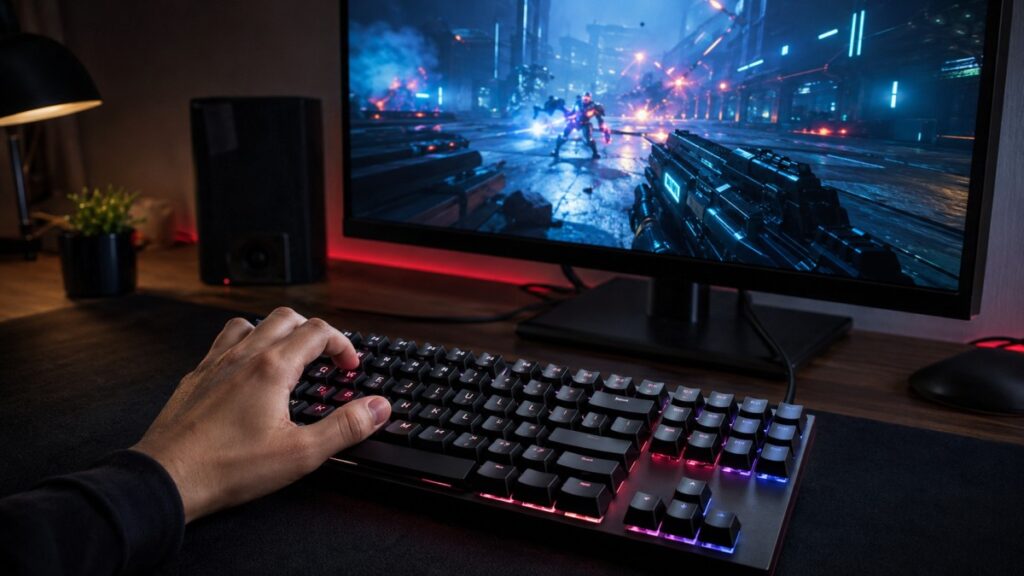
For most gamers, a reliable 1000Hz wired or 2.4GHz connection is already sufficient. Polling rates above that can sound impressive, but they should not take priority over a comfortable switch, practical layout and dependable connection—especially when gaming on an older or budget PC.
- N-key rollover helps ensure simultaneous keypresses are registered during games.
- Sensible debounce tuning helps prevent unintended repeated inputs, although implementation varies between models.
- A smaller layout can create more mouse room for players using low sensitivity.
- A switch you find comfortable can reduce fatigue during long gaming and typing sessions.
If your current keyboard works reliably, replacing it may produce a smaller improvement than upgrading hardware that is limiting game performance. Our PC Gaming Setup Guide explains which parts of the wider setup make a practical difference.
If games stutter despite responsive keyboard input, use the MSI Afterburner guide or our PC performance monitoring guide to investigate the PC rather than blaming the keyboard.
When a Mechanical Keyboard Under $100 Is the Wrong Buy
A mechanical keyboard is not automatically the right purchase simply because it is popular with gamers.
- Your current keyboard already works well: A replacement may improve feel, but it will not necessarily improve your results in games.
- You need extremely quiet typing: Even quieter linear mechanical switches can produce noticeable bottom-out and stabilizer noise. A good membrane or purpose-built silent keyboard may be more suitable.
- You only browse and type occasionally: A reliable membrane keyboard may meet your needs for less money.
- Your PC still needs an important performance upgrade: Do not spend $100 on a keyboard while ignoring insufficient RAM, failing storage or another component that is actively harming your games.
- You expect price alone to guarantee quality: Spending more can provide better materials or software, but a $150 keyboard is not automatically better than a carefully chosen $70 model.
Move above $100 only when a specific model solves a problem these keyboards do not. Premium case materials, advanced remapping, adjustable actuation and more refined acoustics can be worthwhile, but only for buyers who know they need them.
Frequently Asked Questions
What is the best mechanical keyboard under $100?
The AULA F75 Pro is the best overall choice for most gamers because it combines a practical 75% layout with 2.4GHz wireless, Bluetooth, USB-C, hot-swappable switches, PBT keycaps and a volume knob. The Redragon K686 Pro is the better choice if you need a numpad.
Do I need to spend the full $100?
No. A good $50 to $70 wired keyboard may be all you need. Spend closer to $100 when the additional cost buys a feature you will use, such as reliable wireless, better keycaps, hot-swap support, dedicated macro controls or a specific layout.
Are affordable mechanical keyboards reliable?
Many affordable mechanical keyboards can last for years, but reliability varies by model rather than brand name alone. Potential weak points include stabilizers, wireless connections, software, LEDs, USB ports and hot-swap sockets. Check the warranty, seller and recurring model-specific owner complaints before buying.
Is a wireless mechanical keyboard good enough for gaming?
A reliable 2.4GHz wireless keyboard is suitable for ordinary and competitive gaming. Use the supplied 2.4GHz receiver rather than Bluetooth for fast-paced games. Bluetooth is more useful for typing, tablets and switching between devices.
Do I need a hot-swappable keyboard?
No. Hot-swap support is valuable if you want to change switch feel or replace a faulty switch without soldering. It provides little benefit if you already like the installed switches and never intend to modify the keyboard.
Which mechanical switch is best for FPS games?
Linear switches are popular for FPS games because their movement is smooth and uninterrupted. They are not automatically faster for every player. Actuation force, familiarity and avoiding accidental presses matter more than the switch colour alone.
Is a 75% keyboard better than a TKL keyboard?
A 75% keyboard saves more desk space, while a TKL keyboard keeps the navigation keys in a more familiar, separated arrangement. Choose 75% for maximum mouse room and TKL for easier everyday navigation. Neither layout is inherently better for gaming.
Bottom Line
The AULA F75 Pro is the best mechanical keyboard under $100 for most gamers. It provides the strongest balance of compact size, gaming-friendly wireless, hot-swappable switches, durable keycaps and useful everyday controls.
Choose the AULA F87 Pro if you prefer a traditional TKL layout, or the Redragon K686 Pro if you need a numpad without returning to a wide full-size keyboard. Buyers who rely on dedicated MMO macros should consider the Razer BlackWidow V4 X when it is discounted below $100, with the Redragon K580 VATA as the more affordable wired alternative.
Do not spend the full budget simply because you can. The right keyboard is the least expensive model that provides the layout, switch feel, connection and controls you will genuinely use.
For the best balance of gaming features and value, check the current AULA F75 Pro offer below.
More Gaming Gear Worth Your Money
- Build the rest of your setup with our gaming mice, keyboards and peripherals guide.
- Pair your keyboard with one of our recommended gaming mice.
- Choose the right display using our gaming monitor buying guide.
- Plan the rest of your computer with the gaming PC hardware guide.
Some links are affiliate links that help support BuiltToFrag at no additional cost to you.