
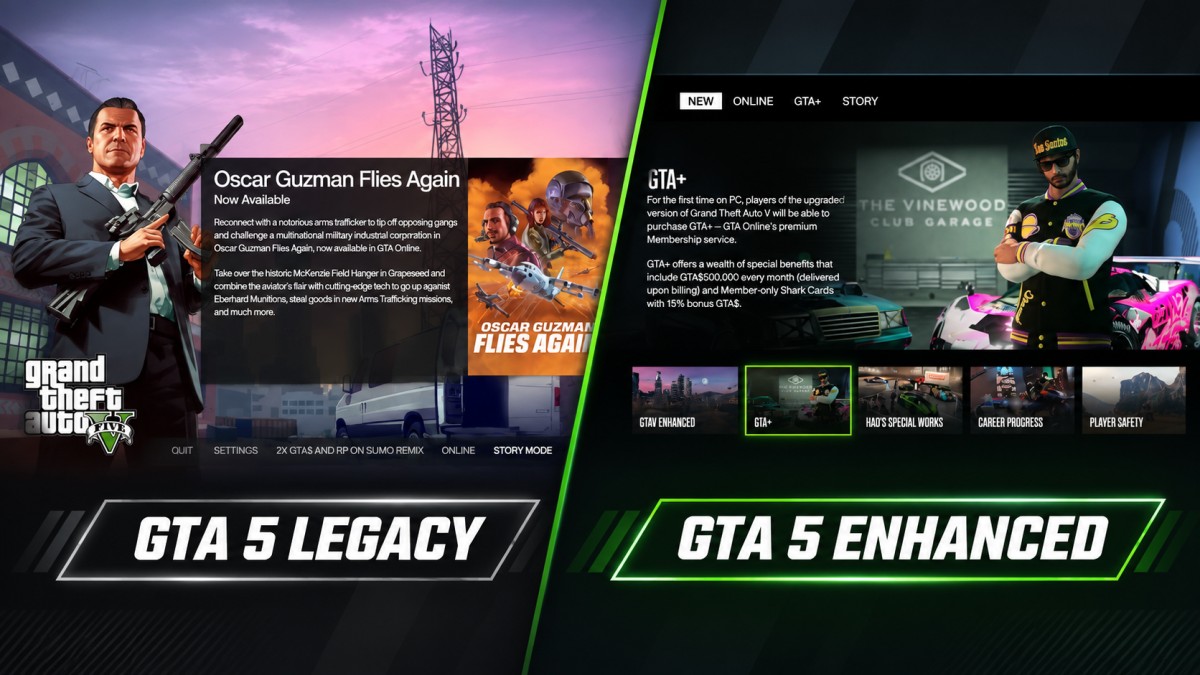
GTA 5 Legacy is the safer choice for most genuinely low-end PCs. If you have 4–8GB RAM, an old graphics card, or a basic laptop with integrated graphics, start with Legacy rather than assuming the newer Enhanced edition will run better. Enhanced has higher hardware requirements, but on a suitable PC it can offer better visuals, upscaling and, in some situations, smoother frame delivery.
The right version depends on more than the number of years your PC has been around. Your CPU, graphics chip, dedicated video memory and storage all matter. Here’s how to pick a version without wasting time on an installation your hardware may not handle.
GTA 5 Enhanced vs Legacy: what the official requirements tell us
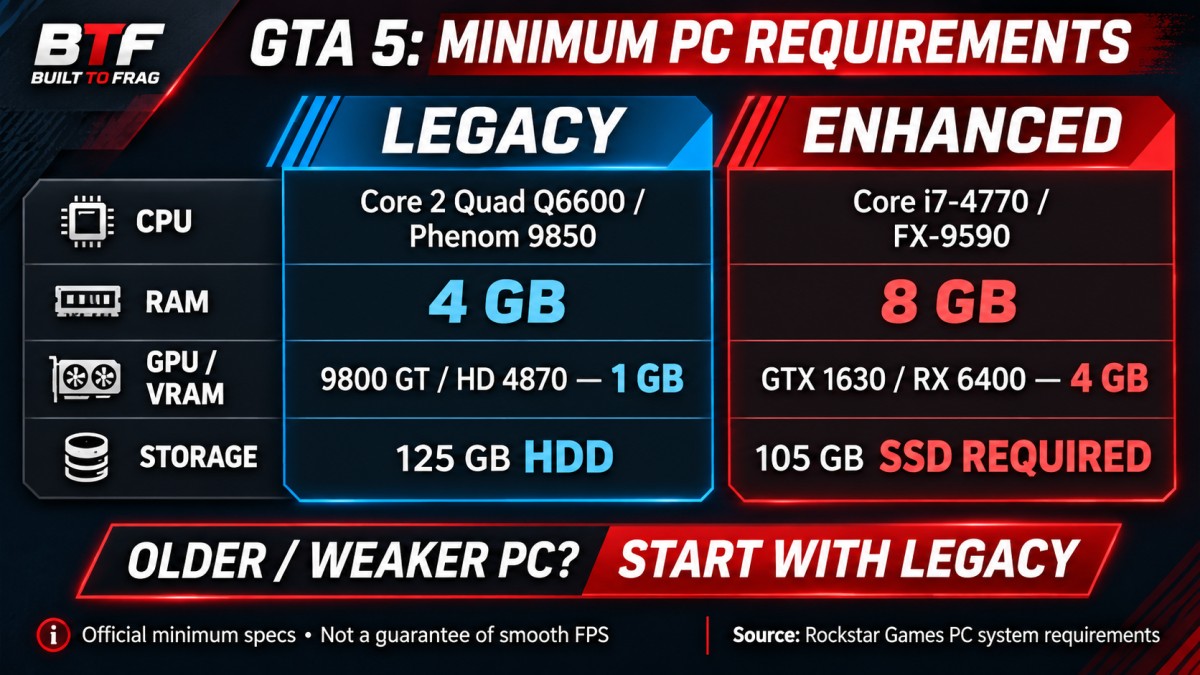
Rockstar kept the original PC release available as GTA V Legacy when Enhanced launched on March 4, 2025. The two editions have very different entry requirements.
| Minimum requirement | GTA V Legacy | GTA V Enhanced |
|---|---|---|
| CPU | Intel Core 2 Quad Q6600 / AMD Phenom 9850 | Intel Core i7-4770 / AMD FX-9590 |
| System RAM | 4GB | 8GB |
| Graphics card | GeForce 9800 GT 1GB / Radeon HD 4870 1GB | GeForce GTX 1630 4GB / Radeon RX 6400 4GB |
| Storage | 125GB; HDD supported | 105GB; SSD required |
| Operating system | Windows 10, 64-bit | Windows 10 build 1909 or newer |
Source: Rockstar’s GTA V PC system requirements. Rockstar also warns that some integrated and mobile graphics chips may be incompatible and that game updates can change requirements.
The important difference isn’t simply 4GB versus 8GB RAM. Enhanced also lists a much newer class of GPU with 4GB of video memory, requires a compatible DirectX 12 graphics card and makes an SSD part of its minimum specification. Having 4GB of VRAM on a much older card does not automatically make it equivalent to Rockstar’s listed GPUs. Legacy’s lower baseline gives weaker machines more room to work with, although meeting its minimum does not guarantee smooth gameplay.
Which GTA 5 version fits your low-end PC?
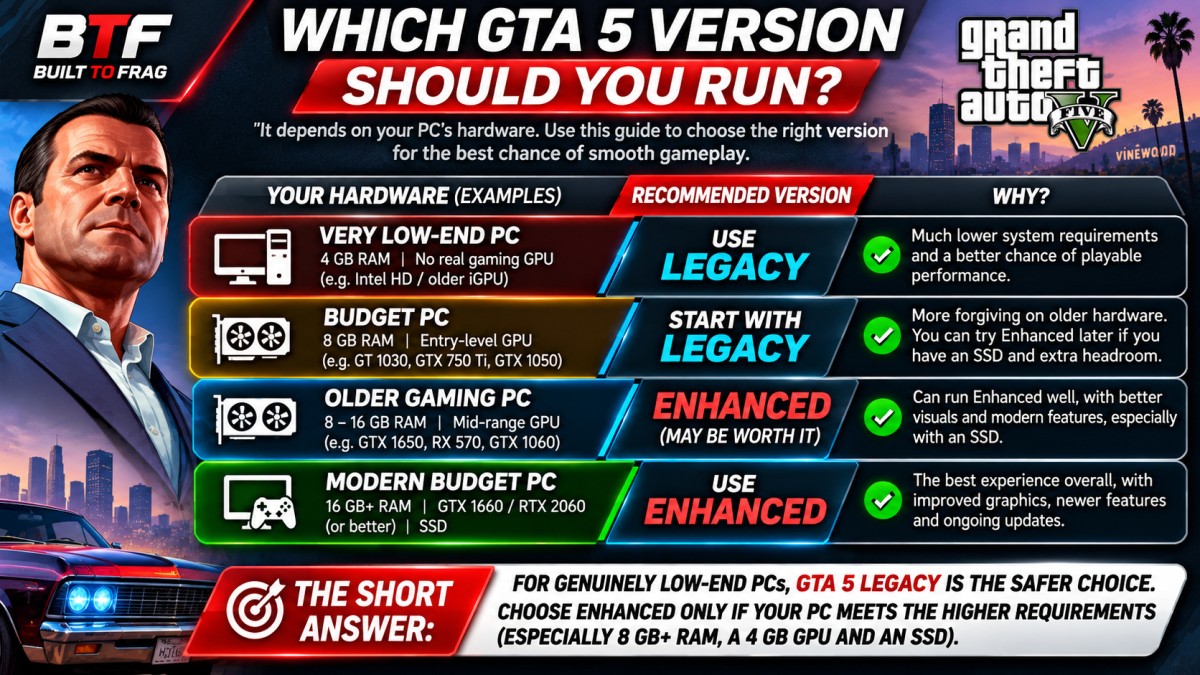
Use these groups as a starting decision, not as a promise of a specific FPS result. The amount of RAM by itself cannot tell you how a game will run.
| Your PC | Better starting point | Why |
|---|---|---|
| 4GB RAM and an older GPU or integrated graphics | Legacy | Enhanced is below its stated RAM minimum; Legacy has a lower hardware baseline. |
| 8GB RAM with an older 1–2GB dedicated GPU | Legacy | The graphics card is likely the bigger obstacle for Enhanced. |
| 8GB RAM, roughly Enhanced-class 4GB GPU, supported CPU and SSD | Test Enhanced; keep Legacy as a fallback | You are closer to Enhanced’s minimum, but smoothness is not assured. |
| 16GB RAM, modern supported dedicated GPU and SSD | Enhanced is worth trying | There is more scope to benefit from its graphics features and newer rendering options. |
What about Intel HD, Intel UHD or AMD integrated graphics?
Start by identifying the exact graphics chip. An Intel HD 4000 laptop and a newer AMD Ryzen system with integrated Radeon graphics are not remotely the same kind of gaming PC. Some integrated GPUs can run Legacy at reduced settings; others struggle even with that edition. Rockstar does not guarantee compatibility with every integrated or mobile GPU.
Also, don’t confuse shared graphics memory reported by Windows with 4GB of dedicated VRAM. Seeing a large shared-memory figure does not mean an integrated GPU meets Enhanced’s listed GTX 1630 or RX 6400 requirement. If you are unsure what your laptop can handle, our guide to gaming on 8GB RAM PCs explains why the GPU and memory configuration matter as much as capacity.
Does GTA 5 Legacy actually run faster than Enhanced?
For a PC well below Enhanced’s minimum requirements, Legacy is the more defensible choice. But it would be misleading to claim it always gets more FPS on the same machine. Lower official requirements show which hardware Rockstar targets; they are not an across-the-board benchmark result.
There is a useful counterexample. In a March 2025 comparison on Steam Deck, the reviewer reached a roughly 40 FPS target in both editions, using Very High settings for Legacy and High settings for Enhanced. Enhanced appeared steadier in some busy areas, while Legacy used less power. Those settings are not equivalent across editions, and a Steam Deck result cannot predict performance on an old Windows laptop.
That distinction matters because higher average FPS is not the same thing as smoother gameplay. A game that usually reports 45 FPS but repeatedly hitches while driving can feel worse than one holding a more consistent 35 FPS. Test frame-time spikes and low moments, not just the highest number on an FPS counter.
Enhanced also offers features Legacy does not, including ray-traced graphics, DLSS and FSR upscaling on compatible configurations. Later updates added support for DLSS and FSR frame generation. These can change the experience on appropriate hardware, but frame generation isn’t a substitute for a responsive, stable base frame rate and does not make an unsupported GPU compatible.
The first settings worth trying in each edition
Don’t spend an hour copying a YouTube preset before checking which edition you installed. The menus and visual quality levels differ, so a setting called “High” in one version isn’t necessarily equivalent to “High” in the other.
| If you’re playing Legacy | If you’re playing Enhanced |
|---|---|
| Start at 1080p Low/Normal or drop to 900p/720p if necessary. | Start with a conservative graphics preset at your target resolution. |
| Disable MSAA; reduce grass, shadows and extended distance options if FPS drops. | Disable ray-traced effects first if they are enabled and performance is poor. |
| Reduce population density or distance scaling if busy streets are the main problem. | Test supported FSR or DLSS upscaling, one mode at a time, if GPU performance is the limit. |
| Watch for RAM, VRAM or slow-drive hitching while moving through the city. | Check VRAM use and the SSD requirement; don’t rely on frame generation to hide serious stutter. |
If reducing resolution gives a meaningful improvement, graphics workload was probably part of the problem. If FPS barely changes but traffic-heavy areas still stutter, look harder at CPU load, memory pressure, background processes and storage. No single slider diagnoses every PC.
How to find which GTA 5 version actually runs better on your PC
If your hardware is capable of launching both editions, a short controlled comparison will tell you more than a generic “best GTA 5 settings” video.
- Check your specifications. In Windows, open Settings > System > About to see your RAM and CPU. Open Task Manager > Performance > GPU for your graphics-chip name and dedicated GPU memory, if available. Confirm whether the game drive is an SSD.
- Choose a realistic target. On a very weak PC, consistent gameplay around 30 FPS may be a more sensible first target than chasing 60 FPS with constant spikes.
- Use the same type of scene. In Story Mode, drive a repeatable route through a busy part of Los Santos. Keep the display resolution, traffic conditions and time of day as similar as practical. Let initial loading settle before measuring.
- Measure both versions. Record average FPS and the dips or hitches you notice. If possible, log 1% lows or frame times as well. Run each route more than once, without changing drivers, power modes or background programs between tests.
- Compare a playable result, not identical preset labels. Adjust each edition to the best visual quality it can sustain at your chosen frame-rate target. Keep the one that feels more consistent during actual driving and missions.
For a beginner-friendly way to watch FPS, temperatures and hardware load, use our MSI Afterburner monitoring guide. If the FPS counter looks fine but gameplay still feels jerky, our guide to what smooth gameplay really feels like explains why consistent frame delivery matters.
Before switching: GTA Online and save progress are different too
There is one reason you might choose a version other than the one with the best performance on your PC: your friends. Rockstar says GTA Online players using Legacy and Enhanced are in separate groups. You need to use the same edition as your friends to play together.
Rockstar provides PC-to-PC migration for eligible GTA Online profiles and Story Mode saves from Legacy to Enhanced. However, GTA Online progress stops syncing between the two editions after migration. Your Legacy profile is retained, but playing on one version afterward does not automatically update the other. Review Rockstar’s Online migration instructions before moving your progress.
Story Mode saves follow a separate migration process. Rockstar allows one Story Mode save to be transferred from GTA V Legacy to Enhanced on PC. You can update the uploaded save until you download it into Enhanced, but once that download is completed, no further Story Mode migrations are available on that account. Progress made afterward in Legacy will not automatically sync with Enhanced. Check Rockstar’s Story Mode migration instructions before transferring your save.
Enhanced also includes graphical and certain GTA Online features not present in Legacy. Conversely, Legacy remains available for PCs that cannot meet the newer requirements. Rockstar says existing PC owners can access the Enhanced upgrade without buying GTA V again, and current PC purchases include both editions. Check the game entries in your Steam, Epic or Rockstar library before downloading.
The verdict: which GTA 5 should you install?
Pick GTA V Legacy if the goal is simply to make GTA V playable on a weak PC. It’s the sensible first attempt for 4GB systems, older 1–2GB graphics cards and machines without an SSD. Even then, don’t mistake minimum requirements for a smooth-FPS guarantee.
Try GTA V Enhanced if your PC meets its CPU, GPU, RAM and SSD requirements and you care about the newer features. Start with modest settings, switch off expensive effects, and judge responsiveness rather than screenshot quality alone. On capable hardware, Enhanced can be the better experience; on an aging office PC, it may be the wrong download altogether.
If even Legacy struggles after sensible settings changes, no version switch can make incompatible or severely limited hardware disappear. Rather than buying parts blindly, consider our GTA-style games for low-end PCs that may be a more realistic fit.