

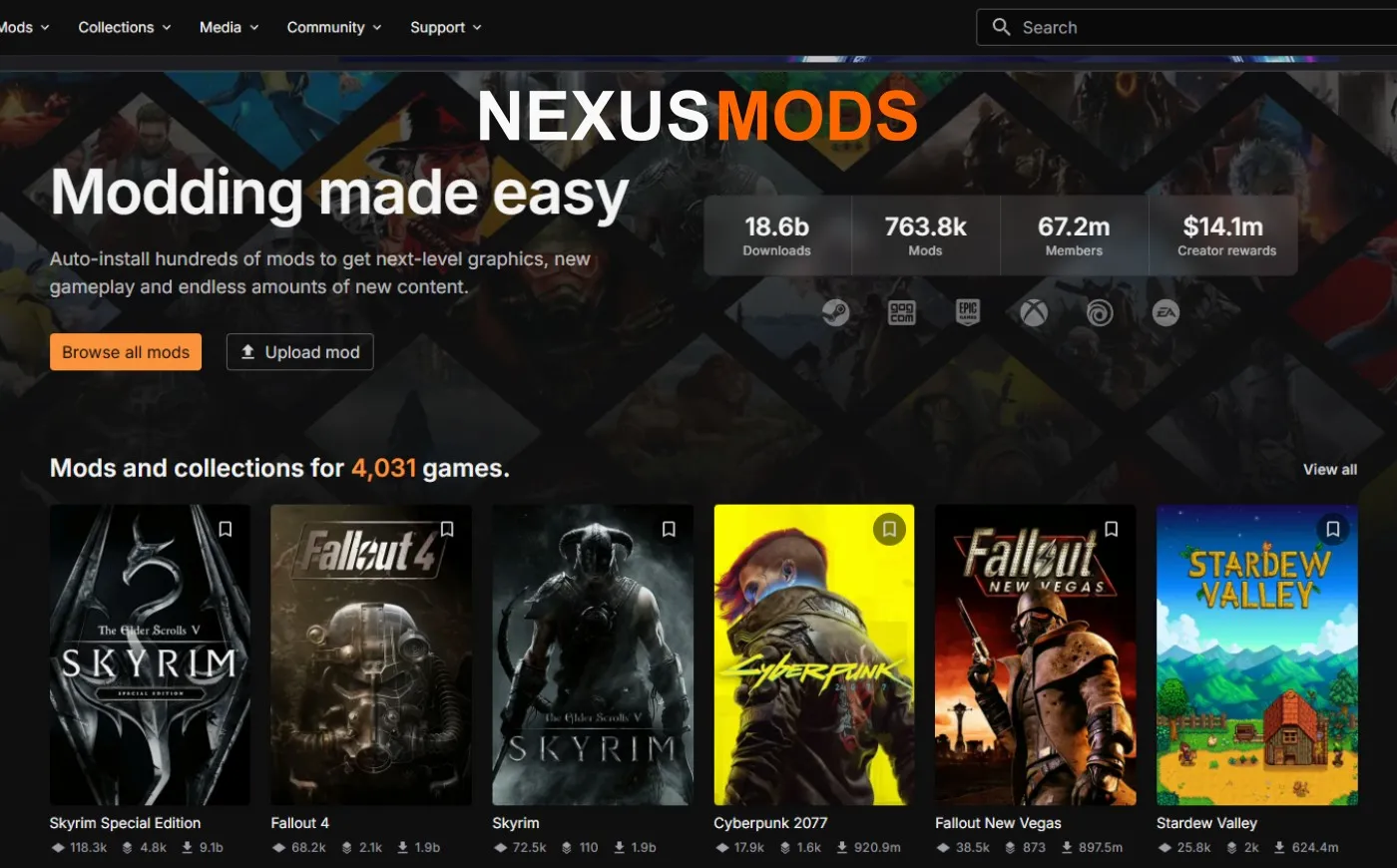
Mods can transform a game, but downloading one from the wrong place can expose your PC to malware, break your installation or corrupt your saves. If you’re new to PC modding, choosing a reputable source is the safest place to start.
Mods are user-made files that change how a game looks, plays or performs. Most legitimate mods are harmless, but fake download pages, unofficial mirrors and suspicious installers can carry malware. Even a clean mod can cause crashes or save problems if it is outdated or installed incorrectly.
Safest PC Game Mod Sites—Quick Answer:
- Steam Workshop
- Nexus Mods
- CurseForge
- Thunderstore
- mod.io
- GitHub, when you can confirm that the repository belongs to the genuine mod developer
These platforms are safer starting points because they provide some combination of on-platform hosting, uploader histories, community reporting, moderation and file checking. None can guarantee that every user-uploaded file is safe, so you should still check the individual mod before downloading it.
Below, we’ll explain which platform suits which games, what each one does to reduce risk and how to recognise a suspicious mod before it reaches your PC.
Safest PC Game Mod Sites: The Fast List
No mod site is completely risk-free, but these established platforms give ordinary gamers a much safer starting point than anonymous download pages, unofficial mirrors or links shared by unknown accounts.
- Steam Workshop: the simplest lower-risk option when a game supports it
- Nexus Mods: an established choice with a huge library for Bethesda games, RPGs and many other PC titles
- CurseForge: a strong starting point for Minecraft, World of Warcraft and other supported modding communities
- Thunderstore: useful for supported indie and co-op games, with version and dependency information
- mod.io: platform-style mod hosting integrated into a growing range of supported games
- GitHub: useful for established open-source mod projects, but it requires more judgment than a dedicated mod platform
Know Which Modding Risk You’re Preventing
Modding problems fall into three different categories. The protection that helps with one will not necessarily protect you from the others.
- Malware or account theft: reduce this risk by using the official platform or developer page, avoiding suspicious installers and keeping your security software active.
- Crashes and mod conflicts: use a suitable mod manager, check dependencies and make sure the mod supports your current game version.
- Lost or corrupted saves: copy your saves before making major changes and keep more than one known-good backup.
A mod manager can make an installation easier to reverse, but it does not prove that a download is malware-free. Likewise, storing a game or mod archive on a separate drive can make file management easier, but it does not isolate malicious software from Windows.
Lower-Risk Mod Platforms
The platforms below reduce risk through features such as community reporting, visible uploader histories, moderation and controlled download systems. Those protections are valuable, but you should still check the mod page, author and file details before installing anything.
Steam Workshop
Steam Workshop is usually the simplest lower-risk option when a game officially supports it. Mods are downloaded through Steam and can be subscribed to or removed without visiting an unfamiliar third-party download page.
- Best for: games with official Steam Workshop integration
- Why it is lower risk: downloads remain inside the Steam ecosystem, while community feedback and reporting can help expose bad or abandoned uploads
- Watch out for: outdated mods, compatibility conflicts and Workshop descriptions that direct you to unrelated external downloads
Nexus Mods
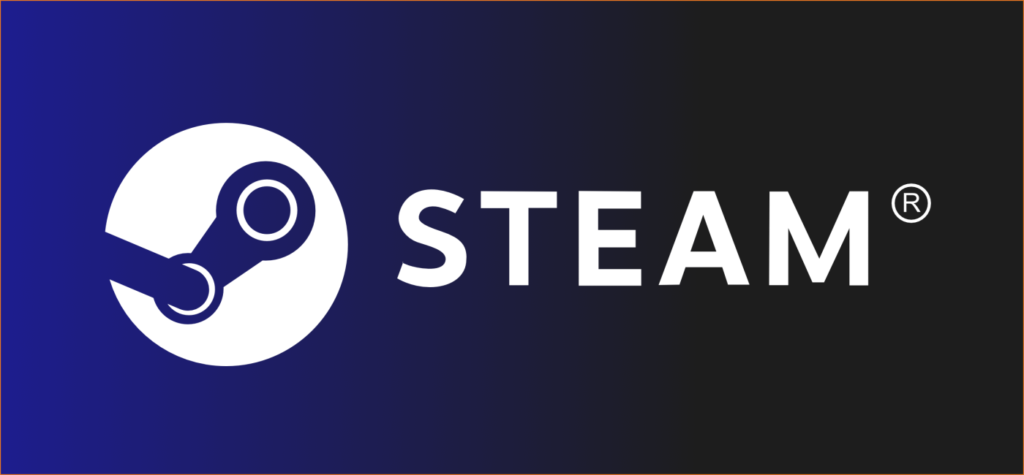
Nexus Mods has one of the largest PC mod libraries, particularly for Bethesda games and major single-player RPGs. Its established creator profiles, user feedback, reporting tools and file-scanning process make it a lower-risk starting point than anonymous mod sites.
The Vortex mod manager can also make supported installations easier to organise and reverse. However, neither Vortex nor the Nexus name guarantees that every file is safe or compatible with your setup. Nexus cannot check files hosted on unrelated websites, so be cautious when a mod page sends you to an external mirror or asks you to run a separate installer.
In my experience, broken installations are more likely when users follow unclear off-site instructions or mix files from several sources. Staying with on-site downloads, checking recent comments and confirming that the mod supports your game version will prevent many avoidable problems.
- Best for: Bethesda games, RPGs and major single-player titles
- Why it is lower risk: file scanning, established uploader profiles, community feedback and reporting tools
- Watch out for: unfamiliar external mirrors, unexpected installers and abandoned mods that no longer support the current game version
CurseForge
CurseForge is a popular home for Minecraft mods, World of Warcraft add-ons and other supported modding communities. It provides structured project pages, creator histories, version information, reporting tools and a dedicated app for managing supported content.
Those controls make CurseForge a more dependable starting point than an unknown download page, but they do not make every upload automatically safe. Check that the file matches your game and mod-loader version, read recent comments and make sure you are visiting the genuine CurseForge domain rather than a copycat page or misleading advertisement.
- Best for: Minecraft, World of Warcraft and other games with established CurseForge communities
- Why it is lower risk: structured project pages, visible creator histories, platform moderation and community reporting
- Watch out for: copycat websites, fake download buttons and files made for a different game or mod-loader version

Thunderstore
Thunderstore hosts mods for many indie, co-op and Unity-based games, including titles such as Valheim and Risk of Rain 2. Its package pages display versions, dependencies and installation information, which can help users avoid mismatched files and missing requirements.
Dependency handling mainly reduces installation errors and crashes; it should not be mistaken for a guarantee that every file is secure. Use the official Thunderstore site or a recognised compatible manager, and avoid repackaged mod bundles from unrelated link aggregators.
- Best for: supported indie, Unity and co-op games with active Thunderstore communities
- Why it is useful: clear package versions, listed dependencies, uploader information and community ratings
- Watch out for: outdated packages, missing dependencies and off-site copies of Thunderstore mods

mod.io
mod.io provides cross-platform mod hosting for games whose developers have chosen to support it. In some games, players can browse and install mods through an in-game menu, reducing the need to search unfamiliar third-party websites.
Its usefulness depends on the individual game and how deeply the developer has integrated the service. When possible, access mod.io through the game itself or begin at the official game or mod.io page instead of following an unknown download link.
- Best for: games with official mod.io support, including titles offering in-game mod browsing
- Why it is lower risk: structured platform hosting, game-specific communities and official integration in supported titles
- Watch out for: unofficial copies, unsupported manual installers and mods that no longer match the current game version
GitHub
GitHub is useful for established open-source mod projects, scripts and modding utilities, but it is not a dedicated or curated game-mod store. Anyone can create a public repository, and visible source code does not automatically prove that a downloadable file is safe.
Use GitHub when the official mod page, known developer or established game community links to the repository. Look for a meaningful development history, clear documentation, versioned releases and recent activity. A new repository containing little more than a “Download Now” file should not earn your trust simply because it is hosted on GitHub.
- Best for: established open-source mod projects, scripts and utilities from known developers
- Why it can be useful: visible development history, documentation, issue tracking and versioned releases
- Watch out for: impersonated repositories, undocumented binaries, brand-new accounts and projects with no meaningful history
If you are setting up mods for the first time, start with our complete Game Mods 101 guide. You can also learn how game mods work.
Proceed with Caution: Gray-Area Mod Sources
These sources are not automatically dangerous, but they provide less consistent protection than a dedicated mod platform. Legitimate developers often use them to share early releases, support niche games or communicate with their communities, but fake accounts, outdated links and reuploaded files can be harder to identify.
- ModDB: an established mod archive with many legitimate projects, particularly for older games. Check the uploader, update history, comments and download destination before trusting an individual file.
- Discord and Reddit: useful for finding communities and speaking to mod developers, but files shared through posts, private messages and temporary hosting links may not receive the same checks as files on a dedicated mod platform. Confirm that you are in the project’s official community and avoid unsolicited direct-message downloads.
- YouTube description links: some genuine mod creators use them, but impersonated channels, link shorteners and misleading download pages make the source difficult to verify. Find the developer’s official project page instead of assuming the video link is safe.
If you regularly install mods from established platforms, a manager can make conflicts, dependencies and removals easier to handle. Our Vortex vs Mod Organizer 2 comparison explains which one better suits your games and experience level.
Are Mod Sites Still Dangerous in 2026?
Reputable platforms such as Steam Workshop, Nexus Mods and CurseForge reduce the risk through controlled downloads, community reporting, uploader histories and platform moderation. That makes them safer starting points, but it does not mean every uploaded file is harmless or compatible with your system.
The clearest dangers are unofficial mirrors, impersonated websites, misleading advertisements and mods that unexpectedly ask you to run a separate program. Fake cheats, cracked content and miracle performance tools are especially risky because attackers know that users may ignore security warnings to get the promised result.
Antivirus software adds another layer of protection, but it cannot guarantee that every new or deliberately concealed threat will be detected immediately. Safer modding depends on both the source you choose and the individual file you decide to trust.
Why Mod Downloads Still Require Caution
Malicious downloads are often presented as cheats, performance boosters, unlocked features or required update tools. The danger is not limited to damaging a game installation: password-stealing malware can target browser logins, cryptocurrency wallets and other personal information stored on the PC.
For example, TechRadar reported on password-stealing malware distributed through fake cheats and mods. This does not mean that ordinary mods or every major platform are dangerous. It shows why an unknown download promising an unusually powerful result deserves more scrutiny than an established project with a visible history.
How to Check Whether an Individual Mod Is Trustworthy
A familiar platform reduces the risk, but the individual mod still needs to earn your trust. These checks take only a few minutes and can expose abandoned projects, impersonated uploads and suspicious files before you install them.
- Check the uploader: look at the account’s other projects, activity history and how long it has been part of the community.
- Read recent comments: look for repeated reports of unexpected behaviour, security warnings, broken installations or incompatibility with the current game version.
- Confirm the version: make sure the mod supports your current game version, mod loader and required dependencies.
- Read the documentation: established projects usually explain what the mod changes, how to install it and what other files it requires.
- Inspect the contents: an archive is not automatically safe. Be cautious if a simple texture, configuration or save-file mod contains an unexpected executable, script or DLL that the author does not explain.
- Question unexplained differences: file size alone does not prove that a mod is dangerous, but a download that does not reasonably match its description deserves further investigation.
- Use checksums correctly: a matching hash confirms that your copy matches the file published by the source. It does not prove that the original file itself is harmless.
- Avoid unnecessary security exceptions: do not disable antivirus protection merely because an unknown uploader says the warning is a false positive.
One serious warning—such as an impersonated domain, unexplained executable, request to disable security software or password-protected download from an unknown source—is enough reason to stop. Several smaller concerns, such as an inactive uploader, missing documentation and unresolved complaints, should also send you looking for a more trustworthy alternative.
Tools That Make Modding Safer

No single tool can make every mod safe. The most reliable approach combines careful downloading, organised installation, security scanning and separate save backups.
A Practical Modding Safety Stack
- A compatible mod manager: tools such as Vortex or Mod Organizer 2 can keep supported mod files organised, manage profiles and make many changes easier to reverse.
- Active security software: keep Windows Security or another reputable antivirus enabled, and scan unfamiliar downloads before opening them.
- Known-good save backups: copy important saves before adding a large mod pack, changing the load order or removing a mod on which the save may depend.
- Official recovery tools: know how to verify or repair the game’s files through Steam, Epic Games, GOG or the launcher you use.
These tools solve different problems. A mod manager helps with installation and conflicts, antivirus software helps identify known threats, and save backups protect your progress. None of them proves that an unknown download is trustworthy.
Back Up the Right Files
Before making major changes, find out where the game stores its saves and configuration files. They may be inside Documents, AppData, the game folder or a cloud-sync service rather than on the same drive as the game.
Keep more than one known-good save if the game allows it. A modded save can depend on files that are no longer present after a mod is removed, so no backup method can promise a perfect instant rollback. A restore point may help with some Windows system changes, but it should not be treated as a replacement for copying your saves separately.
Check Performance Before Blaming Your PC
Large texture packs, script-heavy mods and badly optimised load orders can increase memory use, extend loading times or introduce stutter. If performance drops after installing mods, compare the game before and after the change using our Gaming PC Performance Test Guide.
Disable recent additions in small groups rather than immediately replacing hardware. If performance returns when a mod is removed, you have found an installation or workload problem—not proof that your PC needs an upgrade.
What to Do If a Mod Causes Problems
First decide whether you are dealing with an ordinary mod conflict or a possible security threat. A crash after adding several mods is not the same problem as an unexpected program opening, security software being disabled or an account login appearing from an unfamiliar location.
If the Game Is Crashing or Behaving Incorrectly
- Disable or remove the most recently added mods using the manager or the developer’s removal instructions.
- Check that all dependencies and game-version requirements are correct.
- Restore a known-good save if the current one depends on a removed or broken mod.
- Verify the game files through your launcher to restore altered original files. Remember that verification may not remove every additional file placed in the game folder by a mod.
If the game remains unstable, follow our dedicated guide to fixing mods that keep crashing.
If You Suspect Malware
- Do not open the downloaded file again.
- Disconnect the PC from the internet if you see signs of account theft, unwanted remote access or unknown software running.
- Use your security software to quarantine the detected file and run a full system scan.
- If you entered a password into a suspicious program or page, change it from a device you trust and enable two-factor authentication where available.
- Do not assume that verifying the game files removes malware from Windows.
If security warnings continue or you cannot confirm that the system is clean, stop using the affected PC for sensitive accounts and seek qualified malware-removal help.
Final Thoughts: Mod Smart, Not Paranoid
PC modding does not need to be frightening. Start with an established platform, verify the individual uploader and file, keep your security software active and back up important saves before making major changes.
Steam Workshop, Nexus Mods, CurseForge, Thunderstore and mod.io are lower-risk starting points because they provide more visibility and oversight than anonymous download sites. GitHub can also be useful when you have confirmed that the repository belongs to the genuine developer. None of these platforms makes every upload automatically safe.
For a complete setup path covering managers, backups, installation and crash prevention, continue with our Game Mods 101 guide.
If you are modding Starfield specifically, explore our Starfield guides and updates hub, followed by our guide to Starfield mods designed to work together on PC.
The safest habit is simple: trust established sources, but still verify the individual mod. A familiar platform lowers the risk; it never removes the need to check what you are downloading.

Nexus has rotten support now. I recently sent a question to them and their response was that nothing was at issue and offered no further help. It did really hammer home the point they really couldn’t care less. I’ve heard they operate with a minimum of crew, support is probably ai-driven now.
Hi Dave Yeah! That frustration is completely fair. A lot of users have noticed support responses feeling shorter and less helpful lately, especially when the issue doesn’t fit a clear preset category. Whether that’s staffing, automation, or just volume, and damn! that’s not great.
It’s one of the reasons we always recommend keeping local backups of mods and not relying on any single platform long-term. If you’re comfortable sharing what the issue was, it might also help other readers avoid the same headache.