Built To Frag editors select and review products independently. If you buy through our affiliate links, we may earn commissions, which help support our Testing and keep the site up.

RAM Buying Guide for Gaming PCs: What to Buy and What to Skip

RAM Buying Guide for Gaming PCs - Featured Image

This is a RAM Buying Guide for Gaming PCs, not a science lesson. If you are here to figure out what to buy for your gaming PC, you are in the right place. If you want the deeper “how much RAM do games actually use” breakdown, jump to our full explainer here: How Much RAM Do Games Need?

If you are building a PC from scratch, or upgrading parts and trying to keep your spend sensible, this guide also plugs into our main hub: The Ultimate Gaming Hardware Guide, What to Buy and Why.

How to Choose RAM for Your Gaming PC (Quick Guide)

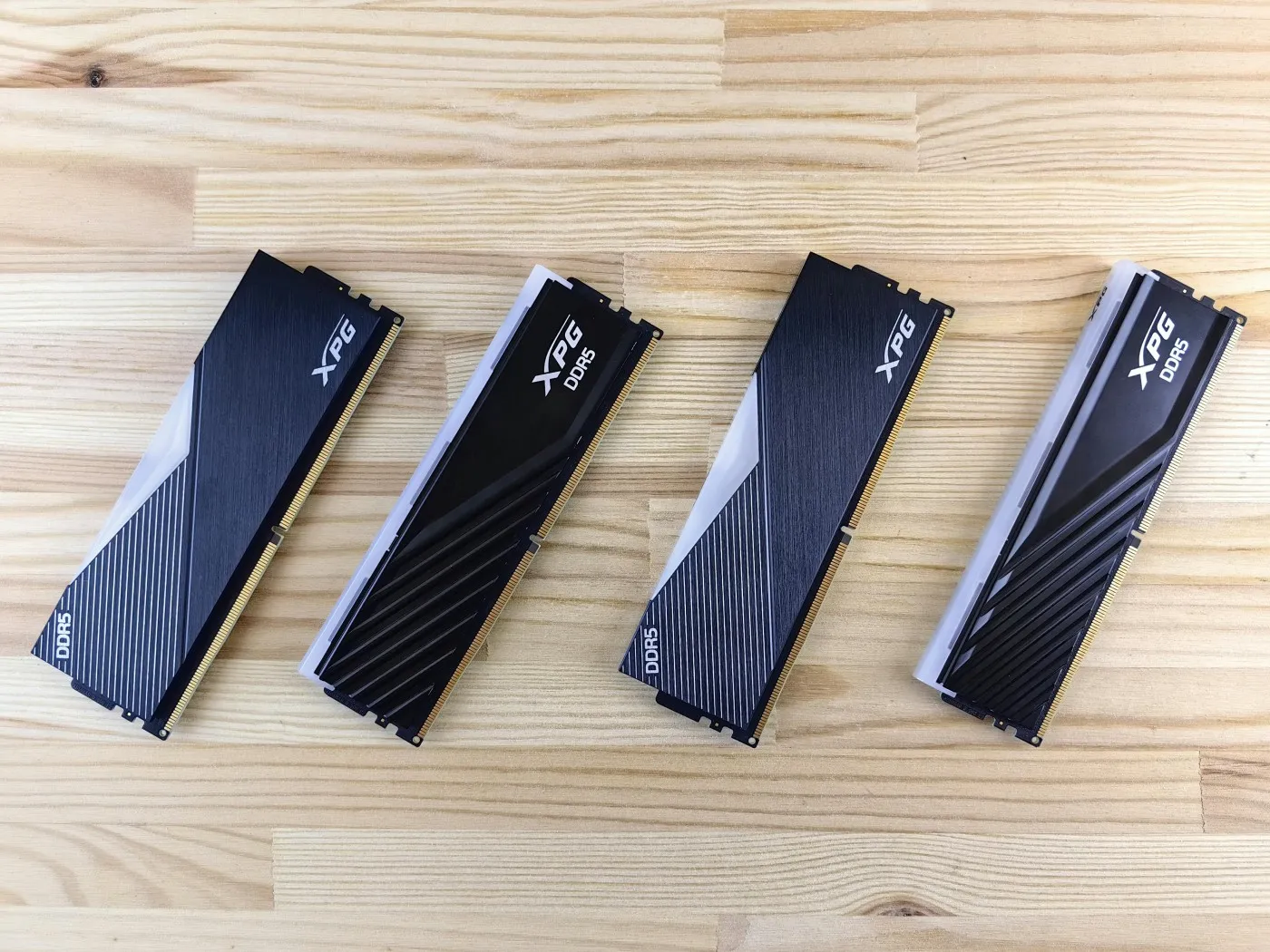
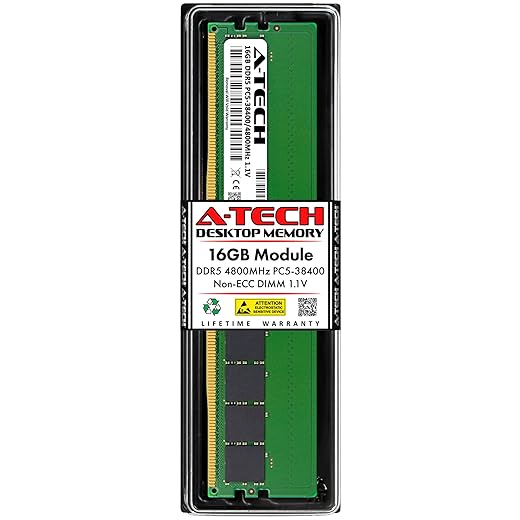
Image of a Stick Of Ram
Correct Ram choices are the difference between smooth gameplay or stutter

Here is the order of operations that saves money and prevents regret:

Advertisement
  • Capacity first: get enough RAM so your PC is not constantly gasping for air.
  • DDR generation second: your motherboard decides DDR4 or DDR5, not your wishlist.
  • Speed and timings last: useful, but only after you have the first two nailed.
  • RGB is optional: it does not add frames, it adds vibes.

Budget DDR4 RAM (Best for Older and Ultra-Budget Builds)

If your motherboard takes DDR4, and you are trying to keep costs under control, budget DDR4 kits still make total sense. This tier is for older Ryzen and Intel systems, basic gaming builds, and upgrades where you just need a stable 16GB kit that works.

Buy this tier if:

  • You are on an older DDR4 platform and want the cheapest safe upgrade.
  • You are building an ultra-budget gaming PC and need 16GB without overspending.
  • You want basic XMP support and decent reliability, nothing fancy.

Skip this tier if:

  • You are building on a modern DDR5 platform, this will not fit.
  • You want 32GB for multitasking and future headroom.

Top 3 Budget Picks

Budget Pick
G.SKILL RipjawsV Series DDR4 RAM (XMP) 16GB
Amazon.com
3.9
G.SKILL RipjawsV Series DDR4 RAM (XMP) 16GB
XMP-ready DDR4 kit for budget gaming builds that need stable plug-and-play speeds and smooth everyday performance.
Starter Value
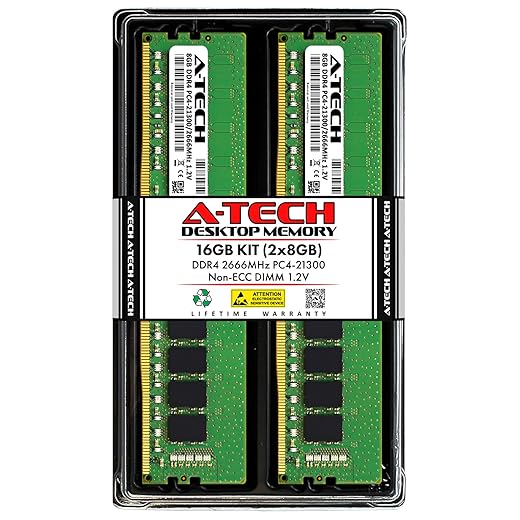
A-Tech 16GB (2x8GB) DDR4 2666 MHz
Amazon.com
3.9
A-Tech 16GB (2x8GB) DDR4 2666 MHz
Low-cost DDR4 kit for entry gaming and office PCs that need reliable memory capacity without pushing the budget.
Safe Choice
CORSAIR Vengeance LPX DDR4 RAM 16GB
Amazon.com
4.6
CORSAIR Vengeance LPX DDR4 RAM 16GB
Low-profile high-compatibility DDR4 kit for compact gaming builds that need stable speeds and zero clearance issues.

Best Mid-Range DDR4 RAM Kits

This is the sweet spot for most DDR4 gaming PCs. You get better speeds, better stability, and usually better long-term value than the absolute cheapest kits. If your build is already decent, mid-range DDR4 is the “do it once and stop thinking about it” tier.

Buy this tier if:

  • You are on DDR4 and want a meaningful upgrade with fewer compromises.
  • You game and multitask, Discord, browsers, streaming, the usual chaos.
  • You want 32GB as a safe long-term play on a DDR4 platform.

Skip this tier if:

  • You are moving to DDR5 soon and would rather invest there.
  • You only play light games and your current 16GB kit is already fine.

Top 3 Mid Range Picks

CORSAIR Vengeance RGB PRO SL DDR4 RAM
RGB Performer
CORSAIR Vengeance RGB PRO SL DDR4 RAM
4.7
Tuned RGB DDR4 kit for mid-range gaming rigs that want stable XMP performance with cleaner thermal behavior.
Amazon.com
Patriot Memory VIPER 4 Series DDR 4 2400MHz
Solid Base
Patriot Memory VIPER 4 Series DDR 4 2400MHz
4.1
Reliable mid-tier DDR4 kit for mainstream gaming systems that need consistent memory behavior at stock speeds.
Amazon.com
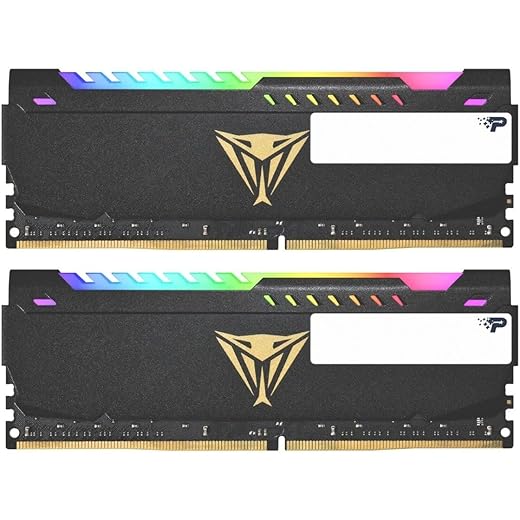
Patriot Viper Steel RGB DDR4 RAM 16GB
Speed Value
Patriot Viper Steel RGB DDR4 RAM 16GB
4.4
Performance-tuned RGB DDR4 kit for gamers who want higher clocks and steadier memory response under load.
Amazon.com

Mid-Range DDR5 RAM (Best Value on New Platforms)

If you are on AM5 or a modern Intel platform that supports DDR5, this is the tier that makes the most sense for most gamers. You get modern bandwidth, strong stability, and you avoid paying premium money for specs you will not feel in real gameplay.

Buy this tier if:

  • You are building a new DDR5 gaming PC and want the best value setup.
  • You want a strong “set it and forget it” kit for a few years.
  • You want a sensible speed target without chasing bragging rights.

Skip this tier if:

  • You are on DDR4 and not changing motherboard and CPU, DDR5 will not work.
  • You know you need high capacity for heavy productivity, then look at premium kits.

Top 3 In Value

Top Value
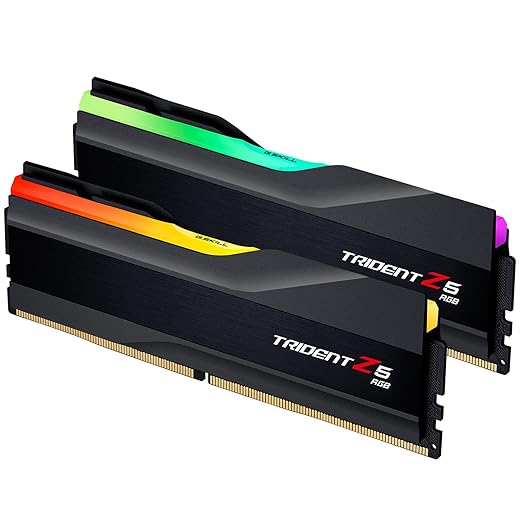
G.SKILL Trident Z5 RGB Series DDR5 RAM
Amazon.com
4.8
G.SKILL Trident Z5 RGB Series DDR5 RAM
High-speed DDR5 kit for modern gaming platforms that want stronger bandwidth and smoother frametime consistency.
DDR5 Entry
A-Tech 16GB DDR5 4800MHz PC5-38400
Amazon.com
4.0
A-Tech 16GB DDR5 4800MHz PC5-38400
Affordable entry DDR5 kit for new-gen builds that need platform compatibility and baseline DDR5 bandwidth.
OC Ready
Crucial Pro - Overclocking Edition - DDR5
Amazon.com
4.7
Crucial Pro - Overclocking Edition - DDR5
Overclock-capable DDR5 kit for performance builders who want higher memory headroom and stable tuning results.

Premium DDR5 RAM (High Capacity or High Frequency)

Premium DDR5 is for people who either need a lot of RAM, or who are deliberately buying higher-speed kits for enthusiast builds. For pure gaming, most people do not need to be here. For gaming plus heavy multitasking, content creation, or work, premium kits can be a smart spend.

Buy this tier if:

  • You stream, edit, run lots of apps, or use your PC for work and gaming.
  • You want 32GB to 64GB for real headroom, not just “because it exists.”
  • You are building a premium rig and want to avoid memory being a future bottleneck.

Skip this tier if:

  • You only game and you are trying to maximize FPS per rand, your GPU budget matters more.
  • You are buying premium RAM just for RGB, you can do that cheaper.

3 Premium Selections

Power Kit
CORSAIR VENGEANCE DDR5 RAM 64GB
Amazon.com
4.9
CORSAIR VENGEANCE DDR5 RAM 64GB
High-capacity DDR5 kit for heavy gaming and creator workloads that need large memory headroom and stable multitasking.
Pro Choice
Crucial Pro DDR5 RAM 32GB Kit
Amazon.com
4.8
Crucial Pro DDR5 RAM 32GB Kit
High-speed DDR5 kit for performance gaming systems that want strong bandwidth and dependable stability.
Slim Speed
G.SKILL Ripjaws S5 Series DDR5 RAM
Amazon.com
4.7
G.SKILL Ripjaws S5 Series DDR5 RAM
Low-profile high-frequency DDR5 kit for compact high-end builds that need speed without cooler clearance issues.

How Much RAM Should You Buy? (Capacity Guide)

If you want the full deep dive, use the explainer. If you just want the buying shortcut, here it is:

  • 16GB: the minimum you should buy for a gaming PC in 2025.
  • 32GB: the safe long-term choice for modern games plus multitasking.
  • 64GB: only worth it if you actually run heavy workloads, lots of apps, or creative tools alongside gaming.

If you are still unsure which capacity you personally need, read: How Much RAM Do Games Need?

Recommended RAM Speeds by Platform

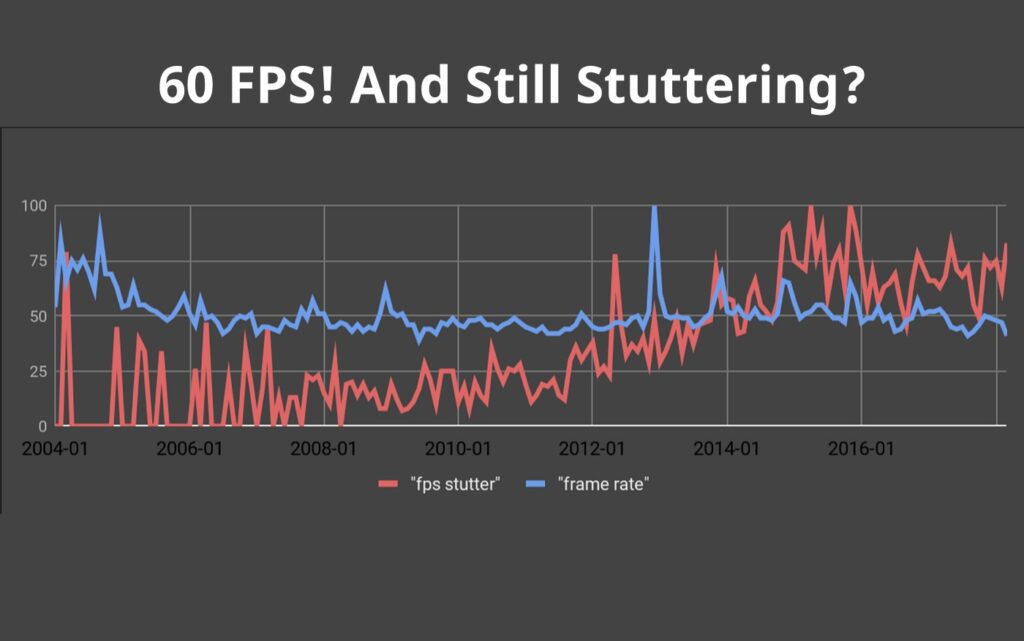
Why Games Stutter on Low End PCs Featured Image
A stable FPS counter can still hide uneven frame delivery, Ram could be the issue!

Speed matters, but it is not the first thing you should chase. Think of RAM speed like polishing a car, it helps, but only after the engine is sorted.

DDR4 speed recommendations

  • For most DDR4 gaming builds, look for a kit in the common “gaming sweet spot” range for your platform.
  • If your motherboard and CPU are older, stable support matters more than chasing high MHz numbers.
  • If you see a faster kit for close to the same money, take it, but do not sacrifice capacity to get it.

DDR5 speed recommendations

  • Mid-range DDR5 kits tend to hit the best balance of stability and real-world performance.
  • Very high frequency kits can be great, but they are the first place you overpay for tiny gains.
  • If you want the clean “gaming sweet spot” for DDR5, prioritize a proven mainstream kit rather than an extreme spec.

RAM Buying Guide for Gaming PCs And Compatibility Checks Before You Buy

This is the part most people skip, and it is also the part that prevents returns and headaches.

  • DDR4 vs DDR5: your motherboard supports one, not both. Confirm before you buy.
  • Buy a matched kit: 2x8GB or 2x16GB is better than random sticks mixed together.
  • XMP or EXPO: make sure your kit supports it, then enable it in BIOS after install.
  • Clearance: tall heatspreaders can clash with big air coolers in tight builds.

Not sure why older shooters still stutter on “fine” hardware? This upgrade guide breaks it down and keeps it simple: Best PC Upgrades Under $100 That Make Old FPS Games Playable. But if you want a broader compatibility guide for building and upgrading, use this: How to Pick PC Parts That Actually Fit and Perform

Common RAM Buying Mistakes (That Waste Money)

Gaming PC Upgrades - Bag of money representing unnecessary spending on PC upgrades
Blindly throwing money at upgrades rarely fixes gaming problems, diagnosing the real bottleneck saves both performance and cash.
  • Buying DDR5 for a DDR4 board: it will not fit, and it will not work.
  • Mixing different kits: even “same brand” kits can cause instability when mixed.
  • Overpaying for speed: do not buy a slower GPU so you can afford faster RAM.
  • Ignoring BIOS setup: if you do not enable XMP or EXPO, you might run your RAM slower than you think.

Before buying new memory, it helps to read why your PC still feels slow after an upgrade so you can confirm RAM is actually the part holding your system back.

Final Buying Advice

Buy RAM the boring, correct way. Get the right DDR generation for your motherboard, get enough capacity for the way you actually use your PC, then choose a sensible speed kit inside your budget. After that, stop thinking about it and go play games.


If you are upgrading multiple parts and want the full “what matters most” breakdown, start here: The Ultimate Gaming Hardware Guide, What to Buy and Why. I also warn readers about cheap gaming PC mistakes that hide in spec lists.

Still uncertain whether RAM is the upgrade you need? Use the explainer: How Much RAM Do Games Need?

Advertisement

If You Liked This Article? Please Share

Instagram

Got something to say?

More From Built To Frag

Will Your PC Handle GTA VI When It Eventually Comes to PC?

Will Your PC Handle GTA VI When It Eventually Comes to PC?

A practical GTA VI PC performance readiness guide with hardware predictions, stress points, and upgrade priorities based on Rockstar’s PC…

How Game Mods Actually Work (And Where They Install on Your PC)

How Game Mods Actually Work (And Where They Install on Your PC)

This guide explains how game mods actually work behind the scenes, how games load them, and where mod files install…

Best Gaming Monitors by Budget, Smart Picks From Cheap to Elite

Best Gaming Monitors by Budget, Smart Picks From Cheap to Elite

A practical buyer guide to the best gaming monitors by budget, with smart picks per price tier and performance-focused recommendations.

Cheap Gaming Upgrades That Actually Boost FPS (Ranked by Impact)

Cheap Gaming Upgrades That Actually Boost FPS (Ranked by Impact)

Not every cheap PC upgrade improves gaming performance. This guide ranks low cost upgrades by real FPS impact and shows…