Updated: February 12, 2026. This is a GTA 6 PC system requirements rumors guide based on Rockstar’s previous PC releases, known open-world performance trends, and current hardware speculation, not fake benchmark claims pretending the game is already out.
Rockstar has confirmed that Grand Theft Auto VI launches on November 19, 2026 for consoles, but official PC requirements still haven’t been revealed. That hasn’t stopped PC gamers from asking the real question already:
“Will my PC actually survive GTA 6?”
That concern is valid. Rockstar games have a long history of pushing CPUs, VRAM, storage speed, and overall system stability harder than many players expect. This guide breaks down what GTA 6 could realistically demand on PC using hardware trends from Red Dead Redemption 2, modern open-world game behavior, and current GTA 6 PC system requirements rumors.
If Rockstar finally drops official PC specs tomorrow, we’ll update this article immediately. Until then, this is the practical reality check for low-end, mid-range, and older gaming PCs.
Rockstar PC patterns: what their big open worlds usually demand
Rockstar’s big games tend to punish weak PCs in predictable ways. The fastest way to estimate GTA VI behavior is to look at Rockstar’s most recent heavyweight PC baseline:
- Red Dead Redemption 2 PC system requirements show a large install footprint and a clear split between minimum and recommended hardware.
- Open-world streaming is not optional. Even when a game “runs,” slow storage can turn movement into hitching and pop-in.
- Simulation load (NPCs, traffic, physics, systems) is typically CPU-sensitive, especially in dense areas.
Official RDR2 requirements (Rockstar support) are a good reference point for the kind of “floor” Rockstar has been willing to ship on PC.
Useful official sources to keep bookmarked for GTA VI updates:
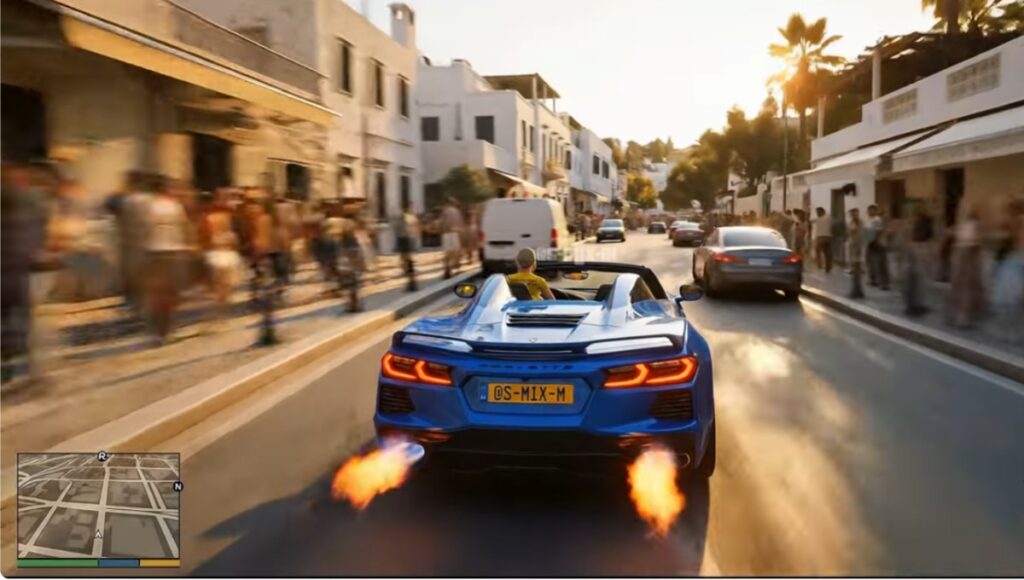
Likely GTA VI performance stress points
Based on Rockstar’s world design and what GTA VI is showing so far, these are the most likely “pain zones” on PC:
- Dense city simulation (traffic, pedestrians, AI routines): typically CPU-bound in crowded areas.
- High-detail assets (materials, lighting, reflections): pushes GPU and VRAM.
- Streaming the world while driving fast: storage can become a hitching trigger, especially on older SATA drives.
- Frame pacing: even with “good FPS,” open worlds can feel bad if frametimes spike.
- Post-launch patches: big games often change performance week to week.
The goal is not to guess exact FPS. The goal is to know which part of your PC is most likely to become the bottleneck. If GTA VI is probably going to melt your current PC, you can still get the same kind of sandbox fix with these games like GTA V for low-end PCs.
Predicted GTA VI PC spec tiers (not official)
Important: Rockstar has not published PC requirements for GTA VI yet. These are predictions based on Rockstar’s historical PC baselines and the direction of modern open-world games.
| Tier | What it’s for | CPU expectation | GPU / VRAM expectation | RAM expectation | Storage expectation |
|---|---|---|---|---|---|
| Minimum-ish | Playable with compromises | Modern 6-core baseline likely | 6–8GB VRAM is the danger zone | 16GB as a realistic floor | SSD strongly recommended |
| Recommended | Smooth 1080p to 1440p | Strong 6–8 cores with good single-core | 8–12GB VRAM comfort zone | 16GB minimum, 32GB for headroom | NVMe preferred |
| High-end | High settings + stability | 8+ cores helps in dense areas | 12GB+ VRAM reduces texture pressure | 32GB for fewer spikes | NVMe with spare space |
If you want a grounded Rockstar reference point: Rockstar’s official RDR2 PC requirements list an HDD footprint of 150GB and specific minimum and recommended CPU and GPU targets. That does not equal GTA VI, but it shows Rockstar’s comfort level for PC baselines.
How GTA VI will likely behave on real PCs

This is the BuiltToFrag section. No deep fixes here, just what you should expect and what to watch.
- CPU vs GPU: Expect CPU pressure in dense city scenes (traffic, crowds), and GPU pressure in heavy lighting and reflections.
- Stutter risk: Open-world streaming plus shader compilation can create hitching even on strong rigs.
- RAM behavior: Big worlds tend to eat RAM over long sessions. If you alt-tab a lot, things get worse.
- VRAM behavior: VRAM limits usually show up as texture streaming issues, sudden dips, and inconsistent frametimes.
- Storage behavior: If your drive is slow or nearly full, the game can “run” but feel awful while moving fast.
If you want the “real” fix paths, use these instead of guessing in the dark:
- Why does my game stutter on a high-end PC?
- How to test gaming PC performance (the sane way)
- MSI Afterburner setup you can trust
- Monitor temps, clocks and usage like a pro
- Capping your FPS (frametime stability for normal humans)
Quick readiness check: is your current PC “GTA VI ready”?
Tick these off. If you are failing multiple items, you are not doomed, but you should plan.
- RAM: You have 16GB minimum, ideally 32GB if you keep browsers and overlays running.
- Storage: You have an SSD, and at least 200GB free space on the drive you install games on.
- GPU VRAM: You have 8GB VRAM or more if you want fewer texture and streaming surprises.
- CPU: You are on a modern 6-core or better with decent single-core performance.
- Thermals: Your CPU and GPU are not throttling under load.
If your PC is “fine” on paper but feels choppy in real games, focus on frametimes and stability first. Your wallet can wait.
If you need to upgrade, do this first (the smart order)

Most people upgrade the wrong thing first. If you are prepping for a massive open-world game, this order is usually the least painful:
- Storage (HDD to SSD, or SSD to NVMe if you are stuck on a slow drive)
- RAM (8GB to 16GB, or 16GB to 32GB if you multitask)
- GPU (especially if you are under 8GB VRAM and want consistent texture streaming)
- CPU (only if you are truly CPU-bound, or on an older platform)
Useful BTF buying guides and build links:
- Best NVMe SSDs for gaming and performance
- Don’t waste money: best value GPUs for 1080p and 1440p
- Best mid-range gaming PC build
- Smart PC Upgrades for weak PCs
BTF builds that should handle GTA VI well
- I want “safe” 1080p with stability: Start with the Mid-Range Gaming PC Build.
- I want a platform that will not age instantly: Use the Smart PC Upgrades for weak PCs as your baseline.
- I want the smartest GPU value choices right now: Use Best Value GPUs for 1080p and 1440p.
If you are on a tight budget, prioritize storage and RAM first. A faster drive plus enough memory can make a “mid” system feel less like it is choking.
What usually goes wrong with big PC launches (so you are not surprised)
This is not “Rockstar bad.” This is just reality for huge releases.
- Shaders and caching: the first hour can feel worse than the tenth hour.
- Drivers: GPU drivers can lag behind reality, especially in the first week.
- CPU spikes: dense scenes can tank frametimes even when average FPS looks fine.
- Settings traps: a few toggles can destroy performance for tiny visual gain.
When GTA VI PC details finally drop, we will update this page with a clear “what changed” section so you can sanity-check your upgrades.
Wait, upgrade, or relax: a quick decision guide
| If you have this | Do this | Why |
|---|---|---|
| 8GB RAM | Upgrade now | Modern open worlds do not forgive low memory. |
| HDD or very old SATA SSD | Upgrade now | Streaming worlds punish slow drives with hitching. |
| 6GB VRAM GPU | Wait for official specs but plan | You may still run it, but consistency could be rough. |
| 8GB+ VRAM GPU, 16GB RAM, SSD | Relax | You are in the “likely fine” zone for sane settings. |
| Older 4-core CPU | Wait and watch | City simulation usually hits CPUs hard in open worlds. |
And yes, you can still be “fine” on older hardware if you accept compromises. The point is to avoid being shocked later. Crimson Desert raises similar hardware concerns, especially around open-world streaming, CPU load, and weak PC performance. Read our Crimson Desert weak PC analysis for the full breakdown.
GTA 6 PC System Requirements – FAQs
Is GTA VI coming to PC on day one?
Rockstar has confirmed the console release date and platforms, but has not detailed a PC release in the same way on the official GTA VI page. This guide is focused on PC readiness and will be updated when Rockstar publishes PC plans.
What is the best “safe” PC target for GTA VI right now?
If you want the least drama, aim for a modern baseline: 16GB RAM, SSD, and a GPU with 8GB VRAM or more. This is not an official requirement, it is a practical “comfort zone” prediction for modern open-world games.
Will GTA VI be CPU-heavy or GPU-heavy?
Probably both, but in different moments. Dense city scenes usually lean CPU-heavy (simulation and AI), while lighting and reflections lean GPU-heavy. Expect your bottleneck to change depending on where you are and what is happening.
How big will GTA VI be to install?
Rockstar has not published GTA VI PC storage requirements yet. For reference, Rockstar’s official RDR2 PC requirements list 150GB of disk space. GTA VI could be larger, so keeping plenty of free space is the safe play.
Official sources we are tracking
- Grand Theft Auto VI official page
- Rockstar Newswire: release date announcement
- Rockstar Support: RDR2 PC system requirements
Next update: The moment Rockstar publishes official GTA VI PC requirements, this article will be revised with a confirmed spec table and a “what changed” summary.