Built To Frag editors select and review products independently. If you buy through our affiliate links, we may earn commissions, which help support our Testing and keep the site up.

The Next-Gen Gpu Performance Arms Race Featured Image

The 2025 GPU Arms Race: AI Frames, VRAM Wars & What Really Matters

If you care about next-gen GPU performance 2025, this hub is your compass. Specs look louder than ever, AI promises free frames, and every chart claims a new king. Here is the reality check that turns noisy launches into smart decisions, across GPUs, CPUs, and performance laptops.

The AI Era of Performance

The Next-Gen Gpu Performance Featured Image
Artificial intelligence and data visualization collide in 2025’s race for smarter, faster performance.

AI frame generation moved from demo to default. DLSS and FSR use motion vectors and optical flow to synthesize extra frames, which boosts perceived smoothness without the same cost as native rendering. It feels like cheating, minus the ban hammer. The trick is understanding where AI helps, and where it hides problems.

  • Latency first, FPS second. Frame gen adds displayable frames, it does not speed up simulation. Pair it with low-latency modes to keep inputs snappy.
  • Image stability matters. High motion scenes, thin geometry, and heavy post-processing can expose artifacts. Upscaling quality presets and good TAA help.
  • Native still wins for capture and critique. If you benchmark or record, test native, upscale, and AI frames separately so you know what changes and why.

For a grounded breakdown of next-gen AI tech in action, check out DLSS 4 on RTX 50 — Redefining Fragging Performance.

VRAM, Bandwidth, and the 2025 Bottleneck

The VRAM debate refuses to die, because it actually matters. Modern engines lean hard on high resolution textures, larger geometry buffers, and heavier effects. When VRAM runs out, your system falls back to system memory or even disk, stutter appears, and your shiny GPU feels cursed.

  • Resolution drives the bus. 1080p is forgiving, 1440p is the inflection point, 4K punishes small VRAM buffers quickly.
  • Bandwidth saves the day. Wider buses and faster memory do not fix every hitch, they do keep feeds steady under load.
  • Settings sanity. Texture quality and RT toggles balloon VRAM footprints. Dial those first before blaming the card.

Think of VRAM as the short term memory of your GPU. Starve it, and the card starts drooling into your SSD, which is as glamorous as it sounds. For an in-depth look, read Is 8GB VRAM Enough?.
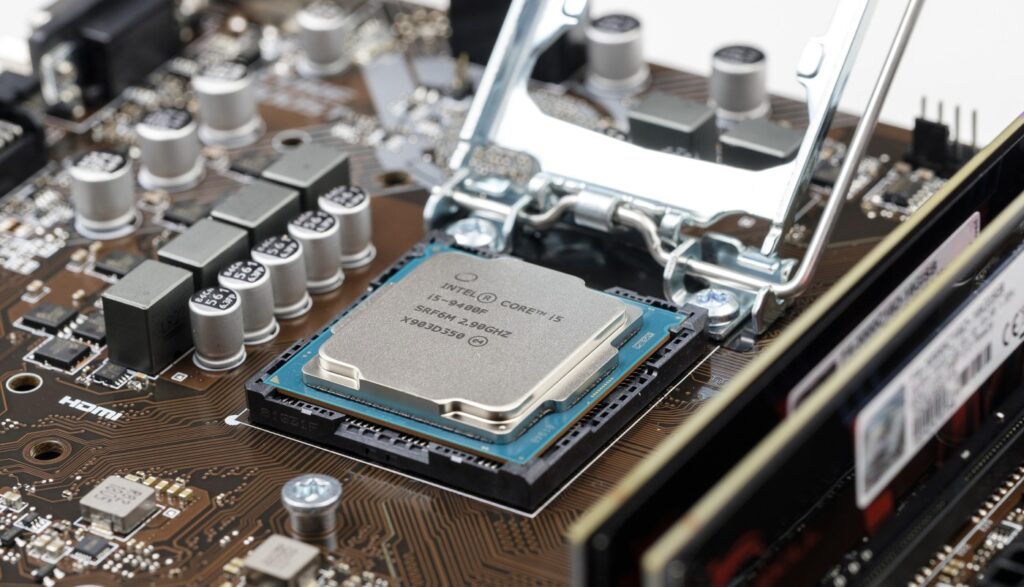
CPUs That Keep Up, The Unsung Half of Performance

close-up photo of a motherboard and cpu representing next-gen gpu performance 2025
Precision engineering still defines real performance — every frame starts at the board level.

Everyone fears the bottleneck monster, not everyone understands it. A weak CPU limits maximum frame rate and, more importantly, frame time consistency. You can throw a halo GPU at your rig and still get choppy 1 percent lows if your CPU is gasping.

  • Clocks and cache are king for gaming. Many titles thrive on high clocks and large caches, not just core counts.
  • Background clutter hurts. Overlays, browser tabs, capture, and RGB suites chew CPU time. Kill the noise before testing.
  • Know your target frame rate. If you chase 120 to 165 Hz, prioritize CPU strength. If you lock to 60 to 90 Hz, GPU usually dictates the feel.

We go deeper on diagnosis, testing, and sane upgrade paths in How to Test a Used CPU.

Gaming Laptops, Desktop Power’s Portable Cousin

Laptops in 2025 push surprising frame rates, especially at 1080p and 1440p panels with smart upscalers. The constraints are thermal and acoustic budgets. Performance is real, physics is realer.

  • Power limits define the ceiling. A 115 W GPU tier behaves very differently from a 175 W one, even with the same silicon name.
  • Cooling quality varies wildly. Vapor chambers and intelligent fan curves are not marketing fluff, they decide sustained clocks.
  • Battery benchmarks lie by omission. Mains power testing tells the truth. Battery gaming trades performance for portability.

Hunting value, not vanity? Check out our Best Gaming Laptops Under $1000.
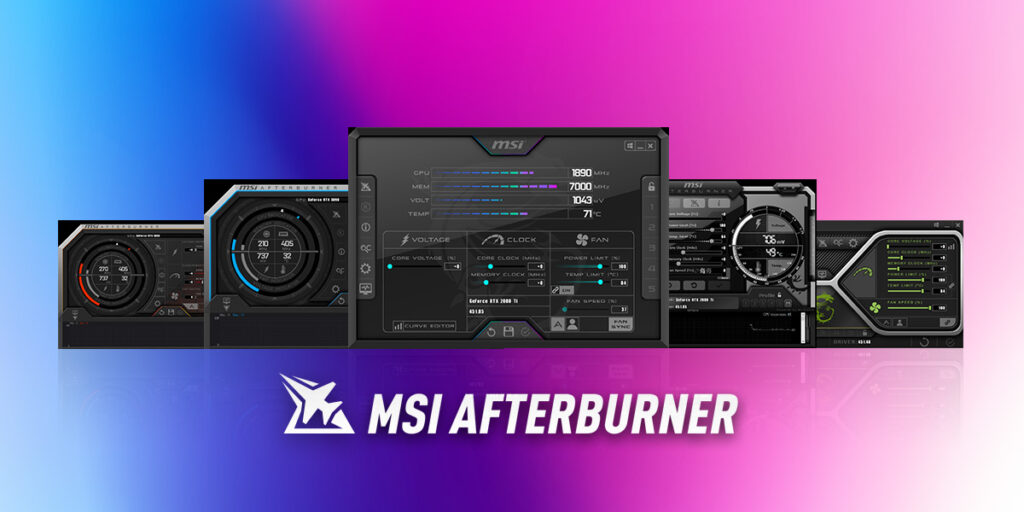
Benchmarks, Bias, and the Truth About “Performance”

Capping your FPS - MSI Afterburner performance monitoring software with GPU and FPS stats on screen
Because watching your frame time spike in real-time is the new horror genre.

Benchmarks help, context saves. Synthetic scores reward narrow workloads, game engines change every patch, drivers swing results, and test benches are never perfectly identical. Treat charts as a map, not the territory.

  • Chase frame times, not only averages. 1 percent lows reflect playability better than headline FPS.
  • Demand method transparency. Settings, drivers, BIOS, room temps, and test scenes affect outcomes.
  • Cross check sources. We rate Gamers Nexus and Hardware Unboxed for rigorous methodology.

Benchmarks are great, until they are not. Real gaming tells the truth over a long session, with your settings, on your desk. For context, see our NVIDIA GeForce RTX 5080 Review.

The Smart Upgrade Path, 2025 and Beyond

You do not need to win every benchmark to win at gaming. You need clean frame pacing, sane thermals, and enough headroom for your target resolution.

  • Upgrade when pain is repeatable. Frequent stutter, settings you refuse to lower, or new workloads you actually use, not FOMO.
  • Consider the used market. Previous gen mid to high tier GPUs deliver excellent value when paired with a competent CPU.
  • Balance the stack. Monitor, GPU, CPU, storage, cooling, and PSU, the slowest piece sets the ceiling.

Before you buy, avoid the most common traps with GPU Upgrade Mistakes Gamers Still Make.

Upgrade Sanity Checklist

  • Target resolution and refresh rate, written down before you shop
  • VRAM needs for your top five games, verified with overlays
  • CPU headroom checked at a lower resolution to expose bottlenecks
  • Power and cooling capacity confirmed, no mystery throttle
  • Driver and BIOS updated, overlays and background junk trimmed

For real stress testing, put your rig through its paces with Can Your Rig Handle Doom: Dark Ages?.

Performance Trends to Watch

Nvidias DLSS 4 Game Graph up to 8 times the Speed
DLSS 4 Turns Your Frame Counter Into a Slot Machine — Up to 8× Wins
  • AI compute everywhere. Upscaling and frame gen are table stakes, future engines lean into AI for denoising, reconstruction, and simulation assist.
  • Efficiency race. Performance per watt is the new flex, smaller coolers and quieter rigs win homes and laptops alike.
  • Chiplets and smarter memory. Wider effective bandwidth and flexible layouts reduce bottlenecks without brute force.

Quick Takeaways

  • AI frames improve smoothness, latency tuning keeps it honest
  • VRAM and bandwidth decide 1440p and 4K sanity more than you think
  • CPU choice shapes 1 percent lows, not only average FPS
  • Laptops can be legitimately fast, sustained power and cooling decide the truth
  • Benchmarks need context, cross check and focus on frame pacing

FAQs

Is AI frame generation a replacement for native performance?
No, it is a booster. Treat it as a smoother presentation layer, not a physics accelerator.

How much VRAM do I need for 1440p in modern titles?
Aim for comfortable headroom. Texture heavy titles can spike, so test your actual library, then decide.

Should I upgrade my CPU or GPU first?
If your 1 percent lows collapse at low resolution, start with the CPU. If averages collapse at your native resolution, start with the GPU.

Are laptop “4090” class GPUs equal to desktop variants?
Names overlap, power limits do not. Compare sustained wattage and cooling design before assuming parity.

Wrap Up, The Era of Smart Performance

As the performance frontier shifts, AI upscaling and frame generation are foundational to real results. For official details, see NVIDIA DLSS and AMD FidelityFX Super Resolution.

2025 rewards balance and clarity. AI helps, but fundamentals still win: clean frame pacing, adequate VRAM, stable clocks, and component harmony. Use the tools, test with your games, and upgrade with intent, not envy.

Want more performance brain food? Explore more deep dives and reviews on BuiltToFrag, from the RTX 5080 deep dive to GPU upgrade sanity guides. Then come back with logs, not lore — we will help you squeeze more frames without burning your sanity.

If You Liked This Article? Please Share

Instagram

Got something to say?

More From Built To Frag

Do Faster SSDs Improve FPS or Just Load Times? The Truth for Gamers
02Jan

Do Faster SSDs Improve FPS or Just Load Times? The Truth for Gamers

Do faster SSDs actually improve FPS, or do they just shorten load times? This guide explains what SSD speed really…

RAM Buying Guide for Gaming PCs: What to Buy and What to Skip
28Dec

RAM Buying Guide for Gaming PCs: What to Buy and What to Skip

A no-nonsense RAM buying guide for gamers. Learn which DDR4 and DDR5 RAM kits are worth buying, and which specs…

How Much RAM Do Games Actually Need? (And When It Fixes Stutter)
27Dec

How Much RAM Do Games Actually Need? (And When It Fixes Stutter)

RAM does not increase FPS, but it can eliminate stutter. Here’s how much RAM gaming PCs really need in 2025…

Gaming PC Upgrades That Actually Matter (Networking, Storage & Power Explained)
27Dec

Gaming PC Upgrades That Actually Matter (Networking, Storage & Power Explained)

Most gamers upgrade the wrong things. This guide explains which PC upgrades actually improve gaming performance, stability, and smoothness, and…