If you are asking what PSU wattage do you need, you are already asking a smarter question than most first-time builders. Too many people either guess, trust a random forum comment, or buy a ridiculous oversized unit because bigger sounds safer. That usually means wasted money, bad upgrade choices, or a system that still behaves like a drama queen under load.
This guide shows you how to calculate the right PSU wattage for a gaming PC, when 650W is enough, when 750W makes more sense, and why cheap power supplies are one of the dumbest places to cut corners. We will keep it simple, practical, and useful.
Quick answer: most gaming PCs land between 550W and 850W. A mid-range build usually fits comfortably on 650W, a stronger upgrade-friendly build often makes sense at 750W, and high-end GPUs usually push you toward 850W. The easiest method is to add your CPU and GPU maximum power draw, add 100 to 150 watts for the rest of the system, then add 25 to 30 percent headroom.
Quick Answer by Build Type
If you just want a fast answer before digging into the details, this is the practical version. These wattage ranges are not perfect for every possible combination, but they are accurate enough for most gaming PCs and far more useful than blindly buying the biggest PSU your budget can survive.
- Budget or low-end gaming PC: 450W to 550W
- Mainstream mid-range gaming PC: 650W
- Upper mid-range gaming PC with upgrade room: 750W
- High-end gaming PC: 850W or more
For most people, the real decision comes down to this: 650W for sensible builds, 750W for breathing room, 850W for serious hardware.
How to Estimate the PSU Wattage You Need
This part scares people for no reason. You do not need a spreadsheet, You just need a simple method that accounts for real hardware behavior.
Look for the GPU’s total board power or total graphics power on the manufacturer’s specifications page. For the CPU, use its stated maximum turbo power, package power limit or another reliable maximum-load figure, not only the basic TDP printed on the box. If those figures are difficult to find, use the graphics card manufacturer’s recommended system PSU as your starting point.
Use this formula:
- Take your GPU maximum power draw
- Add your CPU maximum power draw
- Add 100 to 150W for the motherboard, storage, RAM, fans, USB devices, and the rest
- Add 25 to 30 percent headroom
That headroom matters because power draw is not perfectly flat. Components spike, especially modern graphics cards, and that is where weak or cheap units start embarrassing themselves. However, if your PC restarts or shuts down while gaming, wattage calculations alone cannot prove that the PSU is faulty; check the failure pattern and other evidence first.
- RTX 4060 + Ryzen 5 5600: Choose a quality 550W PSU.
- RTX 5070 + Ryzen 7-class gaming CPU: Choose 650W, or 750W if you want more room for future upgrades.
- RX 9070 XT + stronger Ryzen 7 or Core Ultra 7-class CPU: Treat 750W as the minimum, with 850W worth considering for a particularly demanding CPU or substantial future upgrades.
- RTX 5080 system: Use 850W as the starting point.
Example calculation: An RTX 5070 has a 250W total graphics power. Pair it with a gaming CPU that can draw approximately 120W under a heavy workload, then allow 120W for the motherboard, drives, RAM, fans and USB devices:
250W + 120W + 120W = 490W
490W + 25% headroom = approximately 613WThat points to a quality 650W PSU. Nvidia also lists 650W as the required system power for the RTX 5070, so the calculation and manufacturer guidance agree. A 750W unit would make sense if you expect a more power-hungry future GPU.
Nvidia currently specifies 250W graphics power and 650W required system power for the RTX 5070. Nvidia RTX 5070 specifications
Treat the graphics card manufacturer’s recommendation as your minimum cross-check. If your calculation produces a lower figure, use the higher manufacturer recommendation unless you have reliable evidence that your particular system requires less. Also check the page for your exact card model, because factory-overclocked versions may have different requirements.
If you are still putting the rest of the system together, this guide on how to pick PC parts that actually fit and perform helps prevent the usual compatibility mistakes.
Real Gaming PC Wattage Examples
This is where the theory becomes useful. Real examples make wattage easier to understand, and they stop people from doing nonsense like pairing a modest GPU with a 1000W power supply “just in case.” In most builds, that is not future-proofing, it is just overpaying with confidence.
Example 1: Budget / Entry Gaming PC
A build with something like an RTX 4060 or similar class card, a mainstream CPU, a couple of drives, and a normal fan setup will usually sit comfortably in the lower range.
- GPU: ~115W to 160W
- CPU: ~65W to 125W
- Rest of system: 100W to 150W
- Recommended PSU: 550W to 650W
Example 2: Mainstream Mid-Range Gaming PC
This is where a lot of modern gaming builds land. If you are using stronger GPUs and a more capable CPU, you need more headroom so the system stays stable during heavier gaming loads and short transient spikes.
- GPU: ~200W to 250W
- CPU: ~90W to 150W
- Rest of system: 100W to 150W
- Recommended PSU: 650W to 750W
Example 3: High-End Gaming PC
Once you move into higher-end GPUs and more power-hungry CPUs, 850W stops sounding excessive and starts sounding sane. This is especially true if you want quieter operation, less stress on the PSU, and room for future upgrades.
- GPU: ~300W to 450W+
- CPU: ~125W to 200W+
- Rest of system: 120W to 150W
- Recommended PSU: 850W or more
If you are building around a new GPU and getting weird shutdowns later, this is exactly why people end up searching for why their GPU keeps crashing when the real issue was power delivery all along.
Quick PSU Guide for Popular GPU Classes
Your exact requirements still depend on your CPU and the rest of your system, but these recommendations work well for most gaming PCs.
| GPU Class | Typical Example | Recommended PSU |
|---|---|---|
| Entry-Level | RTX 4060-class | 550W–650W |
| Mainstream | RTX 5070-class | 650W–750W |
| Upper Mid-Range | RX 9070 XT-class | 750W–850W |
| High-End | RTX 5080-class | 850W+ |
Always check the manufacturer’s recommendation for your exact graphics card model, especially factory-overclocked versions.
Why Modern GPUs Need Extra Headroom
Older advice about PSU sizing is not always enough anymore because modern graphics cards do not behave like polite, predictable little components. They can pull quick bursts of power that exceed their average draw, and that can trip up weaker units even if the “total wattage” looked fine on paper.
This is one reason newer standards matter. Intel’s PSU guidance for gaming PCs explains why proper PSU sizing is about more than just adding up a couple of TDP numbers. If you are upgrading a compact OEM PC with no spare 6-pin or 8-pin GPU power connector, our guide to the best low-profile GPUs without external power covers the cards designed specifically for that kind of limitation.
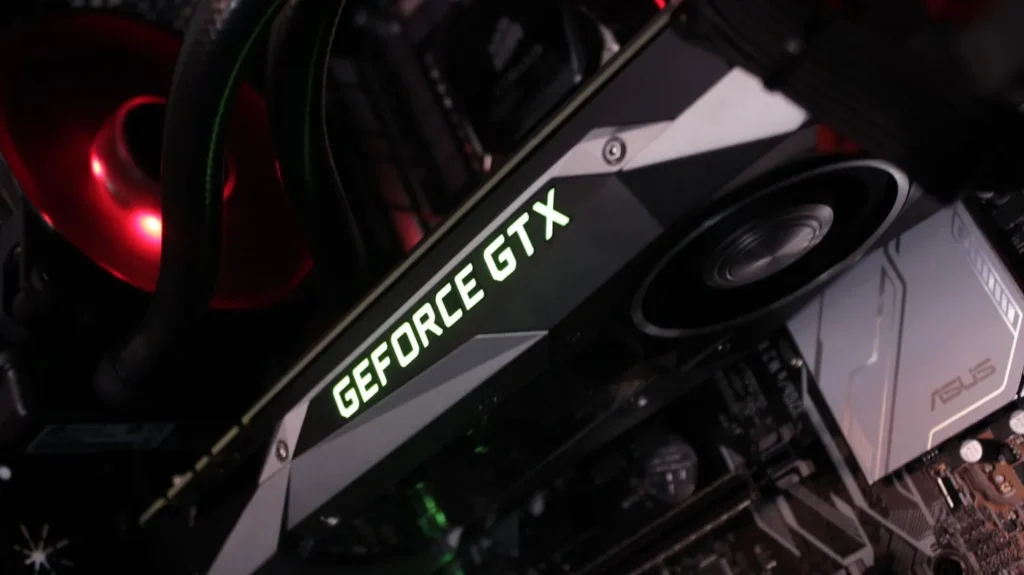
From a performance point of view, this matters because unstable power can look like unrelated problems. An inadequate or failing PSU can cause sudden shutdowns, reboots, black screens or crashes when system power demand rises. These symptoms can also have other causes, so they do not prove the PSU is faulty on their own. Ordinary stutter without shutdowns or instability is unlikely to be enough evidence by itself. If your system feels unstable during gaming, this can overlap with the symptoms covered in why games stutter on high-end PCs.
Should You Buy an ATX 3.0 or ATX 3.1 PSU?
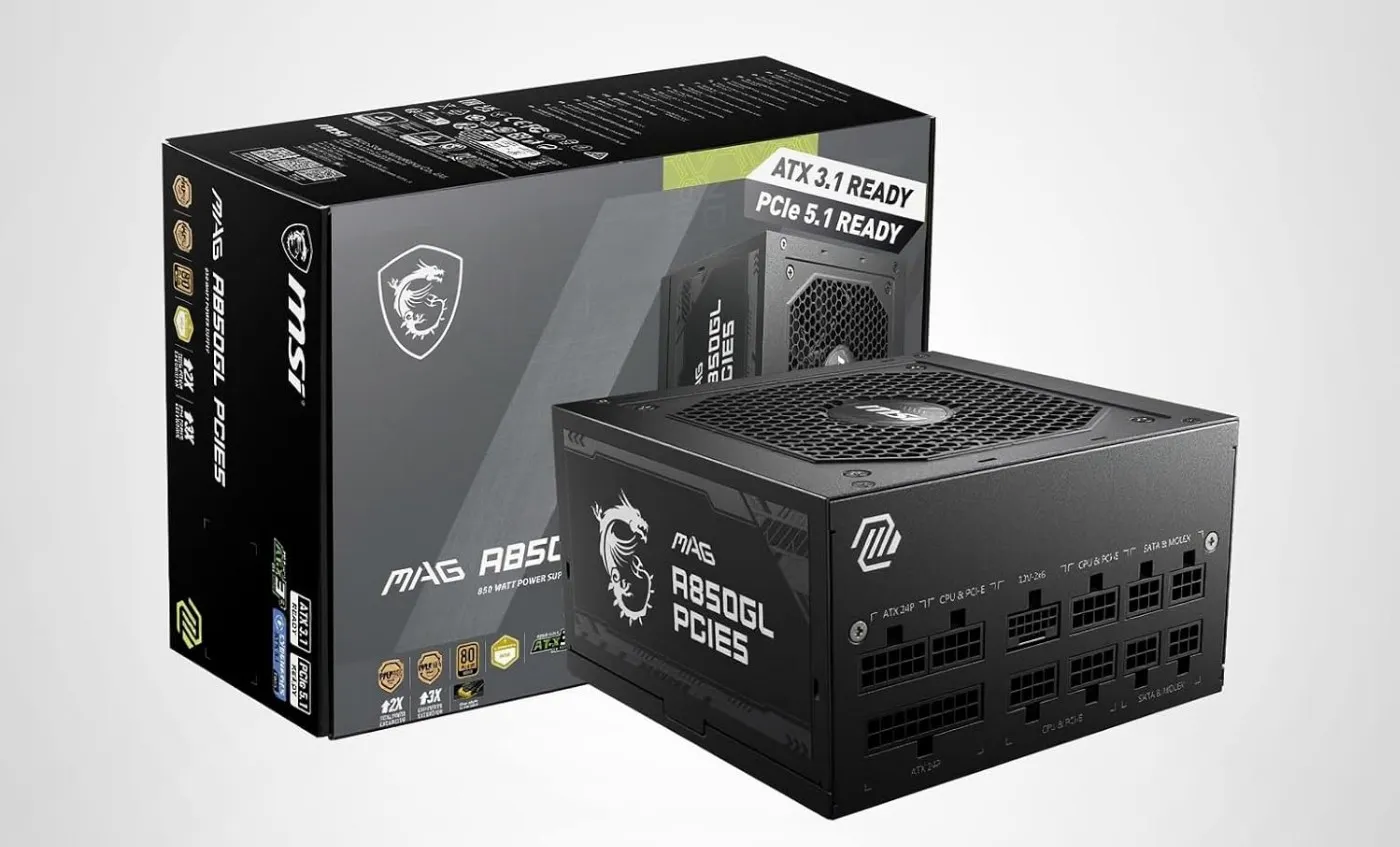
If you’re buying a new power supply for a modern gaming PC, an ATX 3.0 or ATX 3.1 PSU is worth considering. These newer standards were designed to handle the brief power spikes produced by today’s graphics cards much better than older power supplies.
Many ATX 3.1 power supplies include a native 12V-2×6 cable for compatible graphics cards. This gives you a cleaner direct connection without the bundled multi-cable adapter. Whichever cable you use, insert the connector fully and avoid sharply bending it immediately beside the plug.
- Keeping an older mid-range GPU? You probably don’t need to upgrade just for ATX 3.1.
- Building a new gaming PC? ATX 3.0 or 3.1 is a smart feature to look for if the price is reasonable.
- Buying a modern high-end GPU? If the graphics card uses a 12V-2×6 connection, an ATX 3.1 PSU with a compatible native cable is the simplest choice.
ATX 3.1 doesn’t replace choosing the correct wattage, but it helps ensure your power supply is ready for current and future graphics cards.
650W vs 750W vs 850W, Which One Should You Pick?
This is the actual buying decision for most people. You usually are not choosing between ten wattage options. You are choosing between the three ranges that make sense for gaming PCs, and the right answer depends on how strong your hardware is and whether you want upgrade room.
When 650W Makes Sense
650W is a very solid choice for a normal mid-range gaming PC. If your GPU is not especially power-hungry and your CPU is not a furnace pretending to be a processor, 650W is often enough with some headroom left.
When 750W Is the Smart Sweet Spot
For many gamers, 750W is the best balance. It gives you more flexibility for GPU upgrades, handles transient spikes more comfortably, and usually does not cost so much more that it becomes a stupid purchase.
When 850W Is Worth It
850W is the move for high-end systems, stronger modern GPUs, or people who know they are going to upgrade later. It is not necessary for every build, but it stops being overkill once the rest of your hardware gets serious. Extreme flagship GPUs, heavily overclocked processors and workstation-class builds may require 1000W or more. Always use the recommendation for the exact graphics card and configuration.
If both units are equally well-built and the price difference is small, 750W gives you more upgrade room. Do not choose a low-quality 750W PSU over a properly reviewed 650W model simply for the larger number.
Does 80 Plus Efficiency Actually Matter?
Yes, but not in the way people think. Efficiency tells you how much power is wasted as heat, not whether the PSU is automatically well-built. That means a higher-rated unit can run cooler and waste less power, but efficiency alone does not prove it is electrically great.
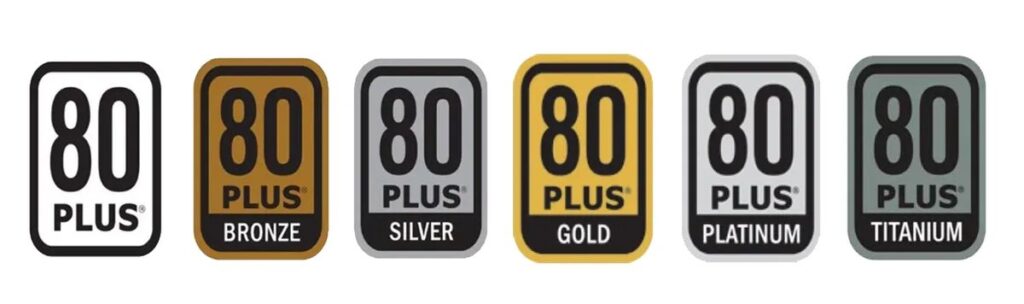
The official 80 PLUS certification program covers efficiency ratings like Bronze, Gold, Platinum, and so on. For most gaming PCs, Gold is the practical target because it gives a good balance between cost, heat, and quality expectations.
What you should not do is assume that a shiny rating magically means the PSU is safe, premium, and built like a tank. It does not. That is marketing trying to dress up a spec badge as a personality trait.
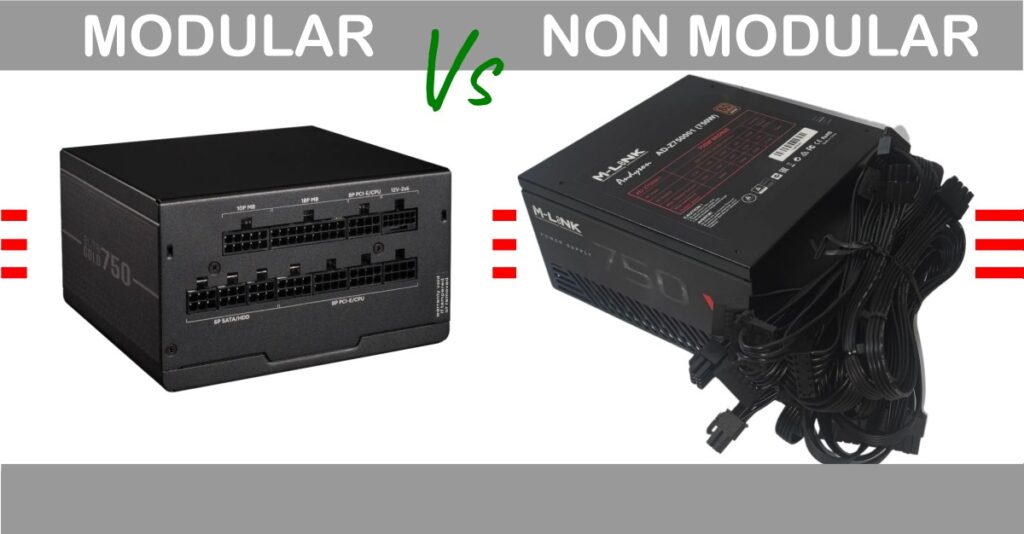
Modular vs Semi-Modular vs Non-Modular PSUs
The type of power supply you buy doesn’t affect performance, but it does affect cable management, airflow, and ease of installation.
- Non-Modular: Every cable is permanently attached. Usually the cheapest option.
- Semi-Modular: Essential motherboard cables are fixed while GPU and storage cables can be added only when needed.
- Fully Modular: Every cable is removable, making installation cleaner and reducing cable clutter.
For most gaming PCs, a semi-modular or fully modular PSU is worth the small extra cost if your budget allows.
Important: Never mix modular PSU cables from different manufacturers unless they are specifically designed to be compatible. Incorrect cables can permanently damage your hardware.
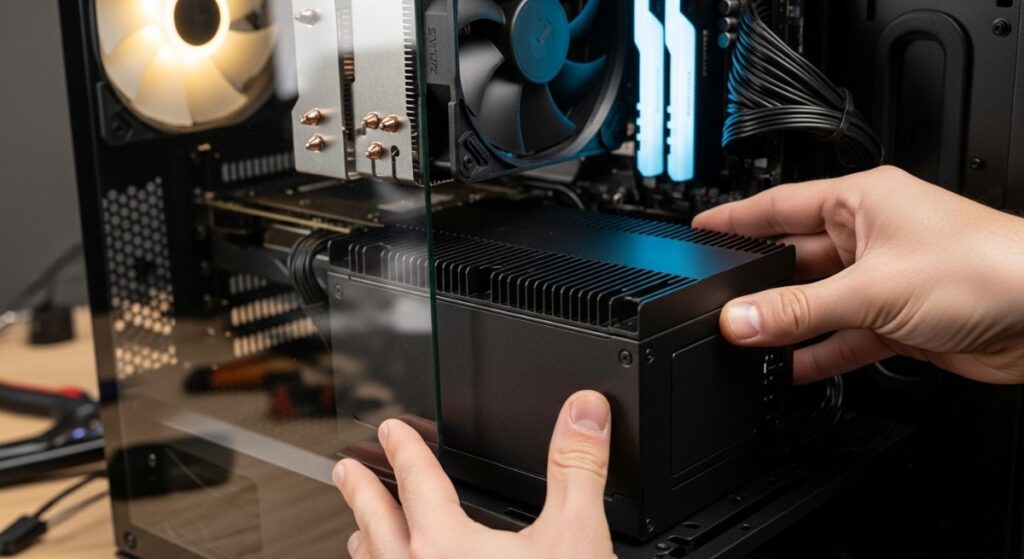
Signs Your PSU Is Too Weak
A PSU that is too weak or too poor in quality often creates problems that do not scream “power supply” right away. Instead, the system just starts acting weird, and then people waste hours blaming Windows, drivers.
- Random shutdowns during gaming
- Crashes when GPU load suddenly rises
- System instability under heavy load
- New electrical crackling, arcing or abnormal noise, although ordinary coil whine alone does not necessarily indicate a faulty PSU
- Burning smell or unusual heat
If you smell burning, see smoke, hear electrical crackling, or notice melted/discoloured connectors, shut the PC down, switch off and unplug the power supply, and do not continue testing it. Do not open the PSU casing; internal components can retain a dangerous charge even after it has been unplugged.
But if your PC only freaks out under gaming load, that is one of the strongest hints that power delivery deserves a closer look.
Why Low-Quality Power Supplies Can Be Dangerous
An affordable PSU is not automatically dangerous. The problem is an unknown or poorly reviewed unit that reaches its low price by exaggerating its wattage, omitting protections or using components that perform badly under sustained load.
- Fake or inflated wattage claims
- Weak voltage regulation
- Poor filtering and ripple control
- Missing or weak protection circuits
- Lower durability under gaming loads
A proper PSU is one of the few components that protects everything else in your system. When a bad one fails, it does not always fail politely.
How to Choose the Right PSU Without Wasting Money
Once you understand wattage, choosing the right PSU gets a lot easier. You are looking for enough power, proper headroom, decent efficiency, real protections, and a brand or platform that does not have a reputation for spontaneous nonsense.
Check that the PSU lists essential protections such as over-current, over-voltage, short-circuit and over-temperature protection, and confirm through a reputable professional review that those protections work correctly.
- Pick the correct wattage, not the biggest number you can afford
- Aim for 80 Plus Gold if pricing is reasonable
- Make sure the unit includes proper protections
- Buy based on reliable reviews, not branding alone
- Leave room for the GPU you may upgrade to next
Final PSU Buying Checklist
Before you click Buy, run through this quick checklist:
- Choose the correct wattage for your CPU and GPU.
- Leave around 25–30% headroom for future upgrades and power spikes.
- Check that the PSU includes the correct PCIe power connectors for your graphics card.
- Make sure the power supply physically fits inside your PC case.
- Buy a quality unit from a reputable manufacturer with good professional reviews.
- Never reuse modular cables from another power supply unless compatibility is confirmed.
- Prioritize build quality over simply buying the biggest wattage available.
A high-quality 750W PSU will almost always be a better investment than a cheap 850W unit with poor components.
If you do not want to fight through compatibility guesswork on your own, I have already broken down solid options in this best PC power supply buying guide.
And if you are still working out the full system around it, this gaming PC build breakdown helps tie the rest of the upgrade path together.
FAQ
These are the common questions people usually have once they stop panic-buying random wattage numbers and actually try to make a sensible decision.
What PSU wattage do I need for a gaming PC?
Most gaming PCs need between 550W and 850W, depending on the GPU, CPU, and how much upgrade headroom you want. Mid-range systems often sit comfortably at 650W, while stronger builds usually benefit from 750W or 850W.
Is 650W enough for a gaming PC?
Yes, for many mid-range gaming PCs 650W is enough. It is often a good fit for sensible mainstream builds, as long as the GPU and CPU are not especially power-hungry.
Is 750W better than 650W?
Not automatically, but 750W is often the smarter choice if you want more headroom, and potentially quieter operation under load, depending on the PSU’s efficiency, cooling design and fan curve
Does 80 Plus Gold mean a PSU is high quality?
No. It means the unit meets a certain efficiency standard. It does not guarantee excellent internal components, voltage regulation, or overall build quality on its own.
Final Answer, What PSU Wattage Do You Need?
If you want the clean version, here it is: most gaming PCs should be using a PSU somewhere between 550W and 850W, and the right choice depends on your GPU, your CPU, and whether you want comfortable headroom for upgrades and transient spikes.
For a lot of builders, 650W is enough. For people who want a safer sweet spot, 750W is usually the smartest all-round choice. For stronger high-end systems, 850W starts making real sense.
The goal is not to buy the biggest PSU possible. The goal is to buy the right one, with enough headroom to keep the system stable and enough quality to avoid turning your whole build into an expensive lesson.