
If your PC wheezes when you open the Start menu, you are exactly who this list is for. These are real free survival games for low-end PCs, old laptops, and straight up fossil rigs, not fake “low spec” picks that secretly want a modern GPU.
If you want a bigger hub of free games that are friendly to weak hardware, bookmark the main Free Games Hub for Older PCs. For a wider mix of genres beyond survival, you can also dive into the Best Free Games for Low-End PCs pillar.
Here we focus on free survival games for low end PCs where you can actually fight, craft and suffer without your fan sounding like a jet engine. You will also see a mix of lightweight survival games, browser survival games, and a few “bigger” free picks that still behave on older hardware if you keep settings sane.
Quick Survival Tips for Weak PCs
Before you install or launch anything, give your fossil a fighting chance:
- Drop the heavy settings first: shadows, motion blur, ambient occlusion, anti aliasing. These eat frames for breakfast.
- Use fullscreen, not borderless or windowed in most games, it often gives a small but free FPS bump.
- Cap your FPS so your poor CPU or iGPU is not trying to render 300 frames in the menu. If you have not set a cap before, start here: Capping Your FPS.
- Kill background junk like browsers with 20 tabs, Discord overlays and launchers you do not need.
- Run through the tweaks in Windows settings to disable for gaming and the deeper checks in The Hidden Throttles Killing FPS so Windows itself is not griefing your frames.
Done that, cool. Now you are not benchmarking your own suffering, you are actually ready to play.
How These Survival Games Behave on Real Weak PCs
Survival games are sneaky. Even when the graphics look “simple,” the simulation can hit your CPU and RAM hard. Here is what to expect on low-end PCs and integrated graphics:
- Sandbox survival is often CPU-bound: crafting systems, AI, day/night cycles, physics and base building can stress older CPUs even with low graphics.
- RAM matters more than you think: open worlds, mods, and long play sessions can cause stutter when memory gets tight. If your game runs “fine” then slowly gets worse, it is usually memory pressure.
- Browser survival games are light, but not free: older laptops can still struggle if your browser is bloated, you have 15 tabs open, or your laptop is heat throttling.
- Stutter is the real killer: if FPS is okay but the game feels choppy, you are dealing with frametime spikes. Start here: Why Does My Game Stutter on a High-End PC (yes, it applies to weak PCs too).
If you want to actually see what is happening, use a monitoring guide and keep it simple. You do not need a full NASA dashboard, just basics. Start with: How to Test Gaming PC Performance.
The 10 Free Survival Games You Can Actually Run
Quick scan table first, because your scroll wheel deserves a break.
| Game | Type | Install needed | iGPU friendly | Multiplayer | Offline |
|---|---|---|---|---|---|
| Unturned | 3D zombie survival sandbox | Yes | Mostly | Yes | Yes |
| Muck | Co-op survival roguelike | Yes | Yes | Yes | Limited |
| Cataclysm: DDA | Turn-based survival roguelike | Yes | Yes, toaster tier | No | Yes |
| Mini DAYZ | 2D zombie survival | Yes | Yes | No | Yes |
| Devast.io | Browser survival | No | Yes | Yes | No |
| Zombs.io | Browser base defense | No | Yes | Yes | No |
| ZombieCraft-style browser games | Browser voxel survival | No | Yes | Varies | Varies |
| YORG.io | Browser strategy survival | No | Yes | No | Yes |
| Kill The Twister | Retro survival FPS | Yes | Usually | No | Yes |
| Survival: Island Build Craft | Light crafting survival | Yes | Yes | Varies | Varies |
1. Unturned

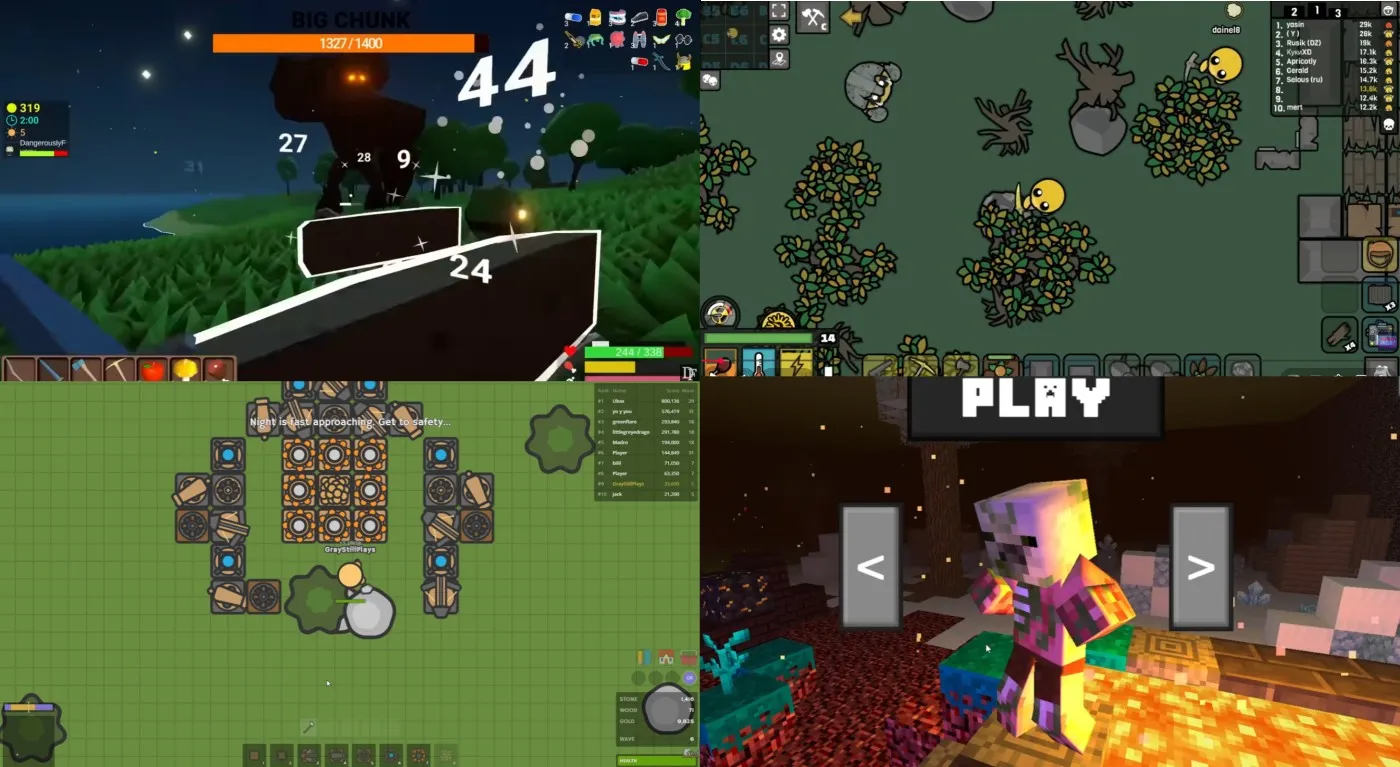
Think blocky zombie apocalypse with a surprisingly deep survival loop. In Unturned you spawn into a ruined world, loot houses, craft gear, build a base and try not to get chewed on by zombies or other players. It looks simple, but there is a full survival loop with hunger, thirst, infection and vehicle scavenging.
Why it works on older PCs: Unturned is free to play on Steam and visually simple, so it does not demand a modern GPU. On paper it wants a modest dual or quad core CPU, several gigabytes of RAM and a few gigabytes of disk space, which is still within reach for many office boxes and older gaming PCs.
Performance note: Unturned can get CPU-heavy in busy areas and on populated servers. If you feel stutter during combat, cap FPS first and keep shadows low.
Fossil PC warning: among this list, Unturned is one of the heavier games. If your rig is truly ancient, start with the lighter picks below and come back to this later.
Why you will keep playing: endless community servers, modded maps, and that classic “log in for 20 minutes, accidentally play for 3 hours” survival energy.
Where to get it: grab it from the official Steam page for Unturned.
2. Muck

Muck is chaos survival, but in the best way. You spawn on a random island, punch trees, craft tools, open chests and try to survive against increasingly nasty monsters each night. It is part survival, part roguelike and part “who invited these mobs” simulator.
Why it works on a dinosaur: the system requirements are forgiving, usually around a dual core CPU, 2 GB of RAM and even integrated Intel HD graphics. The download is small, so you are not sacrificing half your drive just to try it.
Performance note: the biggest issue on weak PCs is usually monster spam late game. If your FPS starts collapsing, lower draw distance and cap FPS to stabilize frametimes.
Best way to play: grab a couple of friends, set the difficulty to normal, and accept that at some point a floating rock monster is going to end your run.
Where to get it: free on Steam as Muck.
3. Cataclysm: Dark Days Ahead
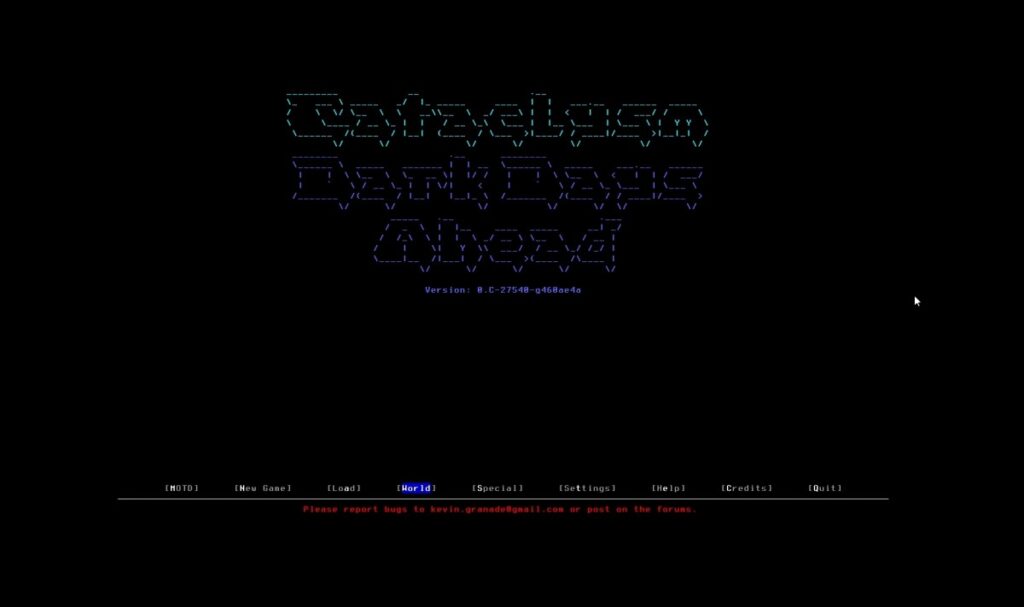
This is peak “runs on a toaster” survival. Cataclysm: Dark Days Ahead is a free, open source, turn based survival roguelike set in a sprawling post apocalyptic world. You scavenge, craft, build vehicles, manage wounds and fend off zombies, mutants, robots and wildlife, all in either ASCII or simple tiles.
Why it works on any fossil: the game is designed with extremely low system requirements in mind. It runs happily on ancient CPUs with a tiny amount of RAM, and there is no 3D rendering to worry about.
Why it is worth your time: once you get past the old school look, the depth is absurd. You can weld cars together, build bases, wire up solar power and craft half your gear from junk you found in burned out houses.
Where to get it: direct from the official Cataclysm: Dark Days Ahead site, completely free.
4. Mini DAYZ

Take the brutal DayZ survival formula, shrink it into pixel art, and make it free. Mini DAYZ drops you into a 2D, top down zombie wasteland where you scavenge buildings, manage hunger and temperature, craft better gear and try not to bleed out in the woods.
Why it works on low end hardware: it is lightweight, runs in a simple 2D engine and the pixel art style is easy on integrated graphics.
Why you will keep coming back: runs are fast, mistakes are punished, and there is always one more loot run you think you can survive. It scratches the DayZ itch without needing DayZ hardware.
Where to get it: Bohemia hosts Mini DAYZ as a free survival sandbox on PC, check their official page for downloads.
5. Devast.io (Browser)

Devast.io is what happens when the world ends and your browser becomes your console. In this top down post apocalyptic survival game you gather resources, craft tools, build bunkers and try not to freeze, starve or get wiped by other players.
Why it works on a dinosaur PC: everything runs inside your browser using lightweight graphics. If your machine can handle a modern browser and a couple of tabs, it can usually handle this too.
Safety note: if you are playing browser games, keep it to reputable sites and do not install random “download managers.” If you want the safer route for mods and downloads in general, this is worth bookmarking: Safest PC Game Mod Sites.
Where to play: visit the official Devast.io site in your browser and start surviving.
6. Zombs.io (Browser)

Zombs.io mixes base building and wave based zombie survival in your browser. You gather wood and stone, build walls and towers, then defend against nightly zombie attacks while upgrading your base.
Why it is fossil friendly: no heavy client, no huge install. It runs in your browser with simple visuals and short load times.
Why it is addictive: the upgrade loop is pure survival crack, build walls, upgrade towers, survive one more night, repeat.
Where to play: head to the official Zombs.io site in any modern browser.
7. ZombieCraft-style Voxel Survival (Browser)
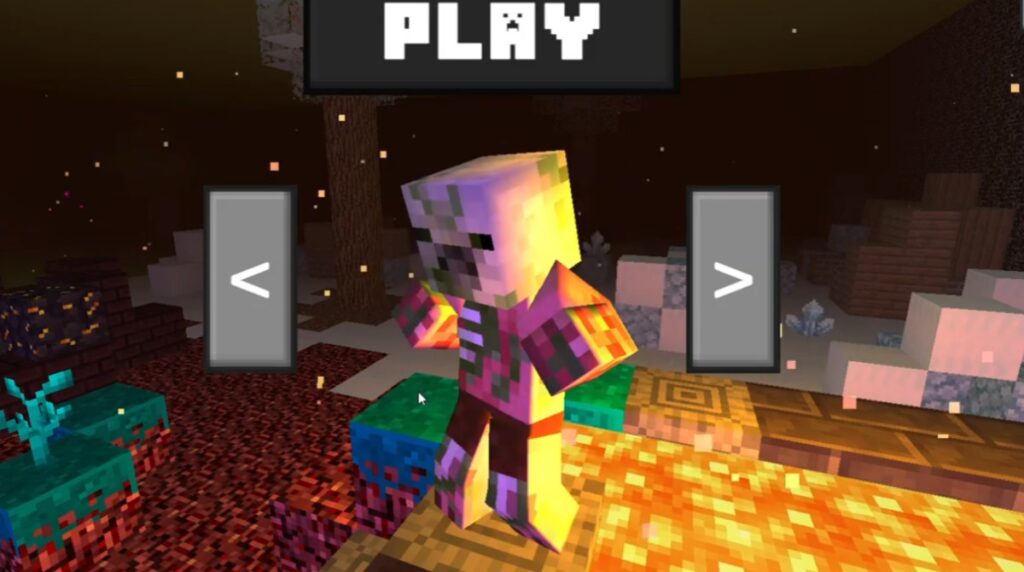
If you like Minecraft style voxels and zombies, this is your low spec survival toy box. These voxel survival browser games let you roam a blocky world, scavenge resources, craft weapons and fight off waves of undead. It is part shooter, part builder, part run for your life.
Why it runs on almost anything: the blocky visuals are forgiving and many of these are tuned for browser play with low memory use.
Reality check: titles and hosts change often. If the site feels sketchy, close it. There is always another one that is cleaner.
Where to play: look for ZombieCraft.io style voxel survival titles on reputable browser game portals.
8. YORG.io (Browser)

YORG.io looks like a simple tower defence, but plays like a minimalist survival sim. You place buildings that generate and process resources, link them with supply chains, then build defences to survive increasingly brutal zombie waves at night.
Why a fossil PC can handle it: clean, minimal graphics and tiny CPU and RAM use compared to modern games.
Why it belongs on this list: it is survival at the strategy level. If you enjoy planning more than twitch aiming, this scratches the itch without melting your hardware.
Where to play: you can play YORG.io free in your browser, or grab the standalone version for better stability.
9. Kill The Twister

Yes, this really is a game about shooting a tornado with a shotgun to survive. Kill The Twister is a free, retro styled FPS where you fight a massive tornado by dodging debris, blowing up barrels and trying not to get flung across the map. It is short, weird and surprisingly tense.
Why it works on low end PCs: tiny download size, low memory requirements and intentionally simple visuals.
Why it is worth a slot: it is a fun break from zombies and crafting. You are still surviving, just against a natural disaster instead of shambling corpses.
Where to get it: available free on PC through its official store page.
10. Survival: Island Build Craft

This one leans into the stranded castaway fantasy. Island build craft style survival games drop you alone on a blocky island where you gather resources, build a camp or fortress and survive hunger, monsters and the night.
Why your low-end PC can handle it: cube visuals and small installs keep hardware demands lower, and many are designed to run on weaker systems.
Reality check: the exact “Island Build Craft” title can vary by store and publisher. If you do not trust the download source, skip it and stick to Steam and known official sites.
Where to get it: look for “Survival: Island Build Craft” style free survival titles on reputable stores and portals.
Prefer building empires instead of bases? These free strategy games for low-end PCs are a great change of pace.
Browser Survival Picks (Best for Ancient Laptops)
If you are on a truly old laptop, browser survival games can be your best friend. They avoid big installs and usually play nicely with integrated graphics.
- Devast.io: quick survival sessions, craft and build in minutes.
- Zombs.io: base defence survival loop, wave after wave.
- YORG.io: survival strategy with minimal hardware demand.
- Voxel survival browser games: fun, but pick reputable hosts and avoid sketchy downloads.
Bonus: When Your PC Is Actually a Fossil
If your machine struggles even with the lighter games on this list, stick to the ultra low spec options first:
- Start with Cataclysm: Dark Days Ahead for text and tiles based survival depth.
- Then add Devast.io, Zombs.io and YORG.io for survival directly in your browser.
- Only then try Unturned or other 3D titles, they are more demanding even if they are free.
You can also claw back performance by pairing this list with the fixes in Why Does My Game Stutter on a High-End PC and the broader tweaks in your Windows performance and FPS guides.
If These Barely Run, Do This Before You Give Up
If even the “light” games are stuttering, do not instantly blame the game. Most weak PC problems are boring, fixable stuff like background junk, heat throttling or storage being painfully slow.
- Stutter or choppy feel: start with the stutter kill list.
- Windows is dragging you down: do these Windows settings and check hidden throttles.
- Want the cheapest hardware upgrades that actually help: start with Best PC Upgrades Under $100.
What To Play After These Free Survival Games
If you came here searching for free survival games for low end PCs, you now have ten options that actually respect old hardware. Once you eventually upgrade, or if your rig is secretly not that weak, here are smart next steps:
- For a deeper, paid zombie sandbox, graduate to something like Project Zomboid, which turns the apocalypse into a proper survival sim.
- If you want more free survival ideas across PC and browser, check curated lists like Itch.io’s free survival games section.
And if this list made you feel like a low-end survivor, you are not done yet. Bookmark your local low-end lifeline, the Free Games Hub for Older PCs, because this is where I keep every playable title that does not demand a GPU made in this decade.
From there you can branch into spin-off lists depending on your taste. Blast your way through 10 Free FPS Games for Low-End PCs.
If your PC is missing a graphics card entirely, our Free PC Games That Don’t Need a GPU guide sets realistic expectations and safe options. When survival is too slow, switch to action with these free shooters for low-end PCs that run smoothly on weak systems.
Want shooters that actually work on office PCs and laptops? Start with FPS games without a graphics card before choosing your next game.
Or go story-first with Best Free RPGs for Low-End PCs, or embrace the chaos with the brutally honest Free Games for Garbage PCs. If you live on weak hardware, this network of guides might become your permanent safehouse.
Your PC might be old, but it is not done yet. As long as it launches a browser and does not burst into flames, you still have plenty of worlds to survive in.
FAQs About Free Survival Games for Low-End PCs
Can survival games run without a graphics card?
Some can, especially 2D, text-based, and browser survival games. For realistic options and what to avoid, start here: Free PC Games That Don’t Need a GPU.
What is the lightest survival game on this list?
Cataclysm: Dark Days Ahead is the most “toaster friendly” option. If you want something quick and light in a browser, YORG.io is also very easy to run.
Are browser survival games safe?
They can be, but avoid sketchy portals and anything that tries to make you install a “launcher” or “download manager.” If a site feels wrong, close it and move on. For general safety habits around downloads and mods, bookmark: Safest PC Game Mod Sites.
Can I play these on 4 GB RAM?
Yes for the lighter and browser picks, and usually yes for Cataclysm and Mini DAYZ. Unturned can be more demanding depending on server, mods and what else is running in the background.
Why do some “low spec” games still stutter?
Because stutter is often CPU, RAM, storage or Windows behavior, not raw GPU power. Start with: Why Does My Game Stutter on a High-End PC.
Where to go next
If you want more games that run on weak hardware, or you want your current rig to stop suffering, these hubs will point you to the right next guides:
Low-End PC Gaming
PC Performance & Fixes
Hardware Buying Guides
PC Game Guides & Tutorials
PC Builds & Upgrades
Start with Low-End PC Gaming for more playable lists, or PC Performance & Fixes if the games run but your FPS feels cursed.