Built To Frag editors select and review products independently. If you buy through our affiliate links, we may earn commissions, which help support our Testing and keep the site up.

Best Mechanical Keyboards Under $100 for Gaming, Tested Picks That Actually Hold Up

Gaming keyboard with aluminum build and PBT keycaps – Gaming Keyboard Features That Matter

Updated 18/02/2026:

If you want a mechanical keyboard that feels fast, solid, and satisfying without blowing your whole upgrade budget, you are in the right place. This guide to the best mechanical keyboards under $100 focuses on real performance factors: switch feel, input response, layout, and build quality. Not marketing fluff, not rainbow overload, not fake “pro gamer” labels.

These picks are based on consistent community feedback, long term owner reports, and real world usage patterns from gamers and heavy typists. The goal is simple: help you buy once and not regret it three weeks later.
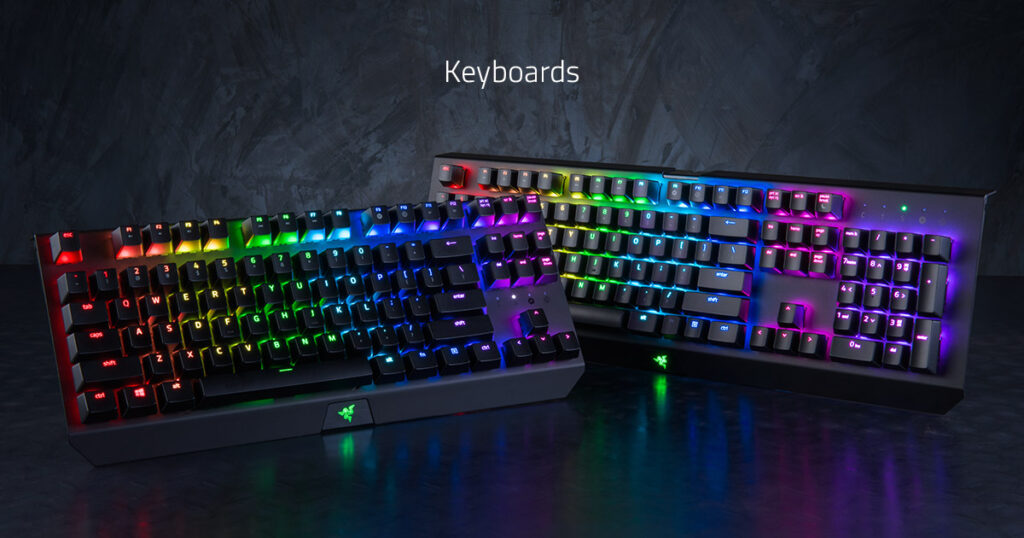
best mechanical keyboards under $100 gaming setup with wireless mechanical keyboard

Budget mechanical keyboards are now fast enough for serious gaming, if you pick carefully.

Advertisement

What You Actually Get From the Best Mechanical Keyboards Under $100

The best mechanical keyboards under $100 are far better than budget boards from a few years ago, but there are still tradeoffs you should understand.

  • Switch quality: Usually very good, sometimes excellent, rarely perfect. Premium boutique switches are not common at this price.
  • Stabilizers: Bigger keys like space and shift may have a bit of rattle unless factory tuned well.
  • Case build: Mostly plastic, sometimes with a metal top plate. Full aluminum cases are rare under $100.
  • Wireless models: Battery life and latency are decent on good models, but cheap wireless boards can feel inconsistent.
  • Software: Usable, but not always polished.

What you do get now is fast input, solid rollover support, hot swap on many models, and switch choices that actually match your play style. That is more than enough for competitive and everyday gaming.

How to Choose the Best Mechanical Keyboards Under $100

Before you look at product picks, filter by these decision points. This is where most bad buys happen.
Switch Type First, Always

  • Linear: Smooth and fast. Popular for FPS and action games.
  • Tactile: Noticeable bump. Good for mixed typing and gaming.
  • Clicky: Loud and sharp feedback. Fun, but not roommate friendly.

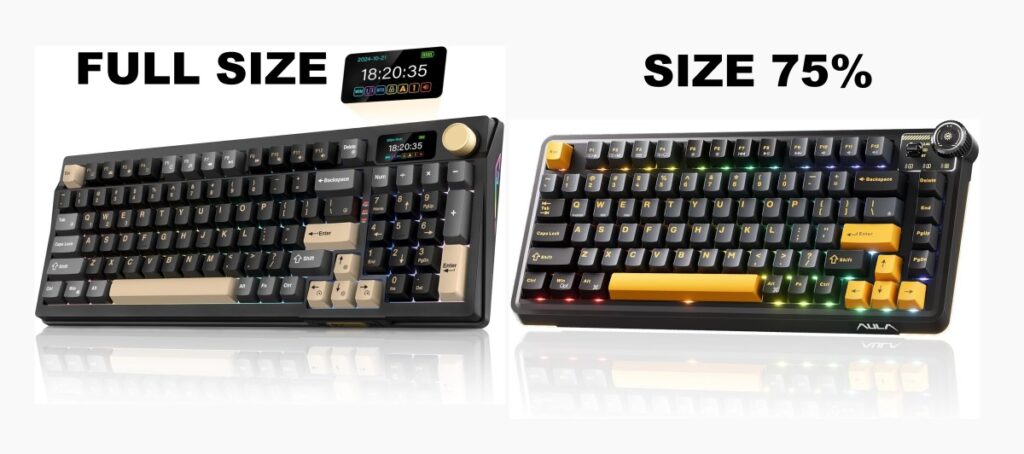
Layout Size

full size vs tkl vs 75 percent mechanical keyboard layout comparison
Keyboard size changes your mouse space and hand position more than most buyers expect.
  • Full size: Best if you use the numpad often.
  • TKL: No numpad, more mouse space, great for gaming desks.
  • 75% / 65%: Compact but still usable. Strong balance pick.
  • 60%: Small and clean, but function layers take getting used to.

Wired vs Wireless

  • Wired: Still the safest choice for zero fuss and consistent latency.
  • 2.4 GHz wireless: Good modern option if reviews confirm stable performance.
  • Bluetooth only: Fine for typing, not ideal for fast competitive play.

Hot Swap vs Fixed Switch

  • Hot swap: Lets you change switches without soldering. Great for tinkerers.
  • Fixed: Usually cheaper. Fine if you already know what switch you like.

Once you know these four things, you are ready to look at actual picks instead of guessing.
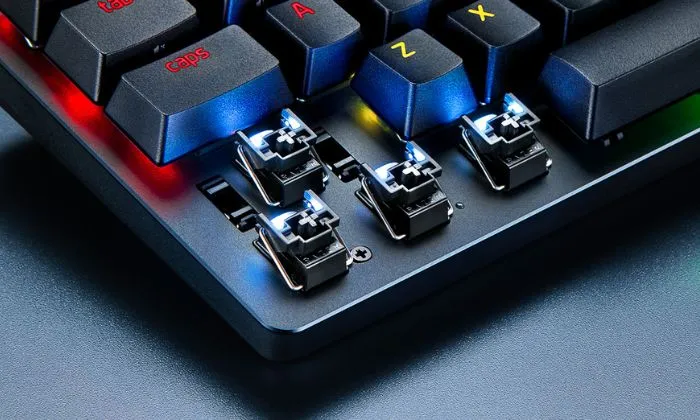
Switch Types Explained for Gaming and Typing

mechanical keyboard optical and mechanical switch comparison close up

Switch type affects feel and sound more than most spec sheets admit.

Switch names get thrown around a lot, but here is the plain version.

  • Red style linear: Smooth travel, low resistance. Favored for rapid key presses and double taps.
  • Brown style tactile: Small bump at actuation. Good middle ground.
  • Blue style clicky: Loud click and bump. Very satisfying, very audible.

For pure competitive gaming, most players lean linear. For mixed use, tactile is often the safer bet. Clicky is a taste choice, not a performance upgrade. Mechanical switch naming and behavior largely trace back to original switch standards from Cherry MX, which is why most budget switch descriptions still reference red, brown, and blue style categories.

Keyboard Sizes That Make Sense for Gamers

Size is not just about looks. It affects wrist angle, mouse room, and comfort.

TKL and 75% layouts are often the sweet spot for gaming. You get more mouse space without losing critical keys.

If you play low sensitivity FPS, smaller boards make a real difference in how freely you can move your mouse.

Full size is still valid if you use the numpad daily. Just do not assume bigger is better for gaming.

Top Mechanical Keyboard Picks Under $100

These product groups are organized by buying intent and value type, not random order.
Top Budget Picks

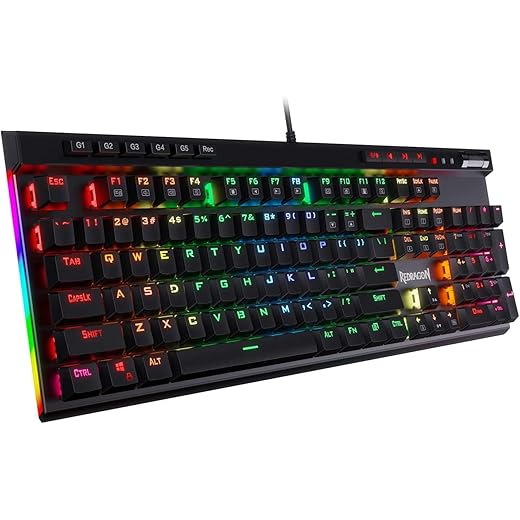
Redragon K580 VATA
Best Value
Redragon K580 VATA
4.4
Full-size macro-ready mechanical board for MMO and productivity gamers who want faster command access and fewer in-game input delays.
Amazon.com
AULA F75 Pro Wireless
Smart Choice
AULA F75 Pro Wireless
4.6
Compact low-latency wireless keyboard for competitive and desk-minimal gamers who want cleaner setup and responsive keystrokes.
Amazon.com

Top Performance and Value Picks

Value Wireless
RK ROYAL KLUDGE M100
Amazon.com
4.2
RK ROYAL KLUDGE M100
High-capacity wireless mechanical board for heavy daily users who want fewer charge interruptions and consistent typing response.
Budget Pro
Redragon K673 PRO
Amazon.com
4.1
Redragon K673 PRO
Hot-swappable compact mechanical keyboard for budget performance builders who want faster switch feel without replacing the whole board.
Top Budget
Redragon K686 PRO
Amazon.com
4.5
Redragon K686 PRO
Wireless mechanical keyboard with stable multi-mode connectivity for multi-device gamers who need reliable input across PC and laptop.

Best Value Feature Picks

Razer BlackWidow V4 X
Editors Choice
Razer BlackWidow V4 X
4.7
Feature-rich mechanical keyboard for competitive and macro users who want faster execution and better in-game control mapping.
Amazon.com
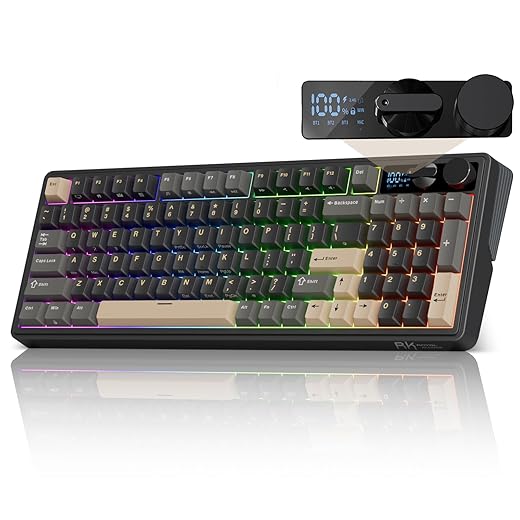
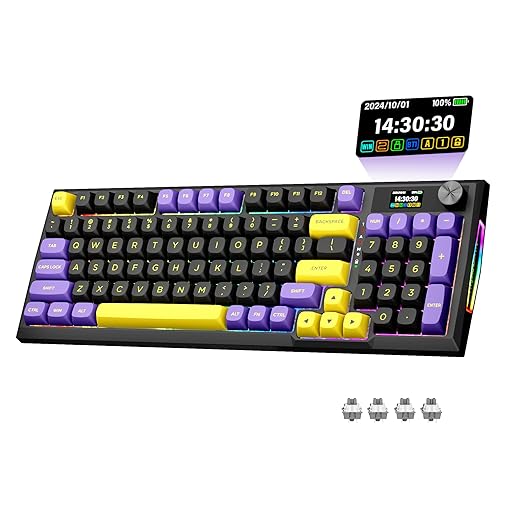
RK ROYAL KLUDGE RK96 RGB Limited Ed
Beast
RK ROYAL KLUDGE RK96 RGB Limited Ed
4.6
96-key compact layout board for space-conscious gamers who want near full-size function without losing desk room.
Amazon.com

Best Spec Heavy Picks

Basic Pick
TECKNET Mechanical Gaming Keyboard
Amazon.com
3.6
TECKNET Mechanical Gaming Keyboard
Entry mechanical keyboard for first-time PC gamers who want tactile key response and durability over membrane boards.
Sweet Spot
AULA F87 Pro Wireless
Amazon.com
4.6
AULA F87 Pro Wireless
Tenkeyless wireless mechanical keyboard for FPS and esports players who want more mouse space and quick key response.
Compact Value
Redragon K725LBY Wireless
Amazon.com
4.2
Redragon K725LBY Wireless
Compact wireless mechanical board for portable and casual gaming setups where cable-free use and responsive input matter.

Performance Behavior on Real Gaming PCs

A keyboard will not raise your FPS, but it absolutely affects how your system feels to use.

  • Polling rate: Most good boards run at 1000 Hz. That is already more than enough for gaming.
  • Debounce tuning: Better firmware reduces accidental double presses.
  • N-key rollover: Prevents missed inputs when multiple keys are pressed.

If your games feel inconsistent, the keyboard is rarely the root cause. Check your system behavior instead with proper monitoring tools and frametime tracking.

Start with the MSI Afterburner guide and the broader PC performance monitoring guide to rule out real bottlenecks.

When a Sub-$100 Mechanical Keyboard Is the Wrong Buy

Budget mechanical is not always the correct move.

  • If you need very quiet typing, many mechanical boards will annoy you or others.
  • If you want premium case build and tuned stabilizers, you may need to move into the $130 to $160 range.
  • If you barely game and mostly browse, a good membrane board is still fine.
  • If you want perfect wireless plus premium software, cheap boards will feel limited.

Saving a bit longer for a higher tier board can sometimes be the smarter long term buy.

FAQs

Are cheap mechanical keyboards reliable?

Good models from known brands are generally reliable. The weak points are usually stabilizers and keycaps, not the switches themselves.

Is wireless under $100 good enough for gaming?

With 2.4 GHz dongle models, yes. Bluetooth only models are better for typing than fast paced gaming.

Do I need hot swap?

No. It is nice to have, especially if you like experimenting with switches, but not required for most users.

Which switch is best for FPS?

Most FPS players prefer linear switches for smooth, rapid presses. Tactile is a close second for mixed use.

Bottom Line

The best mechanical keyboards under $100 now offer real gaming performance, solid feel, and useful features without premium pricing. The key is picking the right switch type, the right size, and a model with proven build quality.

Use the filters above, not just the price tag, and you will land on a board that feels right every time you sit down to play.

RK ROYAL KLUDGE M100
Value Wireless
RK ROYAL KLUDGE M100
4.2
High-capacity wireless mechanical board for heavy daily users who want fewer charge interruptions and consistent typing response.
Amazon.com
Redragon K673 PRO
Budget Pro
Redragon K673 PRO
4.1
Hot-swappable compact mechanical keyboard for budget performance builders who want faster switch feel without replacing the whole board.
Amazon.com

More Gear That Actually Deserves Your Money

Some links may be affiliate links that help support BuiltToFrag at no extra cost to you.

Advertisement

If You Liked This Article? Please Share

Instagram

Got something to say?

More From Built To Frag

Best Co-Op Shooters on PC That Won’t Leave You in Dead Lobbies (2026)

Best Co-Op Shooters on PC That Won’t Leave You in Dead Lobbies (2026)

These are the best co-op shooters on PC that still have players in 2026, and they actually run well on…
Best Wi-Fi Adapters for Gaming PCs: Low Ping Picks That Actually Hold a Signal

Best Wi-Fi Adapters for Gaming PCs: Low Ping Picks That Actually Hold a Signal

Looking for the best WiFi adapters for gaming PCs? We rank USB and PCIe options by latency, stability, and real…
Top External SSDs for Gamers (PS5, Xbox, PC): Speed, Durability & Value

Top External SSDs for Gamers (PS5, Xbox, PC): Speed, Durability & Value

A practical buyer guide to the best external SSDs for gaming on PS5, Xbox, and PC, focused on real speeds,…

Will Your PC Handle GTA VI When It Eventually Comes to PC?

Will Your PC Handle GTA VI When It Eventually Comes to PC?

A practical GTA VI PC performance readiness guide with hardware predictions, stress points, and upgrade priorities based on Rockstar’s PC…