Updated 08/03/2026
Grow a Garden looks like pure Roblox chaos for about five minutes, then the loop clicks. Plant, wait, harvest, upgrade, repeat. The mistake most players make is treating it like a spam-click simulator when it works better as a light management game. If you buy the right upgrades first, batch your actions, and stop wasting currency on nonsense, the whole thing becomes way more relaxing and a lot more profitable.
This Grow a Garden Roblox Guide is for players who want faster progress without turning a chill farming game into unpaid overtime. I am covering the smart early-game path, what to upgrade first, where the grind gets repetitive, and how the game behaves on weaker PCs.
Quick answer: the fastest way to progress in Grow a Garden is to prioritize efficiency upgrades first, expand plot space early, batch planting and harvesting instead of playing randomly, and focus on crops or systems that keep paying out over time instead of flashy one-off purchases.
Why Grow a Garden Is Suddenly Everywhere
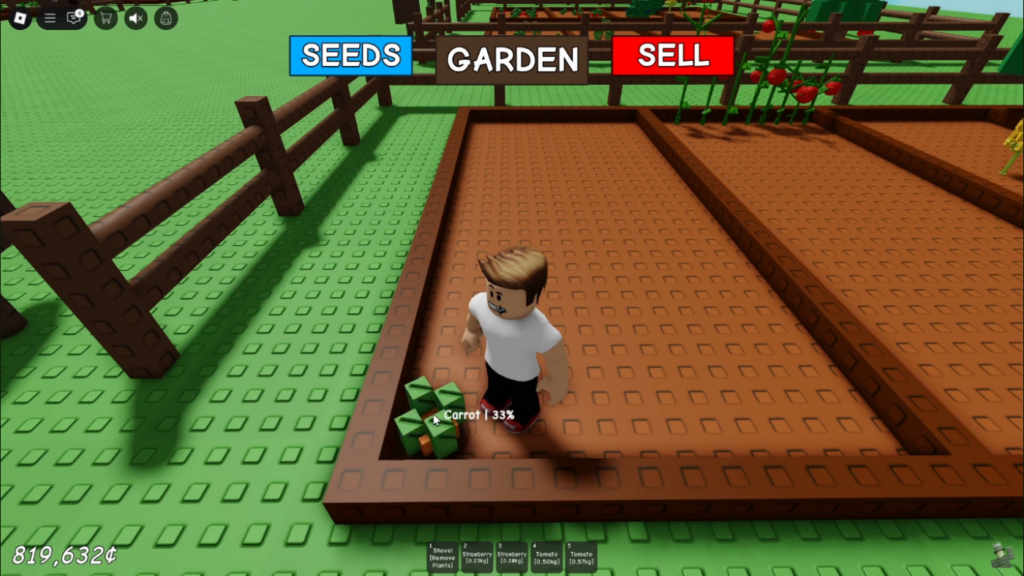
The reason Grow a Garden works is simple, it hits the same brain button as every good progression game. You do a small task, you get a reward, you reinvest, and suddenly forty minutes have vanished. Roblox itself frames the game as a cozy farming simulator built around planting seeds, harvesting, and watching your garden grow, and that simple pitch is exactly why the game has pulled in so much attention.
What makes it stick is the pace. Some Roblox games scream for your attention every second. This one usually does not. You can log in, make visible progress, mess around with friends, and leave feeling like your time was not completely mugged in an alley. That makes it one of the better “background obsession” games on the platform.
If you like this sort of open-ended progression, you should also see our Best Sandbox PC Games guide. Different platform, same “one more loop” problem.
How Grow a Garden Actually Works
At its core, the game is not complicated. You buy seeds, plant them in your available space, wait for growth, harvest the result, sell what you collect, and use that money to unlock better tools, more land, or stronger progression systems. Community guides and the game’s own ecosystem point to crops, gear, pets, and mutations as the systems that start to matter once you move past the first basic phase. :contentReference[oaicite:2]{index=2}
That is why random clicking is such a terrible way to play. Progress in Grow a Garden does not really come from hand speed. It comes from making each cycle more efficient than the last one. The players who move fastest are not always the most active, they are usually the ones wasting the least time between actions.
If you want to see the official game page or try it yourself, you can find Grow a Garden on the Roblox official game page.
Quick Tips to Progress Faster
- Upgrade efficiency first, because faster planting and harvesting compounds over every session.
- Expand your plot early, because more growing space improves every future cycle.
- Batch actions, plant in waves, harvest in waves, upgrade between waves.
- Do not panic-buy, every flashy purchase delays the stuff that actually grows income.
- Treat waiting time as planning time, use it to decide your next upgrade path.
- Play with intent, not just because your mouse button still works.
Best Early Game Strategy
The first phase of the game is where most players quietly sabotage themselves. They spend too much on whatever looks new, spread their currency across weak upgrades, and wonder why the garden still feels tiny half an hour later. Early game should be boring on purpose. Your job is not to look impressive, it is to build a loop that pays you back.
The smartest early approach is to buy only what improves your next several cycles. That usually means getting your planting and harvesting rhythm under control, then increasing your available space so each round produces more. You are building momentum, not decorating a showroom.
Your Early Game Priorities
- Basic efficiency upgrades that reduce time spent doing repetitive actions.
- More plot space so each planting cycle produces more value.
- Better seed choices once your loop can support them.
- Storage or movement improvements if they noticeably reduce downtime.
If you are coming from heavier management games, this feels obvious. If you are coming from pure clickers, it is the difference between smooth progression and clown-tier spending habits.
Best Upgrades to Buy First
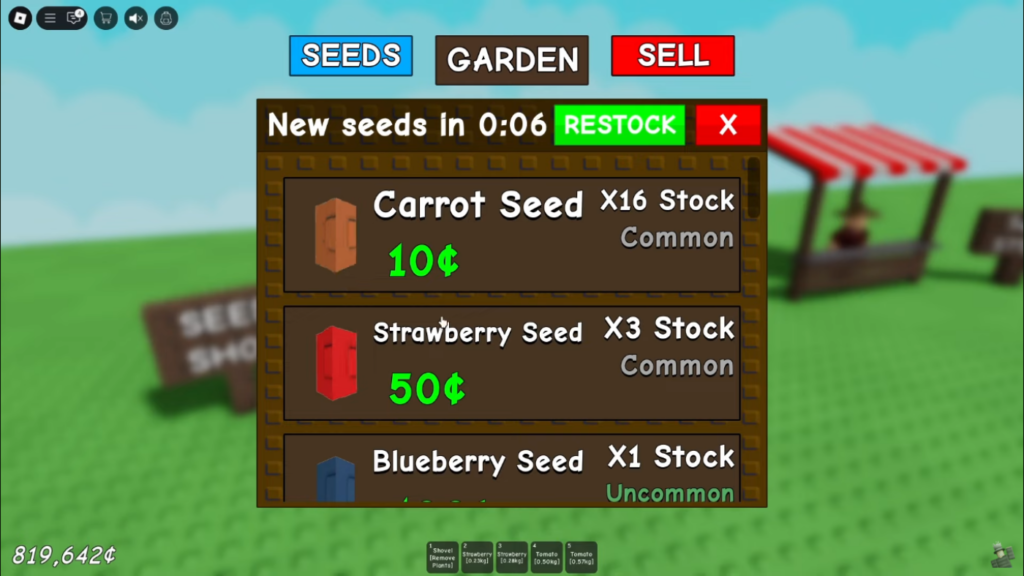
Upgrade order matters more than people think. The best upgrade is not always the one with the coolest label, it is the one that improves every minute you play after buying it.
1. Tools and Efficiency
Anything that helps you plant or harvest faster is usually a good first investment because it saves time every single cycle. Small gains feel boring in the moment, but they stack hard across a session. This is the kind of upgrade that looks unsexy and then quietly carries your entire account.
2. Plot Expansion
More land means more output. That sounds painfully obvious, but a lot of players still delay plot growth because cosmetics or side systems look more fun. Bigger space makes every good decision worth more. It is one of the safest upgrades in the game because it scales with everything you do later.
3. Crop Quality and Better Seed Decisions
Once your garden loop is stable, this is when better crop choices start paying off. Current guides around the game consistently point toward thinking about crop value, repeatability, and long-term output rather than just grabbing whatever is available in the moment.
You do not need to overcomplicate it. The simple rule is this: if a crop or system helps your garden keep earning efficiently over repeated cycles, it is usually a smarter buy than a one-and-done impulse purchase.
4. Quality of Life Upgrades
Storage, movement, or systems that reduce annoying downtime are not always exciting, but they matter more than most players admit. Every extra trip, delay, or messy inventory moment breaks your farming rhythm. And this game is all about rhythm.
Common Mistakes That Slow Progress
This is where the average player falls apart. Not because the game is hard, but because it is easy enough to let you play badly for quite a while before the pain becomes obvious.
Mistake 1: Playing Randomly
If you are planting one thing, buying another, checking a different menu, and then forgetting what you were saving for, you are basically roleplaying as your own worst manager. Set a short goal for each session. Maybe it is one plot upgrade. Maybe it is one efficiency tool. Stick to that.
Mistake 2: Buying Flashy Stuff Too Early
Cosmetics and side purchases can wait. In a progression game, the stuff that makes you richer later is almost always stronger than the stuff that makes you look cooler now. This is not deep wisdom, but Roblox economies are built on players ignoring it.
Mistake 3: Ignoring Batch Play
Planting and harvesting at random creates downtime everywhere. Batch your actions instead. Plant a run, let it grow, harvest the whole run, then decide your next move. That keeps your sessions cleaner and makes it easier to track whether a new upgrade is actually helping.
Mistake 4: Spending Robux to Fix Bad Decisions
If a player keeps making weak upgrade choices, the temptation is to throw premium currency at the problem. That can speed things up, sure, but it can also hide the fact that your loop is inefficient. Fix the loop first, then decide whether any premium purchase is actually worth it.
Playing With Friends, Yes, This Actually Helps
Grow a Garden is more efficient and more entertaining when played with other people. Roblox describes the game as a social farming experience, and current guides also lean into shared play, trading, and system coordination as part of the broader progression loop.
The real advantage is not just “having fun with friends.” It is role splitting. One player can stay focused on planting, another can handle harvesting or side tasks, and everyone benefits when the group avoids dead time. Even if your group is not min-maxing, basic coordination makes the game feel smoother.
If you want games where team coordination matters far more aggressively than it does here, our Best Co-op Shooters on PC guide is the much louder version of that idea.
How Grow a Garden Runs on Real PCs
This is still Roblox, so most decent systems should run it fine. The bigger issue is not raw GPU brutality, it is Roblox being Roblox. On weaker laptops, integrated graphics machines, or older office PCs, the game itself is usually manageable, but server hiccups, asset loading, and general Roblox client weirdness can still make it feel rough at times.
In plain English, Grow a Garden is not the kind of game that should destroy modern hardware. Even so, low-end systems can still feel stuttery if the Roblox client is acting up, background junk is chewing resources, or your system was already half-dead before you launched the game. If that sounds familiar, start with Why Games Stutter on Low-End PCs, then check Windows 11 Running Slow and Disable Bloatware on Windows.
If your machine is genuinely ancient, our Free Games for Garbage PCs and Free Games Hub for Older PCs guides are probably more useful than pretending your office fossil is one driver update away from greatness.
Where Grow a Garden Gets Repetitive
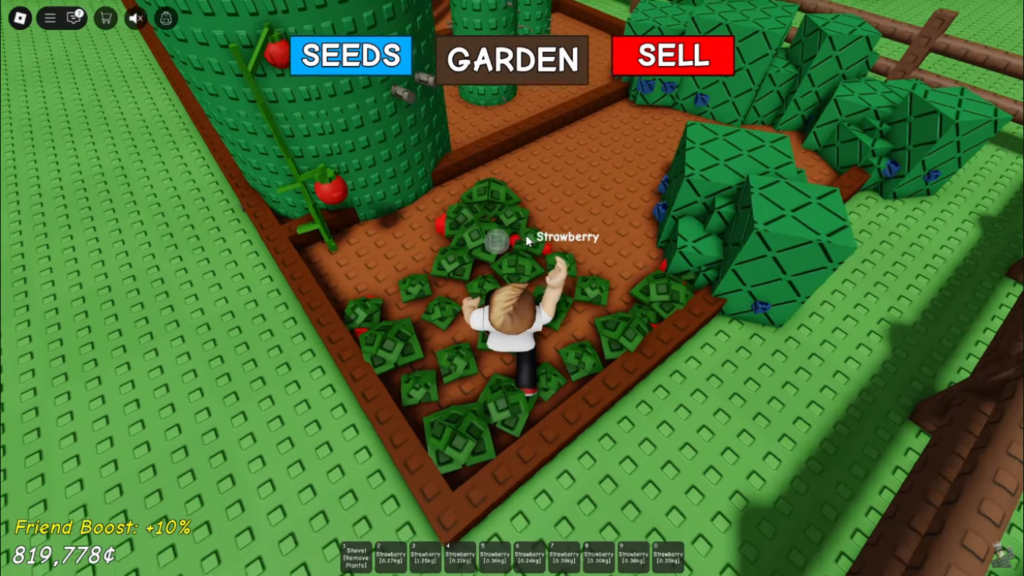
The game is good, but it is not magic. The same chill loop that makes it relaxing can also make it repetitive if updates slow down, if progression drags, or if monetization starts stepping on actual strategy.
Community and guide coverage around the game already points to broader systems like mutations, pets, recipes, events, and occasional codes as part of what keeps the game fresh over time. That is useful, because a pure “plant and wait forever” loop would burn people out eventually.
The key question for long-term players is whether new systems add interesting decisions or just create more chores. If updates keep opening up smarter ways to progress, the game survives. If updates become mostly premium bait with extra waiting attached, players will drift to the next farming obsession and never look back.
Harvest Wrap-Up
Grow a Garden works best when you stop treating it like a clicker and start treating it like a tiny management game. That is the whole trick. Buy efficiency before vanity, expand your plot before flexing, batch your actions, and let your garden scale through smart decisions instead of random button abuse.
That is also why the game feels so chill when played properly. It is not demanding impossible reflexes. It is asking for patience, rhythm, and slightly better decision-making than the average Roblox goblin brings to the table. If you give it that, it gives you one of the calmer grinds on the platform.
If you want more relaxed progression games outside Roblox, our PC Gaming’s Timeless Loop Games That Refuse to Die article is a good next stop.
FAQ
Is Grow a Garden good for beginners?
Yes. It is one of the easier Roblox progression games to understand because the core loop is clear from the start. Plant, harvest, upgrade, repeat. The problem is not learning the basics, it is learning how not to waste your early progress.
What should I upgrade first in Grow a Garden?
Start with efficiency and plot growth. Anything that improves planting speed, harvesting speed, or total usable space usually gives stronger long-term value than decorative or impulsive purchases.
Is Grow a Garden pay-to-win?
It is more accurate to say premium spending can accelerate progress, but smart planning still matters. Throwing currency at a bad upgrade path is still a bad upgrade path, just slightly faster.
Can low-end PCs run Grow a Garden?
Usually yes, since it is a Roblox game and not some GPU torture chamber. But low-end systems can still run into Roblox client stutter, background software issues, or slow Windows performance that makes the experience feel worse than it should.
Is Grow a Garden worth playing with friends?
Absolutely. It is more fun, and it can also be more efficient if your group naturally splits tasks and stays focused on shared progress instead of everyone running around like confused lawn furniture.