Yes, you can run Hitman: World of Assassination on surprisingly modest PC hardware, but there is a big difference between meeting the minimum requirements and getting a consistently smooth experience. Older graphics cards can still handle the game with sensible settings, while weak CPUs may struggle more in locations packed with NPCs.
If your PC is getting old, don’t start by setting everything to Low. Hitman has a handful of settings that matter much more than others, and reducing the right ones can recover performance without making the game look terrible.
This guide focuses on exactly that: whether your hardware is good enough, what performance level makes sense, and which settings to change first when Hitman isn’t running smoothly.
Can a Low-End PC Run Hitman: World of Assassination?
Yes, provided your PC is reasonably close to the official minimum requirements. Hitman: World of Assassination still lists some very old hardware at the bottom end, including the GeForce GTX 660, Radeon HD 7870 and 8GB of RAM.
That does not mean a GTX 660 is going to deliver a perfect 1080p 60 FPS experience. Minimum specifications should be treated as the point where running the game becomes realistic, not the hardware we would recommend if you were building or upgrading a PC today.
| PC Performance Level | What to Expect | Our Verdict |
|---|---|---|
| Below the official minimum | Heavy compromises and no guarantee of a good experience | Poor candidate |
| Close to minimum spec | Lower settings and possibly reduced resolution | Playable with compromises |
| Older entry-level gaming PC | 1080p or reduced resolution with tuned settings | Worth trying |
| GTX 1050 Ti / GTX 1650-class PC | Much more practical low-end territory | Good candidate |
| GTX 1060 / RX 570 / RX 580-class PC | Far more comfortable 1080p gaming | Good |
| Recommended-spec class or better | More room for higher settings and resolution | Comfortable |
Those GPU examples are useful performance classes rather than promises of an exact frame rate. Hitman can behave differently depending on your CPU, resolution, map and graphics settings, so two PCs with similar GPUs may not perform identically.
The important point is that you do not need a modern high-end gaming PC to play Hitman WOA. If you already own an older dedicated graphics card, it is worth testing what your current hardware can do before assuming an upgrade is necessary.
Hitman World of Assassination System Requirements Explained
The official requirements are unusually useful for low-end PC gamers because the minimum hardware is now several generations old.
| Component | Minimum | Recommended |
|---|---|---|
| CPU | Intel Core i5-2500K / AMD Phenom II X4 940 | Intel Core i7-4790 |
| GPU | GeForce GTX 660 / Radeon HD 7870 | GeForce GTX 1070 / Radeon RX Vega 56 8GB |
| RAM | 8GB | 16GB |
| Operating System | 64-bit Windows 10 | 64-bit Windows 10 |
| DirectX | DirectX 12 | DirectX 12 |
| Storage | 80GB | 80GB |
There is one storage discrepancy worth knowing about. IO Interactive’s support documentation and the Epic Games Store currently specify 80GB, while storefront requirements can differ as the game and its installation package change. Give yourself more free space than the bare minimum rather than trying to squeeze the installation onto an almost-full drive.
What the Minimum Requirements Really Mean
The minimum requirements answer one question: is this class of hardware capable of running the game? They do not promise 60 FPS, High settings or even 1080p in every location.
That distinction matters in Hitman because the workload can change dramatically between maps. A quiet indoor area may run comfortably while a busy public space full of NPCs exposes an older CPU that appeared perfectly adequate a few minutes earlier.
For a genuinely weak PC, a stable 30 FPS at sensible visual settings can still be a perfectly usable target. Hitman is a slower stealth game rather than a competitive shooter where very high frame rates are central to the experience. If your hardware can maintain a consistent frame rate without severe stutter, don’t dismiss it simply because it cannot hold 60 FPS.
Recommended Specs Are Not the New Minimum
The GTX 1070 and 16GB RAM listed under the recommended specifications provide much more breathing room, but you do not suddenly fall off a performance cliff below them. There is a large range of usable hardware between a GTX 660 and GTX 1070.
That’s where cards such as the GTX 1050 Ti, GTX 1650, GTX 1060, RX 570 and RX 580 become interesting. They represent the kind of older hardware many budget gamers still own, and they are much more useful reference points than simply repeating “minimum” and “recommended.”
What Hardware Matters Most in Hitman WOA?
Hitman isn’t purely a GPU problem. Its large environments, crowds and simulation systems mean the CPU can become important too. Understanding which component is struggling prevents you from lowering settings that won’t actually solve the problem.
If you’re not sure which component is holding you back, our guide to finding your gaming PC’s bottleneck will help you identify whether the CPU, GPU or something else is limiting performance.
CPU: Crowds Can Expose an Older Processor
Hitman’s large crowds are one of the reasons performance can change significantly from one location to another. Your CPU has to deal with far more than what is being drawn on screen, and older processors can become the limiting factor in busy areas even when the graphics card still has room to work.
This also explains why dropping the resolution doesn’t always fix poor FPS. Lower resolution reduces GPU load. It does very little for a CPU that is already struggling with the simulation workload.
If Hitman runs well in quieter areas but drops sharply around dense crowds, remember that distinction before destroying the image quality. Later in this guide we’ll look at the settings worth changing depending on whether the GPU or CPU is actually holding you back.
GPU: Resolution and Heavy Effects Matter Most
Your graphics card determines how much resolution and visual quality you can realistically push. On an older GPU, the goal isn’t to make Hitman look terrible. It’s to reduce the expensive settings while keeping the ones your hardware can handle.
Resolution is one of the biggest levers. If 1080p is simply too demanding, dropping to 900p or using an available upscaler can be a better compromise than turning every graphics option to its lowest setting. Ray tracing, meanwhile, should be considered a luxury rather than a priority on weak hardware.
We’ll deal with each graphics option individually below, because settings such as textures, shadows and reflections don’t all cost the same amount of performance.
RAM: Is 8GB Enough for Hitman WOA?
8GB of RAM meets the official minimum requirement, but 16GB gives the system considerably more breathing room. With only 8GB, Windows, background applications and the game all have to share a relatively small pool of memory.
If you’re playing on an 8GB PC, close unnecessary browsers, launchers and other memory-heavy applications before starting the game. Upgrading to 16GB can make sense if your system is regularly running short of memory, but don’t expect additional RAM to magically fix a GPU or CPU bottleneck.
How that memory is configured matters too. Our single vs dual-channel RAM for gaming guide explains why one stick of RAM can sometimes leave performance on the table.
VRAM: Don’t Lower Textures Without a Reason
VRAM is especially relevant on older cards with 2GB or 4GB of graphics memory. If the game exceeds what your GPU can comfortably hold, you may encounter stutter or other performance problems.
But texture quality is not the first setting everyone should automatically drop. If your GPU has enough VRAM, reducing textures may provide little benefit compared with lowering settings that place more direct load on the GPU. Treat texture quality as a memory decision rather than a universal FPS button.
Hitman WOA Performance on Older and Low-End Hardware
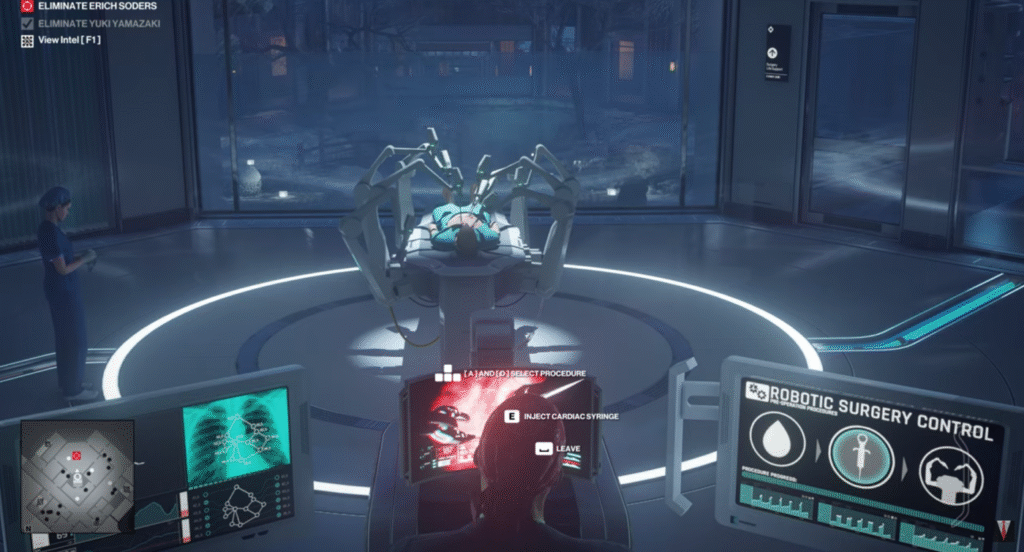
There is a huge gap between Hitman’s GTX 660 minimum and GTX 1070 recommended GPU. That’s good news if your graphics card sits somewhere in the middle.
Instead of pretending every GPU will produce an exact frame rate, it is more useful to divide older hardware into practical performance classes. Your CPU, map, settings and resolution can all change the final result.
| GPU Class | Starting Point | What We’d Target |
|---|---|---|
| GTX 660 / HD 7870 class | Minimum-spec territory | Low settings, reduced resolution if necessary, stable 30 FPS before chasing more |
| GTX 750 Ti / similar | Below or around minimum depending on the GPU | 720p–900p territory with aggressive compromises |
| GTX 1050 / RX 560 class | Older entry-level gaming | Start at 1080p Low and tune resolution/upscaling if needed |
| GTX 1050 Ti / GTX 1650 class | Practical low-end hardware | 1080p with carefully tuned settings |
| GTX 1060 / RX 570 / RX 580 class | Stronger older gaming PC | 1080p with more visual quality retained |
| GTX 1070 / Vega 56 class | Official recommended territory | Comfortable starting point for higher settings |
Use these as starting points, not benchmark guarantees. A GTX 1650 paired with a reasonably capable CPU may behave very differently from the same GPU paired with an old processor that struggles in Hitman’s busiest locations.
What About Integrated Graphics?
Integrated graphics are much harder to generalize because performance varies enormously between generations. An old Intel iGPU and a modern Ryzen integrated GPU may both be called “integrated graphics,” but they are nowhere near the same performance class.
If your iGPU is substantially weaker than the GTX 660 or Radeon HD 7870 minimum, expect major compromises and potentially an experience that isn’t worth pursuing. More capable modern integrated graphics have a better chance, especially at reduced resolution and low settings.
The safest approach is to compare your specific integrated GPU against the official minimum rather than assuming that every PC without a dedicated graphics card is automatically incapable of running Hitman.
Best Hitman World of Assassination Settings for Low-End PCs
If Hitman runs poorly, don’t immediately select the lowest preset and call it done. Some settings are far more important than others, and the right adjustment depends on whether your GPU, CPU or available memory is causing the problem.
Resolution and Upscaling
Start at 1080p if your GPU is reasonably close to the minimum requirement. If performance remains too low after reducing expensive settings, resolution is one of the most powerful options left.
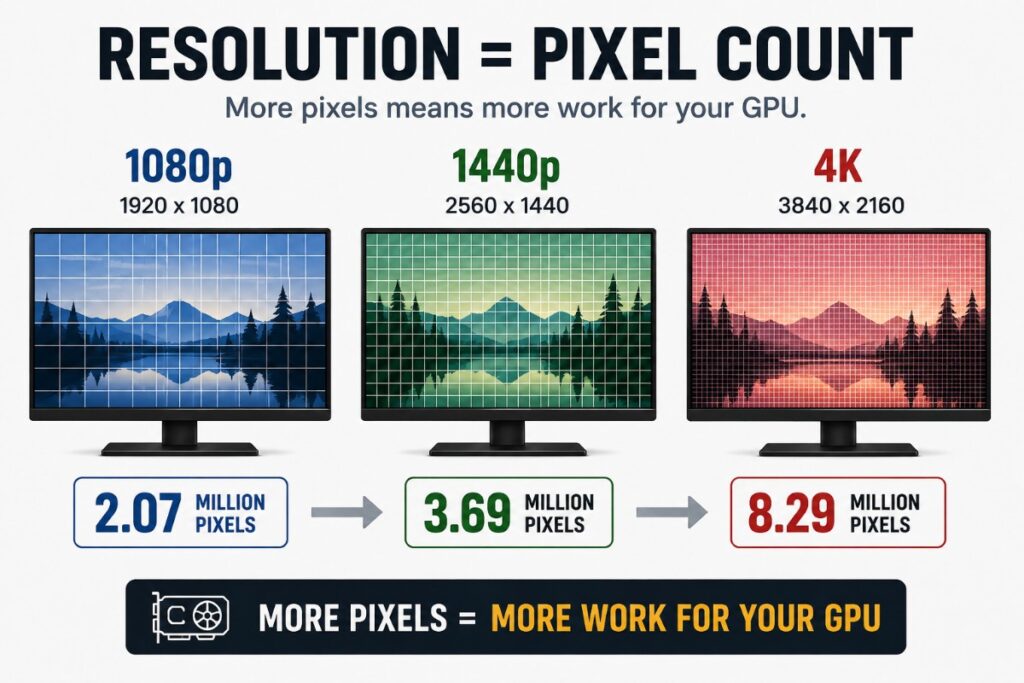
Dropping from 1080p to 900p reduces the number of pixels your GPU has to render without making the image as soft as 720p. On genuinely weak hardware, however, 720p can be the difference between an unplayable game and a usable one.
Hitman WOA also supports modern upscaling options including DLSS, FSR and XeSS. When your hardware supports an appropriate option, start with a higher-quality mode before moving to more aggressive upscaling. The objective is to recover enough GPU performance while retaining acceptable image quality, not simply to select the fastest mode available.
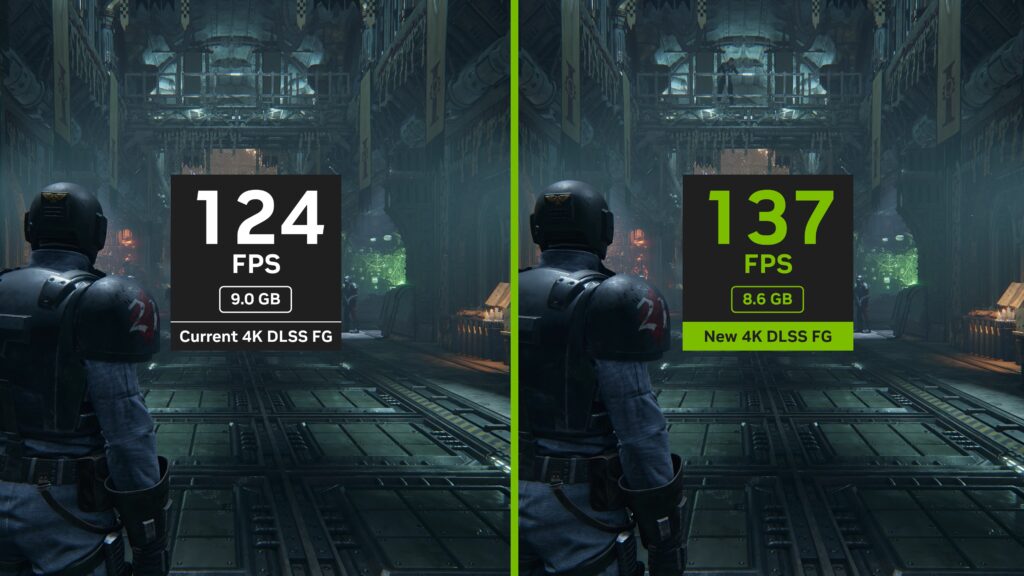
One warning: lowering resolution or using aggressive upscaling mainly reduces GPU load. If your frame rate collapses around large crowds because the CPU is already the bottleneck, reducing resolution may accomplish very little.
If you’re unsure which upscaler to use, our DLSS vs FSR vs XeSS comparison explains the differences in performance, image quality and hardware support.
Simulation Quality and Crowds
This is particularly important on an older CPU. Hitman’s busy locations can contain large numbers of NPCs, increasing the simulation workload even when your graphics card isn’t fully occupied.
If performance is noticeably worse in crowded areas than in quieter parts of the same map, reducing simulation-related load should be one of your first tests. This is also why copying somebody else’s graphics preset doesn’t always work: their GPU may resemble yours while their CPU is substantially faster.
Shadows
Shadows are a sensible place to look for extra performance on an older GPU. Higher shadow settings improve definition and detail, but the visual difference is usually easier to sacrifice than resolution or texture quality.
For a low-end PC, start with a lower or middle shadow setting rather than automatically using the highest option. If you’re already comfortably hitting your frame-rate target, increase it later.
Reflections
Hitman’s polished floors, windows and reflective interiors can look excellent, but reflections add GPU work that weak hardware doesn’t necessarily need. Lowering reflection quality is therefore another sensible compromise when you’re trying to recover FPS.
Prioritize stable performance first. Reflections are something to increase once you know your GPU has headroom rather than something worth sacrificing frame rate to preserve.
SSAO and Other Effects
Ambient occlusion adds depth around objects and surfaces, but it is another setting worth testing when GPU performance is tight. Don’t disable every effect immediately; lower the expensive options individually and check whether the gain is actually worthwhile.
This approach takes a few minutes longer than selecting the Low preset, but it can leave Hitman looking considerably better at the same usable frame rate.
Texture Quality
Keep texture quality as high as your available VRAM comfortably allows. Textures can consume significant graphics memory, but lowering them doesn’t necessarily produce the large FPS increase people expect when VRAM isn’t the problem.
If you’re using an older 2GB card, texture quality deserves closer attention. With more VRAM available, try reducing the genuinely expensive effects first and only lower textures if memory usage or stuttering gives you a reason to.
Ray Tracing
Turn ray tracing off on a low-end PC. Hitman can use ray-traced effects to improve reflections and shadows, but the performance cost makes little sense when you’re already fighting to maintain a stable frame rate.
This is an easy decision: get the game running well first. Ray tracing is visual headroom for substantially stronger hardware, not something a weak PC needs to preserve.
Best Low-End Settings to Start With
You don’t need to spend an hour adjusting every option before playing. Start with the preset closest to your hardware, test a demanding location, and adjust from there.
| Setting | Weak PC | Older Gaming PC | Stronger Budget PC |
|---|---|---|---|
| Resolution | 720p–900p | 900p–1080p | 1080p |
| Upscaling | Balanced/Performance if needed | Quality/Balanced if needed | Quality or native |
| Textures | Low/Medium depending on VRAM | Medium | Medium/High |
| Shadows | Low | Low/Medium | Medium |
| Reflections | Low | Low/Medium | Medium |
| Simulation Quality | Low | Low/Medium on older CPUs | Increase if CPU allows |
| Ambient Occlusion | Low/Off if necessary | Low/Medium | Medium |
| Ray Tracing | Off | Off | Off unless you have substantial GPU headroom |
These are starting points, not guaranteed FPS presets. The Weak PC configuration is about getting the game playable. The Older Gaming PC preset tries to preserve more image quality, while the Stronger Budget PC configuration gives you room to increase settings selectively.
Once performance is stable, raise settings one at a time. That makes it much easier to identify which option is actually costing you performance.
What Should You Lower First When FPS Is Too Low?
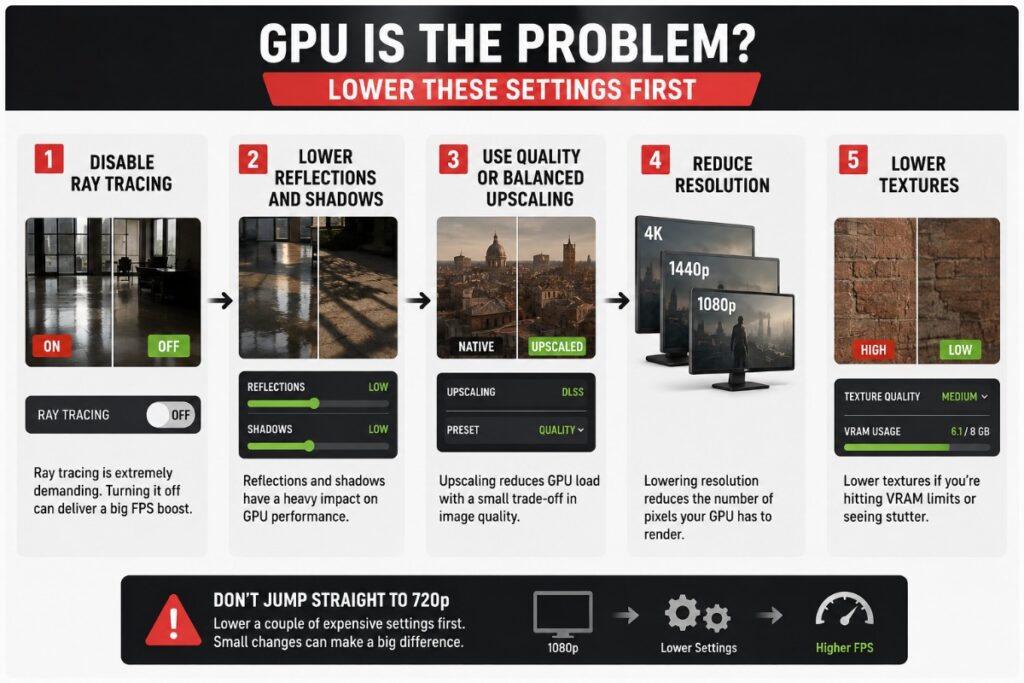
Before changing everything, work out whether you’re mainly GPU-limited or CPU-limited. The correct fix is different. Also this diagram explains things visually
If Your GPU Is the Problem
If the graphics card is consistently close to full utilization while the CPU still has room, start by reducing GPU-heavy settings.
- Disable ray tracing if it is enabled.
- Lower reflections and shadows.
- Use Quality or Balanced upscaling where appropriate.
- Reduce resolution if you still cannot reach your target.
- Lower textures if limited VRAM is contributing to the problem.
Don’t jump straight from 1080p to 720p if reducing a couple of expensive effects already gets you where you need to be.
If Your CPU Is the Problem
A CPU bottleneck looks different. You may lower resolution and see surprisingly little improvement, while performance becomes noticeably worse around large crowds.
In that situation, test lower simulation-related settings, close unnecessary background applications and choose a frame-rate target your CPU can maintain consistently. Reducing GPU-heavy effects may make the GPU work less without fixing the actual bottleneck.
This is why identifying the limiting component matters. Lower settings are only useful when they reduce the workload your struggling hardware is actually responsible for.
Why Hitman Runs Worse in Crowded Maps
Don’t assume something is wrong with your PC because one Hitman location runs worse than another. The workload changes with the map.
Large crowds mean more characters and simulation work for the CPU while the GPU still has to render a busy environment. An older processor that feels perfectly adequate in a quiet section can therefore become the limiting factor when you walk into a packed public area.
For low-end hardware, test your settings somewhere demanding rather than tuning the game in an easy indoor scene. A preset that produces excellent performance in a quiet room isn’t much use if it falls apart as soon as the mission gets busy.
Hitman WOA Stuttering and FPS Drops: What to Check
Low average FPS and stuttering are not necessarily the same problem. Your PC might average an acceptable frame rate while still producing noticeable hitches or uneven frame pacing.
If Hitman stutters, work through the likely bottlenecks instead of immediately lowering every graphics setting.
- Check CPU and GPU usage: If the GPU is constantly near full load, reduce GPU-heavy settings or use upscaling. If performance falls mainly in crowded areas without the GPU being fully loaded, the CPU may be the problem.
- Watch VRAM usage: Older 2GB and 4GB cards can run into memory limitations. Reduce texture quality if VRAM pressure appears to coincide with stuttering.
- Check system RAM: An 8GB PC has much less breathing room. Close browsers and unnecessary background applications before playing.
- Watch temperatures: A CPU or GPU that gets too hot may reduce its clock speed, turning an initially smooth session into a slower one.
- Test a sensible FPS cap: Wild swings between high and low frame rates can feel worse than a lower but stable target.
If you need to see what your hardware is doing while Hitman runs, our guide to monitoring temperatures, clock speeds and hardware usage shows you what to watch while troubleshooting performance.
Most importantly, test one change at a time. If you change eight settings, close five programs and install a new driver simultaneously, you won’t know what actually fixed the problem.
If you’re still having performance problems after working through these checks, IO Interactive’s official PC Performance Guide also covers the developer’s recommended troubleshooting steps for the PC version.
Should You Cap Your FPS in Hitman?
On a low-end PC, an FPS cap can make a lot of sense. Hitman doesn’t require the extremely high frame rates you might chase in a competitive shooter, and consistent frame delivery can be more valuable than a higher number that your PC cannot maintain.

For example, if your system constantly jumps between roughly 40 and 60 FPS, targeting a stable lower frame rate may produce a more consistent experience. The same principle applies higher up the performance scale: choose a target your hardware can maintain through demanding parts of a mission, not just the highest number you see while standing in an empty room.
If you want to understand when an FPS cap helps and how to set one properly, see our guide to capping your FPS.
Does Hitman World of Assassination Require Internet?
You can play parts of Hitman: World of Assassination offline, but an internet connection is required for important progression and online features. This distinction matters because the game is not simply unusable without internet, but offline play is more restricted than the full connected experience.
When connected to Hitman’s servers, your progression, unlocks and associated online systems function normally. Features built around the online service, including Freelancer progression and Elusive Target content, depend on that connection.
If your internet connection is unreliable, this is worth considering before buying the game. You may still be able to play available content offline, but you won’t get the complete progression-driven experience that World of Assassination is designed around.
What Does Hitman World of Assassination Include?
World of Assassination brings the modern Hitman trilogy together into one package, giving you access to locations and campaign content spanning Hitman, Hitman 2 and Hitman 3. It also supports additional modes and content including Contracts, Escalations, Elusive Target Arcade and Freelancer.
That means you’re not buying a small standalone Hitman game. There is a large amount of content here, and the variety of locations is another reason to test performance across several maps before deciding that your settings are finished.
Is Hitman World of Assassination Worth Playing on a Low-End PC?
Yes, if your hardware can maintain a stable experience without destroying the image quality to get there. Hitman’s slower stealth gameplay also makes a stable 30 FPS target much easier to live with than it would be in a fast competitive shooter.

If you’re around the official minimum, expect compromises. Lower settings, reduced resolution and a 30 FPS target may be necessary. Older dedicated GPUs above that minimum give you considerably more room to balance image quality and performance.
The point where we’d stop fighting the hardware is when even 720p, low settings and sensible optimization cannot produce consistent gameplay. At that stage, an upgrade is more useful than another hour spent hunting for a magical graphics setting that doesn’t exist.
Bottom Line
Hitman: World of Assassination is surprisingly friendly to older gaming PCs, but meeting the minimum requirements is only the starting point. Weak GPUs benefit most from sensible resolution, upscaling and reductions to expensive visual effects, while older CPUs can struggle when Hitman’s large crowds increase the simulation workload.
Start with the hardware you already have. Disable ray tracing, choose realistic settings, test a demanding map and aim for a frame rate your PC can maintain consistently. A stable 30 FPS is better than an unstable 60 FPS target your machine cannot sustain.
If performance is still poor after proper tuning, identify whether the CPU, GPU, RAM or VRAM is actually limiting you before spending money. The goal isn’t to make an old PC perform like a new one. It’s to get the best Hitman experience your existing hardware can realistically deliver.