Built To Frag editors select and review products independently. If you buy through our affiliate links, we may earn commissions, which help support our Testing and keep the site up.

Best Wi-Fi Adapters for Gaming PCs: Low Ping Picks That Actually Hold a Signal

Best WiFi Adapters for Gaming PCs - wifi adapter types for gaming pc usb vs pcie

If your PC is on Wi-Fi and your ping feels like a mood swing, your adapter might be the problem. This guide covers the best wifi adapters for gaming pcs, ranked around what actually matters for online play, latency stability, signal strength, and fewer random disconnects. We will also keep it practical, so you can pick the right USB or PCIe option without paying extra for marketing numbers.

If you are deciding where Wi-Fi fits in your upgrade priorities, start here: Gaming PC Upgrades That Actually Matter.

Quick Answer: Best Wi-Fi Adapters for Gaming PCs by Type

If you want the short version, here are the categories that matter most:

Advertisement
  • Budget USB: OK for close range setups, casual online play, and smaller apartments.
  • Better USB with antennas: The sweet spot if you cannot install PCIe.
  • PCIe Wi-Fi 6: Usually the best stability per dollar for desktop gaming.
  • PCIe Wi-Fi 6E: Best if your router supports 6 GHz and your area is congested.

Quick Top 3 Picks

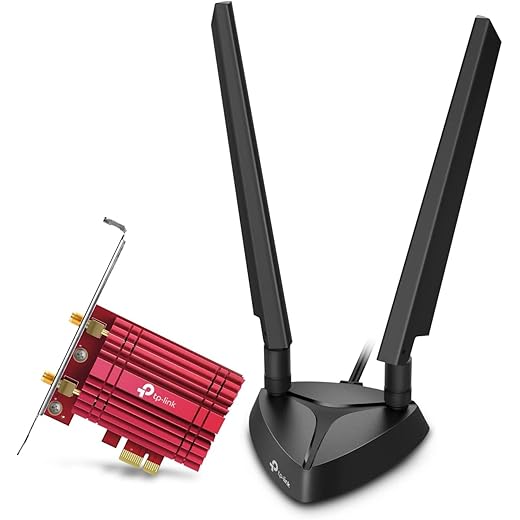
TP-Link Archer TX3000E — PCIe AX3000
Gamer Pick
TP-Link Archer TX3000E — PCIe AX3000
4.6
Reliable PCIe Wi-Fi 6 card with strong antennas and low-latency behavior, ideal for competitive online games.
Amazon.com
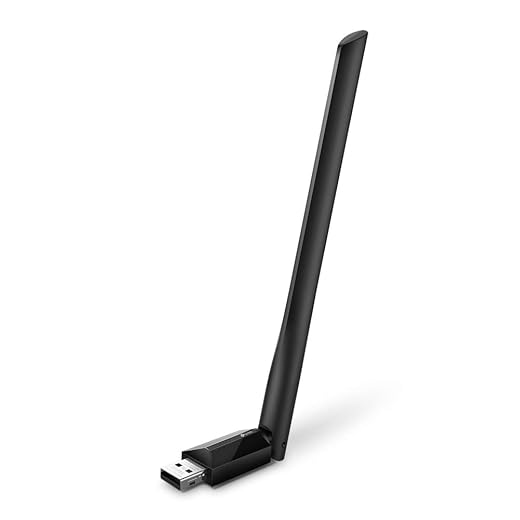
TP-Link Archer T2U Plus — USB AC600
Budget Buy
TP-Link Archer T2U Plus — USB AC600
3.7
Dirt-cheap dual-band adapter for basic 5 GHz gaming when your router is nearby and you just need stable connectivity fast.
Amazon.com
TP-Link Archer TXE75E — PCIe Wi-Fi 6E
Value King
TP-Link Archer TXE75E — PCIe Wi-Fi 6E
4.7
Tri-band 6E adapter that unlocks the cleaner 6 GHz band for lower congestion and steadier ping.
Amazon.com

Why Your Wi-Fi Adapter Matters More Than You Think for Gaming

Most people buy Wi-Fi adapters based on speed claims. That is fine for downloading games, but online gaming lives and dies by latency, stability, and packet loss.

  • Latency: Your base ping. Lower is better.
  • Jitter: Ping changing constantly. This causes the “why am I rubber banding” effect.
  • Packet loss: Data not arriving. This is where you get teleporting enemies, hit registration weirdness, and random disconnects.

A good adapter helps by keeping your signal stable and reducing the chances of spikes. It cannot fix a terrible router or a heavily congested area, but it can stop your PC from being the weakest link.

If you like “real world results” over spec sheet nonsense, this mindset is the same reason SSD marketing is misleading. These two explain it well: Real World SSD Performance for Gaming and Do Faster SSDs Improve FPS?.

USB vs PCIe Wi-Fi Adapters for Gaming PCs

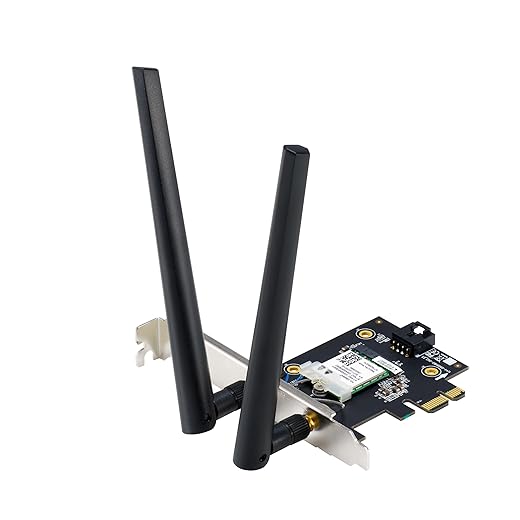
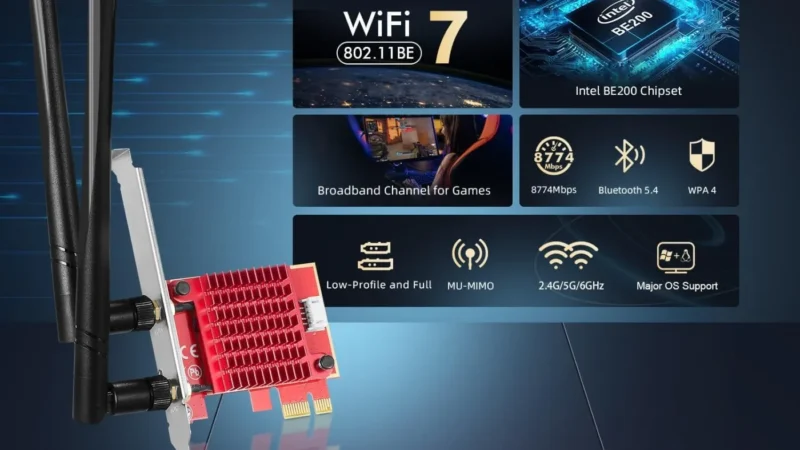
Installing pcie wifi card in desktop motherboard
PCIe Wi-Fi cards use motherboard lanes, not USB bandwidth

This is the big fork in the road. Pick wrong and you will either overpay or end up with a tiny nano adapter that drops signal when you look at it funny.

When USB Is Fine

  • You play casually and your router is in the same room or nearby.
  • You cannot open your PC, or you are on a laptop.
  • You choose a USB adapter with a decent antenna setup, not a tiny nano stick.

When PCIe Is the Correct Choice

  • You want the most stable connection you can get without running Ethernet.
  • Your PC is under a desk, behind a case, or far from the router.
  • You care about consistent ping in shooters, ranked play, or co-op games that punish lag.

The Mistakes Gamers Make Here

  • Buying “nano” USB adapters for gaming: convenient, yes. Stable, usually not.
  • Ignoring antennas: external antennas help stability, not just range.
  • Forgetting your router matters: the best adapter cannot magically create Wi-Fi 6E if your router is Wi-Fi 5.

Wi-Fi 5 vs Wi-Fi 6 vs Wi-Fi 6E for Gaming

Here is the reality check. Your adapter can only use what your router supports.

  • Wi-Fi 5 (802.11ac): Still fine for gaming, especially on 5 GHz, but can suffer in congested areas.
  • Wi-Fi 6 (802.11ax): Better efficiency in busy environments, often smoother stability.
  • Wi-Fi 6E: Adds 6 GHz, which can be a lifesaver if 2.4 GHz and 5 GHz are crowded, but only if your router also supports it.

If you want the official overview of standards and what they actually mean, see the Wi-Fi Alliance resources here: Wi-Fi Alliance: Discover Wi-Fi.

What Actually Reduces Ping and Spikes on Wi-Fi

external antenna wifi adapter for better signal
External antennas usually improve signal stability

This is not deep troubleshooting, it is the high level stuff that affects gaming the most:

  • Use 5 GHz (or 6 GHz on 6E): Lower interference than 2.4 GHz in most homes.
  • Position antennas properly: upright and clear of metal objects, especially the PC case.
  • Avoid USB port weirdness: front panel ports can be noisier, try rear ports for USB adapters.
  • Driver stability matters: Intel based solutions are often well supported.

Also, do not ignore basic system stability. If your PC is unstable under load, you can misdiagnose lag as “Wi-Fi issues” when the system is actually struggling. These help you sanity check: Power Supplies Explained: Wattage & Efficiency and Best PC Power Supply Buying Guide.

Best Wi-Fi Adapters for Gaming PCs (Tiered Picks)

Below are tiered picks based on real gaming priorities. Each tier includes products that are widely available and easy to search on Amazon US.

Budget Picks (USB)

TP-Link Archer T2U Plus — USB AC600
Budget Buy
TP-Link Archer T2U Plus — USB AC600
3.7
Dirt-cheap dual-band adapter for basic 5 GHz gaming when your router is nearby and you just need stable connectivity fast.
Amazon.com
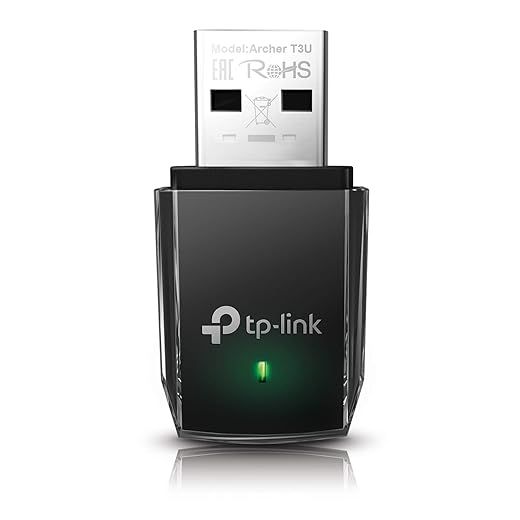
TP-Link Archer T3U Plus — USB AC1300
Smart Cheap
TP-Link Archer T3U Plus — USB AC1300
4.0
A step up from entry USB adapters, better antennas and throughput for smoother online play on tight budgets
Amazon.com
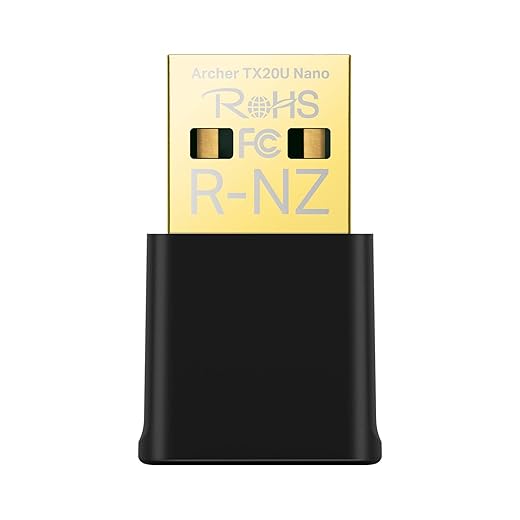
TP-Link Archer TX20U Nano — USB Wi-Fi 6
Tiny Upgrade
TP-Link Archer TX20U Nano — USB Wi-Fi 6
4.1
Tiny Wi-Fi 6 upgrade for laptops or compact builds, modern protocol support with zero cable clutter.
Amazon.com
TP-Link Archer TX20U Plus — USB Wi-Fi 6
Budget Winner
TP-Link Archer TX20U Plus — USB Wi-Fi 6
4.3
Budget Wi-Fi 6 with real antennas, better range and stability than nano sticks for everyday gaming use.
Amazon.com

Value Picks By Performance

TP-Link Archer TXE75E — PCIe Wi-Fi 6E
Value King
TP-Link Archer TXE75E — PCIe Wi-Fi 6E
4.7
Tri-band 6E adapter that unlocks the cleaner 6 GHz band for lower congestion and steadier ping.
Amazon.com
GIGABYTE GC-WBAX210 — PCIe Wi-Fi 6E
Proven Gear
GIGABYTE GC-WBAX210 — PCIe Wi-Fi 6E
4.6
AX210-based classic with proven performance and broad compatibility across gaming motherboards.
Amazon.com
ASUS PCE-AXE58BT — PCIe Wi-Fi 6E
Premium Value
ASUS PCE-AXE58BT — PCIe Wi-Fi 6E
4.6
Amazon.com
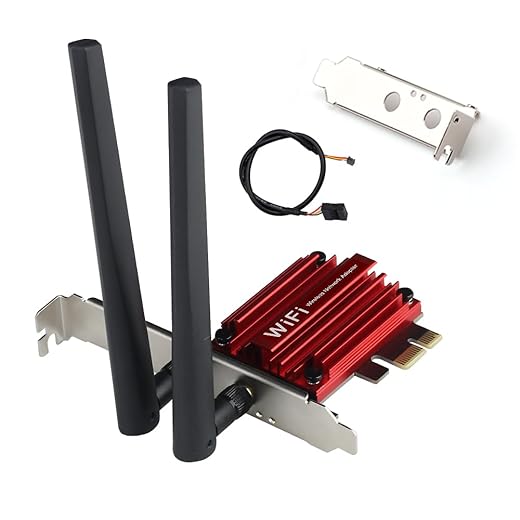
Cudy New AX3000 Wireless WiFi 6 PCIe Card for PC
Value Tech
Cudy New AX3000 Wireless WiFi 6 PCIe Card for PC
4.2
Premium-leaning 6E card with excellent antenna design and stable high-bandwidth performance.
Amazon.com

Mid-Range Picks (PCIe Value Sweet Spot)

TP-Link Archer TX3000E — PCIe AX3000
Gamer Pick
TP-Link Archer TX3000E — PCIe AX3000
4.6
Reliable PCIe Wi-Fi 6 card with strong antennas and low-latency behavior, ideal for competitive online games.
Amazon.com
TP-Link Archer TX55E — PCIe AX3000
Best Balance
TP-Link Archer TX55E — PCIe AX3000
4.4
Updated AX3000 card with solid drivers and Bluetooth, great balance of speed, price, and signal quality.
Amazon.com
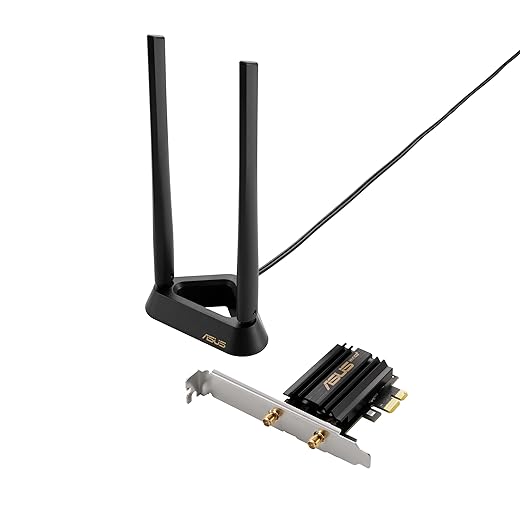
ASUS PCE-AX58BT — PCIe AX3000
Trusted Pick
ASUS PCE-AX58BT — PCIe AX3000
4.5
ASUS-built AX3000 adapter with excellent antenna base and stable performance for long gaming sessions.
Amazon.com
Intel AX200/AX210 class PCIe cards
Chipset Choice
Intel AX200/AX210 class PCIe cards
4.3
Intel-chipset PCIe cards deliver consistent latency and driver stability when paired with good antennas.
Amazon.com

Top Tier Picks (Low Latency, Wi-Fi 6E and Beyond)

ASUS PCE-BE92BT — PCIe Wi-Fi 7
Top Pick
ASUS PCE-BE92BT — PCIe Wi-Fi 7
4.8
High-end Wi-Fi 7 adapter built for next-gen routers and ultra-clean spectrum, maximum headroom for future networks.
Amazon.com
TP-Link Archer TBE550E — PCIe Wi-Fi 7
Speed Beast
TP-Link Archer TBE550E — PCIe Wi-Fi 7
4.7
Flagship Wi-Fi 7 speeds and tri-band support for bleeding-edge home networks and heavy traffic households.
Amazon.com
ASUS PCE-BE6500 — PCIe Wi-Fi 7
Future Ready
ASUS PCE-BE6500 — PCIe Wi-Fi 7
4.3
More affordable Wi-Fi 7 entry that still delivers next-gen bandwidth and low congestion performance.
Amazon.com
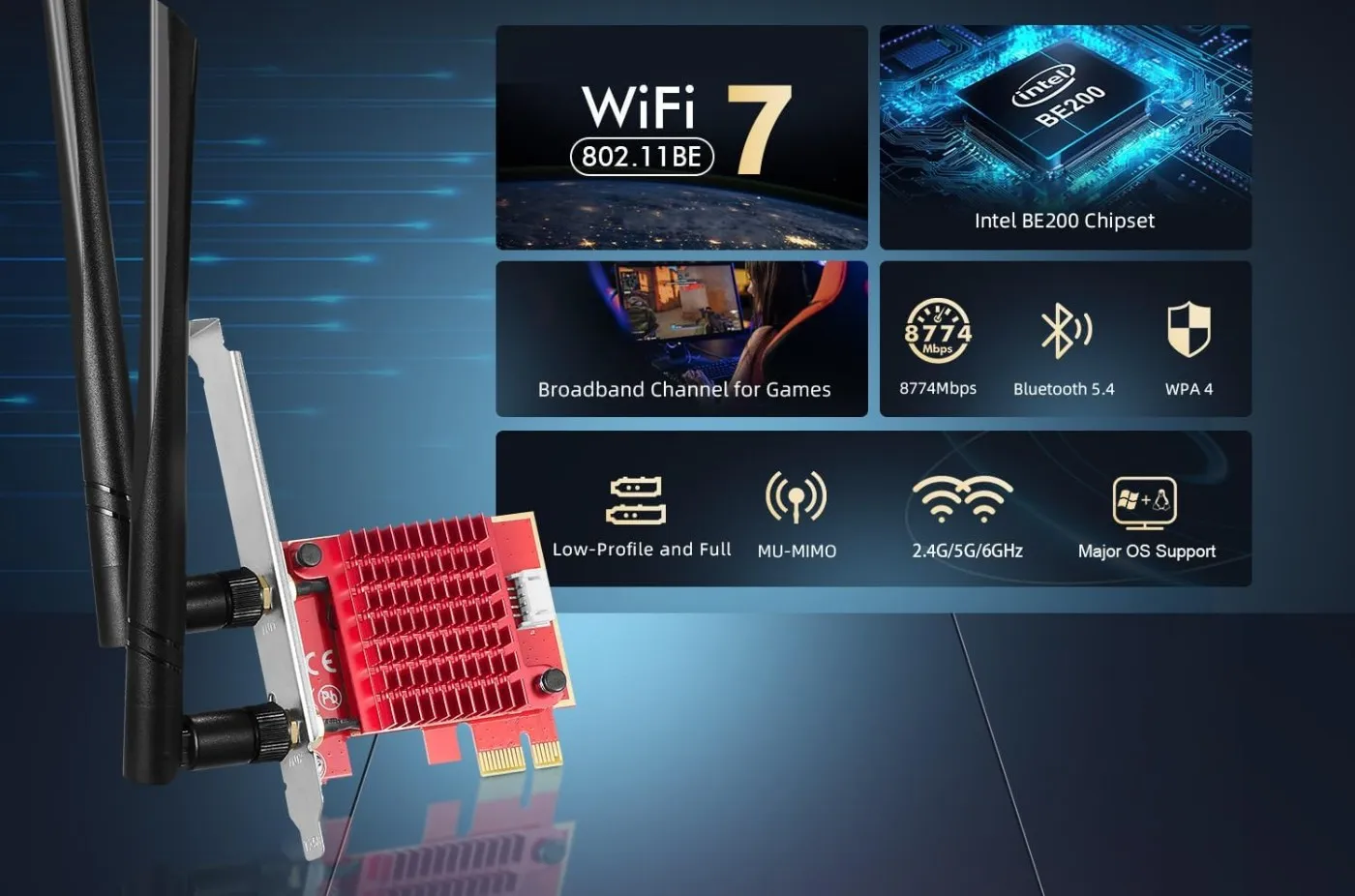
Intel BE200-based PCIe cards
Power Chip
Intel BE200-based PCIe cards
4.4
Raw Wi-Fi 7 chipset power with excellent latency potential, best when paired with quality antenna kits.
Amazon.com

If you want to reference chipset and driver support, Intel’s Wi-Fi support pages can help: Intel Wireless Support.

How Wi-Fi Behaves on Real Gaming PCs

Wi-Fi issues often feel like “performance problems” because they show up as stuttery gameplay, delayed hit registration, and rubber banding. Here is the key difference:

  • Network spikes: Your FPS can be fine, but the game feels broken because your connection is unstable.
  • Hardware FPS drops: Your frametimes and FPS actually dip because CPU, GPU, RAM, or storage is struggling.

If your PC is also being upgraded, prioritize the upgrades that actually move the needle first. Storage is one of the most misunderstood areas, which is why these are worth reading: Best NVMe SSDs for Gaming.

If you are working with used parts or diagnosing a system that feels “off,” do a basic sanity check first: How to Test a Used CPU.

When You Should NOT Buy a Wi-Fi Adapter

Here is the counter argument you need to hear. Sometimes a Wi-Fi adapter is not the best solution.

  • If Ethernet is possible: run the cable, even if you have to get creative.
  • If your router is the bottleneck: upgrading the router can matter more than the adapter.
  • If you already have decent motherboard Wi-Fi: replacing it might not change much unless your current solution is weak.
  • If you want “guaranteed” low ping: Wi-Fi is still Wi-Fi, it can be great, but it is not as consistent as Ethernet.

Buyer Checklist: Pick the Right Adapter Fast

Quick buyer checklist for choosing the right Wi-Fi adapter for a gaming PC
  • Do you have a desktop? If yes, PCIe is usually the best buy.
  • Do you need USB? Avoid nano sticks if you care about stability.
  • Is your router Wi-Fi 6 or 6E? Match the adapter to the router, do not overpay.
  • Are you far from the router? Get external antennas and better placement options.
  • Do you play competitive shooters? prioritize PCIe, quality antennas, and a clean band.

FAQs

Does a Wi-Fi adapter affect ping?

Yes. A better adapter can reduce ping spikes and packet loss by holding signal more consistently, but it cannot fix a poor router or heavy interference.

Is PCIe better than USB for gaming Wi-Fi?

Usually yes for desktop PCs. PCIe adapters often provide better stability and antenna setups. USB is fine if you buy a quality adapter with external antennas.

Is Wi-Fi 6E worth it for gaming?

Only if you have a Wi-Fi 6E router and you can actually use the 6 GHz band. If your router is Wi-Fi 6 or Wi-Fi 5, you will not get the main benefit.

Should I just use Ethernet instead?

If you can, yes. Ethernet is still the most consistent solution for low latency gaming.

Final Verdict for Gamers

If you want the safest recommendation, this is it:

  • Best overall value: PCIe Wi-Fi 6 (mid-range picks)
  • Best for laptops and no-open-case setups: USB Wi-Fi 6 with external antennas
  • Best for congested areas: PCIe Wi-Fi 6E, if your router supports it

The goal is not chasing the highest Mbps number. The goal is stable ping and fewer spikes, so your games feel consistent and your shots land when they should. That is what the best wifi adapters for gaming pcs are really for.


Advertisement

If You Liked This Article? Please Share

Instagram

Got something to say?

More From Built To Frag

Best Co-Op Shooters on PC That Won’t Leave You in Dead Lobbies (2026)

Best Co-Op Shooters on PC That Won’t Leave You in Dead Lobbies (2026)

These are the best co-op shooters on PC that still have players in 2026, and they actually run well on…

Best Wi-Fi Adapters for Gaming PCs: Low Ping Picks That Actually Hold a Signal

Best Wi-Fi Adapters for Gaming PCs: Low Ping Picks That Actually Hold a Signal

Looking for the best WiFi adapters for gaming PCs? We rank USB and PCIe options by latency, stability, and real…

Top External SSDs for Gamers (PS5, Xbox, PC): Speed, Durability & Value

Top External SSDs for Gamers (PS5, Xbox, PC): Speed, Durability & Value

A practical buyer guide to the best external SSDs for gaming on PS5, Xbox, and PC, focused on real speeds,…

Will Your PC Handle GTA VI When It Eventually Comes to PC?

Will Your PC Handle GTA VI When It Eventually Comes to PC?

A practical GTA VI PC performance readiness guide with hardware predictions, stress points, and upgrade priorities based on Rockstar’s PC…