Finding the best free Steam games for low-end PC hardware is harder than it sounds. A game can be free, look simple and still overwhelm an older laptop with limited RAM, a weak CPU or integrated graphics. Steam’s minimum requirements do not guarantee smooth gameplay, and two computers described as having “Intel graphics” can perform completely differently.
The safest free Steam games for very weak PCs are OpenTTD, Super Auto Pets, Endless Sky and Sven Co-op. HoloCure and Brawlhalla are also promising, but very old integrated graphics need more caution. If your PC has 8GB of RAM and stronger integrated graphics, you can begin considering Team Fortress 2, Unturned and No More Room in Hell.
This guide separates games by practical hardware tier, explains the main limitation behind every recommendation and identifies popular free games that weak PCs should avoid. It does not claim that every game was tested by BuiltToFrag or that meeting the minimum requirement guarantees good performance.
Quick Picks: Free Steam Games for Low-End PCs
| Game | Best for | Tier | Official minimum snapshot | Main limitation |
|---|---|---|---|---|
| OpenTTD | Deep strategy and solo play | A | 256MB RAM | Huge late-game maps can become CPU-heavy |
| Super Auto Pets | Lightweight competitive strategy | A | 1GB RAM and DX9 graphics | Requires a 64-bit PC |
| Endless Sky | Space exploration and trading | A, with caution | 750MB RAM, OpenGL 3.0 and 350MB storage | Very old GPUs may lack OpenGL 3.0 support |
| Sven Co-op | Free cooperative shooting | A | 1GHz CPU, 512MB RAM and 64MB OpenGL 2.1 graphics | Small public-player population |
| HoloCure | Lightweight modern action | A, with caution | Windows 10, 300MB RAM | No useful official GPU requirement |
| Brawlhalla | Active competitive multiplayer | A/B, with caution | 2GB RAM and 800MB storage | Official CPU and GPU requirements are incomplete |
| Team Fortress 2 | Classic online FPS action | A/B, CPU-dependent | 1.7GHz CPU, 512MB RAM and DX8.1 | Performance varies with CPU and map load |
| Unturned | Zombie survival | B | 3GHz CPU, 8GB RAM and DX10 | Not suitable for the 4GB tier |
| No More Room in Hell | Cooperative zombie horror | B | Dual-core 2.4GHz CPU, 2GB RAM and older dedicated-class graphics | Not automatically safe for integrated graphics |
These tiers are guidance, not guarantees. CPU performance, graphics generation, cooling and memory configuration can all change the result.
What Counts as a Low-End PC Here?
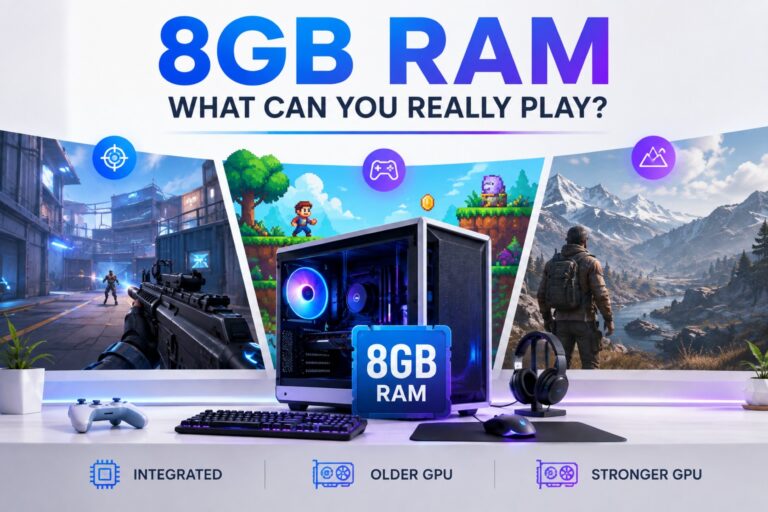
“Low-end PC” is almost useless unless we define it. A ten-year-old office laptop with 4GB of RAM is not in the same performance class as a newer Ryzen laptop with 8GB of dual-channel memory. Both may use integrated graphics, but the games they can handle are very different.

Tier A: Very Weak or Older PC
This tier represents systems with approximately:
- An older dual-core processor
- 4GB of RAM
- Intel HD 4000-class integrated graphics or something similarly weak
- Hardware capable of running Windows 10 and the current Steam client
- Low settings and reduced-resolution expectations
At this level, 720p may be more realistic than 1080p. Thirty frames per second can feel acceptable in a slower strategy or story game, but it is a much bigger compromise in a competitive shooter or fighting game where inconsistent frame times affect control and responsiveness.
Tier B: Modest Integrated-Graphics PC
This tier represents systems with approximately:
- Four CPU threads or better
- 8GB of RAM
- Intel UHD 620, AMD Vega-class integrated graphics or something comparable
- Windows 10 or Windows 11
- Enough cooling to maintain performance under sustained load
Tier B does not mean every game will run at 1080p and 60 FPS. It means you have enough memory and graphics capability to consider games that would be irresponsible recommendations for the weakest 4GB systems.
If you know your Intel graphics model but cannot tell which tier it belongs to, our Intel UHD Graphics gaming guide explains what different Intel generations can realistically handle.
Why Meeting the Minimum Requirements Is Not Enough
Steam’s minimum requirements tell you what the developer or publisher declares. They do not necessarily tell you how the game feels during a busy multiplayer match, a large late-game map or a demanding combat sequence.
A weak PC can technically launch a game and still suffer from severe frame drops, delayed inputs, RAM-related stutter, loading freezes or thermal throttling. CPU model matters as much as the graphics chip in some games. Integrated graphics also use system memory, so an 8GB dual-channel setup can behave very differently from a 4GB single-channel laptop with the same GPU name.
That is why this guide does not use “the game opened” as the definition of success.
How the Games Were Selected
To qualify, a game must:
- Be available through Steam.
- Be permanently free-to-play or genuinely free and open-source.
- Have enough evidence to support placement in at least one hardware tier.
- Offer meaningful play without requiring a purchase.
- Disclose important internet, storage, account and population limitations.
- Remain practically worthwhile for its intended use.
We then considered hardware suitability, evidence quality, free-access integrity, storage burden and multiplayer viability. “Best” means best among the candidates assessed under these rules. It does not mean the most popular free games on Steam.
Best Free Steam Games for Very Weak PCs
These are the strongest candidates for Tier A hardware: older dual-core processors, 4GB of RAM and very weak integrated graphics. Where the available evidence is incomplete, we say so plainly.
1. OpenTTD — Safest Choice for Extremely Weak PCs
Best for: Deep strategy, solo play and extremely weak hardware
Hardware tier: Tier A
Main limitation: Huge late-game maps can become CPU-heavy
OpenTTD is the safest starting point if your PC is genuinely ancient rather than merely inexpensive. It is a free, open-source transport-management game in which you build road, rail, air and shipping networks and gradually expand a small operation into an enormous logistical machine.
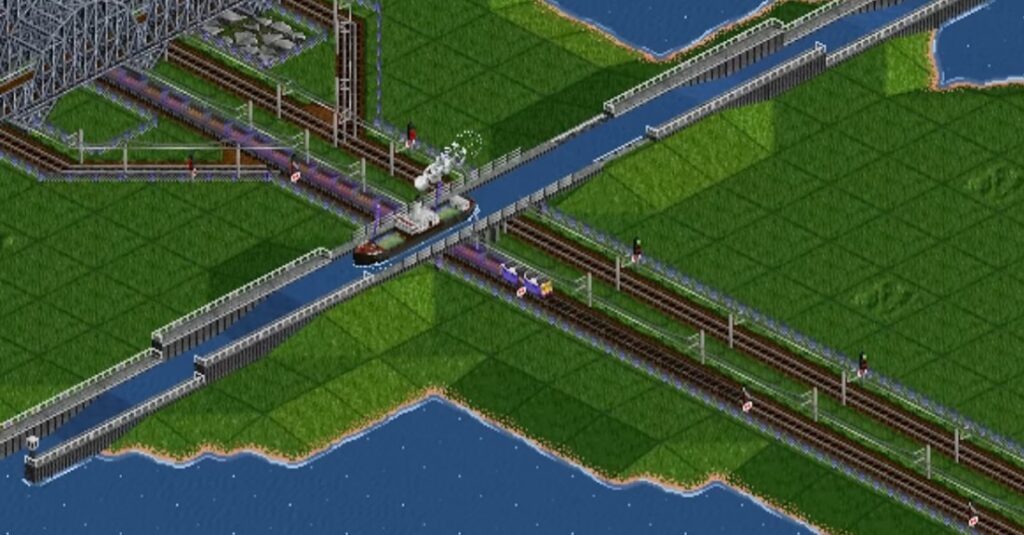
The official Steam requirements list only 256MB of RAM as the minimum and recommend 512MB with a 2GHz or faster processor. Based on its extremely low declared requirements, OpenTTD is the lowest-risk starting point for an extremely weak PC.
Performance can still decline on huge maps with complicated rail networks and thousands of vehicles. A weak PC that handles a fresh game easily may slow down once the simulation becomes enormous.
Choose OpenTTD if: You want a deep game that can provide hundreds of hours without demanding modern hardware.
Skip it if: You dislike management games or want fast action and immediate objectives.
2. Super Auto Pets — Best Lightweight Competitive Strategy Game
Best for: Short competitive matches without fast mechanical controls
Hardware tier: Tier A
Main limitation: Requires a 64-bit processor and operating system
Super Auto Pets is a turn-based auto-battler in which you assemble a team of animals, combine their abilities and watch them fight another player’s team automatically. Because battles do not demand rapid aiming or precise movement, occasional performance variation is less destructive than it would be in a competitive shooter.
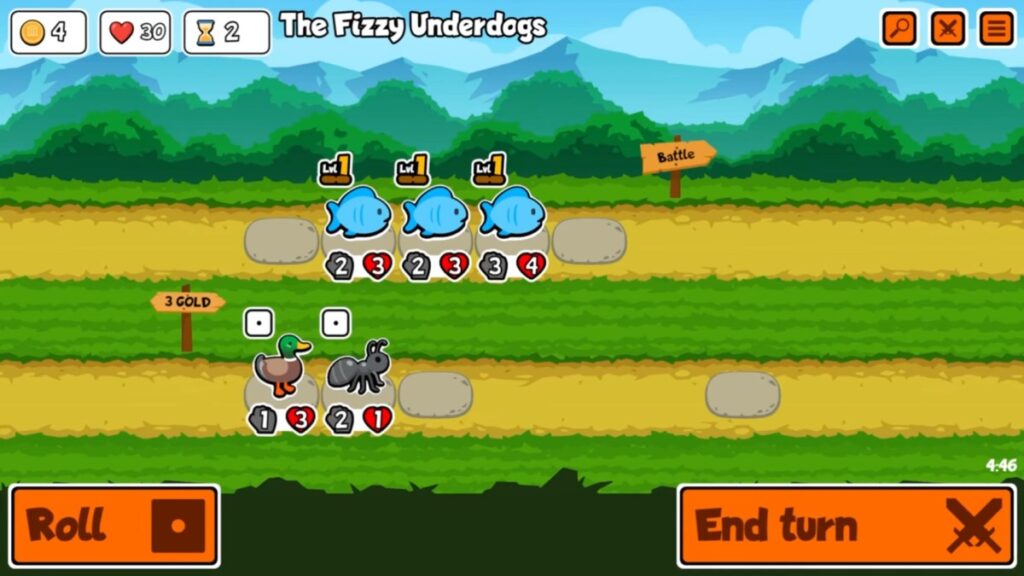
The official requirements list 1GB of RAM, DirectX 9 graphics with Shader Model 2.0 support and approximately 512MB of storage. The catch is that the game requires a 64-bit processor and operating system. A truly old 32-bit Windows installation will not qualify.
The core game is playable without purchasing optional animal packs.
Choose Super Auto Pets if: You want a small tactical game that does not punish you for lacking competitive-shooter frame rates.
Skip it if: Your PC uses a 32-bit operating system or you want direct control during battles.
3. Endless Sky — Best Free Space Game for Weak PCs
Best for: Space exploration, trading and long-term single-player progression
Hardware tier: Tier A, with caution
Main limitation: Very old graphics hardware may not support OpenGL 3.0
Endless Sky is a free, open-source space game built around exploration, trading, missions and ship combat. You begin with a small spacecraft and gradually earn enough money to upgrade your ship, build a fleet and travel farther across the galaxy.
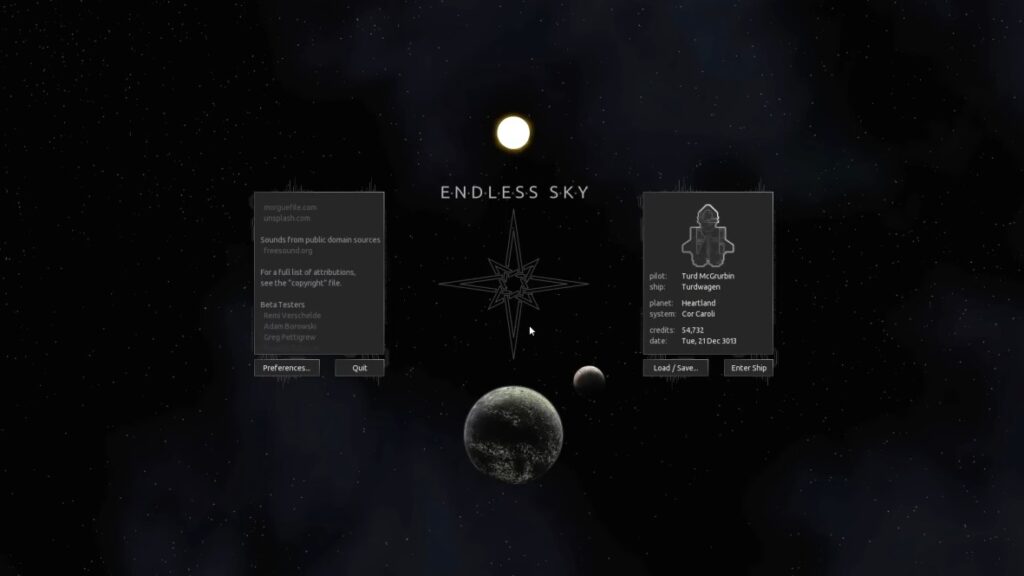
It is a stronger fit for weak PCs than most modern space games because it avoids demanding 3D worlds and enormous installations. It also offers a substantial single-player experience, so its value does not depend on active servers or public matchmaking.
The official Steam page lists 750MB of RAM, OpenGL 3.0 graphics and approximately 350MB of storage as its minimum requirements. The recommended specification increases to 2GB of RAM, OpenGL 3.3 graphics and approximately 1.5GB of storage.
The low memory and storage requirements are encouraging, but OpenGL support must be checked on very old graphics hardware. A PC with enough RAM can still fail if its GPU or driver does not support the required graphics version.
Choose Endless Sky if: You want a deep single-player space game with exploration, trading and gradual progression.
Skip it if: Your GPU does not support OpenGL 3.0 or you want fast, modern 3D space combat.
4. Sven Co-op — Best Free Co-Op Shooter for Ancient Hardware
Best for: Cooperative shooting with friends
Hardware tier: Tier A
Main limitation: Its public community is much smaller than those of mainstream shooters
Sven Co-op began as a cooperative modification for the original Half-Life. Players work together through campaigns, fight computer-controlled enemies and solve environmental puzzles.
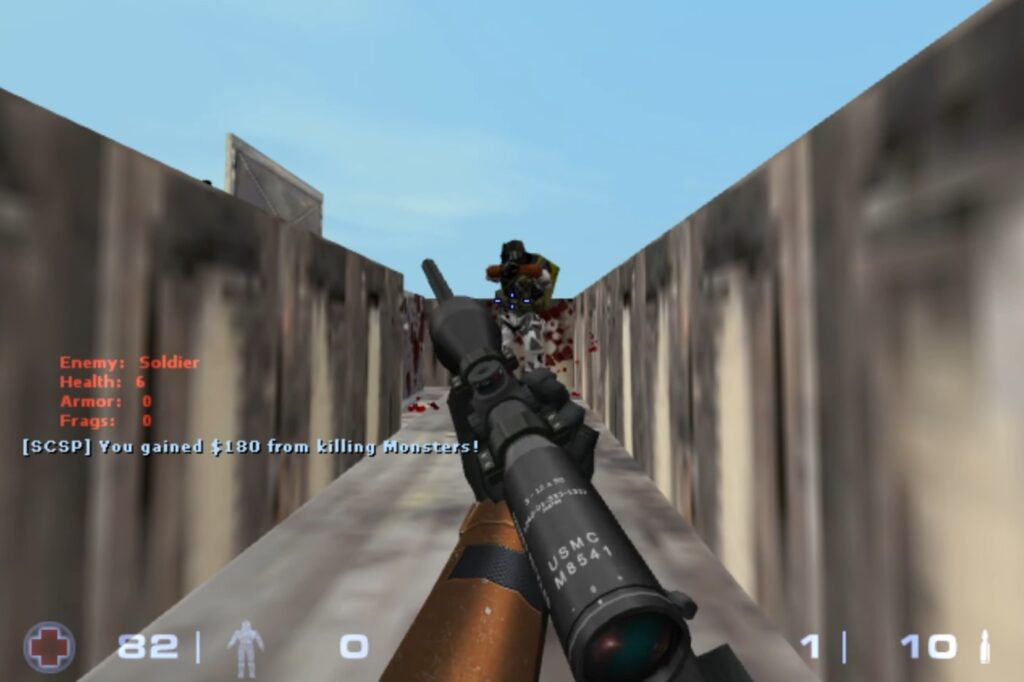
The official minimum requirements list a 1GHz single-core processor, 512MB of RAM, a 64MB graphics card with OpenGL 2.1 support and approximately 2GB of storage. The recommended specification remains modest at a 2GHz dual-core processor, 2GB of RAM and a 256MB graphics card.
Custom maps and third-party content can require more storage and may perform differently from the standard campaigns. Population is the other limitation: Sven Co-op still has a community, but it is a niche game rather than a giant matchmaking platform. It makes the most sense when friends are already available to play.
Choose Sven Co-op if: You want a genuinely lightweight cooperative shooter and have friends to join you.
Skip it if: You expect instant matchmaking, modern visuals or an enormous competitive community.
5. HoloCure — Promising Modern Action for Weak PCs
Best for: Fast single-player runs and upgrade-driven action
Hardware tier: Tier A, with caution
Main limitation: The official page provides no meaningful GPU requirement
HoloCure is a free fan-made action game built around short runs, large enemy groups and progressively stronger character builds. Its structure will feel familiar to players who enjoy the bullet-heaven style.
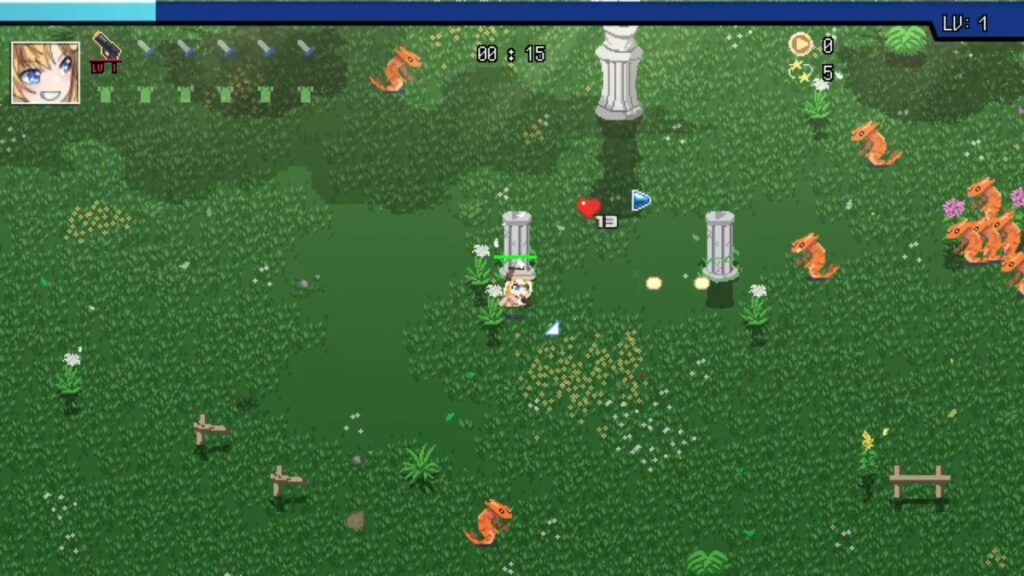
The official Steam requirements list Windows 10, a 64-bit processor and operating system, 300MB of RAM and approximately 250MB of storage. Those requirements look extremely light, but the page does not provide a useful GPU requirement.
We therefore cannot claim that it will perform well on every Intel HD system simply because the RAM requirement is low. Large enemy groups and effects may place more pressure on weak hardware during busy moments than an early stage suggests.
Choose HoloCure if: Your PC runs Windows 10, supports 64-bit software and you want modern action with a tiny installation.
Skip it if: You have extremely old integrated graphics and cannot tolerate performance drops during busy scenes.
6. Brawlhalla — Best for Active Competitive Multiplayer
Best for: Competitive fighting and cross-platform play
Hardware tier: Tier A or Tier B, with caution
Main limitation: The official CPU and GPU requirements are incomplete
Brawlhalla is a free platform fighter built around short matches, responsive movement and knocking opponents from the arena. Cross-platform play gives it a broader practical multiplayer pool than a Steam-only player count suggests.
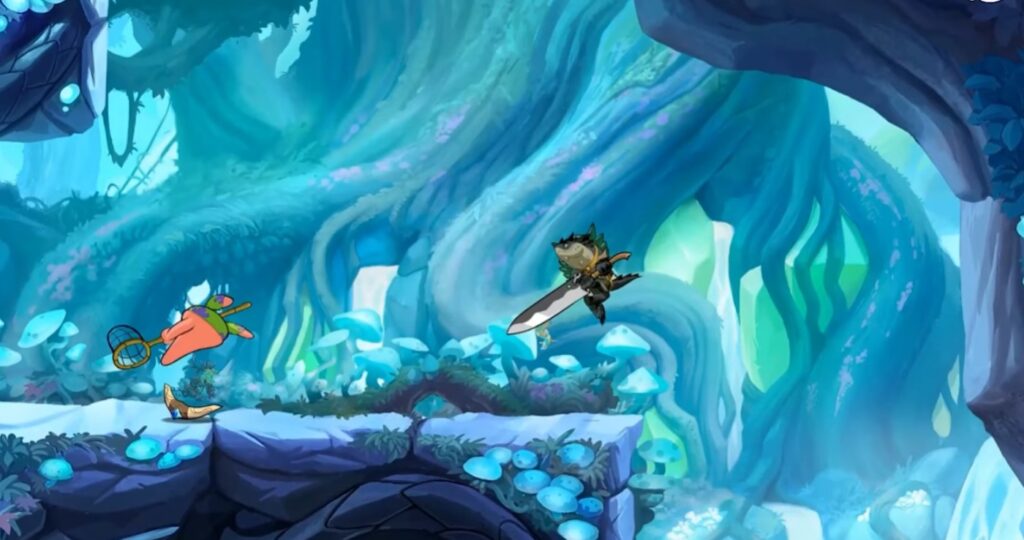
The Steam page lists 2GB of RAM and approximately 800MB of storage as its minimum requirements, with 4GB of RAM recommended. Those figures are low, but the listing does not provide useful CPU or GPU requirements.
This matters because Brawlhalla is competitive. Unstable frame times and input delays are harder to tolerate here than in a slower strategy game. It is broadly low-spec friendly, but owners of very old Intel HD systems should treat it as a game to try rather than a guaranteed success.
Choose Brawlhalla if: You want active competitive multiplayer, cross-platform play and a relatively small installation.
Skip it if: Your PC falls below the Tier A baseline or struggles to maintain responsive performance in other real-time games.
Free Steam Games for Stronger Low-End PCs
The next games remain reasonable for budget hardware, but some require 8GB of RAM while others depend heavily on CPU performance or list graphics requirements that extremely weak integrated GPUs may not meet.
7. Team Fortress 2 — Best Classic Shooter for a Stronger Old CPU
Best for: Class-based competitive shooting
Hardware tier: Tier A or Tier B, depending on the CPU
Main limitation: Performance varies with CPU strength, map complexity and player count
Team Fortress 2 remains one of Steam’s best-known free shooters. Its class system supports direct combat, defence, mobility and support roles rather than forcing everyone into the same play style.
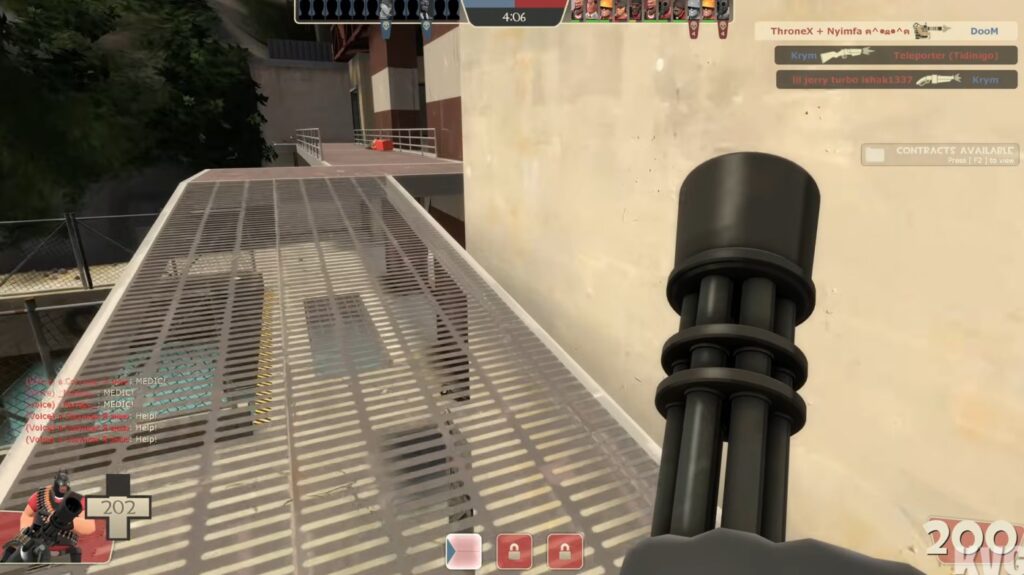
The official requirements list a 1.7GHz processor, 512MB of RAM, DirectX 8.1 graphics and approximately 15GB of storage. These old requirements do not prove that the current version will perform perfectly on every old PC after years of updates and community additions.
Notebookcheck’s historical testing recorded approximately 48 FPS at minimum settings on Intel HD 4000 paired with a comparatively capable quad-core CPU. That does not establish the same result for weak low-power dual-core laptops, current game builds or every map.
Busy servers and complicated maps can demand more than a quiet test area. For a competitive shooter, stutter and input delay can make the game frustrating even when the average frame rate looks acceptable.
Choose Team Fortress 2 if: You have an older integrated GPU paired with a reasonably capable processor and will use minimum settings.
Skip it if: Your PC has a very weak low-power CPU or you need consistently responsive competitive performance.
8. Unturned — Best Free Survival Game for the 8GB Tier
Best for: Zombie survival, exploration and multiplayer
Hardware tier: Tier B
Main limitation: The current minimum requirement is 8GB of RAM
Unturned is often recommended for almost any PC because of its simple blocky visuals. That assumption is no longer responsible. The current official requirements list a 3GHz processor, 8GB of RAM, DirectX 10 and approximately 4GB of storage. The recommended specification rises to a 4GHz processor and 16GB of RAM.

This disqualifies Unturned from the 4GB tier. It remains reasonable for a stronger low-end system with 8GB of RAM, offering survival, crafting, vehicles and single-player and multiplayer modes without an initial purchase. Its simple art style does not prove that its map, AI, networking and base simulation are equally light.
Choose Unturned if: Your PC has at least 8GB of RAM and meets the current processor and graphics requirements.
Skip it if: You have only 4GB of RAM or rely on very old integrated graphics without further compatibility evidence.
If Unturned is too demanding, compare the lighter alternatives in our guide to free survival games for low-end PCs.
9. No More Room in Hell — Best Free Co-Op Horror Shooter for Tier B
Best for: Cooperative zombie horror
Hardware tier: Tier B
Main limitation: Its graphics requirement does not make it safe for every integrated GPU
No More Room in Hell is a slower, more punishing cooperative zombie game than a typical arcade shooter. Ammunition is limited, infection matters and careless teams can collapse quickly.
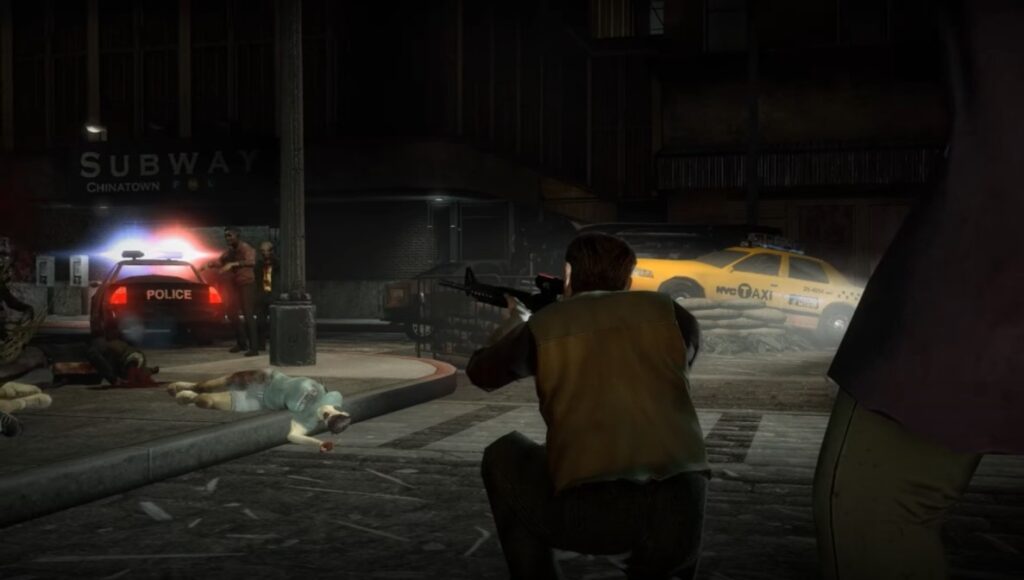
The official requirements list a dual-core 2.4GHz processor, 2GB of RAM and approximately 10GB of storage. The graphics requirement names the Radeon HD 5000 and Nvidia GeForce 200 families or better.
Those are old dedicated-GPU families, but that does not make every integrated GPU equivalent. Graphics architecture, drivers and memory bandwidth matter. The game also requires broadband for online play, and practical value can vary by region and server availability.
Choose No More Room in Hell if: Your graphics hardware is comparable to or stronger than its declared requirement and you want methodical cooperative horror.
Skip it if: You cannot identify your GPU or use extremely old integrated graphics.
Popular Free Steam Games Weak PCs Should Avoid
Some of Steam’s biggest free games appear in almost every recommendation list. That does not make them sensible choices for weak hardware.
| Game | Why it is tempting | Why it fails the low-end test |
|---|---|---|
| Counter-Strike 2 | Free, enormously popular and competitive | Modern CPU and graphics demands; unstable performance undermines competitive play |
| The Finals | Fast multiplayer action and impressive destruction | Requires 12GB of RAM and dedicated-class graphics |
| Once Human | Large free survival world with modern visuals | Requires 8GB of RAM, dedicated-class graphics and roughly 100GB of storage |
Counter-Strike 2
Counter-Strike 2 is not the lightweight Counter-Strike many old-PC owners remember. The move to Source 2 increased hardware demand, and severe frame drops or inconsistent input can destroy the competitive experience even when the game launches.
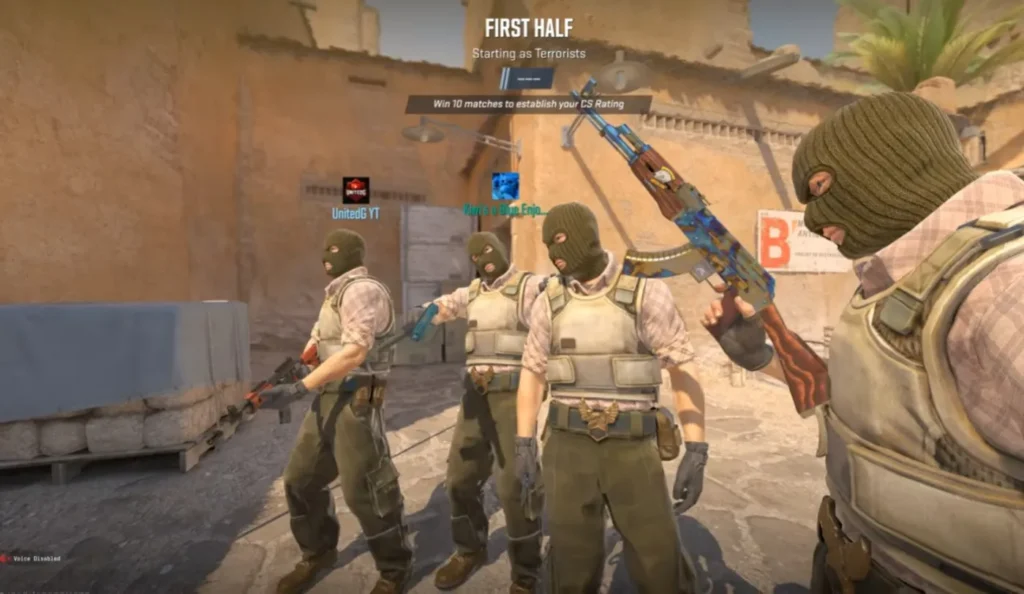
Thirty unstable frames per second may be tolerable in a slow single-player game. It is a serious disadvantage in Counter-Strike 2. A lighter shooter is the more responsible choice.
The Finals
The Finals combines fast combat with large-scale environmental destruction. Its current official requirements list 12GB of RAM and dedicated graphics comparable to a GTX 1050 Ti or RX 570, putting it outside both tiers used here. Lowering the resolution cannot compensate for hardware that falls far below the complete minimum specification.
Once Human
Once Human may be free, but it is not light. Its requirements include 8GB of RAM, dedicated-class graphics and around 100GB of storage, with an SSD strongly recommended. The storage burden alone makes it impractical for many old laptops, while its graphics requirement exceeds very weak integrated hardware.
Why Simple Graphics Do Not Guarantee Good Performance
A simple art style and low hardware demand are not the same thing. Large maps, enemy AI, physics, networking and player-built structures consume resources that are not obvious in a screenshot. The reverse can also happen: a polished 2D game may perform well because its engine, assets and effects are carefully controlled.
Do not judge suitability from the visuals alone. Check the current requirements, exact hardware models, storage demand and whether multiplayer conditions increase the workload.
How to Choose a Free Steam Game Without Guessing
1. Find Your Exact CPU, GPU and RAM
Do not stop at descriptions such as “Intel graphics,” “Core i5” or “AMD laptop.” Press Ctrl + Shift + Esc, open the Performance tab in Task Manager and record the complete CPU model, GPU name, installed RAM and storage type.
2. Check Whether You Have 4GB or 8GB of RAM
Windows, Steam and background applications consume memory before the game starts. Integrated graphics can also reserve or share system memory, making a 4GB PC more constrained than the number suggests.
If memory is your main limitation, see our dedicated list of games for 4GB RAM PCs rather than forcing an 8GB game to work.
3. Compare the Complete Requirement
Do not approve a game because you have enough RAM. Compare the processor, graphics model, DirectX or OpenGL support, operating system, storage and internet requirements. A laptop with 8GB of RAM can still fail because its processor is too weak or its driver lacks a required feature.
4. Check the Storage Requirement Again
Steam games grow through patches and updated assets. Leave extra space beyond the listed requirement because Steam may need temporary room while downloading, unpacking and applying an update. This matters on older laptops with small or nearly full drives.
5. Treat Multiplayer Recommendations Differently
A single-player game remains useful when nobody else is playing. Multiplayer depends on servers, regional activity and available opponents. Check whether the game supports bots, private matches, LAN play or cross-platform play, and whether friends are available to join you.
For more choices focused on online play, see our guide to online games for low-end PCs with active players.
6. Start With Conservative Settings
Start with the lowest preset, 720p or another reduced resolution, expensive effects disabled and unnecessary background applications closed. Keep a laptop connected to power, then test a genuinely demanding section rather than judging performance from a menu or empty room.
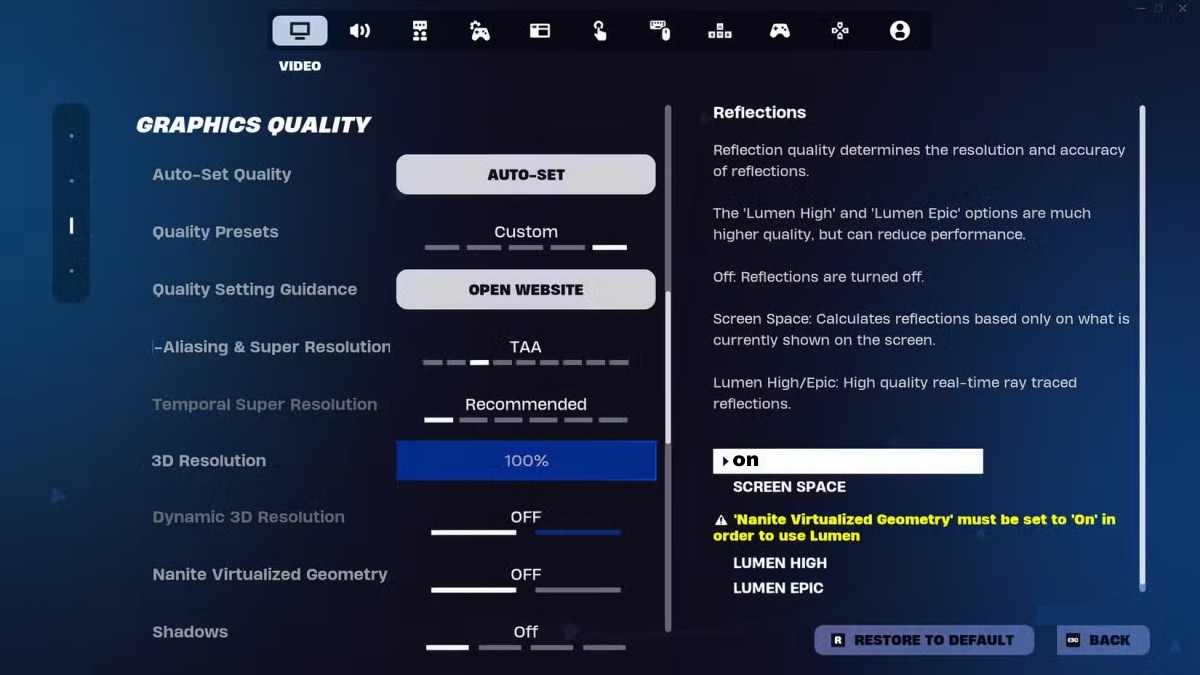
Watch for more than average FPS. Severe stutter, delayed controls, freezing or performance that collapses after the laptop heats up can make a game unsuitable even when it technically runs.
7. Know When to Stop
If your system falls below the requirements, crashes repeatedly or produces unusable controls at minimum settings, stop trying to force it. Random configuration files, ancient drivers and aggressive Windows tweaks cannot transform unsupported hardware into a capable gaming PC and may create new stability or security problems.
If your PC has no useful dedicated graphics capability, our list of free PC games that do not need a dedicated GPU provides a safer next step.
Which Free Steam Game Should You Choose?
- OpenTTD: The safest overall choice for extremely weak hardware and deep management gameplay.
- Super Auto Pets: Lightweight competitive strategy without fast aiming or movement.
- Endless Sky: Deep space exploration and trading for weak PCs that support OpenGL 3.0.
- Sven Co-op: A lightweight shooter when friends are available for cooperative play.
- HoloCure: Promising modern action for weak 64-bit Windows 10 PCs, with uncertainty on very old GPUs.
- Brawlhalla: The strongest active competitive option, provided your system can maintain responsive performance.
- Team Fortress 2: Worth considering when old integrated graphics are paired with a reasonably capable CPU.
- Unturned: A survival option for the stronger 8GB tier, not a responsible 4GB recommendation.
- No More Room in Hell: Cooperative horror when your GPU meets or exceeds the declared requirement.
If you do not care whether a game comes from Steam, our broader guide to the best free games for low-end PCs offers a larger selection across different platforms and genres.
Final Verdict
OpenTTD is the safest overall free Steam game for an extremely weak PC. Its tiny official requirements, complete single-player experience and lack of dependence on modern 3D graphics make it the lowest-risk starting point.
If you want competition, Super Auto Pets is the safer lightweight choice, while Brawlhalla provides active real-time multiplayer for systems capable of maintaining responsive performance. Endless Sky is the better choice when you want a substantial single-player adventure built around exploration and progression.
The important point is that “free” and “low-end friendly” are not the same thing. Counter-Strike 2, The Finals and Once Human cost nothing to install, but they are poor choices for the weakest PCs.
Identify your hardware tier, check the complete requirements and choose the lightest game that provides the experience you want. That is more useful than spending hours trying to force a popular game onto hardware it was never designed to support.