If you have ever opened a graphics menu, seen “Ray Tracing” sitting there like a shiny luxury tax, and wondered whether turning it on was a good idea, you are not alone. What is ray tracing in games, really? In simple terms, it is a lighting technique that makes reflections, shadows, and illumination behave more realistically.
That sounds great until your frame rate falls off a cliff. Ray tracing can make some games look incredible, but it is also one of the most expensive graphics settings you can enable. For low-end and mid-range PC gamers, the real question is not “does it look better?” It is “is it worth the FPS hit?”
Quick Answer, Is Ray Tracing Worth It?
Ray tracing is worth turning on if you have enough GPU power to keep your frame rate smooth. It is usually not worth it on weak PCs, older GPUs, integrated graphics, or budget systems where every frame matters. Pretty lighting is nice, but not when your game starts moving like a slideshow wearing expensive sunglasses.
| Your PC Situation | Ray Tracing Recommendation |
|---|---|
| Integrated graphics or older GTX GPU | Turn it off |
| Entry-level RTX card | Use selectively with DLSS |
| Mid-range RTX card | Worth testing at 1080p or 1440p |
| High-end RTX card | Usually worth enabling |
| Competitive shooter player | Turn it off for higher FPS |
What Is Ray Tracing in Games?
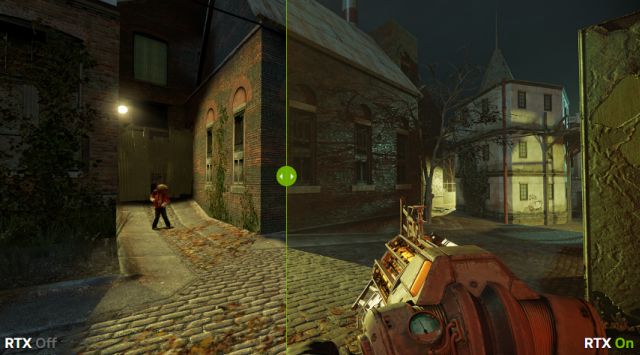
Ray tracing is a rendering technique that simulates how light behaves in the real world. Instead of simply placing fake shadows and reflections around a scene, ray tracing calculates how light rays bounce, reflect, scatter, and interact with objects. That is why ray traced scenes can look more natural than traditional game lighting.
In normal gamer terms, ray tracing makes light behave less like a painted-on effect and more like actual light. Reflections can show the correct objects. Shadows can look softer and more believable. Dark rooms can feel moodier. Bright neon streets can bounce light off wet roads in a way that looks genuinely impressive.
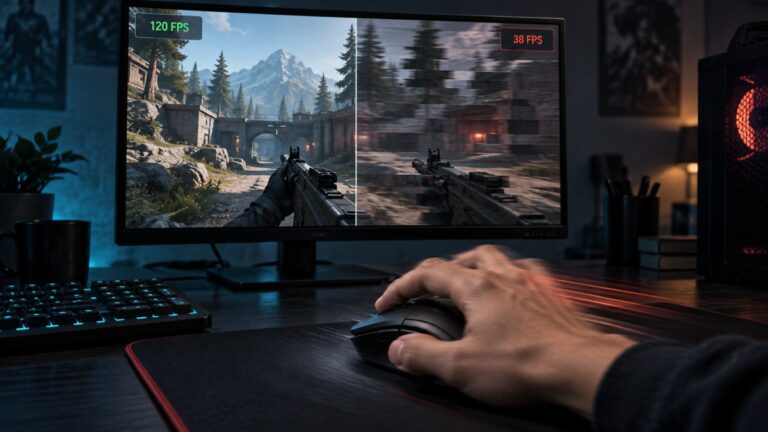
The problem is that all of this costs GPU power. Your graphics card has to do far more work per frame, which is why ray tracing often causes a noticeable FPS drop. That is the tradeoff: better lighting, worse performance.
What Does Ray Tracing Actually Change?
Ray tracing does not magically upgrade every part of a game. It usually improves specific lighting-related effects, depending on how the developer uses it. Some games use it heavily. Others add one or two ray traced effects and call it a day because marketing departments need something shiny for the trailer.
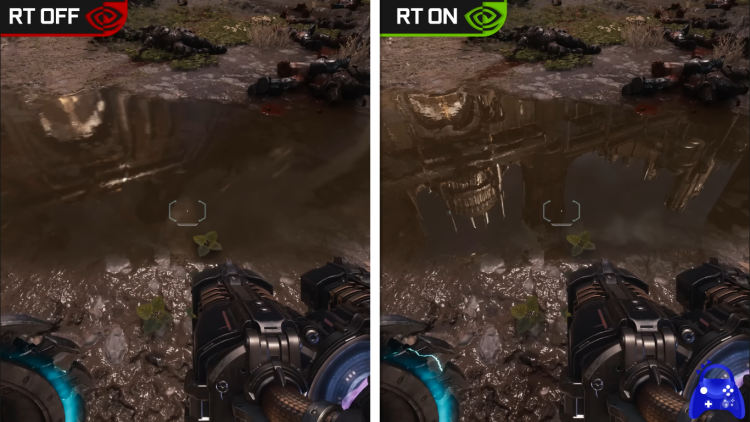
The most noticeable ray tracing effects are reflections, shadows, global illumination, and ambient lighting. Reflections are usually the easiest to spot because windows, puddles, mirrors, and shiny floors can show more accurate detail. Shadows can also look more natural because they react better to light sources and object placement.
Global illumination is where ray tracing can really improve atmosphere. Instead of lighting a scene with rough approximations, the game can simulate how light bounces around an environment. That can make interiors, neon cities, caves, and dark corridors look far more believable.
Ray Tracing vs Rasterization
Rasterization is the traditional rendering method used by games for decades. It is fast, efficient, and still extremely good when developers know what they are doing. Most games you have played use rasterization to create lighting, shadows, reflections, and depth through clever tricks.
Ray tracing is more physically accurate, but rasterization is much easier to run. That is why most modern games still rely heavily on rasterization, even when ray tracing is available. In many cases, ray tracing is layered on top as an optional visual upgrade rather than replacing the entire rendering system.

The important thing is this: rasterization is not “bad graphics.” A well-optimized game using traditional lighting can still look excellent. Ray tracing only becomes worth it when the visual upgrade is obvious enough to justify the performance cost.
The Real Cost, How Much FPS Does Ray Tracing Eat?
Ray tracing can be brutal on performance because it adds extra lighting calculations on top of everything else your GPU is already doing. The exact FPS loss depends on the game, resolution, ray tracing quality level, GPU, CPU, VRAM, and whether you are using DLSS, FSR, or XeSS.
In some games, enabling ray tracing might only shave off a modest chunk of performance. In heavier titles, it can cut your frame rate dramatically. Path tracing is even more demanding because it pushes the lighting simulation further than standard ray tracing.
This is why ray tracing is often paired with upscaling. DLSS, FSR, and XeSS render the game at a lower internal resolution and then upscale the image to recover performance. Without those tools, ray tracing can be painful on anything below a strong mid-range GPU.
If you want to understand whether your GPU is struggling because of ray tracing or because of heat, usage spikes, or power limits, use a monitoring tool. Our temperature, clock, and usage monitoring guide is a good place to start.
How Does Ray Tracing Behave on Real PCs?
On real gaming PCs, ray tracing is mostly a GPU problem. Your graphics card has to handle the extra lighting workload, and weaker cards simply do not have much performance headroom. If your PC already struggles to maintain stable FPS, ray tracing will usually make that worse.
Older GTX cards such as the GTX 1060, GTX 1650, and GTX 1660 are not practical ray tracing GPUs. Some games may technically allow ray tracing on certain non-RTX hardware, but that does not mean the experience will be good. Technical support is not the same thing as playable performance.
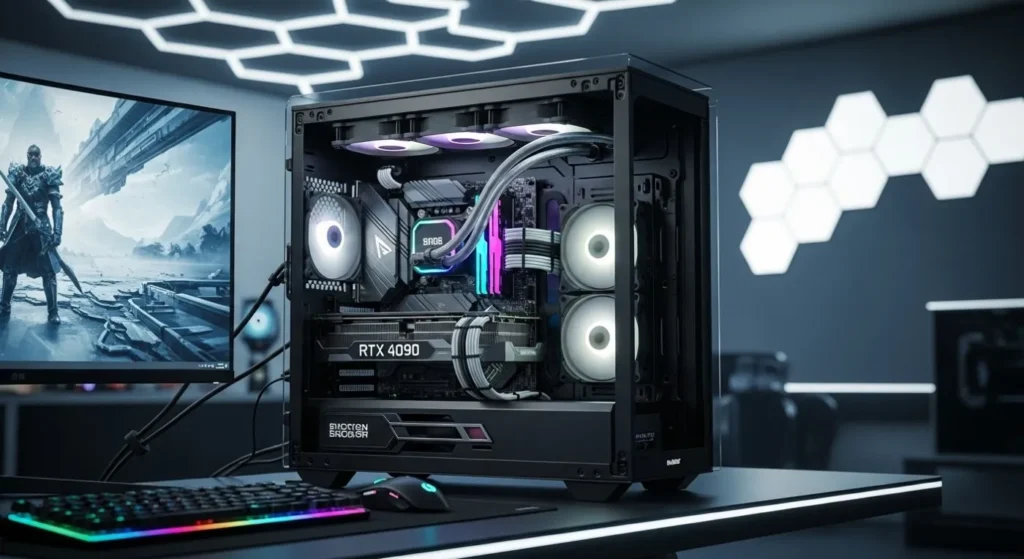
Entry-level RTX cards like the RTX 2060, RTX 3050, and RTX 3060 can use ray tracing, but you need to be selective. Lower RT settings, 1080p resolution, and DLSS can help, but maxing everything out is usually a bad idea. Mid-range cards like the RTX 4060 and better are more realistic candidates for ray tracing, especially when upscaling is available.
If enabling ray tracing causes stutter, heat spikes, or strange FPS drops, check what your GPU is actually doing. MSI Afterburner can help you track FPS, GPU usage, temperatures, and frametime while you test settings. If performance still collapses under heavy load, our guide to hidden throttles that kill FPS explains why your PC might be slowing itself down.
Should Low-End PCs Use Ray Tracing?
For most low-end PCs, the answer is no. If you are gaming on integrated graphics, an older office PC, a weak laptop, or a budget GPU that already has to fight for every frame, ray tracing should be one of the first settings you disable.
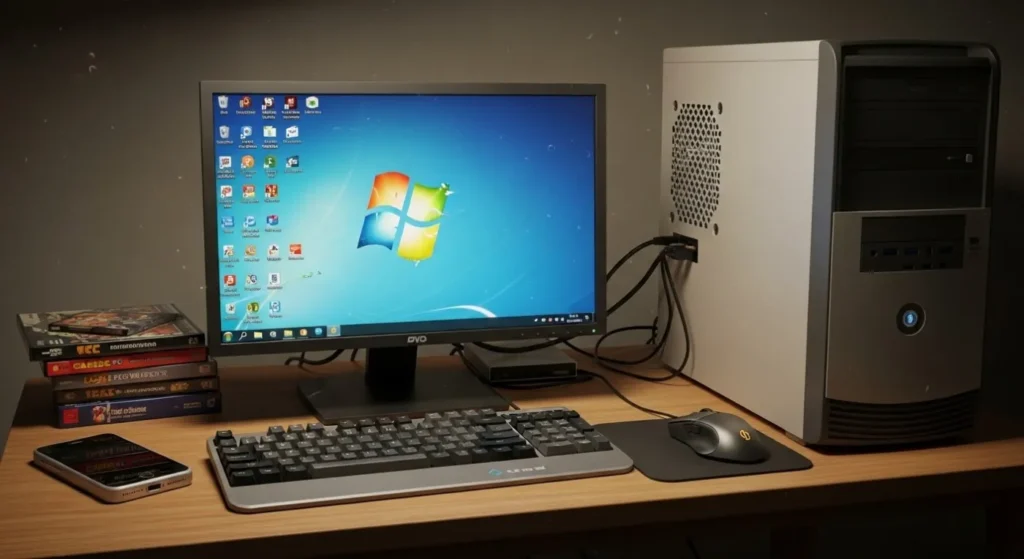
The visual upgrade often sounds better than it feels during actual gameplay. Yes, reflections may look nicer. Yes, shadows may behave more realistically. But if your frame rate drops from playable to miserable, the lighting upgrade is not doing you any favors.
This is especially true for competitive games. In shooters, racing games, and fast multiplayer titles, input response and stable FPS matter far more than fancy reflections. Nobody wins a gunfight because the puddle next to them looked emotionally complex.
If you are on older hardware, spend your performance budget on resolution, texture quality, stable frametimes, and basic visual clarity first. Ray tracing should come later, if your PC can afford it.
When Ray Tracing Is Actually Worth Turning On
Ray tracing is not useless. In the right game, on the right hardware, it can make a massive difference. The best ray traced games use lighting as part of the atmosphere, not just as a shiny checkbox in the settings menu.
Games like Cyberpunk 2077, Control, Metro Exodus Enhanced Edition, Alan Wake 2, Minecraft RTX, and Portal RTX show why ray tracing exists. In these titles, reflections, shadows, and global illumination can genuinely change the mood of the world. Dark corners feel darker. Neon streets feel wetter. Rooms feel less flat.

Ray tracing is most worth using in slower, cinematic, single-player games where visual atmosphere matters. If you are exploring, taking screenshots, or playing a story-driven game at a stable frame rate, turning it on can make sense.
When You Should Turn Ray Tracing Off Immediately
You should turn ray tracing off when it damages the actual feel of the game. If your FPS drops too low, your frametime becomes unstable, or the game starts stuttering, ray tracing is no longer a visual upgrade. It is just an expensive setting making your PC suffer.
Turn ray tracing off first in competitive shooters, battle royale games, esports titles, and anything where responsiveness matters. Higher FPS and lower input delay are more useful than realistic reflections when you are trying not to get deleted by someone with a 240Hz monitor and zero patience.
You should also disable ray tracing if you are already GPU-limited. If your GPU usage is pinned near 100%, temperatures are high, or your VRAM is nearly full, adding ray tracing will usually make things worse. In that situation, lower shadows, reflections, volumetrics, or ray tracing before touching settings that help visibility.
If you are thinking of upgrading mainly for ray tracing, read our guide to GPU upgrade mistakes gamers should avoid first. Chasing one graphics feature while ignoring your power supply, CPU bottleneck, case airflow, or monitor resolution is how people waste money.
Why Ray Tracing Might Become Standard
There is a fair counter-argument here. Ray tracing may feel optional now, but more modern games are being built around advanced lighting systems. As GPUs improve and upscaling gets better, ray tracing could become less of a luxury feature and more of a normal part of PC gaming.
Path tracing is already showing where things might go next. It is much heavier than standard ray tracing, but it can produce extremely realistic lighting when hardware is strong enough. Right now, that usually means high-end GPUs and aggressive upscaling. In the future, it may become more common across mid-range cards too.
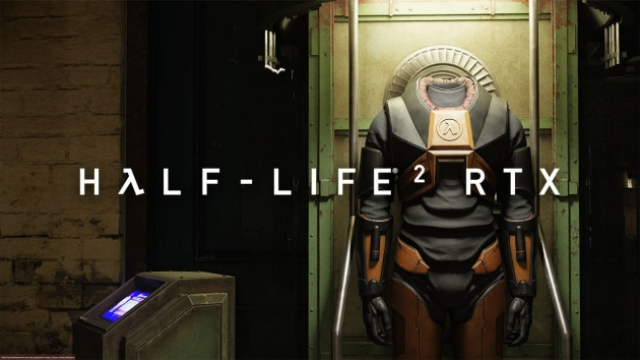
That does not mean low-end gamers need to panic. Rasterized lighting is not disappearing overnight. Plenty of games still need to run on consoles, laptops, older GPUs, and mainstream hardware. Ray tracing may be the future, but for many players, it is still not the priority today.
Final Verdict, Better Graphics or Better FPS?
So, what is ray tracing in games? It is a more realistic lighting system that can improve reflections, shadows, and atmosphere. It can make certain games look fantastic. It can also hammer your FPS hard enough to make you regret touching the graphics menu.
For low-end PCs, older GPUs, integrated graphics, and budget builds, ray tracing is usually not worth the performance hit. Turn it off and take the extra frames. For entry-level RTX cards, use it carefully with DLSS and lower settings. For mid-range and high-end GPUs, test it game by game.
If you are building or upgrading a PC and ray tracing matters to you, focus on balanced hardware first. A stronger GPU helps, but so do enough VRAM, good cooling, a suitable power supply, and a CPU that will not hold the system back. Our best GPU picks for 1080p and 1440p and mid-range gaming PC build guide are better places to start than blindly chasing the shiniest lighting feature.
Ray tracing is impressive, but it is not magic. It is expensive lighting. Use it when your PC can handle it, disable it when it wrecks performance, and never sacrifice smooth gameplay just so a puddle can look like it went to art school.
FAQ
Does ray tracing reduce FPS?
Yes, ray tracing usually reduces FPS because it adds extra lighting calculations for your GPU. The performance hit depends on the game, GPU, resolution, ray tracing quality level, and whether you use DLSS, FSR, or XeSS.
Does ray tracing require an RTX card?
No, not always, but Nvidia RTX cards are designed specifically for ray tracing acceleration. Some AMD and Intel GPUs also support ray tracing, but performance varies heavily by model and game.
Is ray tracing worth it at 1080p?
Ray tracing can be worth it at 1080p if you have a capable RTX card and can keep your frame rate stable. On weaker GPUs, 1080p ray tracing often costs too much performance to justify the visual improvement.
Can AMD GPUs use ray tracing?
Yes, many modern AMD GPUs support ray tracing. However, ray tracing performance depends on the specific card and game. Nvidia still tends to have stronger ray tracing performance in many titles, especially when DLSS is available.
What is the difference between ray tracing and path tracing?
Ray tracing usually applies realistic lighting to selected effects such as reflections, shadows, or global illumination. Path tracing is more demanding because it attempts a more complete lighting simulation across the whole scene. It can look stunning, but it is much harder to run.
For deeper technical detail, you can read NVIDIA’s official RTX overview. For performance-focused comparisons, Digital Foundry is one of the better places to check real benchmark analysis.