


Mods can make your game legendary, or melt your hard drive faster than a bad crypto miner. If you’re diving into the modding scene, you need to know where it’s actually safe to click “Download.” Our guide highlights the Safest PC Game Mod Sites.
PC modding is the lifeblood of gaming creativity, but it’s also a minefield. Between fake mod mirrors, malware-laced “updaters,” and random .exe files claiming to boost performance, it’s easy to fall into a trap. This guide breaks down the safest mod sites, the ones that make you sweat a bit, and a simple checklist that’ll keep your rig clean and your saves intact.
The Gold Standard: Reputable Mod Platforms
These are the mod sites you can browse without feeling like you’re defusing a bomb. Each has moderation systems, community reporting, and file-checking baked in, but even here, caution is key.
Steam Workshop:
It’s as safe as it gets. Mods auto-update, integrate directly with supported games, and rarely pose security risks. The downside? Only works for games that actually support it, so no luck if you’re modding a Bethesda classic or an indie gem.
Nexus Mods:
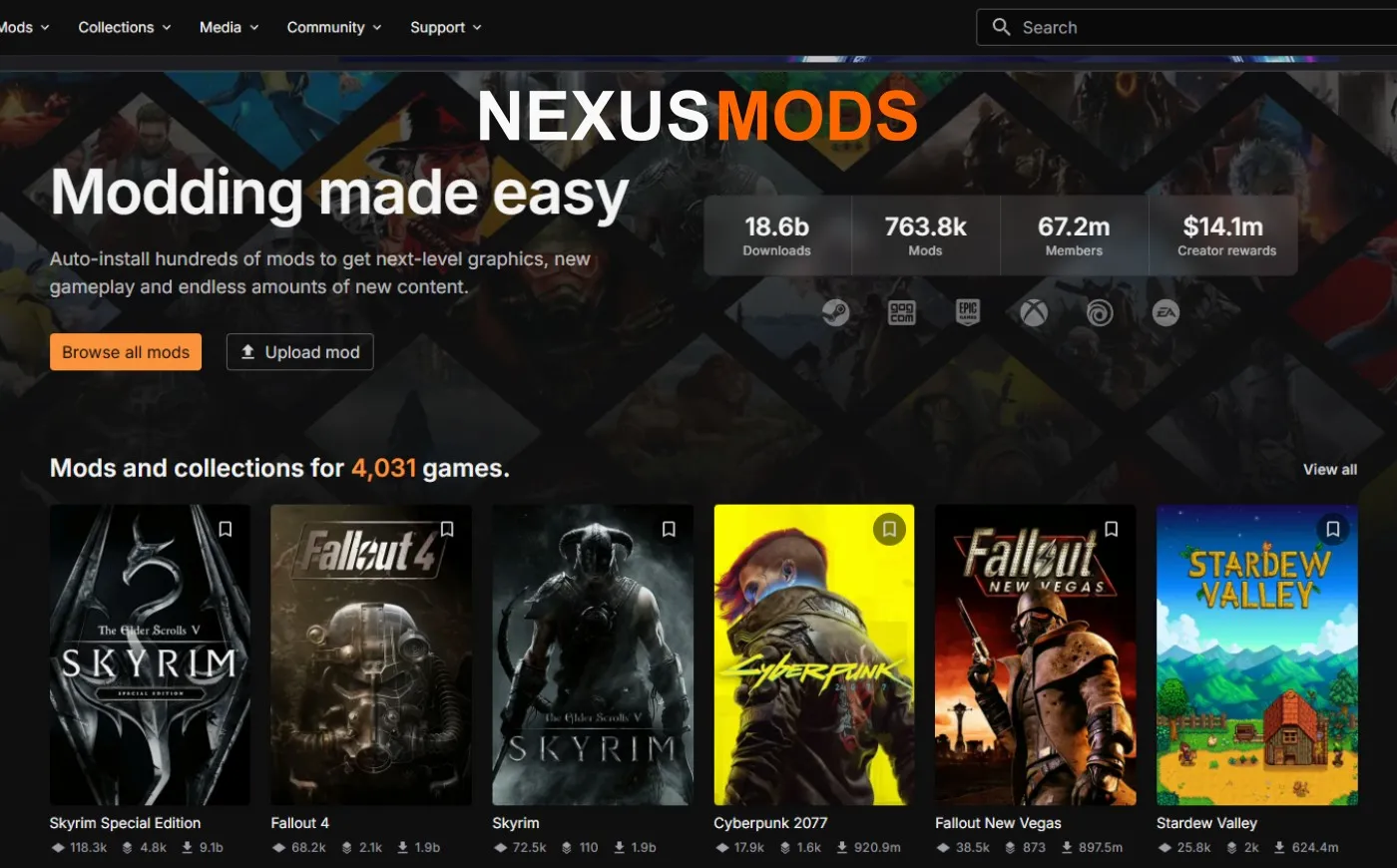
The king of mod repositories. Vast library, active community, and the Vortex manager make installation painless. It’s generally safe, but pay attention to mod pages that link you off-site, Nexus can’t moderate what’s hosted elsewhere. Still, if you stick to popular mods and verified creators, you’re golden.
CurseForge:
CurseForge: Backed by major publishers and integrated with games like Minecraft and World of Warcraft, CurseForge hosts verified files only. Each upload is scanned, and its partnership with Overwolf ensures that mod managers and security tools are up to date. For casual modders, it’s one of the safest places to start.
Thunderstore / mod.io:
Great for community-driven Unity titles like Valheim or Risk of Rain 2. Both emphasize version tracking and dependency management, features that stop mismatched files from corrupting your saves. Think of them as “indie Nexus Mods” with stricter packaging rules.
GitHub:
Perfect for open-source utilities and small tools. If a mod comes from a developer with a GitHub track record, that’s usually a green flag. Avoid “one-repo wonders” that popped up last week and haven’t been updated since.
For more in-depth modding guidance, check out our Game Mods 101 guide for tools, backups, and setup tips.
Proceed with Caution: Gray-Area Mod Sources
These aren’t evil, just inconsistent. They can host gems, but also garbage. Always double-check before downloading.
ModDB: A classic site with history, but moderation can lag behind. It’s fine for older titles, just scan every file and avoid third-party links inside mod descriptions.
Discord and Reddit: Many creators post early builds here. That’s great for feedback, terrible for safety. Never download a mod file directly from DMs or random links. If the developer doesn’t host on a verified site, skip it.
YouTube & mirrors: “Click the link in the description” is modding’s version of “free candy in the van.” These links often lead to redirect chains or shady file hosts. If the author can’t host it on Nexus or CurseForge, ask why. Once you know where to download mods safely, see which manager keeps them organized with the least headaches: Vortex Vs Mod Organizer
When Mods Go Wrong: Real-World Malware Cases
Not all malicious mods are obvious. In 2023, the Minecraft community got hit by Fracturiser, a malware strain hiding inside fake performance mods. Later, similar payloads disguised themselves as “FPS boosters” and “texture enhancers.” Even big platforms like CurseForge have dealt with takedowns when creators slipped bad code through.
TechRadar reported mod-based password stealers targeting cheat communities. Lesson learned: if a mod promises “unlimited XP” or “free premium items,” assume it’s installing more than a patch.
Safest PC Game Mod Sites And How to Vet a Mod Like a Pro
You wouldn’t buy a used CPU without testing it, same rule applies here. A few extra minutes of research can save you from reinstalling Windows. Check who uploaded the mod, how long they’ve been active, and whether other users are backing them up in the comments. Look for detailed changelogs and proper versioning, real modders document their work, scammers don’t bother. If something feels rushed, unfinished, or suspiciously hyped, it’s probably best left uninstalled.
- Check the uploader’s profile and comment history.
- Compare the file size to the mod description, if it’s “a small texture fix” but 2 GB large, run.
- Stick to file types like .zip or .rar. Be skeptical of .exe installers.
- Verify checksums or hashes if the author provides them.
- Scan every file with your antivirus before running it.
For more testing habits, see How to Test a Used CPU, the logic’s the same: trust, but verify.
Tools That Make Modding Safer

Smart tools can catch red flags before you even notice them.
- Vortex / Mod Organizer 2: Handles dependencies and load order, preventing half of all mod crashes.
- Windows Sandbox or Virtual Machines: Test new mods in isolation first.
- Reliable Antivirus: Turn on real-time scanning. Mods aren’t special exemptions.
- Backup tools: Make restore points before big mod installs. You’ll thank yourself later.
If you suspect a mod slowed down your system, benchmark before and after with our Gaming PC Performance Test Guide.
Quick Triage: Is This Mod Page Safe?
Not every sketchy site screams “danger” right away, some hide it behind slick layouts and fake download buttons. A quick triage can save you a full system restore later. Look for basic trust signals: verified authors, consistent updates, and download counts that make sense. Be wary of off-site links, sudden redirects, or files that don’t match the description. When in doubt, skip it — no mod is worth reinstalling Windows for.
Before you hit download, run through this 10-second mental checklist:
- Does the page look professionally maintained?
- Does the author have other verified mods or a history of updates?
- Is the file hosted on the same site — or does it redirect elsewhere?
- Are there any comments reporting issues or malware warnings?
- Is it updated for your game’s current version?
When Even the “Safe” Ones Slip Up
Even major sites occasionally miss a bad upload. Nexus Mods and CurseForge both rely on community reports to pull harmful files fast. When something’s flagged, don’t panic, delete the mod folder, clear caches, and run a scan. You can always reinstall clean copies later. If the mod affected in-game files, verify the game’s integrity through your launcher to restore the originals. It’s also smart to check the mod’s page comments, the community usually spots shady behavior before moderators do. Finally, keep backups of your saves and configs in a separate folder so you can roll back without losing progress.
If a mod nukes your OS settings or causes weird boot issues, our Windows 10 and 11 Fix Guide can help restore stability.
Final Thoughts: Mod Smart, Not Paranoid
Mods are what keep PC gaming alive. The creativity, chaos, and freedom they bring are unmatched, but they’re also a magnet for opportunists. Stick to reputable sites, keep your antivirus awake, and remember: if it sounds too good to be true, it’s probably mining crypto in the background.
For more modding deep dives and safe install practices, return to our Game Mods 101 pillar, or explore specialized hubs like the Starfield 2025 Hub and our roundup of the Best Starfield Mods.